CTV182S Ilość: 1
$4.99
» Pokaż Szczegóły
000 653 79 Ilość: 1
$4.99
» Pokaż Szczegóły
KSRS25CKWH00 Ilość: 1
$4.99
» Pokaż Szczegóły
ERE3900X Ilość: 1
$4.99
» Pokaż Szczegóły
AGS 622/WP Ilość: 1
$4.99
» Pokaż Szczegóły
FM4513K-AN Ilość: 1
$4.99
» Pokaż Szczegóły
GSI 4865 TW-SW Ilość: 1
$4.99
» Pokaż Szczegóły
CTV14 Ilość: 1
$4.99
» Pokaż Szczegóły
VC-X1U Ilość: 1
$4.99
» Pokaż Szczegóły
KVM2520B Ilość: 1
$4.99
» Pokaż Szczegóły
MADAGASKAR I Ilość: 1
$4.99
» Pokaż Szczegóły
WQ-CD220L Ilość: 1
$4.99
» Pokaż Szczegóły
MDXU1 Ilość: 1
$4.99
» Pokaż Szczegóły
DR-M10SUS Ilość: 1
$4.99
» Pokaż Szczegóły
BC1222 Ilość: 1
$4.99
» Pokaż Szczegóły
KDNA 4001 Ilość: 1
$4.99
» Pokaż Szczegóły
DPC951 Ilość: 1
$4.99
» Pokaż Szczegóły
MDR34 Ilość: 1
$4.99
» Pokaż Szczegóły
MC4620 Ilość: 1
$4.99
» Pokaż Szczegóły
KDCMPV5025 Ilość: 1
$4.99
» Pokaż Szczegóły
GR-D70EK Ilość: 1
$4.99
» Pokaż Szczegóły
ER8215B Ilość: 1
$4.99
» Pokaż Szczegóły
CS-FS5U Ilość: 1
$4.99
» Pokaż Szczegóły
WQCH900C/GY Ilość: 1
$4.99
» Pokaż Szczegóły
CF16S12E Ilość: 1
$4.99
» Pokaż Szczegóły
CF35F50 Ilość: 1
$4.99
» Pokaż Szczegóły
FE1406 Ilość: 1
$4.99
» Pokaż Szczegóły
DU1100XTPT8 Ilość: 1
$4.99
» Pokaż Szczegóły
RME100 Ilość: 1
$4.99
» Pokaż Szczegóły
FAV50750IMG Ilość: 1
$4.99
» Pokaż Szczegóły
LSQ9010PG4 Ilość: 1
$4.99
» Pokaż Szczegóły
RPP931 Ilość: 1
$4.99
» Pokaż Szczegóły
ACQ058PS2 Ilość: 1
$4.99
» Pokaż Szczegóły
XENTIA 63 Ilość: 1
$4.99
» Pokaż Szczegóły
MZR55 Ilość: 1
$4.99
» Pokaż Szczegóły
CSDTD69 Ilość: 1
$4.99
» Pokaż Szczegóły
RG7550H Ilość: 1
$4.99
» Pokaż Szczegóły
25D81 Ilość: 1
$4.99
» Pokaż Szczegóły
RTV340PSW Ilość: 1
$4.99
» Pokaż Szczegóły
7ET21PKXGW00 Ilość: 1
$4.99
» Pokaż Szczegóły
KFC6992 Ilość: 1
$4.99
» Pokaż Szczegóły
FAA29351 Ilość: 1
$4.99
» Pokaż Szczegóły
GE64026 Ilość: 1
$4.99
» Pokaż Szczegóły
TVR1700 Ilość: 1
$4.99
» Pokaż Szczegóły
NNS560 Ilość: 1
$4.99
» Pokaż Szczegóły
RAS09GH4 Ilość: 1
$4.99
» Pokaż Szczegóły
MXJ800 Ilość: 1
$4.99
» Pokaż Szczegóły
PTD9510E Ilość: 1
$4.99
» Pokaż Szczegóły
RX-505VLTN Ilość: 1
$4.99
» Pokaż Szczegóły
SSU6030 Ilość: 1
$4.99
» Pokaż Szczegóły
TC-14S15M Ilość: 1
$4.99
» Pokaż Szczegóły
RE320 Ilość: 1
$4.99
» Pokaż Szczegóły
SX-P830 Ilość: 1
$4.99
» Pokaż Szczegóły
21M1 Ilość: 1
$4.99
» Pokaż Szczegóły
DA/55.2 Ilość: 1
$4.99
» Pokaż Szczegóły
CTV1411R Ilość: 1
$4.99
» Pokaż Szczegóły
KHHS179LWH3 Ilość: 1
$4.99
» Pokaż Szczegóły
AVDS500ES Ilość: 1
$4.99
» Pokaż Szczegóły
P56AX Ilość: 1
$4.99
» Pokaż Szczegóły
F40300 Ilość: 1
$4.99
» Pokaż Szczegóły
C166R Ilość: 1
$4.99
» Pokaż Szczegóły
ADG 673 WH Ilość: 1
$4.99
» Pokaż Szczegóły
CHP411DM Ilość: 1
$4.99
» Pokaż Szczegóły
RF385PCWW2 Ilość: 1
$4.99
» Pokaż Szczegóły
RM5211LM Ilość: 1
$4.99
» Pokaż Szczegóły
BTM630/37 Ilość: 1
$4.99
» Pokaż Szczegóły
70TA7910 Ilość: 1
$4.99
» Pokaż Szczegóły
ET14NKXDN10 Ilość: 1
$4.99
» Pokaż Szczegóły
AV-28H50SU Ilość: 1
$4.99
» Pokaż Szczegóły
AC-V25M Ilość: 1
$4.99
» Pokaż Szczegóły
PT14R Ilość: 1
$4.99
» Pokaż Szczegóły
1500ANEWVERSION Ilość: 1
$4.99
» Pokaż Szczegóły
GW395LEGB0 Ilość: 1
$4.99
» Pokaż Szczegóły
ICFCS660L Ilość: 1
$4.99
» Pokaż Szczegóły
RM4231 Ilość: 1
$4.99
» Pokaż Szczegóły
HEE1300.1ED Ilość: 1
$4.99
» Pokaż Szczegóły
1569VL Ilość: 1
$4.99
» Pokaż Szczegóły
HR-J295EK Ilość: 1
$4.99
» Pokaż Szczegóły
WAT 9358 WD Ilość: 1
$4.99
» Pokaż Szczegóły
KBLO36FMX01 Ilość: 1
$4.99
» Pokaż Szczegóły
DXAH2750 Ilość: 1
$4.99
» Pokaż Szczegóły
VR215 Ilość: 1
$4.99
» Pokaż Szczegóły
20PT1553/11 Ilość: 1
$4.99
» Pokaż Szczegóły
KEBS247DWH0 Ilość: 1
$4.99
» Pokaż Szczegóły
AJ3720/00S Ilość: 1
$4.99
» Pokaż Szczegóły
RTD1900AAW Ilość: 1
$4.99
» Pokaż Szczegóły
153 Ilość: 1
$4.99
» Pokaż Szczegóły
TL555C Ilość: 1
$4.99
» Pokaż Szczegóły
SL55 Ilość: 1
$4.99
» Pokaż Szczegóły
F50770 Ilość: 1
$4.99
» Pokaż Szczegóły
TX32LX70L Ilość: 1
$4.99
» Pokaż Szczegóły
M-727V Ilość: 1
$4.99
» Pokaż Szczegóły
M70-169/9IDTV Ilość: 1
$4.99
» Pokaż Szczegóły
VX-99 Ilość: 1
$4.99
» Pokaż Szczegóły
PCGSR5K Ilość: 1
$4.99
» Pokaż Szczegóły
S3253DT8 Ilość: 1
$4.99
» Pokaż Szczegóły
RD291S Ilość: 1
$4.99
» Pokaż Szczegóły
EKE6740 Ilość: 1
$4.99
» Pokaż Szczegóły
SATHD200 Ilość: 1
$4.99
» Pokaż Szczegóły
AV-29J334/V Ilość: 1
$4.99
» Pokaż Szczegóły
KFP715WH0 Ilość: 1
$4.99
» Pokaż Szczegóły
TLS2100P Ilość: 1
$4.99
» Pokaż Szczegóły
TRA2388L Ilość: 1
$4.99
» Pokaż Szczegóły
7646243380 Ilość: 1
$4.99
» Pokaż Szczegóły
MEGASET 930 Ilość: 1
$4.99
» Pokaż Szczegóły
RCR41 PARIS Ilość: 1
$4.99
» Pokaż Szczegóły
MHC600 Ilość: 1
$4.99
» Pokaż Szczegóły
CTK811EX Ilość: 1
$4.99
» Pokaż Szczegóły
SPX800 Ilość: 1
$4.99
» Pokaż Szczegóły
CV3720G Ilość: 1
$4.99
» Pokaż Szczegóły
CS-BB2J Ilość: 1
$4.99
» Pokaż Szczegóły
SSFCR120 Ilość: 1
$4.99
» Pokaż Szczegóły
KVA 1301 Ilość: 1
$4.99
» Pokaż Szczegóły
EOB2700X Ilość: 1
$4.99
» Pokaż Szczegóły
KEYS850LQ0 Ilość: 1
$4.99
» Pokaż Szczegóły
AVE 30 Ilość: 1
$4.99
» Pokaż Szczegóły
AS801 Ilość: 1
$4.99
» Pokaż Szczegóły
ADP 4600/5 IX Ilość: 1
$4.99
» Pokaż Szczegóły
MENSOLA 120SX NOMIS Ilość: 1
$4.99
» Pokaż Szczegóły
DVDR3380/31 Ilość: 1
$4.99
» Pokaż Szczegóły
RMC305PDQ1 Ilość: 1
$4.99
» Pokaż Szczegóły
DVD625K/692 Ilość: 1
$4.99
» Pokaż Szczegóły
DVDR3432V/05 Ilość: 1
$4.99
» Pokaż Szczegóły
LDMPM47 XM Ilość: 1
$4.99
» Pokaż Szczegóły
N31111XAW Ilość: 1
$4.99
» Pokaż Szczegóły
P37071IR Ilość: 1
$4.99
» Pokaż Szczegóły
865.205 9/40308 Ilość: 1
$4.99
» Pokaż Szczegóły
DEH-P3500/XM/UC Ilość: 1
$4.99
» Pokaż Szczegóły
3931 Ilość: 1
$4.99
» Pokaż Szczegóły
XRM98 Ilość: 1
$4.99
» Pokaż Szczegóły
RM-PP506L Ilość: 1
$4.99
» Pokaż Szczegóły
KXTCD958GC Ilość: 1
$4.99
» Pokaż Szczegóły
GR-DVM1EG Ilość: 1
$4.99
» Pokaż Szczegóły
NW-MS77DR Ilość: 1
$4.99
» Pokaż Szczegóły
AV-36D302/AH Ilość: 1
$4.99
» Pokaż Szczegóły
AKR 979/IX Ilość: 1
$4.99
» Pokaż Szczegóły
KER2031 Ilość: 1
$4.99
» Pokaż Szczegóły
TX28DK2 Ilość: 1
$4.99
» Pokaż Szczegóły
SF604-2 Ilość: 1
$4.99
» Pokaż Szczegóły
50EX12KV Ilość: 1
$4.99
» Pokaż Szczegóły
PCAR10 Ilość: 1
$4.99
» Pokaż Szczegóły
ERN3120 Ilość: 1
$4.99
» Pokaż Szczegóły
DR220TA Ilość: 1
$4.99
» Pokaż Szczegóły
SYSTEM CD555H Ilość: 1
$4.99
» Pokaż Szczegóły
TAE9000ES Ilość: 1
$4.99
» Pokaż Szczegóły
SF6448 Ilość: 1
$4.99
» Pokaż Szczegóły
ESF2435U Ilość: 1
$4.99
» Pokaż Szczegóły
SD99 Ilość: 1
$4.99
» Pokaż Szczegóły
C20MR1 Ilość: 1
$4.99
» Pokaż Szczegóły
VW-CG1E Ilość: 1
$4.99
» Pokaż Szczegóły
KEHP3630R Ilość: 1
$4.99
» Pokaż Szczegóły
KSRD22FKSS16 Ilość: 1
$4.99
» Pokaż Szczegóły
KGCC505JCU0 Ilość: 1
$4.99
» Pokaż Szczegóły
L88840 Ilość: 1
$4.99
» Pokaż Szczegóły
CXDP15EN Ilość: 1
$4.99
» Pokaż Szczegóły
CC420 Ilość: 1
$4.99
» Pokaż Szczegóły
FWM730/22 Ilość: 1
$4.99
» Pokaż Szczegóły
EOB6630C Ilość: 1
$4.99
» Pokaż Szczegóły
GB2SHKLLS01 Ilość: 1
$4.99
» Pokaż Szczegóły
SJ65M Ilość: 1
$4.99
» Pokaż Szczegóły
ZKH7218B Ilość: 1
$4.99
» Pokaż Szczegóły
CFM745W Ilość: 1
$4.99
» Pokaż Szczegóły
MTP3028D-1AVH Ilość: 1
$4.99
» Pokaż Szczegóły
WTE9640 Ilość: 1
$4.99
» Pokaż Szczegóły
42HDW10 Ilość: 1
$4.99
» Pokaż Szczegóły
ERD 2350 Ilość: 1
$4.99
» Pokaż Szczegóły
Z1930 Ilość: 1
$4.99
» Pokaż Szczegóły
R-811RDS Ilość: 1
$4.99
» Pokaż Szczegóły
GR-DVL365EG/EK Ilość: 1
$4.99
» Pokaż Szczegóły
S67150TK Ilość: 1
$4.99
» Pokaż Szczegóły
ZM266X Ilość: 1
$4.99
» Pokaż Szczegóły
GARDENVAC PLUS Ilość: 1
$4.99
» Pokaż Szczegóły
AMW 522 BL Ilość: 1
$4.99
» Pokaż Szczegóły
CP2122T Ilość: 1
$4.99
» Pokaż Szczegóły
KECC502GWH0 Ilość: 1
$4.99
» Pokaż Szczegóły
TD392 Ilość: 1
$4.99
» Pokaż Szczegóły
PD-M501 Ilość: 1
$4.99
» Pokaż Szczegóły
XP-SR320 Ilość: 1
$4.99
» Pokaż Szczegóły
TD164-260131215090 Ilość: 1
$4.99
» Pokaż Szczegóły
SB-AFC32 Ilość: 1
$4.99
» Pokaż Szczegóły
SRC22194 Ilość: 1
$4.99
» Pokaż Szczegóły
EV190NXSW00 Ilość: 1
$4.99
» Pokaż Szczegóły
VGNS360 Ilość: 1
$4.99
» Pokaż Szczegóły
KBHC179JSS0 Ilość: 1
$4.99
» Pokaż Szczegóły
DR-1212S Ilość: 1
$4.99
» Pokaż Szczegóły
LDHD2KU Ilość: 1
$4.99
» Pokaż Szczegóły
PDR-609/KU/CA Ilość: 1
$4.99
» Pokaż Szczegóły
GB1924PEKW Ilość: 1
$4.99
» Pokaż Szczegóły
GR-SX887UM/UB Ilość: 1
$4.99
» Pokaż Szczegóły
ET18NKXYW00 Ilość: 1
$4.99
» Pokaż Szczegóły
PCG-GRZ515G VAIO Ilość: 1
$4.99
» Pokaż Szczegóły
RMV40 Ilość: 1
$4.99
» Pokaż Szczegóły
EME0980BLUE Ilość: 1
$4.99
» Pokaż Szczegóły
PET710/75 Ilość: 1
$4.99
» Pokaż Szczegóły
FB440GS Ilość: 1
$4.99
» Pokaż Szczegóły
KE3730B Ilość: 1
$4.99
» Pokaż Szczegóły
GR-DVP3U Ilość: 1
$4.99
» Pokaż Szczegóły
DPL911VD Ilość: 1
$4.99
» Pokaż Szczegóły
W sumie: $988.02
 
English Polski Spanish 
Szukaj instrukcji do
 

(e.g. AA-V20EG JVC, ZX-7 Sony )
PayPal 1000+ rating Secure, Encrypted Checkout.
 
Kategorie
Informacje
Polecamy
Strona główna >> SONY >> CFDG35 Instrukcja Obsługi
 
 198 szt. w koszyku 

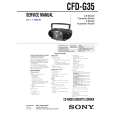
SONY CFDG35
Instrukcja Obsługi


Tweetnij o tym produkcie a dostaniesz $1.00 rabatu!
  • Plik do pobrania
  • Format PDF
  • Kompletna instrukcja
  • Język: English
Cena: $4.99

Opis SONY CFDG35 Instrukcja Obsługi

Kompletna instrukcja obsługi w formie pliku PDF. Plik PDF zostanie dostarczony na Twój adres email po jego zakupieniu.

Instrukcje obsługi (czasami nazywane także podręcznikiem użytkownika) opisuja funkcje i sposób działania danego produktu.

Instrukcja jest dostępna w następujących językach: English

Plik nie jest jeszcze gotowy
Musisz najpierw dokonać zakupu.

Recenzje produktu
Dla tego produktu nie napisano jeszcze recenzji!
Recenzje innych produktów
 CLD3760K PIONEER Instrukcja Obsługi by Sebastian Twardowski;
Dobrej jakości skan - wkońcu mogłem poznać wszystkie funkcje tego odtwarzacza - polecam .
 CDV475 PHILIPS Instrukcja Obsługi by Sebastian Twardowski;
Gruba instrukcja - poprostu wszystko co potrzreba - polecam .

Tekstowy podgląd strony 2 (kliknij aby zobaczyć)
Location of controls
Inserting a cassette
With the side you want to play facing upward

Loading a CD

Remote Control
SLEEP FUNCTION Number buttons With the labeled side up MODE VOLUME �, +* POWER

Playing a CD
1 2 3 4
To stop playback pause playback VOL +*, � x go to the next track go back to the previous track remove the CD locate a point while listening to the sound locate a point while observing WOOFER the display locate a specific track directly*

Listening to the radio
1 2 3
Press POWER to turn on the player. Press BAND�AUTO PRESET until the band you want appears in the display. Each time you press the button, the indication changes as follows: �FM� t �AM�. Hold down TUNE + or � until the frequency digits begin to change in the display. The player automatically scans the radio frequencies and stops when it finds a clear station. If you can't tune in a station, press the button repeatedly to change the frequency step by step.
Tip
If the FM broadcast is noisy, press MODE until "Mono" appears in the display and the radio will play in monaural.

Recording
1 2 3
Press POWER to turn on the player. Press xZ to open the tape compartment and insert a blank tape. Use TYPE I (normal) tape only. Select the program source you want to record. To record from the CD player Press x and load a CD (See �Playing a CD�). To record from the radio Press BAND�AUTO PRESET and tune in the station you want (See �Listening to the radio�).

Press POWER to turn on the player. Load a CD in the CD compartment. Press Z PUSH OPEN/CLOSE to close the CD compartment. Press u (N on the remote). The player plays all the tracks once.
Press x u (X on the remote) Press the button again to resume play after pause. > . Z PUSH OPEN/CLOSE > (forward) or . (backward) while playing until you find the point > (forward) or . (backward) in pause until you find the point a number button of the track on the remote

MODE TUNE �, + SOUND

DISPLAY ENTER MEMORY u*

Z PUSH OPEN/CLOSE x

BAND TUNE+, � N

4
To

Press z to start recording. (N is depressed automatically.)
Press xZ X Press the button again to resume recording.

.,> X POWER SOUND

Presetting radio stations
You can store radio stations into the player�s memory. You can preset up to 30 radio stations, 20 for FM and 10 for AM in any order.

stop recording pause recording Tips

� Adjusting the volume or the audio emphasis will not affect the recording level. � For the best results, use the AC power as a power source for recording. � To erase a recording, proceed as follows: 1 Insert a tape with the recording you want to erase. 2 Press X. 3 Press N. 4 Press z. 5 Press X.

* You cannot locate a specific track if "SHUF" or "PGM" is lit in the display. Turn off the indication by pressing x.

1 2 3 4

Press POWER to turn on the player. Press BAND�AUTO PRESET to select the band. Hold down BAND�AUTO PRESET for 2 seconds until �AUTO� flashes in the display. Press DISPLAY�ENTER�MEMORY. The stations are stored in memory from the lower frequencies to the higher ones.

Tip
To locate a track numbered over 10, press >10 first, then the corresponding number buttons on the remote. Example:To play track number 23, press >10 first, then 2 and 3.

Using the display
SLEEP ., > PRESET �, + i POWER DRIVE WOOFER Display OPR/BATT BAND AUTO PRESET *The button has a tactile dot.

If a station cannot be preset automatically To check the total track number and playing time
Press DISPLAY�ENTER�MEMORY in stop mode (see fig. D). You need to preset a station with a weak signal manually. 1 Press POWER to turn on the player. 2 Press BAND�AUTO PRESET to select the band. 3 Tune in a station you want. 4 Hold down DISPLAY� ENTER�MEMORY for 2 seconds until the preset number flashes in the display. 5 Press PRESET + or � until the preset number you want for the station flashes in the display. 6 Press DISPLAY�ENTER�MEMORY. The new station replaces the old one.

To check the remaining time
Press DISPLAY�ENTER�MEMORY repeatedly while playing a CD. The display changes as follows: t the current track number and playing time

Remote sensor

Display

r the current track number and the remaining time on the current track*

D
Total track number Total playing time

E
Programmed track Playing order

r the number of tracks left and remaining time on the CD
* For a track whose number is more than 20, the remaining time appears as �- -:- -� in the display.

On the remote
1 Press BAND until the band you want appears in the display. 2 Tune in a station you want. 3 Hold down the number buttons that you want to preset the new station on for about 2 seconds. To select the preset number over 10, press >10 first, then the corresponding number buttons. You need to hold down the last number button to enter for about 2 seconds. (Example: To select 12, press >10 and 1 first, then hold down 2 for about 2 seconds.)

To turn on/off the power
Press POWER.

Reinforcing the bass sound
Press POWER DRIVE WOOFER (WOOFER on the remote). appears in the display. When POWER DRIVE WOOFER function works, the button lights up. To return to normal sound, press the button until the indication disappears from the display .
� While the sleeping timer is on, the POWER DRIVE WOOFER button does not light, even if the WOOFER function works. � When using the headphones, the WOOFER function does not work.

Selecting the play mode
Press MODE until �REP 1� �REP ALL� �SHUF� �SHUF REP� �PGM� �PGM REP� appears in the display. Then proceed as follows: To repeat a single track repeat all tracks shuffle play repeat tracks in random order program play Select �REP 1� �REP ALL� �SHUF� �SHUF REP� �PGM� Then do this Press . or > to select the track that you want to repeat, then press u. Press u. Press u. Press u. Press . or > then press DISPLAY�ENTER� MEMORY for the tracks you want to program in the order you want up to 20 tracks (see fig. E). Then press u. Press . or > then press DISPLAY�ENTER� MEMORY for the tracks you want to program in the order you want up to 20 tracks. Then Press u.

To adjust the volume
Press VOLUME +, � (VOL +, � on the remote).

Playing preset radio stations 1 2 3
Press POWER to turn on the player. Press BAND�AUTO PRESET to select the band. Press PRESET + or � tune in the stored station.

To listen through headphones
Connect the headphones to the i (headphones) jack.

Notes

Selecting the audio emphasis (SOUND/POWER DRIVE WOOFER)
You can adjust the audio emphasis of the sound you are listening to.

Falling asleep to music 1 2 3
Play the music source you want. Press SLEEP. Press SLEEP to select the minutes until the player goes off automatically. Each time you press the button, the indication changes as follows: �60� t �90� t �120� t �OFF� t �10� t �20� t �30�. To cancel the sleep function
Press POWER to turn off the power. Note
When you are playing a tape using this function: If the tape length of one side is longer than the set time, the player will not go off until the tape reaches the end.

On the remote
1 Press BAND. 2 Press the number buttons to tune in the stored station. To tune in a preset station over 10, press >10 first, then corresponding number buttons. (Example: To tune in a preset station 12, press >10 and 1 first, and then press 2.)

Selecting the sound characteristic
Press SOUND repeatedly to select the audio emphasis you want. Choose To get powerful, clean sounds, emphasizing low and high range audio

repeat programmed tracks

�PGM REP�

Playing a tape
1 2 3
To stop playback fast-forward or rewind the tape pause playback eject the cassette

light, bright sounds emphasizing high and middle range audio

On the remote
When you�ve selected �PGM� or �PGM REP�, press the number buttons for the track you want up to 20 tracks, then press N.

Press POWER to turn on the player. Press xZ to open the tape compartment and insert a recorded tape. Close the compartment. Use TYPE I (normal) tape only. Press N.
Press xZ M or m X Press the button again to resume play after pause. xZ

percussive sounds, emphasizing bass audio

To cancel selected play mode
Press MODE until the selected mode disappears from the display.

the presence of vocals, stressing middle range audio

To check the programmed track and playing order in the display
To check the order of tracks before play, press DISPLAY�ENTER�MEMORY. Every time you press the button, the track number appears in the programmed order.

the whole dynamic range for music such as classical music

To change the current program
Press x once if the CD is stopped and twice if the CD is playing. The current program will be erased. Then create a new program following the programming procedure. Tips
� You can play the same program again, since the program is saved until you open the CD compartment. � You can record your own program. After you�ve created the program, insert a blank tape and press z to start recording.

Klienci kupując ten produkt kupili także

$4.99

CFDG35 SONY
Instrukcja Serwisowa

Kompletna instrukcja serwisowa w formie pliku PDF. Instrukcje serwisowe zazwyczaj zawierają schemat…
>
Parse Time: 1.678 - Number of Queries: 791 - Query Time: 0.936