VR870P/16 Ilość: 1
$4.99
» Pokaż Szczegóły
25PT4512 Ilość: 1
$4.99
» Pokaż Szczegóły
NL671 Ilość: 1
$4.99
» Pokaż Szczegóły
AF-S NIKKOR ED 500MM F4DII IF Ilość: 1
$4.99
» Pokaż Szczegóły
28PW6507/05 Ilość: 1
$4.99
» Pokaż Szczegóły
ARL 706 Ilość: 1
$4.99
» Pokaż Szczegóły
AKS 200 IX Ilość: 1
$4.99
» Pokaż Szczegóły
WAK/D 8414 EX Ilość: 1
$4.99
» Pokaż Szczegóły
R6230 Ilość: 1
$4.99
» Pokaż Szczegóły
KESS907SSS00 Ilość: 1
$4.99
» Pokaż Szczegóły
ART 464-LH Ilość: 1
$4.99
» Pokaż Szczegóły
4YGD25DCHT02 Ilość: 1
$4.99
» Pokaż Szczegóły
310412921910 Ilość: 1
$4.99
» Pokaż Szczegóły
Z5210E EMERALD GREEN Ilość: 1
$4.99
» Pokaż Szczegóły
RF385PXGW2 Ilość: 1
$4.99
» Pokaż Szczegóły
ELZE 7260/IN Ilość: 1
$4.99
» Pokaż Szczegóły
AQ6426/20 Ilość: 1
$4.99
» Pokaż Szczegóły
KDMC 1556/0 Ilość: 1
$4.99
» Pokaż Szczegóły
LBR5232EQ0 Ilość: 1
$4.99
» Pokaż Szczegóły
KVIL 1359/3 Ilość: 1
$4.99
» Pokaż Szczegóły
ACH122XA0 Ilość: 1
$4.99
» Pokaż Szczegóły
VGNS28TP Ilość: 1
$4.99
» Pokaż Szczegóły
F1265U Ilość: 1
$4.99
» Pokaż Szczegóły
JEH730B Ilość: 1
$4.99
» Pokaż Szczegóły
AWZ 2411 Ilość: 1
$4.99
» Pokaż Szczegóły
TL720R/00T Ilość: 1
$4.99
» Pokaż Szczegóły
RPHG17PP Ilość: 1
$4.99
» Pokaż Szczegóły
PROMAC 46II 18" 0.325 M.BOX Ilość: 1
$4.99
» Pokaż Szczegóły
PCLKMN20 Ilość: 1
$4.99
» Pokaż Szczegóły
AWM 466/3 Ilość: 1
$4.99
» Pokaż Szczegóły
TH-M603AX Ilość: 1
$4.99
» Pokaż Szczegóły
KXFPG377 Ilość: 1
$4.99
» Pokaż Szczegóły
GR10S/60F T1 RAL 901 Ilość: 1
$4.99
» Pokaż Szczegóły
CT3308/BROSA0ID Ilość: 1
$4.99
» Pokaż Szczegóły
DTC60ES Ilość: 1
$4.99
» Pokaż Szczegóły
DMCLC33KR Ilość: 1
$4.99
» Pokaż Szczegóły
KBHC109JBL03 Ilość: 1
$4.99
» Pokaż Szczegóły
KTRI18KXWH00 Ilość: 1
$4.99
» Pokaż Szczegóły
HR-S5977EK Ilość: 1
$4.99
» Pokaż Szczegóły
AWLZ14MD Ilość: 1
$4.99
» Pokaż Szczegóły
P545 OSLO Ilość: 1
$4.99
» Pokaż Szczegóły
AY-X108E Ilość: 1
$4.99
» Pokaż Szczegóły
GSI 6798 WS Ilość: 1
$4.99
» Pokaż Szczegóły
20PFL4122/10 Ilość: 1
$4.99
» Pokaż Szczegóły
NN7558L Ilość: 1
$4.99
» Pokaż Szczegóły
ET21LKXHW02 Ilość: 1
$4.99
» Pokaż Szczegóły
RB-20CC40MX Ilość: 1
$4.99
» Pokaż Szczegóły
CDR820 Ilość: 1
$4.99
» Pokaż Szczegóły
PTL720U Ilość: 1
$4.99
» Pokaż Szczegóły
GSI 5556 CTW-IN Ilość: 1
$4.99
» Pokaż Szczegóły
BOX4400 Ilość: 1
$4.99
» Pokaż Szczegóły
SBCHC8420/00 Ilość: 1
$4.99
» Pokaż Szczegóły
KSSO42QMX02 Ilość: 1
$4.99
» Pokaż Szczegóły
AV-29VT31/P Ilość: 1
$4.99
» Pokaż Szczegóły
AFE 115/G/1 Ilość: 1
$4.99
» Pokaż Szczegóły
F40610 Ilość: 1
$4.99
» Pokaż Szczegóły
VV1308 Ilość: 1
$4.99
» Pokaż Szczegóły
CK6202BEOSX Ilość: 1
$4.99
» Pokaż Szczegóły
PV-GS85P VOLUME 1 Ilość: 1
$4.99
» Pokaż Szczegóły
DMC-FX01EE VOLUME 1 Ilość: 1
$4.99
» Pokaż Szczegóły
AWM 8162-HK-SINGAPUR Ilość: 1
$4.99
» Pokaż Szczegóły
KVT745DVD Ilość: 1
$4.99
» Pokaż Szczegóły
SE5140VPS Ilość: 1
$4.99
» Pokaż Szczegóły
SGH-E360 Ilość: 1
$4.99
» Pokaż Szczegóły
Z7040 Ilość: 1
$4.99
» Pokaż Szczegóły
C68CHASSIS Ilość: 1
$4.99
» Pokaż Szczegóły
EFC9460X Ilość: 1
$4.99
» Pokaż Szczegóły
KRIS 1509/A Ilość: 1
$4.99
» Pokaż Szczegóły
MDS-JB930 Ilość: 1
$4.99
» Pokaż Szczegóły
PCGK20P Ilość: 1
$4.99
» Pokaż Szczegóły
SW9 4S Ilość: 1
$4.99
» Pokaż Szczegóły
CQC5400 Ilość: 1
$4.99
» Pokaż Szczegóły
TR610DAB Ilość: 1
$4.99
» Pokaż Szczegóły
JXT6910K Ilość: 1
$4.99
» Pokaż Szczegóły
TP-C455YH Ilość: 1
$4.99
» Pokaż Szczegóły
QTCD150H Ilość: 1
$4.99
» Pokaż Szczegóły
GSF 740 TW-WS Ilość: 1
$4.99
» Pokaż Szczegóły
RC35BSE Ilość: 1
$4.99
» Pokaż Szczegóły
AWZ 8457 Ilość: 1
$4.99
» Pokaż Szczegóły
KVB2511B Ilość: 1
$4.99
» Pokaż Szczegóły
KP2671XTG3 Ilość: 1
$4.99
» Pokaż Szczegóły
R-3A50(W) Ilość: 1
$4.99
» Pokaż Szczegóły
CPR600BK Ilość: 1
$4.99
» Pokaż Szczegóły
GSF 7496 TW-WS Ilość: 1
$4.99
» Pokaż Szczegóły
CCP-04B Ilość: 1
$4.99
» Pokaż Szczegóły
LEN3624BN0 Ilość: 1
$4.99
» Pokaż Szczegóły
DR350 Ilość: 1
$4.99
» Pokaż Szczegóły
KXT7030 Ilość: 1
$4.99
» Pokaż Szczegóły
DSCM2 Ilość: 1
$4.99
» Pokaż Szczegóły
28HT5403/78R Ilość: 1
$4.99
» Pokaż Szczegóły
TD-V1010C Ilość: 1
$4.99
» Pokaż Szczegóły
RMS-V5011 Ilość: 1
$4.99
» Pokaż Szczegóły
HDIH-2000M Ilość: 1
$4.99
» Pokaż Szczegóły
EX76R/80A 1M 3V 1L N Ilość: 1
$4.99
» Pokaż Szczegóły
27A45 Ilość: 1
$4.99
» Pokaż Szczegóły
L3510PRV Ilość: 1
$4.99
» Pokaż Szczegóły
CQR215SEW Ilość: 1
$4.99
» Pokaż Szczegóły
AU7410C Ilość: 1
$4.99
» Pokaż Szczegóły
SUZ2/K Ilość: 1
$4.99
» Pokaż Szczegóły
AV-21MS25/AB Ilość: 1
$4.99
» Pokaż Szczegóły
P371126 Ilość: 1
$4.99
» Pokaż Szczegóły
BEOGRAM7000 Ilość: 1
$4.99
» Pokaż Szczegóły
X-EV99D/DDRXJ Ilość: 1
$4.99
» Pokaż Szczegóły
PDP-504PE/WYVI6XK Ilość: 1
$4.99
» Pokaż Szczegóły
XR3501 Ilość: 1
$4.99
» Pokaż Szczegóły
CU-W28BBP8 Ilość: 1
$4.99
» Pokaż Szczegóły
AWO 5487 Ilość: 1
$4.99
» Pokaż Szczegóły
DVD728 Ilość: 1
$4.99
» Pokaż Szczegóły
W sumie: $538.92
 
English Polski Spanish 
Szukaj instrukcji do
 

(e.g. AA-V20EG JVC, ZX-7 Sony )
PayPal 1000+ rating Secure, Encrypted Checkout.
 
Kategorie
Informacje
Polecamy
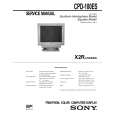
Strona główna >> SONY >> CPD100ES Instrukcja Serwisowa
 
 108 szt. w koszyku 

SONY CPD100ES
Instrukcja Serwisowa


Tweetnij o tym produkcie a dostaniesz $1.00 rabatu!
  • Zawiera schematy
  • Plik do pobrania
  • Format PDF
  • Kompletna instrukcja
  • Język: English
Cena: $4.99

Opis SONY CPD100ES Instrukcja Serwisowa

Kompletna instrukcja serwisowa w formie pliku PDF. Instrukcje serwisowe zazwyczaj zawierają schematy, diagramy drukowanych obwodów (PCB), schematy połączeń, schematy blokowe oraz katalog części. Instrukcje serwisowe są wykorzystywane glównie przez osoby naprawiające uszkodzony sprzęt.

Jeśli chcesz się dowiedzieć jak się obsługuje Twój telewizor, magnetowid, odtwarzacz mp3 itp. powinieneś raczej szukać instrukcji obsługi

Instrukcja jest dostępna w następujących językach: English

Plik nie jest jeszcze gotowy
Musisz najpierw dokonać zakupu.

Recenzje produktu
Dla tego produktu nie napisano jeszcze recenzji!
Recenzje innych produktów
 TX7520 ONKYO Instrukcja Serwisowa by Robert Teodorski;
Schematy są ale można wysilić się i zrobić kolorowy skan i o większej rozdzielczości. Wtedy schematy płytek będą czytelniejsze. Całość super jako wartość merytoryczna. Wszystkie dane potrzebne do podłączenia różnego rodzajów urządzeń takich gramofon, CD itd.
 CTV323 CLATRONIC Instrukcja Serwisowa by Bogdan Padechowicz;
Szybko, sprawnie i tanio. Serwis godny polecenia. Będę polecał innym
 CC8065 DUAL Instrukcja Serwisowa by Zbigniew Szarycz;
Ogólnie jest OK, z wyjątkiem obrazu płyty głównej, który jest miejscami mało czytelny, ale można sobie poradzić.
 KPE61MN11 SONY Instrukcja Serwisowa by Grzegorz Zawadzki;
Dokładna dokumentacja, pomogła w szybkiej naprawie telewizora. Dziękuję!
 RCM70L/LB JVC Instrukcja Serwisowa by Damian Mazek;
jedyne do czego mogę mieć zastrzeżenie to jakość zdjęć zawartych w przesłanej instrukcji serwisowej ponieważ są fatalnej jakości, praktycznie nieczytelne. tak poza tym jestem zadowolony to jest to czego szukałem.

Tekstowy podgląd strony 4 (kliknij aby zobaczyć)
CPD-100ES

The operating instructions mentioned here are partial abstracts from the Operating Instruction Manual. The page numbers of the Operating Instruction Manual remain as in the manual.

SECTION 1 GENERAL

Getting Started
Before using this monitor, please make sure that the following items are included in your package: Multiscan 100ES/200ES monitor (1), power cord (1), warranty card (1), "Windows95 Monitor Information Disk" (1), and this operating instruction manual (1). This monitor will sync with any IBM or compatible system equipped with VGA or greater graphics capability. Although this monitor will sync to other platforms running at horizontal frequencies between 30 and 70 kHz, including Macintosh and Power Macintosh system, a cable adapter is required. Please consult your dealer for advice on which adapter is suitable for your needs. Step 1: With the computer switched off, attach the video signal cable to the video output.

Using Your Monitor
Preset and User Modes
The Multiscan 100ES/200ES has factory preset modes for the 8 most popular industry standards for true �plug and play� capability. For less common modes, the Multiscan 100ES/200ES�s Digital Multiscan Technology will perform all of the complex adjustments necessary to ensure a high quality picture for any timing between 30 and 70 kHz.

Adjustments
When one of the preset-type signals is input, no picture adjustment is necessary. You can, however, adjust the picture to your preferences by following the procedure described below. You can adjust all items on the OSD (On Screen Display).
Control Panel

p p

Before adjusting the items, turn on the unit and feed the video signal from the connected computer/work station. Adjustments will be stored automatically.

RESET

COLOR

GEOM

SIZE

CENTER

CPD-100ES/100EST and CPD-200ES/200EST
No. Resolution Horizontal Vertical Graphics (dots � lines) Frequency Frequency Mode 1 640 � 480 31.5 kHz 60 Hz VGA Graphic 1) 2 3 4 5 640 � 480 800 � 600 800 � 600 832 � 624 1024 � 768 1024 � 768 1280 � 1024 43.3 kHz 46.9 kHz 53.7 kHz 49.7 kHz 60.0 kHz 68.7 kHz 64.0 kHz 85 Hz 75 Hz 85 Hz 75 Hz 75 Hz 85 Hz 60 Hz VESA 2) VESA 2) VESA2) Macintosh 16" Color 2) VESA
2)

Adjusting the Picture Contrast
The adjustment data becomes the common setting for all input signals.

Adjusting the Picture Centering
The adjustment data becomes the individual setting for each input signal received.

1
Press the > ?// button. The �BRIGHTNESS/CONTRAST� OSD appears.
BRIGHTNESS/CONTRAST

1
Press the CENTER button. The �CENTER� OSD appears.
CENTER

IBM or compatible computer to video output

6 7 8

VESA 2) VESA 2)

CENTER

4 �
Apple computer to video output Macintosh adapter (not supplied)

For the customers using the Windows®4)95 Install the new model information of the Sony computer display
from �Windows95 Monitor Information Disk� into your PC. (To install the file, refer to the attached �About the Windows95 Monitor Information Disk/File�.)

100

50

32

68

3 1 . 5 kHz/70Hz

2
Horizontal frequency� Vertical frequency�

For vertical adjustment Press the ¨ >/. buttons.

This monitor complies with �VESA DDC�, the standards of Plug&Play. If your PC/graphic board complies with DDC, select �Plug and Play Monitor (VESA DDC)� or this monitor�s model name (CPD-100ES/100EST or CPD-200ES/ 200EST) as �Monitor type� from �Control Panel� on Windows95. Some PC/graphic boards do not comply with DDC. Even if they comply with DDC, they may have some problems on connecting to this monitor. In this case, select this monitor�s model name (CPD-100ES/100EST or CPD200ES/200EST) as �Monitor type� on Windows95.
Recommended horizontal timing conditions
Horizontal sync width should be: >1.0 µsec. Horizontal blanking width should be: >3.6 µsec. (Multiscan 100ES)/ >3.0 µsec. (Multiscan 200ES). Vertical sync width should be: < 560 µsec.

Step 2:

Attach the power cord to the monitor and the other end to a power outlet.

2

Press the > ?// buttons to adjust picture contrast. / . . . for more contrast ? . . . for less contrast > . . . to move up . . . . to move down For horizontal adjustment Press the > ?// buttons.

The �BRIGHTNESS/CONTRAST� OSD disappears 3 seconds after you release the buttons. To reset, press the RESET button while the OSD is on.

Power cord (supplied) to a power outlet

Adjusting the Picture Brightness
The adjustment data becomes the common setting for all input signals.

Step 3: Step 4:

Turn on the monitor and computer. If necessary, adjust the user controls according to your personal preference.

Note
CPD-100ES/100EST and CPD-200ES/200EST does not apply to Macintosh 21" color mode.

1

Press the ¨ >/. button. The �BRIGHTNESS/CONTRAST� OSD appears.
BRIGHTNESS/CONTRAST

The installation of your Multiscan 100ES/200ES is complete. Enjoy your monitor. 1) VGA is a trademark of IBM Corporation. 2) VESA is a trademark of the non-profit organization, Video Electronics Standard Association. 3) Macintosh is a trademark of Apple Computer Inc. 4) Windows® is a registered trademark of Microsoft Corporation in the United States and other countries.

? . . . to move left / . . . to move right To erase the �CENTER� OSD, press the CENTER button again. The �CENTER� OSD automatically disappears 10 seconds after you release the buttons. To reset, press the RESET button while the OSD is on.

100 50 3 1 . 5 kHz/70Hz

Horizontal frequency�

Vertical frequency�

2

Press the ¨ >/. buttons to adjust picture brightness.
. . . . for less brightness > . . . for more brightness � The horizontal and vertical frequencies for each input signal received appear on the �BRIGHTNESS/CONTRAST� OSD.

The �BRIGHTNESS/CONTRAST� OSD disappears 3 seconds after you release the buttons.

4

To reset, press the RESET button while the OSD is on.

5

Klienci kupując ten produkt kupili także

$4.99

CPD-100ES SONY
Instrukcja Obsługi

Kompletna instrukcja obsługi w formie pliku PDF. Plik PDF zostanie dostarczony na Twój adres email…
>
Parse Time: 2.875 - Number of Queries: 483 - Query Time: 1.918