CH168 Ilość: 1
$4.99
» Pokaż Szczegóły
RXDT600 SIMPLIFIE Ilość: 1
$4.99
» Pokaż Szczegóły
28PW9515/58 Ilość: 1
$4.99
» Pokaż Szczegóły
6380DIGIVISION Ilość: 1
$4.99
» Pokaż Szczegóły
LSN1000JT0 Ilość: 1
$4.99
» Pokaż Szczegóły
CTV9220 Ilość: 1
$4.99
» Pokaż Szczegóły
VSX-D337/YPWXJI Ilość: 1
$4.99
» Pokaż Szczegóły
TA-H7900E Ilość: 1
$4.99
» Pokaż Szczegóły
EL-94T Ilość: 1
$4.99
» Pokaż Szczegóły
HQ9100/33 Ilość: 1
$4.99
» Pokaż Szczegóły
KGCC505JCU0 Ilość: 1
$4.99
» Pokaż Szczegóły
DVDS324/B/W Ilość: 1
$4.99
» Pokaż Szczegóły
NSXM9 Ilość: 1
$4.99
» Pokaż Szczegóły
CFSW338L Ilość: 1
$4.99
» Pokaż Szczegóły
KSSS48FJW00 Ilość: 1
$4.99
» Pokaż Szczegóły
CT0699BLK/40 Ilość: 1
$4.99
» Pokaż Szczegóły
SUC800UM2 Ilość: 1
$4.99
» Pokaż Szczegóły
SAT-A55 Ilość: 1
$4.99
» Pokaż Szczegóły
EXZ110 Ilość: 1
$4.99
» Pokaż Szczegóły
ED2FHEXSB02 Ilość: 1
$4.99
» Pokaż Szczegóły
KX-TCD705BXM Ilość: 1
$4.99
» Pokaż Szczegóły
AZ1575/16 Ilość: 1
$4.99
» Pokaż Szczegóły
SF5990SY Ilość: 1
$4.99
» Pokaż Szczegóły
EICO 680 Ilość: 1
$4.99
» Pokaż Szczegóły
ET14EPXPWR0 Ilość: 1
$4.99
» Pokaż Szczegóły
GM-X922/XR/EW Ilość: 1
$4.99
» Pokaż Szczegóły
ESI6104X Ilość: 1
$4.99
» Pokaż Szczegóły
BL269-2 Ilość: 1
$4.99
» Pokaż Szczegóły
4538 Ilość: 1
$4.99
» Pokaż Szczegóły
PCGFR825L Ilość: 1
$4.99
» Pokaż Szczegóły
ESF6124X Ilość: 1
$4.99
» Pokaż Szczegóły
FM9611/A Ilość: 1
$4.99
» Pokaż Szczegóły
E4100-M Ilość: 1
$4.99
» Pokaż Szczegóły
20PL83 Ilość: 1
$4.99
» Pokaż Szczegóły
EOB6630B Ilość: 1
$4.99
» Pokaż Szczegóły
KRC977R Ilość: 1
$4.99
» Pokaż Szczegóły
ET1MHEXRQ01 Ilość: 1
$4.99
» Pokaż Szczegóły
JEH0921S Ilość: 1
$4.99
» Pokaż Szczegóły
CA-MXS6MDUJ Ilość: 1
$4.99
» Pokaż Szczegóły
FM01SW60/27 Ilość: 1
$4.99
» Pokaż Szczegóły
7647825010 Ilość: 1
$4.99
» Pokaż Szczegóły
CDB-231 Ilość: 1
$4.99
» Pokaż Szczegóły
LX58D-7B Ilość: 1
$4.99
» Pokaż Szczegóły
QC908C Ilość: 1
$4.99
» Pokaż Szczegóły
DEHP6400R Ilość: 1
$4.99
» Pokaż Szczegóły
KSSC48FMS01 Ilość: 1
$4.99
» Pokaż Szczegóły
232.515 7/20458 Ilość: 1
$4.99
» Pokaż Szczegóły
DVR-530H-S/RDXV/RA Ilość: 1
$4.99
» Pokaż Szczegóły
KDC5019 Ilość: 1
$4.99
» Pokaż Szczegóły
2863DB Ilość: 1
$4.99
» Pokaż Szczegóły
AKZ 475/IX/02 Ilość: 1
$4.99
» Pokaż Szczegóły
CRSP40 Ilość: 1
$4.99
» Pokaż Szczegóły
42WP36P Ilość: 1
$4.99
» Pokaż Szczegóły
MC-9600 Ilość: 1
$4.99
» Pokaż Szczegóły
MPC2000XL Ilość: 1
$4.99
» Pokaż Szczegóły
C32WF535N Ilość: 1
$4.99
» Pokaż Szczegóły
RSK1 Ilość: 1
$4.99
» Pokaż Szczegóły
AP28 Ilość: 1
$4.99
» Pokaż Szczegóły
AKP526/AV Ilość: 1
$4.99
» Pokaż Szczegóły
KDC4018,G Ilość: 1
$4.99
» Pokaż Szczegóły
54342550 Ilość: 1
$4.99
» Pokaż Szczegóły
EV190NXWN01 Ilość: 1
$4.99
» Pokaż Szczegóły
E8931-4-M Ilość: 1
$4.99
» Pokaż Szczegóły
SLSX510P/PC/EB/EG/ Ilość: 1
$4.99
» Pokaż Szczegóły
C2842NS Ilość: 1
$4.99
» Pokaż Szczegóły
TC-29A11Z Ilość: 1
$4.99
» Pokaż Szczegóły
28N8S Ilość: 1
$4.99
» Pokaż Szczegóły
ADP941/2WH Ilość: 1
$4.99
» Pokaż Szczegóły
XXLBOX1F Ilość: 1
$4.99
» Pokaż Szczegóły
299/057 Ilość: 1
$4.99
» Pokaż Szczegóły
323HDA55X Ilość: 1
$4.99
» Pokaż Szczegóły
W sumie: $354.29
 
English Polski Spanish 
Szukaj instrukcji do
 

(e.g. AA-V20EG JVC, ZX-7 Sony )
PayPal 1000+ rating Secure, Encrypted Checkout.
 
Kategorie
Informacje
Polecamy
Strona główna >> WHIRLPOOL >> FGS337KQ2 Instrukcja Obsługi
 
 71 szt. w koszyku 

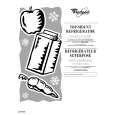
WHIRLPOOL FGS337KQ2
Instrukcja Obsługi


Tweetnij o tym produkcie a dostaniesz $1.00 rabatu!
  • Plik do pobrania
  • Format PDF
  • Kompletna instrukcja
  • Język: English
Cena: $4.99

Opis WHIRLPOOL FGS337KQ2 Instrukcja Obsługi

Kompletna instrukcja obsługi w formie pliku PDF. Plik PDF zostanie dostarczony na Twój adres email po jego zakupieniu.

Instrukcje obsługi (czasami nazywane także podręcznikiem użytkownika) opisuja funkcje i sposób działania danego produktu.

Instrukcja jest dostępna w następujących językach: English

Plik nie jest jeszcze gotowy
Musisz najpierw dokonać zakupu.

Recenzje produktu
Dla tego produktu nie napisano jeszcze recenzji!

Tekstowy podgląd strony 8 (kliknij aby zobaczyć)
OVEN USE
Electronic Clock/Timer
1 2 3

Timer
The Timer can be set in minutes and seconds or hours and minutes and counts down the set time. The Timer does not start or stop the oven.

To Set:
1. Press TIMER. The colon will flash during Timer programming. To display the time of day while the Timer is counting down, press CLOCK. Time of day will be displayed 5 seconds before returning to the Timer countdown. 2. Press the �up� or �down� arrow pads to set length of time. 3. Press TIMER. The Timer will begin counting down 5 seconds after the time is set. When there is one minute of time remaining, a single tone will sound and the display will begin counting down in seconds. When the Timer reaches zero, the display will show �End� and four 1-second tones will sound.

5

4

To Cancel: Press TIMER twice in the Timer mode.

1. Clock 2. Display

3. Increase 4. Decrease

5. Timer

Oven Temperature Control
IMPORTANT: Do not use a thermometer to measure oven temperature because opening the oven door and element or burner cycling may give incorrect readings. The oven provides accurate temperatures; however, it may cook faster or slower than your previous oven, so the temperature calibration can be adjusted. It can be changed in Fahrenheit only. A minus sign means the oven will be cooler by the displayed amount. No sign means the oven will be warmer by the displayed amount. Use the following chart as a guide. ADJUSTMENT °F 10°F 20°F 30°F -10°F -20°F -30°F COOKS FOOD ...a little more ...moderately more ...much more ...a little less ...moderately less ...much less

Display
When power is first supplied to the appliance, everything on the display will light up for 5 seconds. Then, the time of day and �PF� will appear on the display. Any other time �PF� appears, a power failure occurred. Reset the clock. See �Clock� section. When the oven is not in use, the display will show the time of day.

Clock
This is a 12 hour clock and does not show a.m. or p.m.

To Set:
Before setting, make sure the oven and Timer are off. 1. Press CLOCK. The colon will flash during clock programming. 2. Press the �up� or �down� arrow pads to set the time of day. The time can be changed in either small or 10 minute increments by pressing a pad briefly or by pressing and holding a pad. 3. Press CLOCK. The colon will stop flashing when the clock is active.

To Adjust Oven Temperature Calibration:
1. Press and hold CLOCK until the oven display shows the current calibration, for example, �00�, if not yet adjusted or about 5 seconds. 2. Press the �up� or �down� arrow pads to increase or to decrease the temperature in 5°F amounts. The adjustment can be set between 35°F and -35°F. 3. Press CLOCK to enter the new temperature.

8

Klienci kupując ten produkt kupili także


Za darmo!

FGS337KQ2 WHIRLPOOL
Instrukcja Instalacji

Kompletna instrukcja instalacji urządzenia w formie pliku PDF.Po zakupieniu tej instrukcji wyślemy…

$4.99

FGS337KQ2 WHIRLPOOL
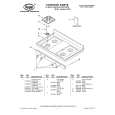
Katalog Części

Katalog części w formie pliku PDF. Plik zawiera wykaz części znajdujących się w urządzeniu wr…
>
Parse Time: 0.671 - Number of Queries: 366 - Query Time: 0.343