AKP520/IX Ilość: 1
$4.99
» Pokaż Szczegóły
ARR5210L Ilość: 1
$4.99
» Pokaż Szczegóły
BMZH 5000/01/IN Ilość: 1
$4.99
» Pokaż Szczegóły
DACS Ilość: 1
$4.99
» Pokaż Szczegóły
AKZ 215 IX Ilość: 1
$4.99
» Pokaż Szczegóły
MDR-DS5000 Ilość: 1
$4.99
» Pokaż Szczegóły
EHL40-4E.4SW Ilość: 1
$4.99
» Pokaż Szczegóły
KGYS750JQ1 Ilość: 1
$4.99
» Pokaż Szczegóły
AKP 237 IX Ilość: 1
$4.99
» Pokaż Szczegóły
KBRS36FMB01 Ilość: 1
$4.99
» Pokaż Szczegóły
LER5638AW0 Ilość: 1
$4.99
» Pokaż Szczegóły
TN6000GLOBETROTTER Ilość: 1
$4.99
» Pokaż Szczegóły
FUN 630 S IX Ilość: 1
$4.99
» Pokaż Szczegóły
ED2NHAXNQ00 Ilość: 1
$4.99
» Pokaż Szczegóły
LAVAMAT72730 Ilość: 1
$4.99
» Pokaż Szczegóły
PV7452 Ilość: 1
$4.99
» Pokaż Szczegóły
KRI 2258/3 Ilość: 1
$4.99
» Pokaż Szczegóły
KGCP484KSS02 Ilość: 1
$4.99
» Pokaż Szczegóły
KF-50WE610 Ilość: 1
$4.99
» Pokaż Szczegóły
AKR 401 IX Ilość: 1
$4.99
» Pokaż Szczegóły
ARL 424/H Ilość: 1
$4.99
» Pokaż Szczegóły
321/109X 50331 Ilość: 1
$4.99
» Pokaż Szczegóły
W sumie: $109.78
 
English Polski Spanish 
Szukaj instrukcji do
 

(e.g. AA-V20EG JVC, ZX-7 Sony )
PayPal 1000+ rating Secure, Encrypted Checkout.
 
Kategorie
Informacje
Polecamy
Strona główna >> JVC >> FS-H30 Instrukcja Obsługi
 
 22 szt. w koszyku 

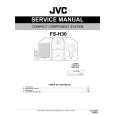
JVC FS-H30
Instrukcja Obsługi


Tweetnij o tym produkcie a dostaniesz $1.00 rabatu!
  • Plik do pobrania
  • Format PDF
  • Kompletna instrukcja
  • Język: English
Cena: $4.99

Opis JVC FS-H30 Instrukcja Obsługi

Kompletna instrukcja obsługi w formie pliku PDF. Plik PDF zostanie dostarczony na Twój adres email po jego zakupieniu.

Instrukcje obsługi (czasami nazywane także podręcznikiem użytkownika) opisuja funkcje i sposób działania danego produktu.

Instrukcja jest dostępna w następujących językach: English

Plik nie jest jeszcze gotowy
Musisz najpierw dokonać zakupu.

Recenzje produktu
Dla tego produktu nie napisano jeszcze recenzji!
Recenzje innych produktów
 CLD3760K PIONEER Instrukcja Obsługi by Sebastian Twardowski;
Dobrej jakości skan - wkońcu mogłem poznać wszystkie funkcje tego odtwarzacza - polecam .
 CDV475 PHILIPS Instrukcja Obsługi by Sebastian Twardowski;
Gruba instrukcja - poprostu wszystko co potrzreba - polecam .

Tekstowy podgląd strony 22 (kliknij aby zobaczyć)
Disc Direct Recording
Everything on the disc goes onto the tape in the order it is on the disc, or according to the order you have set in Program Play. On the unit ONLY:

To record on both sides�Reverse Mode
On the remote control ONLY: Press REV.MODE (reverse mode) REV.MODE repeatedly until or is lit. � When using the Reverse Mode for Disc Direct Recording, lights up and start recording in the forward (3) direction first. When the tape reaches its end while recording a song in the forward direction (3), the last song will be rerecorded at the beginning of the reverse side (2). If you start recording on the reverse side (2), recording will stop when recording is done only on one side (reverse) of the tape.
When making Sleep Timer settings while doing Disc Direct Recording Set enough time to allow for the disc to finish playing; otherwise, the power will go off before recording is completed.

1 2

Put a recordable cassette in with the exposed part of the tape down. Load a disc.
� If the current playing source is not the CD player, press 3/8 CD, then 7 before going to the next step. � If you do not want pauses of about 4 seconds recorded between selections, press 3/8 CD twice. Otherwise, a non-recorded pause will be automatically inserted between selections. � If you want to record on both sides of a tape, see �To record on both sides�Reverse Mode.�

3

Press ONE TOUCH REC (recording).

ONE TOUCH REC

One Track Recording
This recording method is convenient when you record tracks while playing the disc. You can record just your favorite songs on the tape. On the unit ONLY:

The REC (recording) indicator lights up on the display and recording starts. After recording, the CD player and cassette deck automatically stop. To stop while recording, press 7. The tape stops after 4 seconds. To remove the cassette, press ) on the unit.

1 2 3

Put a recordable cassette in with the exposed part of the tape down. Play the track on the disc you wish to record. Press ONE TOUCH REC (recording).
ONE TOUCH REC

The CD player returns to the beginning of that track and the track is recorded on the tape. After recording, the CD player and cassette deck automatically stop.

4

Repeat steps 2 and 3 to record other tracks you want.

To stop while recording, press 7. The tape stops after 4 seconds. To remove the cassette, press ) on the unit.

19

Klienci kupując ten produkt kupili także

$4.99

FSH30 JVC
Instrukcja Serwisowa

Kompletna instrukcja serwisowa w formie pliku PDF. Instrukcje serwisowe zazwyczaj zawierają schemat…
>
Parse Time: 0.938 - Number of Queries: 182 - Query Time: 0.482