SGFS333E Ilość: 1
$4.99
» Pokaż Szczegóły
SCB7025/12 Ilość: 1
$4.99
» Pokaż Szczegóły
CDBA3000H Ilość: 1
$4.99
» Pokaż Szczegóły
EFR250 Ilość: 1
$4.99
» Pokaż Szczegóły
GSFS 6540 WS Ilość: 1
$4.99
» Pokaż Szczegóły
KSRG8 Ilość: 1
$4.99
» Pokaż Szczegóły
GR-D370US Ilość: 1
$4.99
» Pokaż Szczegóły
P822221 Ilość: 1
$4.99
» Pokaż Szczegóły
AGR5712ADW Ilość: 1
$4.99
» Pokaż Szczegóły
ART 700/UK Ilość: 1
$4.99
» Pokaż Szczegóły
6SB47 Ilość: 1
$4.99
» Pokaż Szczegóły
ZVC200S Ilość: 1
$4.99
» Pokaż Szczegóły
STU803/19R Ilość: 1
$4.99
» Pokaż Szczegóły
AWT 5068/2 Ilość: 1
$4.99
» Pokaż Szczegóły
RX7AS Ilość: 1
$4.99
» Pokaż Szczegóły
ED25DQXVN03 Ilość: 1
$4.99
» Pokaż Szczegóły
RT14ECREW00 Ilość: 1
$4.99
» Pokaż Szczegóły
HB D20 S Ilość: 1
$4.99
» Pokaż Szczegóły
MSK 3360 IN Ilość: 1
$4.99
» Pokaż Szczegóły
ZA6112BR Ilość: 1
$4.99
» Pokaż Szczegóły
W sumie: $99.80
 
English Polski Spanish 
Szukaj instrukcji do
 

(e.g. AA-V20EG JVC, ZX-7 Sony )
PayPal 1000+ rating Secure, Encrypted Checkout.
 
Kategorie
Informacje
Polecamy
Strona główna >> JVC >> HR-J291MS Instrukcja Obsługi
 
 20 szt. w koszyku 

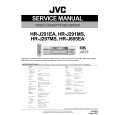
JVC HR-J291MS
Instrukcja Obsługi


Tweetnij o tym produkcie a dostaniesz $1.00 rabatu!
  • Plik do pobrania
  • Format PDF
  • Kompletna instrukcja
  • Język: English
Cena: $4.99

Opis JVC HR-J291MS Instrukcja Obsługi

Kompletna instrukcja obsługi w formie pliku PDF. Plik PDF zostanie dostarczony na Twój adres email po jego zakupieniu.

Instrukcje obsługi (czasami nazywane także podręcznikiem użytkownika) opisuja funkcje i sposób działania danego produktu.

Instrukcja jest dostępna w następujących językach: English

Plik nie jest jeszcze gotowy
Musisz najpierw dokonać zakupu.

Recenzje produktu
Dla tego produktu nie napisano jeszcze recenzji!

Tekstowy podgląd strony 12 (kliknij aby zobaczyć)
Timer Recording
Up to 7 timer recording programmes within a month can be made. Before starting: � Set the clock properly. ( 7) � Set �SYSTEM� to the appropriate mode. ( 15) � Load a cassette with the record safety tab intact.

Timer Programming
A Press MENU. Press w e to select the icon
�REC�, then press OK. The programme list appears.
REC

NOTES:

� Be sure to turn off the recorder before timer recording starts. Do not perform any operations during timer recording. � If all the 7 programmes have already been set, �PROGRAM FULL� appears on the screen. � If there is a conflict in the timer schedule and one programme overlaps with another, the programme starting earlier will be recorded. If the start times are the same, the programme made most recently will be recorded. � If you wish to stop timer recording which has already started, press 1. � After timer recording is completed, the recorder enters the standby mode automatically. � If the tape reaches its end during timer recordings, the recorder stops recording, rewinds the tape and ejects the cassette, then enters the standby mode automatically. � You can programme the timer recording while a regular recording is in progress; the menu screens will not be recorded.

set the channel, date, start time and stop time. Input �0� before any single number entries. � To time-record daily (Monday�Friday) or weekly serials, press w e to select the �DATE� setting, then press OK. Press w e, then press OK. � To set the tape speed (SP/LP/IP), press w e to select the tape speed, then press rt. �Intelligent LP Recording� on page 13.

B Press OK. C Press the appropriate number keys to

D Press MENU. Press MENU again to return to normal screen. E Press 1. The recorder enters timer standby mode. The timer

indicator and standby/record indicator light on the display panel. � If a cassette has not loaded when the recorder enters the timer standby mode, the timer indicator blinks on the display panel.

� 12 �

Klienci kupując ten produkt kupili także

$4.99

HRJ291MS JVC
Instrukcja Serwisowa

Kompletna instrukcja serwisowa w formie pliku PDF. Instrukcje serwisowe zazwyczaj zawierają schemat…
>
Parse Time: 0.251 - Number of Queries: 165 - Query Time: 0.081