EON305B Ilość: 1
$4.99
» Pokaż Szczegóły
GGW9250PW1 Ilość: 1
$4.99
» Pokaż Szczegóły
QR2229W Ilość: 1
$4.99
» Pokaż Szczegóły
AWO/D 4513/P Ilość: 1
$4.99
» Pokaż Szczegóły
DNHV 1361 SG Ilość: 1
$4.99
» Pokaż Szczegóły
CSXC12CKZ Ilość: 1
$4.99
» Pokaż Szczegóły
8265I Ilość: 1
$4.99
» Pokaż Szczegóły
WBE3411 A+W Ilość: 1
$4.99
» Pokaż Szczegóły
AWM 366/3 Ilość: 1
$4.99
» Pokaż Szczegóły
EL-341E Ilość: 1
$4.99
» Pokaż Szczegóły
DV-2650-S/WYXU Ilość: 1
$4.99
» Pokaż Szczegóły
CWE5800ACE Ilość: 1
$4.99
» Pokaż Szczegóły
ZENB250SI Ilość: 1
$4.99
» Pokaż Szczegóły
VSF315PEMW2 Ilość: 1
$4.99
» Pokaż Szczegóły
LPR 100/1 Ilość: 1
$4.99
» Pokaż Szczegóły
CLASSIC 50500U-D Ilość: 1
$4.99
» Pokaż Szczegóły
KECT025YAL1 Ilość: 1
$4.99
» Pokaż Szczegóły
720 STUDIO REC. Ilość: 1
$4.99
» Pokaż Szczegóły
BMZE4000/A/IN Ilość: 1
$4.99
» Pokaż Szczegóły
DV-454-S/WYXU/FRGR Ilość: 1
$4.99
» Pokaż Szczegóły
KVI 11211/A+ Ilość: 1
$4.99
» Pokaż Szczegóły
WA911 Ilość: 1
$4.99
» Pokaż Szczegóły
SF53 Ilość: 1
$4.99
» Pokaż Szczegóły
26HF5335D/27B Ilość: 1
$4.99
» Pokaż Szczegóły
KGCS166GAL0 Ilość: 1
$4.99
» Pokaż Szczegóły
XRP60CEE Ilość: 1
$4.99
» Pokaż Szczegóły
AR-PN1A Ilość: 1
$4.99
» Pokaż Szczegóły
PT47XD64J Ilość: 1
$4.99
» Pokaż Szczegóły
851S Ilość: 1
$4.99
» Pokaż Szczegóły
WAE 8560 Ilość: 1
$4.99
» Pokaż Szczegóły
VCP4356W Ilość: 1
$4.99
» Pokaż Szczegóły
SF3020ERW4 Ilość: 1
$4.99
» Pokaż Szczegóły
ASE 300 Ilość: 1
$4.99
» Pokaż Szczegóły
ARC 3530 Ilość: 1
$4.99
» Pokaż Szczegóły
PRO90810I-D,10090 Ilość: 1
$4.99
» Pokaż Szczegóły
7GD25SFXHS01 Ilość: 1
$4.99
» Pokaż Szczegóły
L1418TM Ilość: 1
$4.99
» Pokaż Szczegóły
HBN G740 B Ilość: 1
$4.99
» Pokaż Szczegóły
PDP-427XG-DLFR[2] Ilość: 1
$4.99
» Pokaż Szczegóły
ARC 6415/AL Ilość: 1
$4.99
» Pokaż Szczegóły
ARC 0501/1 Ilość: 1
$4.99
» Pokaż Szczegóły
PRIV4500-W/123.954-0 Ilość: 1
$4.99
» Pokaż Szczegóły
ZU790F Ilość: 1
$4.99
» Pokaż Szczegóły
GT1200D Ilość: 1
$4.99
» Pokaż Szczegóły
W sumie: $219.56
 
English Polski Spanish 
Szukaj instrukcji do
 

(e.g. AA-V20EG JVC, ZX-7 Sony )
PayPal 1000+ rating Secure, Encrypted Checkout.
 
Kategorie
Informacje
Polecamy
Strona główna >> JVC >> HRXVC33UC Instrukcja Serwisowa
 
 44 szt. w koszyku 

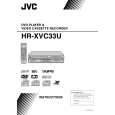
JVC HRXVC33UC
Instrukcja Serwisowa


Tweetnij o tym produkcie a dostaniesz $1.00 rabatu!
  • Zawiera schematy
  • Plik do pobrania
  • Format PDF
  • Kompletna instrukcja
  • Język: English
Cena: $4.99

Opis JVC HRXVC33UC Instrukcja Serwisowa

Kompletna instrukcja serwisowa w formie pliku PDF. Instrukcje serwisowe zazwyczaj zawierają schematy, diagramy drukowanych obwodów (PCB), schematy połączeń, schematy blokowe oraz katalog części. Instrukcje serwisowe są wykorzystywane glównie przez osoby naprawiające uszkodzony sprzęt.

Jeśli chcesz się dowiedzieć jak się obsługuje Twój telewizor, magnetowid, odtwarzacz mp3 itp. powinieneś raczej szukać instrukcji obsługi

Instrukcja jest dostępna w następujących językach:

Plik nie jest jeszcze gotowy
Musisz najpierw dokonać zakupu.

Recenzje produktu
Dla tego produktu nie napisano jeszcze recenzji!
Recenzje innych produktów
 SA-A30E AIWA Instrukcja Serwisowa by Adam Grążka;
Wszystko w porządku. Instrukcja czytelna i kompletna. Dziękuję. all right! thank you.
 KX990SR KENWOOD Instrukcja Serwisowa by Viktor Kapeć;
Bardzo dobra instrukcja. Zawiera wszystko co potrzeba, polecam!
 TA2760 ONKYO Instrukcja Serwisowa by Viktor Kapeć;
Instrukcja jest OK. Schematy czytelne, opisane niektóre procedury.
 26PF3302/10 PHILIPS Instrukcja Serwisowa by Ryszard Burzak;
Instrukcja bardzo czytelna. zawiera co potrzeba. Polecam
 DX666 AIWA Instrukcja Serwisowa by Adam Grążka;
...instrukcja serwisowa w pełni czytelna i kompletna. Dziękuję!

Tekstowy podgląd strony 22 (kliknij aby zobaczyć)
4.4.5 Optimization adjustment of Front End parameter Adjustment to optimize Front End parameter must be performed in each mechanism assembly of this model for high-speed starting.Please perform optimization according to the following procedures just after all-initialization is completed and when FL display shows anything except "�0" (For example when FDP shows "�1", "�2", and "�3") at test mode. (1) Press "POWER" button of the front panel to turn the main body on (not to set the main body at test mode). (2) Insert the test disc VT-501 or commercial dual-layer DVD software. (3) Remove the disc when the FL display changes from "READ" to disc information. (4) Perform the same procedures as in (2) and (3) above by using the test disc CTS-1000 or commercial CD-DA software. (5) Set the main body at test mode, and check that the FDP shows "�0". NOTE: Status of this adjustment can be judged by the number displayed at test mode as follows: DVD adjustment Adjusted Not adjusted Adjusted Not adjusted CD adjustment Adjusted Adjusted Not adjusted Not adjusted FDP at test mode �0 �1 �2 �3

NOTE: As for a disc used for adjustment, � Disc should be mounted. ("Mounting" means to display "READ" after the disc is inserted and then display the disc information.) Disc need not be played. � If you do not have test disc either VT-501 (DVD) or CTS-1000 (CD-DA), use a commercial disc (for DVD, dual-layer software) after seeing and checking that the disc is neither curved nor foreseen that it may shake at the time of playback.If you use a disc with bad features, starting time may be slow or disc may not be read. 4.4.6 (1) (2) (3) Display of current value of laser Set the main body at test mode. Press "SET UP MENU" key of the remote controller three times. Then, FDP is displayed "CHECK". The laser current value can be switched between the value of CD and that of DVD by pressing the following key of the remote controller.

FDP (Example)

2530

****

Remote controller "4" key --- Laser of CD Remote controller "5" key --- Laser of DVD

The number shown in the FDP shows mA of current value of laser.The first two numbers ("25" in "2530") shows current value of laser at the time of adjustment after the latest all-initialization, 25mA in this example.The last two numbers ("30" in "2530") shows the present current value of laser, 30mA in this example.The first two numbers ("25" in "2530") usually shows current value of laser at the time of shipment, so you can see how the product has been deteriorated by comparing the first two numbers ("25" in "2530") and the last two numbers ("30" in "2530"). CD: The laser current value of 65 mA or less is normal.The laser current value of over 66 mA is not normal. Laser diode of the pickup has been deteriorated. DVD: The laser current value of 80 mA or less is normal.The laser current value of over 81 mA is not normal. Laser diode of the pickup has been deteriorated. To return to test mode, press "STOP" button of the front panel.

1-22 (No.YD001)
Klienci kupując ten produkt kupili także

$4.99

HR-XVC33UC JVC
Schematy

Zestaw schematów dla tego urządzenia. Plik PDF zawierający schematy bę™dzie dostarczony na Twó…

$4.99

HR-XVC33UC JVC
Instrukcja Obsługi

Kompletna instrukcja obsługi w formie pliku PDF. Plik PDF zostanie dostarczony na Twój adres email…

$4.99

HR-XVC33UC JVC
Katalog Części

Katalog części w formie pliku PDF. Plik zawiera wykaz części znajdujących się w urządzeniu wr…
>
Parse Time: 0.848 - Number of Queries: 268 - Query Time: 0.422