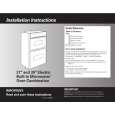
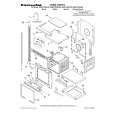
AKP 443/IX Ilość: 1
$4.99
» Pokaż Szczegóły
GS5SHGXKQ00 Ilość: 1
$4.99
» Pokaż Szczegóły
KXTC1741W Ilość: 1
$4.99
» Pokaż Szczegóły
RF305EXPW0 Ilość: 1
$4.99
» Pokaż Szczegóły
WAK 7773 Ilość: 1
$4.99
» Pokaż Szczegóły
RF375PXYN0 Ilość: 1
$4.99
» Pokaż Szczegóły
RGS7648EN2 Ilość: 1
$4.99
» Pokaż Szczegóły
WA 8685 Ilość: 1
$4.99
» Pokaż Szczegóły
XV-DV340/MXJ/RE5 Ilość: 1
$4.99
» Pokaż Szczegóły
KEMS307GBT0 Ilość: 1
$4.99
» Pokaż Szczegóły
VSF303PEKQ3 Ilość: 1
$4.99
» Pokaż Szczegóły
AKL 452/NB Ilość: 1
$4.99
» Pokaż Szczegóły
DU948PWPQ2 Ilość: 1
$4.99
» Pokaż Szczegóły
CAH18WC41 Ilość: 1
$4.99
» Pokaż Szczegóły
RF375PXYN0 Ilość: 1
$4.99
» Pokaż Szczegóły
DU9000XR4 Ilość: 1
$4.99
» Pokaż Szczegóły
RF385PXGB2 Ilość: 1
$4.99
» Pokaż Szczegóły
AJ-YA903G Ilość: 1
$4.99
» Pokaż Szczegóły
ADP 2656 WHM Ilość: 1
$4.99
» Pokaż Szczegóły
BMZ 5009 SW Ilość: 1
$4.99
» Pokaż Szczegóły
ED5PHEXRL01 Ilość: 1
$4.99
» Pokaż Szczegóły
CA24WCR3 Ilość: 1
$4.99
» Pokaż Szczegóły
DMCG 2735 IX Ilość: 1
$4.99
» Pokaż Szczegóły
DU1248XTSB2 Ilość: 1
$4.99
» Pokaż Szczegóły
CAH8WB90 Ilość: 1
$4.99
» Pokaż Szczegóły
AKL 806 Ilość: 1
$4.99
» Pokaż Szczegóły
DEH1350 Ilość: 1
$4.99
» Pokaż Szczegóły
FUTURA 72 Ilość: 1
$4.99
» Pokaż Szczegóły
RF375PXYB3 Ilość: 1
$4.99
» Pokaż Szczegóły
ED5PHEXRL01 Ilość: 1
$4.99
» Pokaż Szczegóły
6LA5400XWW0 Ilość: 1
$4.99
» Pokaż Szczegóły
RF375PXYQ3 Ilość: 1
$4.99
» Pokaż Szczegóły
AKP 233/IX Ilość: 1
$4.99
» Pokaż Szczegóły
CAW10D1A1 Ilość: 1
$4.99
» Pokaż Szczegóły
AKR 966 IX Ilość: 1
$4.99
» Pokaż Szczegóły
7320E-M Ilość: 1
$4.99
» Pokaż Szczegóły
FAVAUTO Ilość: 1
$4.99
» Pokaż Szczegóły
KEH1100 Ilość: 1
$4.99
» Pokaż Szczegóły
MC-DV250 Ilość: 1
$4.99
» Pokaż Szczegóły
LBT-A20K Ilość: 1
$4.99
» Pokaż Szczegóły
RF385PXGB0 Ilość: 1
$4.99
» Pokaż Szczegóły
KRV8030 Ilość: 1
$4.99
» Pokaż Szczegóły
AFA098E Ilość: 1
$4.99
» Pokaż Szczegóły
RGS7648EN3 Ilość: 1
$4.99
» Pokaż Szczegóły
KE-20P30 Ilość: 1
$4.99
» Pokaż Szczegóły
FRT141W-1 Ilość: 1
$4.99
» Pokaż Szczegóły
VW-EC500 Ilość: 1
$4.99
» Pokaż Szczegóły
NAV3330EWW Ilość: 1
$4.99
» Pokaż Szczegóły
XL-MP130H Ilość: 1
$4.99
» Pokaż Szczegóły
W sumie: $244.51
 
English Polski Spanish 
Szukaj instrukcji do
 

(e.g. AA-V20EG JVC, ZX-7 Sony )
PayPal 1000+ rating Secure, Encrypted Checkout.
 
Kategorie
Informacje
Polecamy
Strona główna >> WHIRLPOOL >> KEMC378KWH02 Instrukcja Obsługi
 
 49 szt. w koszyku 

WHIRLPOOL KEMC378KWH02
Instrukcja Obsługi


Tweetnij o tym produkcie a dostaniesz $1.00 rabatu!
  • Plik do pobrania
  • Format PDF
  • Kompletna instrukcja
  • Język: English
Cena: $4.99

Opis WHIRLPOOL KEMC378KWH02 Instrukcja Obsługi

Kompletna instrukcja obsługi w formie pliku PDF. Plik PDF zostanie dostarczony na Twój adres email po jego zakupieniu.

Instrukcje obsługi (czasami nazywane także podręcznikiem użytkownika) opisuja funkcje i sposób działania danego produktu.

Instrukcja jest dostępna w następujących językach: English

Plik nie jest jeszcze gotowy
Musisz najpierw dokonać zakupu.

Recenzje produktu
Dla tego produktu nie napisano jeszcze recenzji!
Recenzje innych produktów
 CLD3760K PIONEER Instrukcja Obsługi by Sebastian Twardowski;
Dobrej jakości skan - wkońcu mogłem poznać wszystkie funkcje tego odtwarzacza - polecam .
 CDV475 PHILIPS Instrukcja Obsługi by Sebastian Twardowski;
Gruba instrukcja - poprostu wszystko co potrzreba - polecam .

Tekstowy podgląd strony 15 (kliknij aby zobaczyć)
To Delay Start:

To Set:

WARNING
Food Poisoning Hazard Do not let food sit in oven more than one hour before or after cooking. Doing so can result in food poisoning or sickness.
Before setting delay start, make sure the clock is set to the correct time of day. See �Clock� section. Delay start should not be used for food such as breads and cakes because they may not bake properly. 1. Press BAKED GOODS, MEATS or OTHER FOODS. 2. Press the number pads to enter the standard cook temperature. 3. Press the number pads to enter the standard cook time. 4. Press STOP TIME. 5. Press the number pads to enter the time of day to stop. 6. Press START. The start time is automatically calculated and displayed. �DELAY� and the stop time will also appear on the lower oven display. The vertical bar countdown and minute time countdown will appear on the lower oven display. When the start time is reached, the oven will automatically turn on. When the stop time is reached, the lower oven will shut off automatically and �End� will appear on the lower oven display. If enabled, end-of-cycle tones will sound, then reminder tones will sound every minute. 7. Press LOWER OVEN CANCEL or open the lower oven door to clear the display and/or stop reminder tones.

Before setting, make sure the oven(s), Timer and Timed Cooking are off. 1. Press BAKE. Press the number pads to enter a temperature other than 350°F (177°C). The bake range can be set between 170°F and 500°F (77°C and 260°C). 2. Press START. 3. Press and hold number pad 6 until �SAb ON� appears on the lower oven display, about 5 seconds. 4. Press and hold number pad 6 for 5 seconds any time to turn Sabbath Mode off. The lower oven display will return to inactive mode (blank).

TEMPERATURE CHANGE
The oven temperature can be changed when the oven is in the Sabbath Mode. No tones will sound and the display will not change. It may take up to one-half hour for the oven to change temperature. Number pads 1 through 9 represent temperatures. Use the following chart as a guide. NUMBER PAD 1 2 3 4 5 *6 7 8 9 OVEN TEMPERATURE 170°F (75°C) 200°F (95°C) 250°F (120°C) 300°F (150°C) 325°F (163°C) 350°F (177°C) 375°F (191°C) 400°F (204°C) 475°F (245°C)

Sabbath Mode
The Sabbath Mode sets the oven to remain on in a bake setting until turned off. When the Sabbath Mode is set, only the number and start pads will function, no tones will sound, and the displays will not show messages or temperature changes. The heat sources icons will flash on the lower oven display for 5 seconds before and after the elements turn on or off. When the oven door is opened or closed, the oven light will not turn on or off and the heating elements will not turn on or off immediately. The Sabbath Mode will remain on and at the set temperature after a power failure, if set before the power failure.

*Make sure when using the number pad 6, it is pressed only for 1 second because it can also disable the Sabbath Mode.

To Change Temperature:
1. Press number pad from chart. 2. Press START.

15

Klienci kupując ten produkt kupili także


Za darmo!

KEMC378KWH02 WHIRLPOOL
Instrukcja Instalacji

Kompletna instrukcja instalacji urządzenia w formie pliku PDF.Po zakupieniu tej instrukcji wyślemy…

$4.99

KEMC378KWH02 WHIRLPOOL
Katalog Części

Katalog części w formie pliku PDF. Plik zawiera wykaz części znajdujących się w urządzeniu wr…
>
Parse Time: 0.291 - Number of Queries: 263 - Query Time: 0.086