PCGV505NFP Ilość: 1
$4.99
» Pokaż Szczegóły
WSC5541 NX Ilość: 1
$4.99
» Pokaż Szczegóły
TC 2280/Noir Ilość: 1
$4.99
» Pokaż Szczegóły
TS2544C Ilość: 1
$4.99
» Pokaż Szczegóły
STV510 Ilość: 1
$4.99
» Pokaż Szczegóły
V3005H/K Ilość: 1
$4.99
» Pokaż Szczegóły
RC3229W-1 Ilość: 1
$4.99
» Pokaż Szczegóły
ZAC6737 Ilość: 1
$4.99
» Pokaż Szczegóły
8ED22DQXBW01 Ilość: 1
$4.99
» Pokaż Szczegóły
AT-57L Ilość: 1
$4.99
» Pokaż Szczegóły
EFT6426/S Ilość: 1
$4.99
» Pokaż Szczegóły
DU800DWGQ2 Ilość: 1
$4.99
» Pokaż Szczegóły
BDKP-E1004 Ilość: 1
$4.99
» Pokaż Szczegóły
FAV88060IA Ilość: 1
$4.99
» Pokaż Szczegóły
DV-535/WVXJ Ilość: 1
$4.99
» Pokaż Szczegóły
LA6053XTM0 Ilość: 1
$4.99
» Pokaż Szczegóły
DV-410V-K/WYXZT5 Ilość: 1
$4.99
» Pokaż Szczegóły
SCCH71AA CHASSIS Ilość: 1
$4.99
» Pokaż Szczegóły
EU1421T Ilość: 1
$4.99
» Pokaż Szczegóły
CV2211S Ilość: 1
$4.99
» Pokaż Szczegóły
RH2336XJQ2 Ilość: 1
$4.99
» Pokaż Szczegóły
111D-W/S/SF Ilość: 1
$4.99
» Pokaż Szczegóły
4938 Ilość: 1
$4.99
» Pokaż Szczegóły
HR7641/10 Ilość: 1
$4.99
» Pokaż Szczegóły
DEH-P650 Ilość: 1
$4.99
» Pokaż Szczegóły
RD-100 Ilość: 1
$4.99
» Pokaż Szczegóły
VGCRA910G Ilość: 1
$4.99
» Pokaż Szczegóły
S20BRWW20-A Ilość: 1
$4.99
» Pokaż Szczegóły
DV-C36/KUXQ/CA Ilość: 1
$4.99
» Pokaż Szczegóły
SF196LEPQ3 Ilość: 1
$4.99
» Pokaż Szczegóły
ET8GHMXLT04 Ilość: 1
$4.99
» Pokaż Szczegóły
KSRG22FKBL02 Ilość: 1
$4.99
» Pokaż Szczegóły
KUWS246EWH00 Ilość: 1
$4.99
» Pokaż Szczegóły
NVDS38A Ilość: 1
$4.99
» Pokaż Szczegóły
3935 Ilość: 1
$4.99
» Pokaż Szczegóły
KEH-M9027ZT/XIN/ES Ilość: 1
$4.99
» Pokaż Szczegóły
25AN1 Ilość: 1
$4.99
» Pokaż Szczegóły
XV-N312SAU Ilość: 1
$4.99
» Pokaż Szczegóły
HR8346/02 Ilość: 1
$4.99
» Pokaż Szczegóły
GR-AX280 Ilość: 1
$4.99
» Pokaż Szczegóły
W sumie: $199.60
 
English Polski Spanish 
Szukaj instrukcji do
 

(e.g. AA-V20EG JVC, ZX-7 Sony )
PayPal 1000+ rating Secure, Encrypted Checkout.
 
Kategorie
Informacje
Polecamy
Strona główna >> KENWOOD >> KRC559R Instrukcja Obsługi
 
 40 szt. w koszyku 

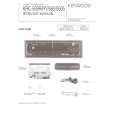
KENWOOD KRC559R
Instrukcja Obsługi


Tweetnij o tym produkcie a dostaniesz $1.00 rabatu!
  • Plik do pobrania
  • Format PDF
  • Kompletna instrukcja
  • Język: English
Cena: $4.99

Opis KENWOOD KRC559R Instrukcja Obsługi

Kompletna instrukcja obsługi w formie pliku PDF. Plik PDF zostanie dostarczony na Twój adres email po jego zakupieniu.

Instrukcje obsługi (czasami nazywane także podręcznikiem użytkownika) opisuja funkcje i sposób działania danego produktu.

Instrukcja jest dostępna w następujących językach: English

Plik nie jest jeszcze gotowy
Musisz najpierw dokonać zakupu.

Recenzje produktu
Dla tego produktu nie napisano jeszcze recenzji!

Tekstowy podgląd strony 11 (kliknij aby zobaczyć)
Tuner features (See page 5)
Selecting Tuning Mode
You can choose from three tuning modes: auto seek, preset station seek, and manual. The �AUTO1� indicator lights up when auto seek tuning is selected, and the �AUTO2� indicator lights when preset station seek tuning is selected.

Tuning 1
Press the SRC button repeatedly until the tuner mode is obtained. "TUNER" is displayed only when the tuner mode is selected. 2 Press either the FM or AM button to select the band. Each time you press the FM button, the band switches between the FM1, FM2 and FM3. Press the AM button to select the MW and LW bands. 3 � Auto Seek Tuning Press the ¢ button to seek increasing frequencies. Press the 4 button to seek decreasing frequencies. � Preset station seek tuning Press the ¢ button to move to the next preset station (i.e., the one with the next highest number), and the 4 button to move to the last preset station (i.e., the one with the next lowest number).
NOTE

1 Hold down the MENU button for one second or more.
"MENU" is displayed and the menu mode is turned on.

2 Press the ¢ button repeatedly until the tuning function
appears in the display. Press the 4 button to search in the other direction. The tuning method is displayed as �AUTO1�, �AUTO2�, or �MANUAL� referring respectively to auto seek tuning, preset station seek tuning, and manual tuning.

3 Switching settings
Press either the AM button or FM button to switch the tuning mode. The display and setting will change. 4 Press the MENU button to end the menu mode.

If the frequencies stored at the preset numbers receive stations which were not originally memorized when traveling long distances, the preset number is not displayed. In such cases, pressing the 4/¢ button to use preset station seek will receive channel 1. � Manual Tuning Press the ¢ button to increase the frequency by one step. Press the 4 button to decrease the frequency by one step.
NOTE

The ST indicator lights up when stereo broadcasts are being received.

� 11 �

Klienci kupując ten produkt kupili także

$4.99

KRC559R KENWOOD
Instrukcja Serwisowa

Kompletna instrukcja serwisowa w formie pliku PDF. Instrukcje serwisowe zazwyczaj zawierają schemat…
>
Parse Time: 0.781 - Number of Queries: 244 - Query Time: 0.419