FC510W Ilość: 1
$4.99
» Pokaż Szczegóły
T55-540TEXT Ilość: 1
$4.99
» Pokaż Szczegóły
LTH125 Ilość: 1
$4.99
» Pokaż Szczegóły
SIG454GRL Ilość: 1
$4.99
» Pokaż Szczegóły
B4130EW Ilość: 1
$4.99
» Pokaż Szczegóły
WA SYMPH.1000/WS-N Ilość: 1
$4.99
» Pokaż Szczegóły
VAA58204 Ilość: 1
$4.99
» Pokaż Szczegóły
55766ST Ilość: 1
$4.99
» Pokaż Szczegóły
VSX-5900S/SD Ilość: 1
$4.99
» Pokaż Szczegóły
CSDTD34 Ilość: 1
$4.99
» Pokaż Szczegóły
RFG24 Ilość: 1
$4.99
» Pokaż Szczegóły
CTK700 Ilość: 1
$4.99
» Pokaż Szczegóły
TA2830 Ilość: 1
$4.99
» Pokaż Szczegóły
DEH-P560MP/XM/UC Ilość: 1
$4.99
» Pokaż Szczegóły
MDR-24MK2 Ilość: 1
$4.99
» Pokaż Szczegóły
KEH-P5750X1M Ilość: 1
$4.99
» Pokaż Szczegóły
TV29N301 Ilość: 1
$4.99
» Pokaż Szczegóły
DVD711/002 Ilość: 1
$4.99
» Pokaż Szczegóły
VB43B REV 1 Ilość: 1
$4.99
» Pokaż Szczegóły
SB-80DX Ilość: 1
$4.99
» Pokaż Szczegóły
ELITE 3325 Ilość: 1
$4.99
» Pokaż Szczegóły
R-605(IN) Ilość: 1
$4.99
» Pokaż Szczegóły
CZN 236 A Ilość: 1
$4.99
» Pokaż Szczegóły
P325MT Ilość: 1
$4.99
» Pokaż Szczegóły
AWOE 7100 Ilość: 1
$4.99
» Pokaż Szczegóły
A-M7 Ilość: 1
$4.99
» Pokaż Szczegóły
ELZD 4466 IN Ilość: 1
$4.99
» Pokaż Szczegóły
AJ557FS Ilość: 1
$4.99
» Pokaż Szczegóły
NV-SD250EA Ilość: 1
$4.99
» Pokaż Szczegóły
KSUB25QDBL00 Ilość: 1
$4.99
» Pokaż Szczegóły
HD6121/11 Ilość: 1
$4.99
» Pokaż Szczegóły
W sumie: $154.69
 
English Polski Spanish 
Szukaj instrukcji do
 

(e.g. AA-V20EG JVC, ZX-7 Sony )
PayPal 1000+ rating Secure, Encrypted Checkout.
 
Kategorie
Informacje
Polecamy
Strona główna >> JVC >> MX-KB1EU Instrukcja Obsługi
 
 31 szt. w koszyku 

JVC MX-KB1EU
Instrukcja Obsługi


Tweetnij o tym produkcie a dostaniesz $1.00 rabatu!
  • Plik do pobrania
  • Format PDF
  • Kompletna instrukcja
  • Język: English
Cena: $4.99

Opis JVC MX-KB1EU Instrukcja Obsługi

Kompletna instrukcja obsługi w formie pliku PDF. Plik PDF zostanie dostarczony na Twój adres email po jego zakupieniu.

Instrukcje obsługi (czasami nazywane także podręcznikiem użytkownika) opisuja funkcje i sposób działania danego produktu.

Instrukcja jest dostępna w następujących językach: English

Plik nie jest jeszcze gotowy
Musisz najpierw dokonać zakupu.

Recenzje produktu
Dla tego produktu nie napisano jeszcze recenzji!

Tekstowy podgląd strony 13 (kliknij aby zobaczyć)
Using the Tuner

CAUTION:
� In AM (MW) broadcast, reception sensitivity will be changed by turning the AM (MW) loop antenna. Turn the AM (MW) loop antenna for best reception.

� Even if the System is unplugged or if the power failure occurs, the preset stations will be stored for a few days. However, in case the preset stations are erased, you will need to preset the stations again.

Presetting Stations
You can preset up to 10 FM stations and up to 10 AM (MW) stations.

To Change the FM Reception Mode
When you are tuned in to an FM stereo broadcast, the �ST (Stereo)� indicator lights up and you can hear stereo effects. If an FM stereo broadcast is hard to receive or noisy, you can select Monaural mode. Reception improves, but you lose stereo effect. Press the FM MODE button on the Remote Control so that the �MONO� indicator lights up on the display.

� Preset numbers may have been set to factory test frequencies prior to shipment. This is not a malfunction. You can preset the stations you want into memory by following one of the presetting methods below. � During presetting stations, if no button operation is made for 4 seconds, the display returns to the band/frequency display. In this case, repeat steps from the beginning.

ST

MONO

or

SET

or

SET

To restore the stereo effect, press the FM MODE button on the Remote Control so that the �MONO� indicator goes off. Selecting other station will also cancel the FM Mono mode and restore the stereo effect.

FM=10, AM=10

When changing the Band

Using the Unit

1 2 3 4

Select a band by pressing the FM/AM button. Press the 22 or ¡ button to tune in a station. Press the SET button.
�00� will blink for 4 seconds.

Press the 4 or ¢ button to select the preset number.
¢: 4: Increases the preset number by 1. Decreases the preset number by 1.

5 6

Press the SET button.
The display shows the stored preset number and frequency.

Repeat above steps 2 to 5 for each station you want to store in memory with a preset number.

To change the preset stations, repeat the same steps as above.

� In step 4, you can select the preset number using the numeric keys on the Remote Control. See �Entering the Number with the Remote Control� on page 8.

10

Klienci kupując ten produkt kupili także

$4.99

SX-K700 TECHNICS
Instrukcja Obsługi

Kompletna instrukcja obsługi w formie pliku PDF. Plik PDF zostanie dostarczony na Twój adres email…

$4.99

CJ-V51 PIONEER
Instrukcja Serwisowa

Kompletna instrukcja serwisowa w formie pliku PDF. Instrukcje serwisowe zazwyczaj zawierają schemat…

$4.99

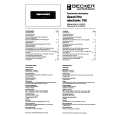
GRAND PRIX ELECTRONIC 754 BECKER
Instrukcja Serwisowa

Kompletna instrukcja serwisowa w formie pliku PDF. Instrukcje serwisowe zazwyczaj zawierają schemat…

$4.99

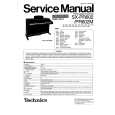
SX-PR602 TECHNICS
Instrukcja Serwisowa

Kompletna instrukcja serwisowa w formie pliku PDF. Instrukcje serwisowe zazwyczaj zawierają schemat…

$4.99

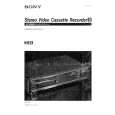
EV-S1000E SONY
Instrukcja Obsługi

Kompletna instrukcja obsługi w formie pliku PDF. Plik PDF zostanie dostarczony na Twój adres email…

$4.99

GRAND PRIX ELECTRONIC 780 BECKER
Instrukcja Serwisowa

Kompletna instrukcja serwisowa w formie pliku PDF. Instrukcje serwisowe zazwyczaj zawierają schemat…

$4.99

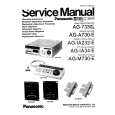
AG7330 PANASONIC
Instrukcja Serwisowa

Kompletna instrukcja serwisowa w formie pliku PDF. Instrukcje serwisowe zazwyczaj zawierają schemat…

$4.99

MECABLITZ 60 CT4 METZ
Instrukcja Serwisowa

Kompletna instrukcja serwisowa w formie pliku PDF. Instrukcje serwisowe zazwyczaj zawierają schemat…
>
Parse Time: 0.641 - Number of Queries: 255 - Query Time: 0.364