D36R/RCL Ilość: 1
$4.99
» Pokaż Szczegóły
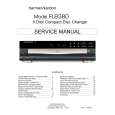
FL8380 Ilość: 1
$4.99
» Pokaż Szczegóły
AV-27F703/S Ilość: 1
$4.99
» Pokaż Szczegóły
MDRE818LP Ilość: 1
$4.99
» Pokaż Szczegóły
RCR127 VERONA Ilość: 1
$4.99
» Pokaż Szczegóły
GV7000SV/C Ilość: 1
$4.99
» Pokaż Szczegóły
VCR330 Ilość: 1
$4.99
» Pokaż Szczegóły
ES6000/90F LM/T INOX Ilość: 1
$4.99
» Pokaż Szczegóły
AQ6446/00K Ilość: 1
$4.99
» Pokaż Szczegóły
S2590DT6 Ilość: 1
$4.99
» Pokaż Szczegóły
DVDR3305/19 Ilość: 1
$4.99
» Pokaż Szczegóły
UXVl0N Ilość: 1
$4.99
» Pokaż Szczegóły
TRKK STUTTGART/2 Ilość: 1
$4.99
» Pokaż Szczegóły
28G2ST Ilość: 1
$4.99
» Pokaż Szczegóły
MDRG73SP Ilość: 1
$4.99
» Pokaż Szczegóły
MDR-E827 Ilość: 1
$4.99
» Pokaż Szczegóły
MDR-DS5100 Ilość: 1
$4.99
» Pokaż Szczegóły
MDRE828LP Ilość: 1
$4.99
» Pokaż Szczegóły
SF114PXSB0 Ilość: 1
$4.99
» Pokaż Szczegóły
MDRCD50 Ilość: 1
$4.99
» Pokaż Szczegóły
CQC700U Ilość: 1
$4.99
» Pokaż Szczegóły
MDREX51SP Ilość: 1
$4.99
» Pokaż Szczegóły
MKV 1116/DT-R Ilość: 1
$4.99
» Pokaż Szczegóły
VCDTS21359-1 Ilość: 1
$4.99
» Pokaż Szczegóły
32MF605W/17E Ilość: 1
$4.99
» Pokaż Szczegóły
ER-654MD Ilość: 1
$4.99
» Pokaż Szczegóły
SQM26 FREIBURG Ilość: 1
$4.99
» Pokaż Szczegóły
MDR-D11 Ilość: 1
$4.99
» Pokaż Szczegóły
W sumie: $139.72
 
English Polski Spanish 
Szukaj instrukcji do
 

(e.g. AA-V20EG JVC, ZX-7 Sony )
PayPal 1000+ rating Secure, Encrypted Checkout.
 
Kategorie
Informacje
Polecamy
Strona główna >> MOTOROLA >> P7382I Podręcznik Użytkownika
 
 28 szt. w koszyku 

MOTOROLA P7382I
Podręcznik Użytkownika


Tweetnij o tym produkcie a dostaniesz $1.00 rabatu!
  • Plik do pobrania
  • Format PDF
  • Kompletna instrukcja
  • Język: English
Cena: $4.99

Opis MOTOROLA P7382I Podręcznik Użytkownika

Kompletny podręcznik użytkownika/instrukcja obsługi w formie pliku PDF. Plik PDF zostanie dostarczony na Twój adres email po jego zakupieniu.

Instrukcja jest dostępna w następujących językach: English

Plik nie jest jeszcze gotowy
Musisz najpierw dokonać zakupu.

Recenzje produktu
Dla tego produktu nie napisano jeszcze recenzji!

Tekstowy podgląd strony 28 (kliknij aby zobaczyć)
LEAP_EN.BK Page 26 Monday, May 14, 2001 1:10 PM

End Held Call This option will terminate a held call. End Current And Held Call This option will terminate all connected calls. Switch Calls This option allows you to switch between the active call and the call that is on hold. Conference Call This option connects you with up to five other telephones on one call. (See �Making a Conference Call� on page 28.) Transfer Call This option transfers a call to another telephone. (See �Transfer Call� on page 29.) Split Call This option allows you to separate an individual from the main Conference Call. Reject Waiting Call This option will reject a waiting call. Reconnect This option will make the call on hold the active call. Reconnect Held Call This option is similar to Reconnect but will appear if you have a call on hold, and a call waiting. Reconnect Held Call will make the call on hold the active call. Turn Mute On or Off Temporarily turns the microphone off during a phone call. Reselect this option to resume your conversation.

j

Call Holding and Call Waiting*

Your phone supports the GSM options of Call Holding and Call Waiting. Using these options you can place a current phone call on hold and accept an incoming call or start a second call (See �Call Waiting� in the �Call Related Features� menu for details of how to control this feature).

Call Holding and Call Waiting Scenarios
The display will automatically change according to the status of your current call (or calls) and will propose the option that you are most likely to want. Press O to accept this option or press $ and then ª to scroll through the In-Call menu for the alternative options. By following this procedure you will find that even the triple combination of an active call, a held call, and a call waiting is easy to manage. The following points summarize the more common situations: � To put an active call on hold, press $. The display will show Hold Call Select?. Press O to put the call on hold. To reconnect the call, press O. � To put an active call on hold and make another call, first put the active call on hold, then press $ and select the Make
New Call option�.

� To switch between an active call and a held call, press O at the Two Calls Switch? prompt.
* � Network and subscription dependent feature. Not available in all areas. A quicker method of making another call is to enter the number to be called directly and press O. Your phone will place the current call on hold and attempt to call the number entered.

26

Making and Receiving Phone Calls

Klienci kupując ten produkt kupili także

$4.99

SX-K700 TECHNICS
Instrukcja Obsługi

Kompletna instrukcja obsługi w formie pliku PDF. Plik PDF zostanie dostarczony na Twój adres email…

$4.99

CJ-V51 PIONEER
Instrukcja Serwisowa

Kompletna instrukcja serwisowa w formie pliku PDF. Instrukcje serwisowe zazwyczaj zawierają schemat…

$4.99

GRAND PRIX ELECTRONIC 754 BECKER
Instrukcja Serwisowa

Kompletna instrukcja serwisowa w formie pliku PDF. Instrukcje serwisowe zazwyczaj zawierają schemat…

$4.99

SX-PR602 TECHNICS
Instrukcja Serwisowa

Kompletna instrukcja serwisowa w formie pliku PDF. Instrukcje serwisowe zazwyczaj zawierają schemat…

$4.99

EV-S1000E SONY
Instrukcja Obsługi

Kompletna instrukcja obsługi w formie pliku PDF. Plik PDF zostanie dostarczony na Twój adres email…

$4.99

GRAND PRIX ELECTRONIC 780 BECKER
Instrukcja Serwisowa

Kompletna instrukcja serwisowa w formie pliku PDF. Instrukcje serwisowe zazwyczaj zawierają schemat…

$4.99

AG7330 PANASONIC
Instrukcja Serwisowa

Kompletna instrukcja serwisowa w formie pliku PDF. Instrukcje serwisowe zazwyczaj zawierają schemat…

$4.99

MECABLITZ 60 CT4 METZ
Instrukcja Serwisowa

Kompletna instrukcja serwisowa w formie pliku PDF. Instrukcje serwisowe zazwyczaj zawierają schemat…
>
Parse Time: 1.148 - Number of Queries: 230 - Query Time: 0.676