WERP3000PQ4 Ilość: 1
$4.99
» Pokaż Szczegóły
TX21VL Ilość: 1
$4.99
» Pokaż Szczegóły
ARC 7494 G IX Ilość: 1
$4.99
» Pokaż Szczegóły
MZNE410 Ilość: 1
$4.99
» Pokaż Szczegóły
TX7540 Ilość: 1
$4.99
» Pokaż Szczegóły
EMZA 4466 IN Ilość: 1
$4.99
» Pokaż Szczegóły
SLV-E5B Ilość: 1
$4.99
» Pokaż Szczegóły
PVBN600LT1 Ilość: 1
$4.99
» Pokaż Szczegóły
2000F-WS400V Ilość: 1
$4.99
» Pokaż Szczegóły
LST9355BQ1 Ilość: 1
$4.99
» Pokaż Szczegóły
ECM13022 Ilość: 1
$4.99
» Pokaż Szczegóły
018.782 3 Ilość: 1
$4.99
» Pokaż Szczegóły
RF354BXDW0 Ilość: 1
$4.99
» Pokaż Szczegóły
GSF 6550 WS Ilość: 1
$4.99
» Pokaż Szczegóły
EC2620S Ilość: 1
$4.99
» Pokaż Szczegóły
LFV1022 Ilość: 1
$4.99
» Pokaż Szczegóły
AKZ 360 Ilość: 1
$4.99
» Pokaż Szczegóły
DVR-433H-K Ilość: 1
$4.99
» Pokaż Szczegóły
AHO700W Ilość: 1
$4.99
» Pokaż Szczegóły
XV-DV262/LFXJ Ilość: 1
$4.99
» Pokaż Szczegóły
OM1367E Ilość: 1
$4.99
» Pokaż Szczegóły
XD-702 Ilość: 1
$4.99
» Pokaż Szczegóły
TP9763 Ilość: 1
$4.99
» Pokaż Szczegóły
CDG10000DVD Ilość: 1
$4.99
» Pokaż Szczegóły
KV2121D Ilość: 1
$4.99
» Pokaż Szczegóły
KEYE860WAL0 Ilość: 1
$4.99
» Pokaż Szczegóły
CT9889/ESHS40NT Ilość: 1
$4.99
» Pokaż Szczegóły
EON310B Ilość: 1
$4.99
» Pokaż Szczegóły
KXTG2432W Ilość: 1
$4.99
» Pokaż Szczegóły
CCD-FX270 Ilość: 1
$4.99
» Pokaż Szczegóły
W sumie: $149.70
 
English Polski Spanish 
Szukaj instrukcji do
 

(e.g. AA-V20EG JVC, ZX-7 Sony )
PayPal 1000+ rating Secure, Encrypted Checkout.
 
Kategorie
Informacje
Polecamy
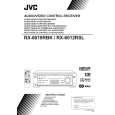
Strona główna >> JVC >> RX6010RBK Instrukcja Serwisowa
 
 30 szt. w koszyku 

JVC RX6010RBK
Instrukcja Serwisowa


Tweetnij o tym produkcie a dostaniesz $1.00 rabatu!
  • Zawiera schematy
  • Plik do pobrania
  • Format PDF
  • Kompletna instrukcja
  • Język: English
Cena: $4.99

Opis JVC RX6010RBK Instrukcja Serwisowa

Kompletna instrukcja serwisowa w formie pliku PDF. Instrukcje serwisowe zazwyczaj zawierają schematy, diagramy drukowanych obwodów (PCB), schematy połączeń, schematy blokowe oraz katalog części. Instrukcje serwisowe są wykorzystywane glównie przez osoby naprawiające uszkodzony sprzęt.

Jeśli chcesz się dowiedzieć jak się obsługuje Twój telewizor, magnetowid, odtwarzacz mp3 itp. powinieneś raczej szukać instrukcji obsługi

Instrukcja jest dostępna w następujących językach:

Plik nie jest jeszcze gotowy
Musisz najpierw dokonać zakupu.

Recenzje produktu
Dla tego produktu nie napisano jeszcze recenzji!
Recenzje innych produktów
 RCM70L/LB JVC Instrukcja Serwisowa by Damian Mazek;
jedyne do czego mogę mieć zastrzeżenie to jakość zdjęć zawartych w przesłanej instrukcji serwisowej ponieważ są fatalnej jakości, praktycznie nieczytelne. tak poza tym jestem zadowolony to jest to czego szukałem.
 SA-A30E AIWA Instrukcja Serwisowa by Adam Grążka;
Wszystko w porządku. Instrukcja czytelna i kompletna. Dziękuję. all right! thank you.
 KX990SR KENWOOD Instrukcja Serwisowa by Viktor Kapeć;
Bardzo dobra instrukcja. Zawiera wszystko co potrzeba, polecam!
 TA2760 ONKYO Instrukcja Serwisowa by Viktor Kapeć;
Instrukcja jest OK. Schematy czytelne, opisane niektóre procedury.
 26PF3302/10 PHILIPS Instrukcja Serwisowa by Ryszard Burzak;
Instrukcja bardzo czytelna. zawiera co potrzeba. Polecam

Tekstowy podgląd strony 48 (kliknij aby zobaczyć)
48

EN

D.S.C. PLAYBACK Advanced Features (cont.)
Index
You can view all still images stored in memory six at a time. Use this mode when looking for a still image you want to view and when checking the still images you shot beforehand.

System Select Switch

1
Select Wheel Power Switch MENU Button

Set the System Select Switch to �D.S.C.�, and set the Power Switch to �PLAY�. Press MENU. The Menu Screen appears. Rotate the Select Wheel to move the highlight bar to �INDEX� and press it. The �INDEX� Menu appears. Rotate the Select Wheel to move the frame to the desired still image, then press it. The one you selected is displayed on the whole screen, then the screen enters normal playback. �On the Index Menu, 6 still images are displayed at a time. When viewing the still images that follow the 6th one, rotate the Select Wheel to move the frame from Index No. 1 to No. 6, and then rotate it further downward. The frame is placed on the 7th still image automatically. Images after the 7th one can also be accessed in the same way. �If the desired still image cannot be found, place the highlight bar on �EXIT�, then press the Select Wheel twice to exit the Menu.

2 3 4

Display
EXIT
01

<INDEX>
02 03

INDEX Menu

04

05

06

Playback Screen

NOTES: � When moving the frame from the 7th still image back to the 6th, rotate the Select Wheel upward to place the highlight bar on �EXIT�, then rotate it further upward. The frame is moved to the 6th still image. Perform the same procedure for the 13th image. � On the Index Menu, a star mark is displayed next to a still image you shot in the FINE mode.

Klienci kupując ten produkt kupili także

$4.99

RX6010RBK JVC
Instrukcja Obsługi

Kompletna instrukcja obsługi w formie pliku PDF. Plik PDF zostanie dostarczony na Twój adres email…
>
Parse Time: 1.053 - Number of Queries: 219 - Query Time: 0.663