XES-X1 Ilość: 1
$4.99
» Pokaż Szczegóły
908.270-2/40674 Ilość: 1
$4.99
» Pokaż Szczegóły
RMT-231 Ilość: 1
$4.99
» Pokaż Szczegóły
HMT405 Ilość: 1
$4.99
» Pokaż Szczegóły
GZ-MG50AH Ilość: 1
$4.99
» Pokaż Szczegóły
DEH-2050MPG/XU/ES Ilość: 1
$4.99
» Pokaż Szczegóły
6240KWN Ilość: 1
$4.99
» Pokaż Szczegóły
AVR-484 Ilość: 1
$4.99
» Pokaż Szczegóły
SAW11 Ilość: 1
$4.99
» Pokaż Szczegóły
HR-J695EA Ilość: 1
$4.99
» Pokaż Szczegóły
KD-G310 Ilość: 1
$4.99
» Pokaż Szczegóły
CBV2540 Ilość: 1
$4.99
» Pokaż Szczegóły
SP-DWF10UP Ilość: 1
$4.99
» Pokaż Szczegóły
DR-M100SER Ilość: 1
$4.99
» Pokaż Szczegóły
7220 Ilość: 1
$4.99
» Pokaż Szczegóły
KVM21TE Ilość: 1
$4.99
» Pokaż Szczegóły
7647522510 Ilość: 1
$4.99
» Pokaż Szczegóły
BKDW-514 Ilość: 1
$4.99
» Pokaż Szczegóły
B2190-G Ilość: 1
$4.99
» Pokaż Szczegóły
T1520i Ilość: 1
$4.99
» Pokaż Szczegóły
W sumie: $99.80
 
English Polski Spanish 
Szukaj instrukcji do
 

(e.g. AA-V20EG JVC, ZX-7 Sony )
PayPal 1000+ rating Secure, Encrypted Checkout.
 
Kategorie
Informacje
Polecamy
Strona główna >> SONY >> STRDE495 Instrukcja Obsługi
 
 20 szt. w koszyku 

SONY STRDE495
Instrukcja Obsługi


Tweetnij o tym produkcie a dostaniesz $1.00 rabatu!
  • Plik do pobrania
  • Format PDF
  • Kompletna instrukcja
  • Język: English
Cena: $4.99

Opis SONY STRDE495 Instrukcja Obsługi

Kompletna instrukcja obsługi w formie pliku PDF. Plik PDF zostanie dostarczony na Twój adres email po jego zakupieniu.

Instrukcje obsługi (czasami nazywane także podręcznikiem użytkownika) opisuja funkcje i sposób działania danego produktu.

Instrukcja jest dostępna w następujących językach: English

Plik nie jest jeszcze gotowy
Musisz najpierw dokonać zakupu.

Recenzje produktu
Dla tego produktu nie napisano jeszcze recenzji!

Tekstowy podgląd strony 22 (kliknij aby zobaczyć)
Selecting the component (continued)

Changing the display
DIMMER
Press DIMMER repeatedly to adjust the brightness of the display (3 steps). However, when you press any button, the display becomes the brightest setting temporary.

PHONES
Use to connect headphones.
� When the headphones are connected, speaker output is automatically canceled and �SP� (STR-DE495 only) or �SP A� and �SP B� (STR-DE595 only) do not light up in the display.

SPEAKERS (OFF/A/B/A+B)
(STR-DE595 only)

DISPLAY
Each time you press DISPLAY, the display changes cyclically as follows: Index name of the component* t Selected component t Sound field applied to the program source
When the tuner is selected

Press SPEAKERS (OFF/A/B/A+B) to output the sound from the speakers connected to the SPEAKERS FRONT terminals. Each time you press the button, the display will light up cyclically as follows: SP A t SP B t SP A and SP B t No display*
To drive Select

Speaker System A (Connected to the SPEAKERS FRONT A terminals) Speaker System B (Connected to the SPEAKERS FRONT B terminals) Both Speaker System A and B (Connected to the SPEAKERS FRONT A and B terminals)

SP A (default setting)

Index name of the preset station* or program station name** t Frequency t Program type indication** t Radio text** t Current time** t Sound field applied to the band or the preset station
* Index name appears only when you have assigned one to the component or preset station (page 34).

SP B

SP A and SP B

Index name does not appear when only blank spaces have been entered, or it is the same as the input selector. ** During RDS reception only. (Models of area code CEL, CEK only. See page 32).

* If you do not want to drive Speaker System A and B, press SPEAKERS (OFF/A/B/A+B) until �SP A� and �SP B� do not light up in the display (no display).

22GB

Klienci kupując ten produkt kupili także

$4.99

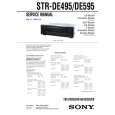
STRDE495 SONY
Instrukcja Serwisowa

Kompletna instrukcja serwisowa w formie pliku PDF. Instrukcje serwisowe zazwyczaj zawierają schemat…
>
Parse Time: 0.233 - Number of Queries: 170 - Query Time: 0.054