CA330 Ilość: 1
$4.99
» Pokaż Szczegóły
T5 Ilość: 1
$4.99
» Pokaż Szczegóły
SX240 Ilość: 1
$4.99
» Pokaż Szczegóły
CP155 Ilość: 1
$4.99
» Pokaż Szczegóły
CA1200 Ilość: 1
$4.99
» Pokaż Szczegóły
MP9000 Ilość: 1
$4.99
» Pokaż Szczegóły
MHCGS100 Ilość: 1
$4.99
» Pokaż Szczegóły
DX90 Ilość: 1
$4.99
» Pokaż Szczegóły
X5000 Ilość: 1
$4.99
» Pokaż Szczegóły
E360 Ilość: 1
$4.99
» Pokaż Szczegóły
DX700 Ilość: 1
$4.99
» Pokaż Szczegóły
XS1 Ilość: 1
$4.99
» Pokaż Szczegóły
KM60 Ilość: 1
$4.99
» Pokaż Szczegóły
X50 Ilość: 1
$4.99
» Pokaż Szczegóły
CN290 Ilość: 1
$4.99
» Pokaż Szczegóły
BC6203 Ilość: 1
$4.99
» Pokaż Szczegóły
X45D Ilość: 1
$4.99
» Pokaż Szczegóły
X150 Ilość: 1
$4.99
» Pokaż Szczegóły
MR3000 Ilość: 1
$4.99
» Pokaż Szczegóły
E65 Ilość: 1
$4.99
» Pokaż Szczegóły
K5000W Ilość: 1
$4.99
» Pokaż Szczegóły
C2203 Ilość: 1
$4.99
» Pokaż Szczegóły
X140 Ilość: 1
$4.99
» Pokaż Szczegóły
KSP10 Ilość: 1
$4.99
» Pokaż Szczegóły
MS510 Ilość: 1
$4.99
» Pokaż Szczegóły
MP4 Ilość: 1
$4.99
» Pokaż Szczegóły
MR380 Ilość: 1
$4.99
» Pokaż Szczegóły
XR300 Ilość: 1
$4.99
» Pokaż Szczegóły
CA1000 Ilość: 1
$4.99
» Pokaż Szczegóły
X150D Ilość: 1
$4.99
» Pokaż Szczegóły
E500 Ilość: 1
$4.99
» Pokaż Szczegóły
BC1120 Ilość: 1
$4.99
» Pokaż Szczegóły
KX330 Ilość: 1
$4.99
» Pokaż Szczegóły
KSP5 Ilość: 1
$4.99
» Pokaż Szczegóły
MS720 Ilość: 1
$4.99
» Pokaż Szczegóły
MX4S Ilość: 1
$4.99
» Pokaż Szczegóły
CA770 Ilość: 1
$4.99
» Pokaż Szczegóły
DP100 Ilość: 1
$4.99
» Pokaż Szczegóły
CP170 Ilość: 1
$4.99
» Pokaż Szczegóły
MR120 Ilość: 1
$4.99
» Pokaż Szczegóły
MX854CX Ilość: 1
$4.99
» Pokaż Szczegóły
M8000 Ilość: 1
$4.99
» Pokaż Szczegóły
CP150 Ilość: 1
$4.99
» Pokaż Szczegóły
KC20 Ilość: 1
$4.99
» Pokaż Szczegóły
CA970 Ilość: 1
$4.99
» Pokaż Szczegóły
MS710 Ilość: 1
$4.99
» Pokaż Szczegóły
K11 Ilość: 1
$4.99
» Pokaż Szczegóły
MX8BR Ilość: 1
$4.99
» Pokaż Szczegóły
A823AVCHASSIS Ilość: 1
$4.99
» Pokaż Szczegóły
DX800 Ilość: 1
$4.99
» Pokaż Szczegóły
A823BCHASSIS Ilość: 1
$4.99
» Pokaż Szczegóły
600DESIGNERCONSOLE Ilość: 1
$4.99
» Pokaż Szczegóły
CV2612C Ilość: 1
$4.99
» Pokaż Szczegóły
REVMIX Ilość: 1
$4.99
» Pokaż Szczegóły
CA840 Ilość: 1
$4.99
» Pokaż Szczegóły
PV35 Ilość: 1
$4.99
» Pokaż Szczegóły
CV2212 Ilość: 1
$4.99
» Pokaż Szczegóły
KMLSG Ilość: 1
$4.99
» Pokaż Szczegóły
MR210 Ilość: 1
$4.99
» Pokaż Szczegóły
350 Ilość: 1
$4.99
» Pokaż Szczegóły
SR7 Ilość: 1
$4.99
» Pokaż Szczegóły
SR4 Ilość: 1
$4.99
» Pokaż Szczegóły
KL4 Ilość: 1
$4.99
» Pokaż Szczegóły
DX500 Ilość: 1
$4.99
» Pokaż Szczegóły
HRS5911U(C} Ilość: 1
$4.99
» Pokaż Szczegóły
CA950 Ilość: 1
$4.99
» Pokaż Szczegóły
TRAFFIC PRO 4720 Ilość: 1
$4.99
» Pokaż Szczegóły
LSE 2545 IN Ilość: 1
$4.99
» Pokaż Szczegóły
FLÄKTEFT640 Ilość: 1
$4.99
» Pokaż Szczegóły
6ER9GTKXKS02 Ilość: 1
$4.99
» Pokaż Szczegóły
611 DK W Ilość: 1
$4.99
» Pokaż Szczegóły
215S, 20215 Ilość: 1
$4.99
» Pokaż Szczegóły
W sumie: $359.28
 
English Polski Spanish 
Szukaj instrukcji do
 

(e.g. AA-V20EG JVC, ZX-7 Sony )
PayPal 1000+ rating Secure, Encrypted Checkout.
 
Kategorie
Informacje
Polecamy
Strona główna >> SHARP >> AR-P450 Instrukcja Serwisowa
 
 72 szt. w koszyku 

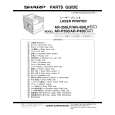
SHARP AR-P450
Instrukcja Serwisowa


Tweetnij o tym produkcie a dostaniesz $1.00 rabatu!
  • Zawiera schematy
  • Plik do pobrania
  • Format PDF
  • Kompletna instrukcja
  • Język: English, Japanese
Cena: $4.99

Opis SHARP AR-P450 Instrukcja Serwisowa

Kompletna instrukcja serwisowa w formie pliku PDF. Instrukcje serwisowe zazwyczaj zawierają schematy, diagramy drukowanych obwodów (PCB), schematy połączeń, schematy blokowe oraz katalog części. Instrukcje serwisowe są wykorzystywane glównie przez osoby naprawiające uszkodzony sprzęt.

Jeśli chcesz się dowiedzieć jak się obsługuje Twój telewizor, magnetowid, odtwarzacz mp3 itp. powinieneś raczej szukać instrukcji obsługi

Instrukcja jest dostępna w następujących językach: English, Japanese

Plik nie jest jeszcze gotowy
Musisz najpierw dokonać zakupu.

Recenzje produktu
Dla tego produktu nie napisano jeszcze recenzji!
Recenzje innych produktów
 RSB106 PANASONIC Instrukcja Serwisowa by Mieczyslaw Wojdyla;
Bardzo dobra jakość skanu, przystępna cena. Instrukcja serwisowa okazała się przydatna przy "reanimowaniu" dwudziestoparoletniego decka, który teraz pięknie gra :)
 ST-8077K TECHNICS Instrukcja Serwisowa by Adam Grążka;
...instruction is ok. ...instrukcja jest ok. Thanks/Dzięki
 T5 SANSUI Instrukcja Serwisowa by Adam Grążka;
Documentation made ​​available quickly and It is good quality. Thanks.

Tekstowy podgląd strony 50 (kliknij aby zobaczyć)
E. Resist quantity adjustment
This adjustment is performed in the following cases: �When the void quantity is changed by the paper feed tray. �When paper feed skew occurs. Before executing this adjustment, the following adjustments must have been completed. �LSU right-angle adjustment �Print magnification ratio adjustment �Print off-center adjustment �Void area adjustment 1) Hold and push the [MENU] key and the [OK] key, turn on the power. ("PCU DIAG MODE ***" is displayed.) * Do not touch the keys for about 8sec after releasing fingers from the above keys. 2) Push the [MENU] key several times until "TEST PRINT" is displayed, and push the [OK] key to enter the test print mode. 3) Make a print with "71" from each paper feed tray. 4) Push the [MENU] key several times until PAPER BUCKLE is displayed. Adjust the resist quantity so that paper is transported normally. <Factory setup> PAPER BUCKLE 45CPM MFT T1 T2 T3 T4 MFT T1 T2 T3 T4 60 70 55 55 60 65 75 60 60 65

G. Manual feed section paper guide position adjustment
This adjustment is performed in the following cases: �When the duplex unit with the manual feed unit is installed. �When the manual feed tray paper size detection fails. 1) Hold and push the [MENU] key and the [OK] key, turn on the power. ("PCU DIAG MODE ***" is displayed.) * Do not touch the keys for about 8sec after releasing fingers from the above keys.

" ON "

2) Push the [MENU] key several times until "SIZE ADJUSTMENT A" is displayed, and push [ ] key to display "SIZE ADJUSTMENT B" and push the [OK] key. 3) "MAXIMUM SIZE" is displayed on the LCD. Check the value displayed with MAXIMUM SIZE. Use [ ] or [ ] key to make the displayed value same as the MAX value specified on the label (* Note). 4) "P1 SIZE" and a value are displayed. Use [ ] or [ ] key to make the displayed value same as the P1 value specified on the label (* Note). 5) "P2 SIZE" and a value are displayed. Use [ ] or [ ] key to make the displayed value same as the P2 value specified on the label (* Note). 6) "MINIMUM SIZE" and a value are displayed. Use [ ] or [ ] key to make the displayed value same as the MIN value specified on the label (* Note).

35CPM

F. Option paper feed tray paper guide adjustment
This adjustment is performed in the following cases: �When the option paper feed tray is installed. �When the paper size detection fails. 1) Hold and push the [MENU] key and the [OK] key, turn on the power. ("PCU DIAG MODE ***" is displayed.) * Do not touch the keys for about 8sec after releasing fingers from the above keys. 2) Push the [MENU] key several times until "SIZE ADJUSTMENT A" is displayed, and push the [OK] key. 3) "MAXIMUM SIZE" is displayed on the LCD. Pull out the cassette, open the paper guide to the maximum, return the cassette to the machine, and push the [OK] key. 4) "MINIMUM SIZE" is displayed on the LCD. Pull out the cassette again from the machine, close the paper guide to the minimum, return the cassette to the machine, and push the [OK] key.

(*Note) Label attachment position

Label

AR-P350 ADJUSTMENTS-5

Klienci kupując ten produkt kupili także

$4.99

ARP450 SHARP
Instrukcja Obsługi

Kompletna instrukcja obsługi w formie pliku PDF. Plik PDF zostanie dostarczony na Twój adres email…

$4.99

AR-P450 SHARP
Katalog Części

Katalog części w formie pliku PDF. Plik zawiera wykaz części znajdujących się w urządzeniu wr…
>
Parse Time: 0.65 - Number of Queries: 339 - Query Time: 0.251