|
Dla tego produktu nie napisano jeszcze recenzji!
 ;
Schematy są ale można wysilić się i zrobić kolorowy skan i o większej rozdzielczości. Wtedy schematy płytek będą czytelniejsze. Całość super jako wartość merytoryczna. Wszystkie dane potrzebne do podłączenia różnego rodzajów urządzeń takich gramofon, CD itd.
 ;
Szybko, sprawnie i tanio. Serwis godny polecenia. Będę polecał innym
;
Ogólnie jest OK, z wyjątkiem obrazu płyty głównej, który jest miejscami mało czytelny, ale można sobie poradzić.
;
Dokładna dokumentacja, pomogła w szybkiej naprawie telewizora. Dziękuję!
;
jedyne do czego mogę mieć zastrzeżenie to jakość zdjęć zawartych w przesłanej instrukcji serwisowej ponieważ są fatalnej jakości, praktycznie nieczytelne. tak poza tym jestem zadowolony to jest to czego szukałem.
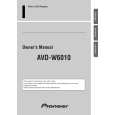
AVD-W6010
8. OPERATIONS AND SPECIFICATIONS
8.1 OPERATIONS
Key Finder
Component Parts and Features
1 SEL/POWER button
Selects the system�s audio and video simultaneously. If AV equipment is connected to the system�s RCA audio and video output terminals, the audio and video of the source selected with this button are generated. Pressing this button for 2 seconds also switches power ON/OFF.
6 2/3 buttons
Adjust the item when the setup menu is displayed.
7 Ambient light sensor
Senses ambient light. This system automatically adjusts the brightness of the display to compensate for ambient light.
2 V.SEL button
Selects only the display�s video.
8 Signal receptor
This receiver receives signals from the remote controller supplied with the mobile navigation unit and other AV equipment.
3 SP.SEL button
Selects only the built-in speaker�s audio.
9 Built-in speaker
Outputs sound from audio equipment connected to this product.
4 WIDE/MENU button
Changes the method of enlarging 4:3 video to 16:9 video. Pressing this button for 2 seconds, and displayed the setup menu. Once the setup menu is displayed, its menu is switched each time the button is pressed.
0 Lock release lever
5 Volume control (�/5) buttons
Adjust the volume of the built-in speaker 9, or change setup items when the setup menu is displayed. Note:
� Never set the volume so high that you cannot hear outside traffic and emergency vehicles.
74
|