PS2000 Ilość: 1
$4.99
» Pokaż Szczegóły
SB43538 Ilość: 1
$4.99
» Pokaż Szczegóły
170B2T/40C Ilość: 1
$4.99
» Pokaż Szczegóły
TT860-3 Ilość: 1
$4.99
» Pokaż Szczegóły
HVFX71 Ilość: 1
$4.99
» Pokaż Szczegóły
EX77/60A 1M 1F NEW Ilość: 1
$4.99
» Pokaż Szczegóły
MDP-V7 Ilość: 1
$4.99
» Pokaż Szczegóły
15MF050V/17B Ilość: 1
$4.99
» Pokaż Szczegóły
LT-32X787/Z Ilość: 1
$4.99
» Pokaż Szczegóły
CDC-X1360 Ilość: 1
$4.99
» Pokaż Szczegóły
FD240BE Ilość: 1
$4.99
» Pokaż Szczegóły
ICD-BM1 Ilość: 1
$4.99
» Pokaż Szczegóły
AD0152XM2 Ilość: 1
$4.99
» Pokaż Szczegóły
1804 Ilość: 1
$4.99
» Pokaż Szczegóły
GSIS 6321 BR Ilość: 1
$4.99
» Pokaż Szczegóły
VR270 Ilość: 1
$4.99
» Pokaż Szczegóły
KV32WF3B Ilość: 1
$4.99
» Pokaż Szczegóły
CDCX217 YH Ilość: 1
$4.99
» Pokaż Szczegóły
DI9514 Ilość: 1
$4.99
» Pokaż Szczegóły
AV-21DM10 Ilość: 1
$4.99
» Pokaż Szczegóły
KV-38DRCZ Ilość: 1
$4.99
» Pokaż Szczegóły
SO181 KONZERTSCHRANK Ilość: 1
$4.99
» Pokaż Szczegóły
CD3280M Ilość: 1
$4.99
» Pokaż Szczegóły
ICF-SW10 Ilość: 1
$4.99
» Pokaż Szczegóły
PCGC1MW Ilość: 1
$4.99
» Pokaż Szczegóły
KDCPS907 Ilość: 1
$4.99
» Pokaż Szczegóły
AG 4156 SK80 Ilość: 1
$4.99
» Pokaż Szczegóły
MCD703/37B Ilość: 1
$4.99
» Pokaż Szczegóły
LG5606XPW0 Ilość: 1
$4.99
» Pokaż Szczegóły
MDR-CD270 Ilość: 1
$4.99
» Pokaż Szczegóły
AV-27WF36/S Ilość: 1
$4.99
» Pokaż Szczegóły
ZHC900N Ilość: 1
$4.99
» Pokaż Szczegóły
AWOEco 9774 Ilość: 1
$4.99
» Pokaż Szczegóły
AFE 135/G Ilość: 1
$4.99
» Pokaż Szczegóły
43VJ13P Ilość: 1
$4.99
» Pokaż Szczegóły
LV-S3 Ilość: 1
$4.99
» Pokaż Szczegóły
AV-2969TEESK Ilość: 1
$4.99
» Pokaż Szczegóły
441 Ilość: 1
$4.99
» Pokaż Szczegóły
28DG35UD Ilość: 1
$4.99
» Pokaż Szczegóły
DATACAT Ilość: 1
$4.99
» Pokaż Szczegóły
KXTGA573S Ilość: 1
$4.99
» Pokaż Szczegóły
FCS872C Ilość: 1
$4.99
» Pokaż Szczegóły
9.547D Ilość: 1
$4.99
» Pokaż Szczegóły
CADW700M Ilość: 1
$4.99
» Pokaż Szczegóły
ARL 618/G Ilość: 1
$4.99
» Pokaż Szczegóły
DVP6600/98 Ilość: 1
$4.99
» Pokaż Szczegóły
SM492 Ilość: 1
$4.99
» Pokaż Szczegóły
KV2197M3 Ilość: 1
$4.99
» Pokaż Szczegóły
W sumie: $239.52
 
English Polski Spanish 
Szukaj instrukcji do
 

(e.g. AA-V20EG JVC, ZX-7 Sony )
PayPal 1000+ rating Secure, Encrypted Checkout.
 
Kategorie
Informacje
Polecamy
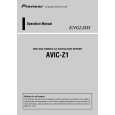
Strona główna >> PIONEER >> AVIC-Z1/UC Skrócona Instrukcja Obsługi
 
 48 szt. w koszyku 

PIONEER AVIC-Z1/UC
Skrócona Instrukcja Obsługi


Tweetnij o tym produkcie a dostaniesz $1.00 rabatu!
  • Plik do pobrania
  • Format PDF
  • Kompletna instrukcja
  • Język: English
Cena: $4.99

Opis PIONEER AVIC-Z1/UC Skrócona Instrukcja Obsługi

Skrócona instrukcja obsługi w formie pliku PDF. Zawiera najważniejsze informacje o tym jak obsługiwać to urządzenie. Przydatna jeśli nie masz dostępu do pełnej instrukcji obsługi lub nie masz czasu jej czytać. Plik PDF zostanie dostarczony na Twój adres email po jego zakupieniu.

Instrukcja jest dostępna w następujących językach: English

Plik nie jest jeszcze gotowy
Musisz najpierw dokonać zakupu.

Recenzje produktu
Dla tego produktu nie napisano jeszcze recenzji!

Tekstowy podgląd strony 1 (kliknij aby zobaczyć)
Hardware buttons
HDD MULTIMEDIA AV NAVIGATION SERVER
(1) (2) (3) (4) (5) (6) (7) (8) (9)

Search function overview
This navigation system has multiple methods for entering your destination. Press the button to display the navigation menu.
(1) (2) (3) (4)

Searching your destination by address
1 Press the
button and then touch �Address Search�. and then input the house number and touch �OK�.

4 Select the street name
from list. After some steps for narrowing down your destination, the route calculation carried out and the route confirmation screen appears.

AVIC-Z1
Quick Start Guide
This guide is intended to guide you through the basic functions of this navigation system. For details, please refer to the Operation Manual and Hardware Manual provided with the product.

(1) OPEN CLOSE button Press to access the DVD loading slot. Press and hold to display the angle adjustment screen. (2) V button Press to enter the PICTURE ADJUSTMENT mode. (3) VOL (�/5) button You can adjust the volume of Audio source. (4) AV button Press to switch the screen to the audio operation screen. If you press the AV button again, the audio source switches. (5) MENU button Press to display a navigation menu.

(6) MAP button Press to view the navigation map screen or press to switch view mode. (7) TRK (2/3) button Pressing this button when the built-in DVD drive source is selected skips a track or a chapter. Press and hold to fast forward/fast reverse a track or a chapter. (8) P.LIST (�/5) button Switches preset channels during the Radio operation. (9) T button* Preset button for XM Instant Traffic and SIRIUS traffic channel. Hold down to assign preset and you can recall that later. (1) (2) (3) (4)

2 Select state or province by

(5)

(6)

(7)

(8)

Search by address Shortcut key for home address Shortcut key for favorite destination Search for POIs in the database

3 Input the street name.

If you want to get another recommended route, by �Multiple route� and choose the best one.

5 Touch �OK� to decide
your route, and then the navigation starts.

(5) Select a destination from your registered point (6) Select a previously routed destination (7) Search destination by business telephone number (8) Search for POIs in your vicinity
Search result list for vicinity search

6 Begin driving in accordance
with navigation guidance.

*: XM satellite radio tuner (GEX-P10XMT or GEX-P920XM) or SIRIUS satellite radio tunner (SIR-PNR2) is required, together with an active subscription separately.

Switching the screen
Published by Pioneer Corporation. Copyright © 2006 by Pioneer Corporation. All rights reserved. <KKYHF> <06B00001>

This navigation systems gives you route guidance both visually and by voice. POI······Restaurants, Hotels, Gas Stations, and other stores and businesses

<CRB2258-A> UC Printed in Japan

AV screen

Navigation map

Klienci kupując ten produkt kupili także

$4.99

AVIC-Z1/UC PIONEER
Instrukcja Obsługi

Kompletna instrukcja obsługi w formie pliku PDF. Plik PDF zostanie dostarczony na Twój adres email…

$4.99

AVIC-Z1/UC PIONEER
Instrukcja Serwisowa

Kompletna instrukcja serwisowa w formie pliku PDF. Instrukcje serwisowe zazwyczaj zawierają schemat…
>
Parse Time: 0.827 - Number of Queries: 279 - Query Time: 0.391