ET22DKXSW00 Ilość: 1
$4.99
» Pokaż Szczegóły
DBVR-5700 Ilość: 1
$4.99
» Pokaż Szczegóły
QR90I Ilość: 1
$4.99
» Pokaż Szczegóły
8ET20ZKXDW03 Ilość: 1
$4.99
» Pokaż Szczegóły
RX-501LBK Ilość: 1
$4.99
» Pokaż Szczegóły
CTS800/BB0SA0T1 Ilość: 1
$4.99
» Pokaż Szczegóły
DEH-P560MPUC Ilość: 1
$4.99
» Pokaż Szczegóły
CR40 HAMBURG Ilość: 1
$4.99
» Pokaż Szczegóły
ARZ 897/H/SILVER Ilość: 1
$4.99
» Pokaż Szczegóły
D68N Ilość: 1
$4.99
» Pokaż Szczegóły
QSG6142 Ilość: 1
$4.99
» Pokaż Szczegóły
EHT6760K Ilość: 1
$4.99
» Pokaż Szczegóły
GF6NFEXTY02 Ilość: 1
$4.99
» Pokaż Szczegóły
W sumie: $64.87
 
English Polski Spanish 
Szukaj instrukcji do
 

(e.g. AA-V20EG JVC, ZX-7 Sony )
PayPal 1000+ rating Secure, Encrypted Checkout.
 
Kategorie
Informacje
Polecamy
Strona główna >> JVC >> C-13310/S Instrukcja Obsługi
 
 13 szt. w koszyku 

JVC C-13310/S
Instrukcja Obsługi


Tweetnij o tym produkcie a dostaniesz $1.00 rabatu!
  • Plik do pobrania
  • Format PDF
  • Kompletna instrukcja
  • Język: English
Cena: $4.99

Opis JVC C-13310/S Instrukcja Obsługi

Kompletna instrukcja obsługi w formie pliku PDF. Plik PDF zostanie dostarczony na Twój adres email po jego zakupieniu.

Instrukcje obsługi (czasami nazywane także podręcznikiem użytkownika) opisuja funkcje i sposób działania danego produktu.

Instrukcja jest dostępna w następujących językach: English

Plik nie jest jeszcze gotowy
Musisz najpierw dokonać zakupu.

Recenzje produktu
Dla tego produktu nie napisano jeszcze recenzji!

Tekstowy podgląd strony 32 (kliknij aby zobaczyć)
Sound Settings
MTS (Multi-Channel Television Sound)
MTS technology allows several audio signals to be broadcast at once, giving you a choice in what you wish to hear with a TV program. In addition to mono or stereo sound, an MTS broadcast may also include a Second Audio Program (SAP). Press the MENU button To MTS Select the mode (The ON AIR arrow tells you if a broadcast is in Stereo and/or contains an SAP). � Keep the TV in STEREO mode to get the best sound quality. The sound will work in STEREO mode even if a certain broadcast is in MONO sound only. � Choose the MONO setting to reduce excessive noise on a certain channel or broadcast. � Selecting SAP will allow you to hear an alternative soundtrack, if one is available.

TV Speaker
If your TV is connected to a stereo system, you can turn off the TV speakers and listen to the audio through your stereo. Press the MENU button To TV SPEAKER

TV SPEAKER

ON

OFF

To turn the TV's speakers ON or OFF EXIT when finished � Before you turn the TV Speaker setting from OFF to ON, make sure that the TV volume level is low! If the TV volume is set too high, the sound level will be extremely loud. � After a power interruption, the TV Speaker settings will return to �ON�. Note: TV models AV-20320 and AV-20321 only

32

Klienci kupując ten produkt kupili także

$4.99

C13310/S JVC
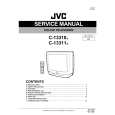
Instrukcja Serwisowa

Kompletna instrukcja serwisowa w formie pliku PDF. Instrukcje serwisowe zazwyczaj zawierają schemat…
>
Parse Time: 0.171 - Number of Queries: 148 - Query Time: 0.041