RP8700SS/AS Ilość: 1
$4.99
» Pokaż Szczegóły
CDX-F7005X Ilość: 1
$4.99
» Pokaż Szczegóły
KRC360 Ilość: 1
$4.99
» Pokaż Szczegóły
AZ9003/19 Ilość: 1
$4.99
» Pokaż Szczegóły
RT14ZKYKZ03 Ilość: 1
$4.99
» Pokaż Szczegóły
PSP1001 Ilość: 1
$4.99
» Pokaż Szczegóły
CE20F10 Ilość: 1
$4.99
» Pokaż Szczegóły
KGYS750LQ1 Ilość: 1
$4.99
» Pokaż Szczegóły
CD104/05 Ilość: 1
$4.99
» Pokaż Szczegóły
CP-F150MINI/XTWEW5 Ilość: 1
$4.99
» Pokaż Szczegóły
ET20GMXSW01 Ilość: 1
$4.99
» Pokaż Szczegóły
DCR-DVD508 LEVEL2 Ilość: 1
$4.99
» Pokaż Szczegóły
SX-SW570/KUCXCN Ilość: 1
$4.99
» Pokaż Szczegóły
TH-S1EE Ilość: 1
$4.99
» Pokaż Szczegóły
5KCG100EER0 Ilość: 1
$4.99
» Pokaż Szczegóły
ARE3704AC Ilość: 1
$4.99
» Pokaż Szczegóły
YMH7140XFB2 Ilość: 1
$4.99
» Pokaż Szczegóły
ZH31NW Ilość: 1
$4.99
» Pokaż Szczegóły
SRW15FP Ilość: 1
$4.99
» Pokaż Szczegóły
ART620/H Ilość: 1
$4.99
» Pokaż Szczegóły
W sumie: $99.80
 
English Polski Spanish 
Szukaj instrukcji do
 

(e.g. AA-V20EG JVC, ZX-7 Sony )
PayPal 1000+ rating Secure, Encrypted Checkout.
 
Kategorie
Informacje
Polecamy
Strona główna >> SONY >> CCD-TRV46 Instrukcja Obsługi
 
 20 szt. w koszyku 

SONY CCD-TRV46
Instrukcja Obsługi


Tweetnij o tym produkcie a dostaniesz $1.00 rabatu!
  • Plik do pobrania
  • Format PDF
  • Kompletna instrukcja
  • Język: English, Spanish, Portuguese
Cena: $4.99

Opis SONY CCD-TRV46 Instrukcja Obsługi

Kompletna instrukcja obsługi w formie pliku PDF. Plik PDF zostanie dostarczony na Twój adres email po jego zakupieniu.

Instrukcje obsługi (czasami nazywane także podręcznikiem użytkownika) opisuja funkcje i sposób działania danego produktu.

Instrukcja jest dostępna w następujących językach: English, Spanish, Portuguese

Plik nie jest jeszcze gotowy
Musisz najpierw dokonać zakupu.

Recenzje produktu
Dla tego produktu nie napisano jeszcze recenzji!

Tekstowy podgląd strony 54 (kliknij aby zobaczyć)
Editing onto another tape
You can create your own video program by editing with any other h 8 mm, H Hi8, mini DV, DV, j VHS, k S-VHS, VHSC, K S-VHSC, l Betamax or ¬ ED Betamax VCR that has video/audio inputs.

Before editing
Connect the camcorder to the VCR using the supplied A/V connecting cable. Set the input selector on the VCR to LINE, if available. Set EDIT to ON in the menu system (p. 29).

Starting editing
Turn down the volume of the camcorder while editing. Otherwise, picture distortion may occur.

(1) Insert a blank tape (or a tape you want to record over) into the VCR, and insert your recorded tape into the camcorder. (2) Play back the recorded tape on the camcorder until you locate the point just before where you want to start editing, then press P to set the camcorder in playback pause mode. (3) On the VCR, locate the recording start point and set the VCR in recording pause mode. (4) First press P on the camcorder, and after a few seconds press P on the VCR to start editing.

To edit more scenes
Repeat steps 2 to 4.

To superimpose the title while you are editing
You can superimpose the title while you are editing. Refer to �Superimposing a title� (p. 44).

To stop editing
Press p on both the camcorder and the VCR. Note on Fine Synchro Edit If you connect a video deck that has the Fine Synchro Edit feature to the LANC l jack of the camcorder, using a LANC cable (not supplied), the edit will be even more precise.

54

Klienci kupując ten produkt kupili także

$4.99

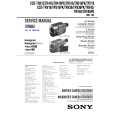
CCDTRV46 SONY
Instrukcja Serwisowa

Kompletna instrukcja serwisowa w formie pliku PDF. Instrukcje serwisowe zazwyczaj zawierają schemat…
>
Parse Time: 0.407 - Number of Queries: 169 - Query Time: 0.136