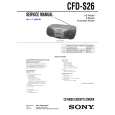
Location of controls
REC PLAY REW FF STOP/EJECT PAUSE
Playing a CD
Listening to the radio
Using the display
Checking the total track number and playing time
Press DISPLAY ENT�MEMORY in stop mode.
1
VOLUME +,� Number buttons for CD/RADIO DIRECT OPERATION SLEEP POWER Tape compartment Z PUSH OPEN/CLOSE CD compartment MEGA Xpand (CFD-S36 only) MEGA BASS BX x
Press CD (direct power-on).
Shuffle Play
About CD-Rs/CD-RWs
1 2
Press CD. Press MODE until �SHUF� appears in the display. Press u to start shuffle play.
This player is compatible with CD-Rs/CD-RWs but playback capability may vary depending on the quality of the disc, the recording device and application software.
1
Remote Control (CFD-S36 only)
SLEEP
POWER
CD
Total track number Total playing time
Notes on CDs
� Before playing, clean the CD with a cleaning cloth. Wipe the CD from the center out.
Press RADIO BAND�AUTO PRESET until the band you want appears in the display (direct power-on). Each time you press the button, the indication changes as follows: CFD-S36 USA model: �FM� t �AM� t �TV�. Other models: �FM� t �AM�.
Display
RADIO BAND
AUTO PRESET
If a station cannot be preset automatically
You need to preset a station with a weak signal manually.
1 Press RADIO BAND�AUTO PRESET to select the band. 2 Tune in a station you want. 3 Hold down the number buttons that you want to preset the new station
on for about 2 seconds. To select the preset number over 10, press >10 first, then the corresponding number buttons. You need to hold down the last number button to enter for about 2 seconds. (Example: To select 12, press >10 and 1 first, then hold down 2 for about 2 seconds.)
3
FUNCTION Number buttons MODE TUNE +,� BAND WEATHER (USA model only) N MEGA Xpand
FUNCTION SLEEP CD/RADIO (AC ONLY)
POWER
3 6 9
>10 VOL
2
Press Z PUSH OPEN/CLOSE down to open the CD compartment and place a CD in the CD compartment.
Checking the remaining time
Press DISPLAY ENT�MEMORY while playing a CD. To display the current track number and the remaining time on the current track* Press DISPLAY ENT�MEMORY once twice three times
To cancel Shuffle Play
Press MODE until �SHUF� disappears from the display.
1 4 7
MODE
2 5 8
0/10
Program Play
2
� Do not use solvents such as benzine, thinner, commercially available cleaners or anti-static spray intended for vinyl LPs. � Do not expose the CD to direct sunlight or heat sources such as hot air ducts, nor leave it in a car parked in direct sunlight as there can be a considerable rise in temperature inside the car. � Do not stick paper or sticker on the CD, nor scratch the surface of the CD. � After playing, store the CD in its case.
If there is a scratch, dirt or fingerprints on the CD, it may cause tracking error.
BAND
TUNE+
VOL +,� x X
PUSH OPEN/CLOSE
c
With the labeled side up
WEATHER TUNE�
the number of tracks left and remaining time on the CD the current track number and playing time
1 2 3
Press CD. Press MODE until �PGM� appears in the display. Press the number buttons for the tracks you want to program in the order you want. You can arrange the playing order of up to 20 tracks on a CD.
Hold down TUNE + or � until the frequency digits begin to change in the display.
Display
TUNE
CD/RADIO DIRECT OPERATION
Display
6
1
7
2
3
4
9
5
8
0/10
>10
c
MEGA Xpand
MEGA BASS
.,> MEGA BASS
* For a track whose number is more than 20, the remaining time appears as �- -:- -� in the display.
TAPE TUNE �,+ .,> DISPLAY ENT MEMORY i (headphones) jack MODE OPR/BATT indicator RADIO BAND AUTO PRESET CD
The player automatically scans the radio frequencies and stops when it finds a clear station. If you can't tune in a station, press the button repeatedly to change the frequency step by step.
The new station replaces the old one.
Locating a specific track
Display Press a number button of the track. > (forward) or . (backward) while playing until you find the point. Programmed track Playing order
3
Close the CD compartment.
To locate a specific track directly
PUSH OPEN/CLOSE
WEATHER Display (CFD-S36 USA model only) Remote sensor (CFD-S36 only)
To adjust the volume
Press VOLUME +, � (VOL +, � on the remote, CFD-S36 only) POWER
Playing preset radio stations
c
a point while listening to the sound a point while observing the display
4
Press u to start program play.
turn on/off the radio
1 2
Press RADIO BAND�AUTO PRESET to select the band. Press the number buttons to tune in the stored station. To tune in a preset station over 10, press >10 first, then corresponding number buttons. (Example: To tune in a preset station 12, press >10 and 1 first, and then press 2.)
CD/RADIO DIRECT OPERATION
> (forward) or . (backward) in pause until you find the point.
To cancel Program Play
Press MODE until �PGM� disappears from the display.
To improve broadcast reception
Reorient the antenna for FM/TV/WEATHER. Reorient the player itself for AM.
Tip To listen through headphones, connect the headphones to the i (headphones) jack.
Tip When you locate a track numbered over 10, press >10 first, then the corresponding number buttons.
To check the order of tracks before play
Press DISPLAY ENT�MEMORY. Every time you press the button, the track number appears in the programed order.
4
Adjusting the sound emphasis (MEGA BASS/MEGA Xpand)
Reinforcing the bass sound
Press MEGA BASS. "MEGA BASS" appears in the display. To return to normal sound, press the button again.
Press u (N on the remote, CFD-S36 only). The player plays all the tracks once.
Display
Example:To play track number 23, press >10 first, then 2 and 3. Note You cannot locate a specific track if "SHUF" or "PGM" is lit in the display. Turn off the indication by pressing x.
1
7
2
3
4
9
5
6
8
0/10
>10
To change the current program
Repeat Play
Track number Playing time
Press x once if the CD is stopped and twice if the CD is playing. The current program will be erased. Then create a new program following the programming procedure. Tip
FM/TV/WEATHER Tip
AM
1 2
To adjust the volume stop playback pause playback Press VOLUME +, � (VOL +, � on the remote, CFD-S36 only) x u (X on the remote, CFD-S36 only) Press the button again to resume play after pause. go to the next track go back to the previous track remove the CD turn on/off the player > . Z PUSH OPEN/CLOSE POWER
Press CD. Proceed as follows:
To repeat a single track Do this 1 Press MODE until �REP 1� appears. 2 Press the number button for the track you want to repeat. 1 Press MODE until �REP ALL� appears. 2 Press u. 1 Press MODE until �SHUF REP� appears. 2 Press u. 1 Press MODE until �PGM REP� appears. 2 Press the number buttons for the tracks you want to program in the order you want up to 20 tracks. 3 Press u. You can record your own program. After you�ve created the program, insert a blank tape and press z to start recording.
If the FM broadcast is noisy, press MODE until "Mono" appears in the display and the radio will play in monaural.
Checking the weather forecast (CFD-S36 USA model only)
1
Presetting radio stations
You can store radio stations into the player�s memory. You can preset up to 40 radio stations (CFD-S36 USA model), 20 for FM and 10 for AM and TV in any order, or 30 radio stations (other models), 20 for FM and 10 for AM in any order.
Getting the MEGA Xpand effect (CFD-S36 only)
Press MEGA Xpand. "MEGA Xpand" appears in the display. You can get the effect of expansion of the sound field.
Press WEATHER. The power turns on automatically.
WEATHER
all the tracks tracks in random order programmed tracks
2
Hold down TUNE + or - until the channel indication begins to change in the display. The player automatically scans the weather forecast stations and stops when it finds a clear station. If you can't tune in a station, press the button repeatedly to change the frequency step by step.
Display
1 2
Press RADIO BAND�AUTO PRESET to select the band. Hold down RADIO BAND�AUTO PRESET for 2 seconds until "AUTO" flashes in the display.
RADIO BAND
AUTO PRESET
Display
To cancel Repeat Play
Press MODE until �REP� disappears from the display.
3
Press DISPLAY ENT�MEMORY. The stations are stored in memory from the lower frequencies to the higher ones.
Tip Weather band provides continuous broadcast of the latest weather information (directly from National Weather Service offices).