CR202SL8 Ilość: 1
$4.99
» Pokaż Szczegóły
MHC-3300CD Ilość: 1
$4.99
» Pokaż Szczegóły
AD50J0 Ilość: 1
$4.99
» Pokaż Szczegóły
56500I-M Ilość: 1
$4.99
» Pokaż Szczegóły
AC2904XS0 Ilość: 1
$4.99
» Pokaż Szczegóły
DKEL 3790 WS Ilość: 1
$4.99
» Pokaż Szczegóły
EKS 150.2 L SW Ilość: 1
$4.99
» Pokaż Szczegóły
WA 1400 Dolphin-D Ilość: 1
$4.99
» Pokaż Szczegóły
ADP 5655 WH Ilość: 1
$4.99
» Pokaż Szczegóły
A6000 Ilość: 1
$4.99
» Pokaż Szczegóły
SX-NDP54 Ilość: 1
$4.99
» Pokaż Szczegóły
2500 CHASSIS Ilość: 1
$4.99
» Pokaż Szczegóły
AD25DSV0 Ilość: 1
$4.99
» Pokaż Szczegóły
W sumie: $64.87
 
English Polski Spanish 
Szukaj instrukcji do
 

(e.g. AA-V20EG JVC, ZX-7 Sony )
PayPal 1000+ rating Secure, Encrypted Checkout.
 
Kategorie
Informacje
Polecamy
Strona główna >> SONY >> CFD-S47 Instrukcja Obsługi
 
 13 szt. w koszyku 

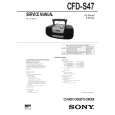
SONY CFD-S47
Instrukcja Obsługi


Tweetnij o tym produkcie a dostaniesz $1.00 rabatu!
  • Plik do pobrania
  • Format PDF
  • Kompletna instrukcja
  • Język: English
Cena: $4.99

Opis SONY CFD-S47 Instrukcja Obsługi

Kompletna instrukcja obsługi w formie pliku PDF. Plik PDF zostanie dostarczony na Twój adres email po jego zakupieniu.

Instrukcje obsługi (czasami nazywane także podręcznikiem użytkownika) opisuja funkcje i sposób działania danego produktu.

Instrukcja jest dostępna w następujących językach: English

Plik nie jest jeszcze gotowy
Musisz najpierw dokonać zakupu.

Recenzje produktu
Dla tego produktu nie napisano jeszcze recenzji!

Tekstowy podgląd strony 19 (kliknij aby zobaczyć)
The Radio

Presetting radio stations
You can store radio stations into the player�s memory. You can preset up to 20 radio stations, 10 for each band in any order.

PRESET � BAND PRESET + DISPLAY ENTER MEM

The Radio

On the remote 1 Press BAND to select the band. 2 Set the frequency to the station you want. 3 Hold down the number buttons that you want to preset the new station on for 2 seconds. The frequency digits flash in the display and the station is stored into the player�s memory.

1 2 3 4 5

Press BAND until the band you want appears in the display. Set the frequency to the station you want. Hold down DISPLAY�ENTER MEM for 2 seconds. Press PRESET + or � until the preset number (1 to 10) you want for the station flashes in the music calender. Press DISPLAY� ENTER MEM again. The new station replaces the old one.

The Radio

19

Klienci kupując ten produkt kupili także

$4.99

CFDS47 SONY
Instrukcja Serwisowa

Kompletna instrukcja serwisowa w formie pliku PDF. Instrukcje serwisowe zazwyczaj zawierają schemat…
>
Parse Time: 0.479 - Number of Queries: 148 - Query Time: 0.217