MX3660D37 Ilość: 1
$4.99
» Pokaż Szczegóły
RMS8351 DIANA3 Ilość: 1
$4.99
» Pokaż Szczegóły
TT2021/33 Ilość: 1
$4.99
» Pokaż Szczegóły
KERS507YWH0 Ilość: 1
$4.99
» Pokaż Szczegóły
21T01B Ilość: 1
$4.99
» Pokaż Szczegóły
RW4540 Ilość: 1
$4.99
» Pokaż Szczegóły
ER8716C Ilość: 1
$4.99
» Pokaż Szczegóły
SYNCMASTER959NF Ilość: 1
$4.99
» Pokaż Szczegóły
DRX5575 Ilość: 1
$4.99
» Pokaż Szczegóły
V-622EF Ilość: 1
$4.99
» Pokaż Szczegóły
TYPE 2076 Ilość: 1
$4.99
» Pokaż Szczegóły
TMA10EK Ilość: 1
$4.99
» Pokaż Szczegóły
AWM 5010 Ilość: 1
$4.99
» Pokaż Szczegóły
4KUCC151T4 Ilość: 1
$4.99
» Pokaż Szczegóły
PE66C Ilość: 1
$4.99
» Pokaż Szczegóły
KV25G0XOB4 Ilość: 1
$4.99
» Pokaż Szczegóły
XV-DV272/LFXJ Ilość: 1
$4.99
» Pokaż Szczegóły
AZ1226/05 Ilość: 1
$4.99
» Pokaż Szczegóły
KP2671XGR1 Ilość: 1
$4.99
» Pokaż Szczegóły
TX86PW100A Ilość: 1
$4.99
» Pokaż Szczegóły
PDCF 8203 W Ilość: 1
$4.99
» Pokaż Szczegóły
KUIS15NRHT6 Ilość: 1
$4.99
» Pokaż Szczegóły
MEC4430AAQ Ilość: 1
$4.99
» Pokaż Szczegóły
VID-P100 Ilość: 1
$4.99
» Pokaż Szczegóły
E10002-D Ilość: 1
$4.99
» Pokaż Szczegóły
GKB 2100 Ilość: 1
$4.99
» Pokaż Szczegóły
KUDS03FTBL1 Ilość: 1
$4.99
» Pokaż Szczegóły
TDC 75 Ilość: 1
$4.99
» Pokaż Szczegóły
TY21S4L Ilość: 1
$4.99
» Pokaż Szczegóły
LC20C2M Ilość: 1
$4.99
» Pokaż Szczegóły
CU-F117 Ilość: 1
$4.99
» Pokaż Szczegóły
ZKH7425S Ilość: 1
$4.99
» Pokaż Szczegóły
FAV50650 Ilość: 1
$4.99
» Pokaż Szczegóły
SF369LEKQ0 Ilość: 1
$4.99
» Pokaż Szczegóły
PCLKMD1 Ilość: 1
$4.99
» Pokaż Szczegóły
DVR310 Ilość: 1
$4.99
» Pokaż Szczegóły
MFC-3900ML Ilość: 1
$4.99
» Pokaż Szczegóły
HTP-55/KUXCN Ilość: 1
$4.99
» Pokaż Szczegóły
HR-V600EX Ilość: 1
$4.99
» Pokaż Szczegóły
Z1498 Ilość: 1
$4.99
» Pokaż Szczegóły
B3404 Ilość: 1
$4.99
» Pokaż Szczegóły
BHAC2530ES0 Ilość: 1
$4.99
» Pokaż Szczegóły
W sumie: $209.58
 
English Polski Spanish 
Szukaj instrukcji do
 

(e.g. AA-V20EG JVC, ZX-7 Sony )
PayPal 1000+ rating Secure, Encrypted Checkout.
 
Kategorie
Informacje
Polecamy
Strona główna >> KORG >> CX-3 Instrukcja Obsługi
 
 42 szt. w koszyku 

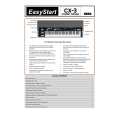
KORG CX-3
Instrukcja Obsługi


Tweetnij o tym produkcie a dostaniesz $1.00 rabatu!
  • Plik do pobrania
  • Format PDF
  • Kompletna instrukcja
  • Język: English
Cena: $4.99

Opis KORG CX-3 Instrukcja Obsługi

Kompletna instrukcja obsługi w formie pliku PDF. Plik PDF zostanie dostarczony na Twój adres email po jego zakupieniu.

Instrukcje obsługi (czasami nazywane także podręcznikiem użytkownika) opisuja funkcje i sposób działania danego produktu.

Instrukcja jest dostępna w następujących językach: English

Plik nie jest jeszcze gotowy
Musisz najpierw dokonać zakupu.

Recenzje produktu
Dla tego produktu nie napisano jeszcze recenzji!

Tekstowy podgląd strony 17 (kliknij aby zobaczyć)
Basic operation

Key settings of the ROTARY section

Reverb
The [REVERB OFFSET] knob adjusts the depth of reverb. When the knob is in the center position, the reverb depth will be as specified by the settings of the program. The reverb depth can be adjusted by the Normal Edit mode and EX Edit mode Group 5 �Reverb Mix Level� parameters.

[ON] key

This key switches the rotary speaker on/off. If this is off, pressing the [FAST] key or [STOP] key will have no effect. ON (LED lit): The rotary speaker will be on.

5. Listening to the demo songs
Here�s how to listen to the demo songs built into the CX3. The CX-3 contains 9 demo songs. 1. Press the [GLOBAL] key to enter Global mode. The key LED will light. 2. Press the PROGRAM [8]. 3. Press the [WRITE/ENTER] key. 4. Press the [WRITE/ENTER] key once again. The demo will begin playing. When the first song ends, the next song will begin. 5. To stop demo playback, press the [EXIT] key. After pressing the [WRITE/ENTER] key in step 3, you can press the [� ] or [®] key to change the song that will be played first.

[STOP] key

This key starts or stops the rotation of the rotary speaker�s rotor and horn. Stop (LED lit): The rotation will gradually slow down and stop.

[FAST] key
This key switches the rotational speed of the rotary speaker (fast and slow). Fast (LED lit): The rotation will speed up. If the [STOP] key was used to stop the rotation, pressing the [FAST] key will defeat the setting of the [STOP] key, and rotation will begin. (The [STOP] key LED will go dark.) The fast and slow rotational speeds, the time over which rotation changes from fast to slow, the time over which rotation changes from slow to fast, the speed and time for the rotor and horn of the rotary speaker, and the time until rotation stops after it is switched off etc. can all be adjusted by the Normal Edit mode and EX Edit mode Group 6 parameters (p.19).

Other effects
In addition to the effects described above, you can use the knobs and keys of the front panel to modify the sound in various ways.

Overdrive
The [EXPRESSION/OVERDRIVE] knob adjusts the depth of overdrive. This will also affect the volume. The [EXPRESSION/OVERDRIVE] knob adjusts the output level of the tone generator, changing the input level to the internal amp simulation. The effect can be adjusted by controlling Overdrive in conjunction with the �Amp Gain� parameter (p.19) of the amp simulator.

13

Klienci kupując ten produkt kupili także

$4.99

CX-3 KORG
Skrócona Instrukcja Obsługi

Skrócona instrukcja obsługi w formie pliku PDF. Zawiera najważniejsze informacje o tym jak obsłu…
>
Parse Time: 0.312 - Number of Queries: 255 - Query Time: 0.087