053.386 9 Ilość: 1
$4.99
» Pokaż Szczegóły
RB260PXBB1 Ilość: 1
$4.99
» Pokaż Szczegóły
JGS4105W Ilość: 1
$4.99
» Pokaż Szczegóły
AC1012XM0 Ilość: 1
$4.99
» Pokaż Szczegóły
SMS3460-2IN Ilość: 1
$4.99
» Pokaż Szczegóły
GKEA 2900 Ilość: 1
$4.99
» Pokaż Szczegóły
6RAB5132EW1 Ilość: 1
$4.99
» Pokaż Szczegóły
EXP3461/00 Ilość: 1
$4.99
» Pokaż Szczegóły
KEMC378KBL0 Ilość: 1
$4.99
» Pokaż Szczegóły
KGCT305ABL1 Ilość: 1
$4.99
» Pokaż Szczegóły
AV-28X5SU/Q Ilość: 1
$4.99
» Pokaż Szczegóły
Santo 2630-1 KG Ilość: 1
$4.99
» Pokaż Szczegóły
AKM 626/BR Ilość: 1
$4.99
» Pokaż Szczegóły
SOLAR 1600 Ilość: 1
$4.99
» Pokaż Szczegóły
KUDU02FRWH2 Ilość: 1
$4.99
» Pokaż Szczegóły
HSPX617 AH AE Ilość: 1
$4.99
» Pokaż Szczegóły
KSSS48QHX00 Ilość: 1
$4.99
» Pokaż Szczegóły
6ADP 951/3 WH Ilość: 1
$4.99
» Pokaż Szczegóły
RBMY1041FE Ilość: 1
$4.99
» Pokaż Szczegóły
AWOD 052 Ilość: 1
$4.99
» Pokaż Szczegóły
RUD3000HB1 Ilość: 1
$4.99
» Pokaż Szczegóły
KRCB 6050 Ilość: 1
$4.99
» Pokaż Szczegóły
RCD695QH Ilość: 1
$4.99
» Pokaż Szczegóły
W sumie: $114.77
 
English Polski Spanish 
Szukaj instrukcji do
 

(e.g. AA-V20EG JVC, ZX-7 Sony )
PayPal 1000+ rating Secure, Encrypted Checkout.
 
Kategorie
Informacje
Polecamy
Strona główna >> SONY >> DCR-IP55 Instrukcja Obsługi
 
 23 szt. w koszyku 

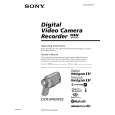
SONY DCR-IP55
Instrukcja Obsługi


Tweetnij o tym produkcie a dostaniesz $1.00 rabatu!
  • Plik do pobrania
  • Format PDF
  • Kompletna instrukcja
  • Język: English, Spanish, Portuguese
Cena: $4.99

Opis SONY DCR-IP55 Instrukcja Obsługi

Kompletna instrukcja obsługi w formie pliku PDF. Plik PDF zostanie dostarczony na Twój adres email po jego zakupieniu.

Instrukcje obsługi (czasami nazywane także podręcznikiem użytkownika) opisuja funkcje i sposób działania danego produktu.

Instrukcja jest dostępna w następujących językach: English, Spanish, Portuguese

Plik nie jest jeszcze gotowy
Musisz najpierw dokonać zakupu.

Recenzje produktu
Dla tego produktu nie napisano jeszcze recenzji!

Tekstowy podgląd strony 126 (kliknij aby zobaczyć)
Superimposing a still image in a �Memory Stick� on an image � MEMORY MIX Recording a superimposed image to tape
Before operation �Insert a tape for recording into your camcorder. �Insert a �Memory Stick� recorded with still images into your camcorder. (1) Set the POWER switch to CAMERA. (2) In the standby mode, press FN and select PAGE2. (3) Press MEM MIX. The last image recorded on the �Memory Stick� appears on the right lower part of the LCD screen. (4) Press �/+ on the right lower corner of the LCD screen to select the still image which you want to superimpose. � : to see the previous image + : to see the next image (5) Press a desired mode. The still image is superimposed on the moving picture. (6) Press �/+ on the left lower corner of the LCD screen to adjust the effect, then press OK to return to PAGE2. M. CHROM � The color (blue) scheme of the area in the still image which is to be swapped with a moving image M. LUMI � The color (bright) scheme of the area in the still image which is to be swapped with a moving image C. CHROM � The color (blue) scheme of the area in the moving image which is to be swapped with a still image M. OVERLAP � No adjustment necessary The fewer bars there are on the LCD screen, the stronger the effect. (7) Press EXIT to return to FN. (8) Press START/STOP to start recording.

1

MEMORY/ NETWORK

CAMERA (CHG) OFF ON

VCR

MODE

POWER

3
MEM MIX

MEM MIX

OFF MCCAM

LUMI

OK

CAMCM MCCAM CHROM CHROM

Still image
+

2
FN

4,5
+

MEM MIX

OFF

OK

M. LUMI

+

+
OK

6
PAGE2
126 +

MEM MIX

OFF

M. LUMI

+

+

Klienci kupując ten produkt kupili także

$4.99

DCRIP55 SONY
Instrukcja Serwisowa

Kompletna instrukcja serwisowa w formie pliku PDF. Instrukcje serwisowe zazwyczaj zawierają schemat…
>
Parse Time: 1.088 - Number of Queries: 185 - Query Time: 0.672