1E4 Ilość: 1
$4.99
» Pokaż Szczegóły
UX-HB4 for EB Ilość: 1
$4.99
» Pokaż Szczegóły
SZ-WNT19D7 Ilość: 1
$4.99
» Pokaż Szczegóły
SDV391U Ilość: 1
$4.99
» Pokaż Szczegóły
DLA-M2000LU Ilość: 1
$4.99
» Pokaż Szczegóły
WG415 Ilość: 1
$4.99
» Pokaż Szczegóły
WILDBAD 7M Ilość: 1
$4.99
» Pokaż Szczegóły
GDM200PS Ilość: 1
$4.99
» Pokaż Szczegóły
G5400 Ilość: 1
$4.99
» Pokaż Szczegóły
GSA-3060 Ilość: 1
$4.99
» Pokaż Szczegóły
32LC2DC Ilość: 1
$4.99
» Pokaż Szczegóły
DXN7 Ilość: 1
$4.99
» Pokaż Szczegóły
CZN 236 B Ilość: 1
$4.99
» Pokaż Szczegóły
25PT4473/75T Ilość: 1
$4.99
» Pokaż Szczegóły
FWR55 Ilość: 1
$4.99
» Pokaż Szczegóły
DCP850/37B Ilość: 1
$4.99
» Pokaż Szczegóły
AV32432M Ilość: 1
$4.99
» Pokaż Szczegóły
CF426E Ilość: 1
$4.99
» Pokaż Szczegóły
CIV-40 Ilość: 1
$4.99
» Pokaż Szczegóły
W sumie: $94.81
 
English Polski Spanish 
Szukaj instrukcji do
 

(e.g. AA-V20EG JVC, ZX-7 Sony )
PayPal 1000+ rating Secure, Encrypted Checkout.
 
Kategorie
Informacje
Polecamy
Strona główna >> OTHERS >> DI550 Instrukcja Obsługi
 
 19 szt. w koszyku 

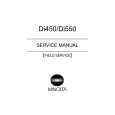
KONICA DI550
Instrukcja Obsługi


Tweetnij o tym produkcie a dostaniesz $1.00 rabatu!
  • Plik do pobrania
  • Format PDF
  • Kompletna instrukcja
  • Język: English
Cena: $4.99

Opis KONICA DI550 Instrukcja Obsługi

Kompletna instrukcja obsługi w formie pliku PDF. Plik PDF zostanie dostarczony na Twój adres email po jego zakupieniu.

Instrukcje obsługi (czasami nazywane także podręcznikiem użytkownika) opisuja funkcje i sposób działania danego produktu.

Instrukcja jest dostępna w następujących językach: English

Plik nie jest jeszcze gotowy
Musisz najpierw dokonać zakupu.

Recenzje produktu
Dla tego produktu nie napisano jeszcze recenzji!

Tekstowy podgląd strony 160 (kliknij aby zobaczyć)
6-3
1. When the Message �Replenish paper.� Appears

3rd Drawer (4-Way Type)

1

Press the Paper Descent key and then slide the drawer out.

3

Load another paper stack into the left half of the drawer with its front side facing down. Press the leading edge of the paper stack tightly up against the left side of the drawer.

4002O157AB

Indication of the Paper Descent key Steady Light: The 3rd Drawer has run out of paper when a drawer other than the 3rd 4002O158AB is currently selected for use. Blinking Light: The 3rd Drawer has run out of paper when the 3rd Drawer is currently selected for use.

4002O161AC

NOTE The paper should be loaded no higher than thew(Max. Level Indicator).
Max.
1161O150AA

4

4002O159AB

Slide the drawer back in and press the Paper Descent key.

2

Load the paper stack into the right half of the drawer with its front side facing down. Press the leading edge of the paper stack tightly up against the right side of the drawer.

4002O216AA

<Moving the Paper Stack> If the paper stack on the right-hand side runs out when the 3rd Drawer is selected or while it is being used, the following screen appears. Touching [Paper Shift] will automatically move the paper stack on the left-hand side to the right.

4002O160AB

NOTE
Max.

The paper should be loaded no higher than the w (Max. Level Indicator).

1145O555KA

4003P561EB

When a Message Appears Chapter 6

Klienci kupując ten produkt kupili także

$4.99

DI550 KONICA
Instrukcja Serwisowa

Kompletna instrukcja serwisowa w formie pliku PDF. Instrukcje serwisowe zazwyczaj zawierają schemat…
>
Parse Time: 0.347 - Number of Queries: 172 - Query Time: 0.071