RF3300XVN3 Ilość: 1
$4.99
» Pokaż Szczegóły
KVC2121D Ilość: 1
$4.99
» Pokaż Szczegóły
GR-AX16EG(S) Ilość: 1
$4.99
» Pokaż Szczegóły
TH21E Ilość: 1
$4.99
» Pokaż Szczegóły
RPSPT70E Ilość: 1
$4.99
» Pokaż Szczegóły
12 L 71 DNR 1 Ilość: 1
$4.99
» Pokaż Szczegóły
SPKDVF Ilość: 1
$4.99
» Pokaż Szczegóły
GR475LXKS0 Ilość: 1
$4.99
» Pokaż Szczegóły
BASIC M1A Ilość: 1
$4.99
» Pokaż Szczegóły
WD-1295B Ilość: 1
$4.99
» Pokaż Szczegóły
42PF5520D/10 Ilość: 1
$4.99
» Pokaż Szczegóły
DEH-P8950BT/XN/ES Ilość: 1
$4.99
» Pokaż Szczegóły
R-3A56(B) Ilość: 1
$4.99
» Pokaż Szczegóły
LSB6300PW4 Ilość: 1
$4.99
» Pokaż Szczegóły
LDP400 Ilość: 1
$4.99
» Pokaż Szczegóły
AWO/C 6140 Ilość: 1
$4.99
» Pokaż Szczegóły
L76689 Ilość: 1
$4.99
» Pokaż Szczegóły
511.323 Ilość: 1
$4.99
» Pokaż Szczegóły
ST 70 - 782 DOLBY Ilość: 1
$4.99
» Pokaż Szczegóły
LGV7848DQ1 Ilość: 1
$4.99
» Pokaż Szczegóły
DVR6100K Ilość: 1
$4.99
» Pokaż Szczegóły
R611 DONATA Ilość: 1
$4.99
» Pokaż Szczegóły
80X0DX Ilość: 1
$4.99
» Pokaż Szczegóły
30153058 Ilość: 1
$4.99
» Pokaż Szczegóły
AS-H096WL1 Ilość: 1
$4.99
» Pokaż Szczegóły
AN-G3/E5 Ilość: 1
$4.99
» Pokaż Szczegóły
KVXA34M66 Ilość: 1
$4.99
» Pokaż Szczegóły
KSRG25FKSS00 Ilość: 1
$4.99
» Pokaż Szczegóły
SDK330A Ilość: 1
$4.99
» Pokaż Szczegóły
LBTD905CD Ilość: 1
$4.99
» Pokaż Szczegóły
ZKH7014W Ilość: 1
$4.99
» Pokaż Szczegóły
21PT1542 Ilość: 1
$4.99
» Pokaż Szczegóły
ST-50 Ilość: 1
$4.99
» Pokaż Szczegóły
KP53S76 Ilość: 1
$4.99
» Pokaż Szczegóły
FL 8045 Ilość: 1
$4.99
» Pokaż Szczegóły
DVDLX8GCS Ilość: 1
$4.99
» Pokaż Szczegóły
DSR300/00 Ilość: 1
$4.99
» Pokaż Szczegóły
ZETA BV2001 Ilość: 1
$4.99
» Pokaż Szczegóły
KBRS22KTBL0 Ilość: 1
$4.99
» Pokaż Szczegóły
1569GA Ilość: 1
$4.99
» Pokaż Szczegóły
ZA26S3 Ilość: 1
$4.99
» Pokaż Szczegóły
KV21XMC Ilość: 1
$4.99
» Pokaż Szczegóły
LGQ8621PG1 Ilość: 1
$4.99
» Pokaż Szczegóły
42PFL7422D/37 Ilość: 1
$4.99
» Pokaż Szczegóły
ZCG531X Ilość: 1
$4.99
» Pokaż Szczegóły
SF302BSRW2 Ilość: 1
$4.99
» Pokaż Szczegóły
4KSM150PSBW0 Ilość: 1
$4.99
» Pokaż Szczegóły
DJ-V47T2 Ilość: 1
$4.99
» Pokaż Szczegóły
RXDA8 Ilość: 1
$4.99
» Pokaż Szczegóły
RF366PXGW0 Ilość: 1
$4.99
» Pokaż Szczegóły
61000M-BN Ilość: 1
$4.99
» Pokaż Szczegóły
RF360BXEN0 Ilość: 1
$4.99
» Pokaż Szczegóły
CAW800 Ilość: 1
$4.99
» Pokaż Szczegóły
TV-42007SI Ilość: 1
$4.99
» Pokaż Szczegóły
SV-630F Ilość: 1
$4.99
» Pokaż Szczegóły
LGT5624BN1 Ilość: 1
$4.99
» Pokaż Szczegóły
ED20PKXSW10 Ilość: 1
$4.99
» Pokaż Szczegóły
ZI2441 Ilość: 1
$4.99
» Pokaż Szczegóły
KV2965MTT Ilość: 1
$4.99
» Pokaż Szczegóły
SXEX60 Ilość: 1
$4.99
» Pokaż Szczegóły
ZKF220 Ilość: 1
$4.99
» Pokaż Szczegóły
LGT8858DQ1 Ilość: 1
$4.99
» Pokaż Szczegóły
MHCMG310AV Ilość: 1
$4.99
» Pokaż Szczegóły
X-VS200SW/DDXJ Ilość: 1
$4.99
» Pokaż Szczegóły
AKL 390/01 IX Ilość: 1
$4.99
» Pokaż Szczegóły
ZBM879SX Ilość: 1
$4.99
» Pokaż Szczegóły
ET22RKXGW03 Ilość: 1
$4.99
» Pokaż Szczegóły
1127D Ilość: 1
$4.99
» Pokaż Szczegóły
LSV7233BW0 Ilość: 1
$4.99
» Pokaż Szczegóły
TS925 Ilość: 1
$4.99
» Pokaż Szczegóły
AGB 438/WP Ilość: 1
$4.99
» Pokaż Szczegóły
RF365PXYW3 Ilość: 1
$4.99
» Pokaż Szczegóły
CA-R-PI.169 Ilość: 1
$4.99
» Pokaż Szczegóły
NNT763SF Ilość: 1
$4.99
» Pokaż Szczegóły
KSERIES Ilość: 1
$4.99
» Pokaż Szczegóły
MZ-40PA10G Ilość: 1
$4.99
» Pokaż Szczegóły
NP7000 SERIES Ilość: 1
$4.99
» Pokaż Szczegóły
DV-366-S/RRXU Ilość: 1
$4.99
» Pokaż Szczegóły
GSI 5990 BK Ilość: 1
$4.99
» Pokaż Szczegóły
NTW5200TQ0 Ilość: 1
$4.99
» Pokaż Szczegóły
LET6638AN2 Ilość: 1
$4.99
» Pokaż Szczegóły
KG25G1XBU3 Ilość: 1
$4.99
» Pokaż Szczegóły
SLVLX55 Ilość: 1
$4.99
» Pokaż Szczegóły
KGA Stuttgart Ilość: 1
$4.99
» Pokaż Szczegóły
KEH3805RDS X1M/EW Ilość: 1
$4.99
» Pokaż Szczegóły
DC-X10Z Ilość: 1
$4.99
» Pokaż Szczegóły
VCR-4 Ilość: 1
$4.99
» Pokaż Szczegóły
MD 132 NOIR Ilość: 1
$4.99
» Pokaż Szczegóły
IL 12/BL Ilość: 1
$4.99
» Pokaż Szczegóły
GT22DMXGB01 Ilość: 1
$4.99
» Pokaż Szczegóły
RS696PXGB1 Ilość: 1
$4.99
» Pokaż Szczegóły
QZ-N1Y6 Ilość: 1
$4.99
» Pokaż Szczegóły
RGF887H Ilość: 1
$4.99
» Pokaż Szczegóły
W sumie: $464.07
 
English Polski Spanish 
Szukaj instrukcji do
 

(e.g. AA-V20EG JVC, ZX-7 Sony )
PayPal 1000+ rating Secure, Encrypted Checkout.
 
Kategorie
Informacje
Polecamy
Strona główna >> SONY >> DSCP1 Instrukcja Serwisowa
 
 93 szt. w koszyku 

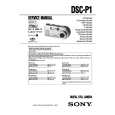
SONY DSCP1
Instrukcja Serwisowa


Tweetnij o tym produkcie a dostaniesz $1.00 rabatu!
  • Zawiera schematy
  • Plik do pobrania
  • Format PDF
  • Kompletna instrukcja
  • Język: English
Cena: $4.99

Opis SONY DSCP1 Instrukcja Serwisowa

Kompletna instrukcja serwisowa w formie pliku PDF. Instrukcje serwisowe zazwyczaj zawierają schematy, diagramy drukowanych obwodów (PCB), schematy połączeń, schematy blokowe oraz katalog części. Instrukcje serwisowe są wykorzystywane glównie przez osoby naprawiające uszkodzony sprzęt.

Jeśli chcesz się dowiedzieć jak się obsługuje Twój telewizor, magnetowid, odtwarzacz mp3 itp. powinieneś raczej szukać instrukcji obsługi

Instrukcja jest dostępna w następujących językach: English

Plik nie jest jeszcze gotowy
Musisz najpierw dokonać zakupu.

Recenzje produktu
Dla tego produktu nie napisano jeszcze recenzji!
Recenzje innych produktów
 KPE61MN11 SONY Instrukcja Serwisowa by Grzegorz Zawadzki;
Dokładna dokumentacja, pomogła w szybkiej naprawie telewizora. Dziękuję!
 RCM70L/LB JVC Instrukcja Serwisowa by Damian Mazek;
jedyne do czego mogę mieć zastrzeżenie to jakość zdjęć zawartych w przesłanej instrukcji serwisowej ponieważ są fatalnej jakości, praktycznie nieczytelne. tak poza tym jestem zadowolony to jest to czego szukałem.
 SA-A30E AIWA Instrukcja Serwisowa by Adam Grążka;
Wszystko w porządku. Instrukcja czytelna i kompletna. Dziękuję. all right! thank you.
 KX990SR KENWOOD Instrukcja Serwisowa by Viktor Kapeć;
Bardzo dobra instrukcja. Zawiera wszystko co potrzeba, polecam!
 TA2760 ONKYO Instrukcja Serwisowa by Viktor Kapeć;
Instrukcja jest OK. Schematy czytelne, opisane niektóre procedury.

Tekstowy podgląd strony 18 (kliknij aby zobaczyć)
Recording images in macro
2 1

Using the PROGRAM AE function
1 2

Spot light-metering mode Select this mode when there is backlight or when there is strong contrast between the subject and the background, etc. Position the point you want to record on the spot light-metering cross hair.
LCD screen

Adjusting the exposure (EXPOSURE)
1

1 2

Set the MODE selector to MOVIE or STILL. Press MACRO so that the (auto macro) indicator appears on the LCD screen. You can record a subject as close as about 4 inches (10 cm) from the lens surface with the zoom set all the way to the W side. (About 19 3/4 inches (50 cm) on the T side)

1 2

Set the MODE selector to MOVIE or STILL. Press PROGRAM AE repeatedly to select the desired PROGRAM AE mode. Twilight mode Suppresses the washed-out color of a bright subject in a dark place so that you can record the subject without losing the dark atmosphere of the surroundings. Twilight plus mode Increases the effectiveness of the twilight mode function. Landscape mode Focuses only on a distant subject to record landscapes, etc. Panfocus mode Changes the focus quickly and simply from a close subject to a distant subject.

2,3
Spot light-metering cross hair

1 2 3

Set the MODE selector to MOVIE or STILL. Select [CAMERA] and then [EXPOSURE] from the menu. Select the desired exposure value. Adjust the exposure value while checking the brightness of the background. You can select values ranging from +2.0 EV to �2.0 EV in steps of 1/3 EV.

To cancel PROGRAM AE Press PROGRAM AE repeatedly until the indicator on the LCD screen goes out.
Notes
� You can focus only on distant subjects in Landscape mode. � In Panfocus mode, the zoom position and focus are fixed. � When you record in the Twilight plus mode, we recommend that you use a tripod to prevent shaking. � Set the forced flash when you use the flash in the following modes: �Twilight mode �Twilight plus mode �Landscape mode � You cannot use the PROGRAM AE function when [REC MODE] is set to [TEXT]. � The noise may increase in twilight plus mode.

To return to normal recording mode Press MACRO again so that disappears from the LCD screen.
Notes
� You cannot record images in macro with the following PROGRAM AE modes. � Landscape mode � Panfocus mode � You cannot record images in macro when appears on the LCD screen. � When recording images in macro, use the LCD screen. If you record using the finder, the range visible in the finder may differ from the actual recording range.

Note
The exposure may not be adjusted properly when the subject is extremely bright or dark, or when using the flash.

B Various recording

43

44

Adjusting the white balance (WHITE BALANCE)
Normally the white balance is automatically adjusted.

Recording the date and time on the still image (DATE/TIME) 4 1

Enjoying picture effects (P.EFFECT)
1

1 2,3 2,3 2,3

1 2 3

1 2 3

1 2 3

Set the MODE selector to MOVIE or STILL. Select [CAMERA] and then [WHITE BALANCE] from the menu. Select the desired white balance setting. IN DOOR (n) � Places where the lighting condition changes quickly � Under bright lighting such as photography studios � Under sodium or mercury lamps OUT DOOR ( ) Recording a sunrise/sunset, night scene, neon signs, or fireworks HOLD Recording a single-colored subject or background AUTO (No indicator) Adjusts the white balance automatically

Set the MODE selector to STILL. Select [EFFECT] and then [DATE/TIME] from the menu. Select the date and time setting. DAY&TIME The date, hour and minutes are imposed onto the image. DATE The year, month and day are imposed onto the image. OFF The date and time are not imposed onto the image.

Set the MODE selector to MOVIE or STILL. Select [EFFECT] and then [P.EFFECT] from the menu. Select the desired mode. SOLARIZE The light contrast is clearer and the picture looks like an illustration. B&W The picture is monochrome (black and white). SEPIA The picture is colored like an old picture. NEG.ART The color and brightness of the picture are reversed.

4

Record the image. The date and time are not displayed during recording. The date and time are displayed when playing back images.

To cancel picture effect Select [OFF] in step 3.

To reactivate auto adjustment Select [AUTO] in step 3.
Note
Select [AUTO] when recording under fluorescent lighting.

Notes
� If you select [DATE] in step 3, the date is imposed onto the image in the order selected with �Setting the date and time� (page 12). � The date and time are not imposed onto Clip Motion images.

45

46

1-11

Klienci kupując ten produkt kupili także

$4.99

DSC-P1 SONY
Instrukcja Obsługi

Kompletna instrukcja obsługi w formie pliku PDF. Plik PDF zostanie dostarczony na Twój adres email…
>
Parse Time: 1.869 - Number of Queries: 439 - Query Time: 1.23