KEBC101KSS05 Ilość: 1
$4.99
» Pokaż Szczegóły
LA5705XTW1 Ilość: 1
$4.99
» Pokaż Szczegóły
XMEX90 Ilość: 1
$4.99
» Pokaż Szczegóły
AZ6810/00 Ilość: 1
$4.99
» Pokaż Szczegóły
KEBS278DBL1 Ilość: 1
$4.99
» Pokaż Szczegóły
ARZ 984/H Ilość: 1
$4.99
» Pokaż Szczegóły
RB39L Ilość: 1
$4.99
» Pokaż Szczegóły
ZI2440 Ilość: 1
$4.99
» Pokaż Szczegóły
JT 358 WH Ilość: 1
$4.99
» Pokaż Szczegóły
KI-20U30 Ilość: 1
$4.99
» Pokaż Szczegóły
CDX-GT710 Ilość: 1
$4.99
» Pokaż Szczegóły
AKM 434/NB/01 Ilość: 1
$4.99
» Pokaż Szczegóły
CDF103R Ilość: 1
$4.99
» Pokaż Szczegóły
ZFC77/31FF Ilość: 1
$4.99
» Pokaż Szczegóły
ZWF382 Ilość: 1
$4.99
» Pokaż Szczegóły
WD-14311RD Ilość: 1
$4.99
» Pokaż Szczegóły
SG320WL Ilość: 1
$4.99
» Pokaż Szczegóły
XDSPM823 Ilość: 1
$4.99
» Pokaż Szczegóły
STR-D450Z Ilość: 1
$4.99
» Pokaż Szczegóły
AVP-9080RDS Ilość: 1
$4.99
» Pokaż Szczegóły
XRJ22M Ilość: 1
$4.99
» Pokaż Szczegóły
F88060I-B Ilość: 1
$4.99
» Pokaż Szczegóły
SE5554TEXT Ilość: 1
$4.99
» Pokaż Szczegóły
MV10I Ilość: 1
$4.99
» Pokaż Szczegóły
SLVED99 Ilość: 1
$4.99
» Pokaż Szczegóły
HR-J798AH Ilość: 1
$4.99
» Pokaż Szczegóły
BMH2000PN Ilość: 1
$4.99
» Pokaż Szczegóły
6LBR7255BQ2 Ilość: 1
$4.99
» Pokaż Szczegóły
G3110-1V Ilość: 1
$4.99
» Pokaż Szczegóły
GRDVL815KR Ilość: 1
$4.99
» Pokaż Szczegóły
CLC 3100 Ilość: 1
$4.99
» Pokaż Szczegóły
DCRTRV70 Ilość: 1
$4.99
» Pokaż Szczegóły
MCD3534E-W Ilość: 1
$4.99
» Pokaż Szczegóły
W sumie: $164.67
 
English Polski Spanish 
Szukaj instrukcji do
 

(e.g. AA-V20EG JVC, ZX-7 Sony )
PayPal 1000+ rating Secure, Encrypted Checkout.
 
Kategorie
Informacje
Polecamy
Strona główna >> PIONEER >> DV-373-S/RRXCN Instrukcja Obsługi
 
 33 szt. w koszyku 

PIONEER DV-373-S/RRXCN
Instrukcja Obsługi


Tweetnij o tym produkcie a dostaniesz $1.00 rabatu!
  • Plik do pobrania
  • Format PDF
  • Kompletna instrukcja
  • Język: English, Spanish, Portuguese
Cena: $4.99

Opis PIONEER DV-373-S/RRXCN Instrukcja Obsługi

Kompletna instrukcja obsługi w formie pliku PDF. Plik PDF zostanie dostarczony na Twój adres email po jego zakupieniu.

Instrukcje obsługi (czasami nazywane także podręcznikiem użytkownika) opisuja funkcje i sposób działania danego produktu.

Instrukcja jest dostępna w następujących językach: English, Spanish, Portuguese

Plik nie jest jeszcze gotowy
Musisz najpierw dokonać zakupu.

Recenzje produktu
Dla tego produktu nie napisano jeszcze recenzji!

Tekstowy podgląd strony 33 (kliknij aby zobaczyć)
Initial Settings menu

07

Parental Lock
� Default level: Off; Default password: none; Default Country code: us (2119) To give you some control over what your children watch on your DVD player, some DVDVideo discs feature a Parental Lock level. If your player is set to a lower level than the disc, the disc won�t play. Some discs also support the Country Code feature. The player does not play certain scenes on these discs, depending on the Country Code you set. Note � Not all discs use Parental Lock, and will play without requiring the password first. � If you forget your password, you�ll need to reset the player to register a new password. (see Resetting the player on page 36)

1

Select �Password Change�.

2 Use the number buttons to enter your existing password, then press ENTER. 3 Enter a new password and press ENTER. This registers the new password and you will return to the Options menu screen.

Setting/changing the Parental Lock
1 Select �Level Change�. 2 Use number buttons to enter your password, then press ENTER. 3 Select a new level and press ENTER. � Press (cursor left) repeatedly to lock more levels (more discs will require the password); press (cursor right) to unlock levels. You can�t lock level 1. This sets the new level and you will return to the Options menu screen.

Registering a new password
You must register a password before you can change the Parental Lock level or enter a Country code. 1 Select �Password�.

Setting/changing the Country code
You can find the Country code list on page 38. 1 Select �Country Code�.

2 Use the number buttons to enter a 4digit password. The numbers you enter show up as asterisks (*) on-screen. 3 Press ENTER to register the password. You will return to the Options menu screen.

2 Use number buttons to enter your password, then press ENTER. 3 Select a Country code and press ENTER. There are two ways you can do this: � Select by code letter: Use / (cursor up/ down) to change the Country code. � Select by code number: Press (cursor right) then use the number buttons to enter the 4-digit Country code. The new Country code is set and you will return to the Options menu screen. Note that the new Country code doesn�t take effect until the next disc is loaded (or the current disc is reloaded).

Changing your password
To change your password, confirm your existing password then enter a new one.

33
En

Klienci kupując ten produkt kupili także

$4.99

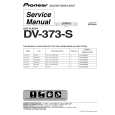
DV-373-S/RRXCN PIONEER
Instrukcja Serwisowa

Kompletna instrukcja serwisowa w formie pliku PDF. Instrukcje serwisowe zazwyczaj zawierają schemat…
>
Parse Time: 0.375 - Number of Queries: 223 - Query Time: 0.133