WVCL350 Ilość: 1
$4.99
» Pokaż Szczegóły
KXTG2563BXB Ilość: 1
$4.99
» Pokaż Szczegóły
YGW395LEGB4 Ilość: 1
$4.99
» Pokaż Szczegóły
ER8MHMXML03 Ilość: 1
$4.99
» Pokaż Szczegóły
51GT25S Ilość: 1
$4.99
» Pokaż Szczegóły
GC3SHEXNB04 Ilość: 1
$4.99
» Pokaż Szczegóły
HR8370/01 Ilość: 1
$4.99
» Pokaż Szczegóły
RXDS520 Ilość: 1
$4.99
» Pokaż Szczegóły
CL32WF720AN Ilość: 1
$4.99
» Pokaż Szczegóły
G2P 64F/WH Ilość: 1
$4.99
» Pokaż Szczegóły
FEP210VL0 Ilość: 1
$4.99
» Pokaż Szczegóły
Z-825 Ilość: 1
$4.99
» Pokaż Szczegóły
RM978BXVW2 Ilość: 1
$4.99
» Pokaż Szczegóły
PV-M1324 Ilość: 1
$4.99
» Pokaż Szczegóły
PCGRT2T Ilość: 1
$4.99
» Pokaż Szczegóły
SYS-503 Ilość: 1
$4.99
» Pokaż Szczegóły
ET16JKXDW00 Ilość: 1
$4.99
» Pokaż Szczegóły
Eco 6610 AAA Ilość: 1
$4.99
» Pokaż Szczegóły
AKP753/AV Ilość: 1
$4.99
» Pokaż Szczegóły
ZA25A Ilość: 1
$4.99
» Pokaż Szczegóły
SS-W662 Ilość: 1
$4.99
» Pokaż Szczegóły
ART 927/H Ilość: 1
$4.99
» Pokaż Szczegóły
WERP3100PB2 Ilość: 1
$4.99
» Pokaż Szczegóły
TD-500D Ilość: 1
$4.99
» Pokaż Szczegóły
PVL690D Ilość: 1
$4.99
» Pokaż Szczegóły
EY7410 Ilość: 1
$4.99
» Pokaż Szczegóły
MUSIKGERAT30 Ilość: 1
$4.99
» Pokaż Szczegóły
ARC2140 Ilość: 1
$4.99
» Pokaż Szczegóły
RW721 Ilość: 1
$4.99
» Pokaż Szczegóły
3489STEREOCOLOUR Ilość: 1
$4.99
» Pokaż Szczegóły
TX43P400HM Ilość: 1
$4.99
» Pokaż Szczegóły
HR1844/10 Ilość: 1
$4.99
» Pokaż Szczegóły
KEHC309JSS07 Ilość: 1
$4.99
» Pokaż Szczegóły
SV-430F Ilość: 1
$4.99
» Pokaż Szczegóły
KV2184WR Ilość: 1
$4.99
» Pokaż Szczegóły
RARIA RMS801 Ilość: 1
$4.99
» Pokaż Szczegóły
KERC600GWH1 Ilość: 1
$4.99
» Pokaż Szczegóły
ET14HJXBW00 Ilość: 1
$4.99
» Pokaż Szczegóły
FL 5053 Ilość: 1
$4.99
» Pokaż Szczegóły
AC22082C2D Ilość: 1
$4.99
» Pokaż Szczegóły
SL-MC3 Ilość: 1
$4.99
» Pokaż Szczegóły
ST70900/4DOLBY Ilość: 1
$4.99
» Pokaż Szczegóły
CTK601 Ilość: 1
$4.99
» Pokaż Szczegóły
FW363 Ilość: 1
$4.99
» Pokaż Szczegóły
VGPPRS1 Ilość: 1
$4.99
» Pokaż Szczegóły
WRT10HGHLP00 Ilość: 1
$4.99
» Pokaż Szczegóły
KV-32HSR10 Ilość: 1
$4.99
» Pokaż Szczegóły
SRLA10NWVA Ilość: 1
$4.99
» Pokaż Szczegóły
TO30 Ilość: 1
$4.99
» Pokaż Szczegóły
AWM 307/3 Ilość: 1
$4.99
» Pokaż Szczegóły
XG-C55X Ilość: 1
$4.99
» Pokaż Szczegóły
LISSABON16 Ilość: 1
$4.99
» Pokaż Szczegóły
D180AN Ilość: 1
$4.99
» Pokaż Szczegóły
IZA MOT-745 Ilość: 1
$4.99
» Pokaż Szczegóły
592.359 4/10931 Ilość: 1
$4.99
» Pokaż Szczegóły
Lavamat 50430W Ilość: 1
$4.99
» Pokaż Szczegóły
W sumie: $279.44
 
English Polski Spanish 
Szukaj instrukcji do
 

(e.g. AA-V20EG JVC, ZX-7 Sony )
PayPal 1000+ rating Secure, Encrypted Checkout.
 
Kategorie
Informacje
Polecamy
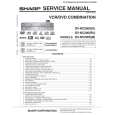
Strona główna >> SHARP >> DVNC200RU Instrukcja Obsługi
 
 56 szt. w koszyku 

SHARP DVNC200RU
Instrukcja Obsługi


Tweetnij o tym produkcie a dostaniesz $1.00 rabatu!
  • Plik do pobrania
  • Format PDF
  • Kompletna instrukcja
  • Język: English, Russian
Cena: $4.99

Opis SHARP DVNC200RU Instrukcja Obsługi

Kompletna instrukcja obsługi w formie pliku PDF. Plik PDF zostanie dostarczony na Twój adres email po jego zakupieniu.

Instrukcje obsługi (czasami nazywane także podręcznikiem użytkownika) opisuja funkcje i sposób działania danego produktu.

Instrukcja jest dostępna w następujących językach: English, Russian

Plik nie jest jeszcze gotowy
Musisz najpierw dokonać zakupu.

Recenzje produktu
Dla tego produktu nie napisano jeszcze recenzji!

Tekstowy podgląd strony 27 (kliknij aby zobaczyć)
Repeat A-B Playback
VCR DVD

Programmed Playback
VCR DVD

1 4 7

2 5 8 0

3 6 9
+10

1 4

2 5 8 0

3 6 9
+10

press

first.

7

press

first.

PLAY

PLAY

STOP

STOP

VCR/DVD COMBINATION
NA527AD

VCR/DVD COMBINATION
NA527AD

You may determine the order in which tracks will play.

1.

A-

1.

PROGRAM
CD-DA TOTAL 0:00:00

At your desired starting point (A)

Press once.

PLAY CLEAR

ENTER

T T T T T T T

1 2 3 4 5 6 7

3:31 4:28 4:19 3:58 4:12 4:02 3:55

1/ 3

1/ 1

T 1 3:31

2.

A-B

2.
PROGRAM
CD-DA TOTAL 0:08:22

At your desired end point (B) � Point B should be in the same title or track as point A. Hint � To exit the sequence, press A-B REPEAT so that �OFF� appears. � To cancel Point A, press CLEAR/C-RESET. � This function does not work in the other repeat modes.

or
ENTER PLAY CLEAR

T 15 3:18 T 16 4:24 ALL CLEAR

T4 T 16

3:58 4:24

3/ 3 T 16 4:24

1/ 1

� Up to 99 tracks can be ordered. � If 8 or more tracks were in a programme, use SKIP H / G to see all the tracks. � While a MP3 or JPEG folder is open: � Press Cursor B when you want to go to the next hierarchy. � Press Cursor s when you want to go back to the previous hierarchy (except for the 1st hierarchy). � Press TITLE when you want to go back to the 1st hierarchy.

Random Playback
VCR DVD

1 4 7

2 5 8 0

3 6 9
+10

press

first.

PLAY

STOP

VCR/DVD COMBINATION
NA527AD

This function shuffles the playing order of tracks instead of playback in the sequence.

1.
RANDOM
CD-DA TOTAL 0:45:55

3.
RANDOM PROGRAM --no indication--

Press twice.

PLAY

2.

Hint � To repeat the current track in the random selections, press REPEAT repeatedly until � TRACK� appears during playback. � To repeat the entire random selections, press REPEAT repeatedly until � ALL� appears during playback. � Random Playback of MP3 or JPEG is not available while Dual Playback is ON.

Hint � Press CLEAR/C-RESET at step 2 to erase the most recently entered track. � To erase all programmed tracks at once, select �ALL CLEAR�� and press ENTER at step 2. � While a programme is being played back, STOP C works as follows: - Press STOP C and PLAY B next, so that the programmed playback restarts. (CD playback restarts from the current point. MP3 or JPEG playback restarts from the beginning of the current track.) - Press STOP C twice and PLAY B next, so that playback restarts from the first track in the original order. However, your programmed playback can be restarted when you follow the above steps. (Your programmes are still stored until either the disc tray is open or power is turned off.) On some discs, STOP C will not work while the Resume message appears. Please wait until the message disappears. � To repeat the current track in the programme, press REPEAT repeatedly until � TRACK�� appears during playback. � To repeat the entire programme, press REPEAT repeatedly until � ALL�� appears during playback. � Programmed Playback of MP3 or JPEG is not available while Dual Playback is ON.

� 27 �

EN

DVD FUNCTIONS

Klienci kupując ten produkt kupili także

$4.99

DVNC200RU SHARP
Instrukcja Serwisowa

Kompletna instrukcja serwisowa w formie pliku PDF. Instrukcje serwisowe zazwyczaj zawierają schemat…
>
Parse Time: 0.357 - Number of Queries: 293 - Query Time: 0.114