SBCSK305/08 Ilość: 1
$4.99
» Pokaż Szczegóły
VHS82 Ilość: 1
$4.99
» Pokaż Szczegóły
28WH410GB Ilość: 1
$4.99
» Pokaż Szczegóły
FL822C Ilość: 1
$4.99
» Pokaż Szczegóły
SAAK311GCPS Ilość: 1
$4.99
» Pokaż Szczegóły
SBCRU660/85 Ilość: 1
$4.99
» Pokaż Szczegóły
LT-26S60SU/B Ilość: 1
$4.99
» Pokaż Szczegóły
EL15CCXMWR2 Ilość: 1
$4.99
» Pokaż Szczegóły
NP6080 Ilość: 1
$4.99
» Pokaż Szczegóły
DVDS75GCU Ilość: 1
$4.99
» Pokaż Szczegóły
BJC-3010 Ilość: 1
$4.99
» Pokaż Szczegóły
TX32PSS1D Ilość: 1
$4.99
» Pokaż Szczegóły
KEH-P6900R-B/XN/EW Ilość: 1
$4.99
» Pokaż Szczegóły
ADG 150/4 WS Ilość: 1
$4.99
» Pokaż Szczegóły
FS-SD7A Ilość: 1
$4.99
» Pokaż Szczegóły
PN-2959N-A Ilość: 1
$4.99
» Pokaż Szczegóły
TGV 3402-1 IN Ilość: 1
$4.99
» Pokaż Szczegóły
26HW9100D/27B Ilość: 1
$4.99
» Pokaż Szczegóły
GSI684FEKX Ilość: 1
$4.99
» Pokaż Szczegóły
KUDP01ILBS6 Ilość: 1
$4.99
» Pokaż Szczegóły
3560A Ilość: 1
$4.99
» Pokaż Szczegóły
TDA7544R Ilość: 1
$4.99
» Pokaż Szczegóły
AWO/D 5520 Guldsegl Ilość: 1
$4.99
» Pokaż Szczegóły
FIRST LINE DTV6335 Ilość: 1
$4.99
» Pokaż Szczegóły
CQRG133W/WJ Ilość: 1
$4.99
» Pokaż Szczegóły
ED22TEXHW02 Ilość: 1
$4.99
» Pokaż Szczegóły
T-1D Ilość: 1
$4.99
» Pokaż Szczegóły
TSWM7 Ilość: 1
$4.99
» Pokaż Szczegóły
JC-790H(BL) Ilość: 1
$4.99
» Pokaż Szczegóły
W sumie: $144.71
 
English Polski Spanish 
Szukaj instrukcji do
 

(e.g. AA-V20EG JVC, ZX-7 Sony )
PayPal 1000+ rating Secure, Encrypted Checkout.
 
Kategorie
Informacje
Polecamy
Strona główna >> SONY >> DVP-C670D Instrukcja Obsługi
 
 29 szt. w koszyku 

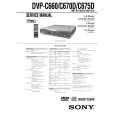
SONY DVP-C670D
Instrukcja Obsługi


Tweetnij o tym produkcie a dostaniesz $1.00 rabatu!
  • Plik do pobrania
  • Format PDF
  • Kompletna instrukcja
  • Język: English
Cena: $4.99

Opis SONY DVP-C670D Instrukcja Obsługi

Kompletna instrukcja obsługi w formie pliku PDF. Plik PDF zostanie dostarczony na Twój adres email po jego zakupieniu.

Instrukcje obsługi (czasami nazywane także podręcznikiem użytkownika) opisuja funkcje i sposób działania danego produktu.

Instrukcja jest dostępna w następujących językach: English

Plik nie jest jeszcze gotowy
Musisz najpierw dokonać zakupu.

Recenzje produktu
Dla tego produktu nie napisano jeszcze recenzji!

Tekstowy podgląd strony 69 (kliknij aby zobaczyć)
x BALANCE You can vary the balance of the left and right speakers as follows. Be sure to set �TEST TONE� to �ON� for easy adjustment (see x TEST TONE below). The default adjustments are in parentheses. � FRONT (0dB) Adjust the balance between the front left and right speakers (�6dB [L] to +6dB [R], 0.5dB increments). � REAR (0dB) Adjust the balance between the rear left and right speakers (�6dB [L] to +6dB [R], 0.5dB increments). To return to the default setting Select the item, then press CLEAR. x LEVEL You can vary the level of each speaker as follows. The front speaker level becomes the criterion for adjusting the other speakers. Be sure to set �TEST TONE� to �ON� for easy adjustment (see x TEST TONE below). The default adjustments are in parentheses. � CENTER (0dB) Adjust the level of the center speaker (�6dB to +6dB, 0.5dB increments). � REAR (0dB) Adjust the level of the rear speakers (�6dB to +6dB, 0.5dB increments). � SUBWOOFER (0dB) Adjust the level of the subwoofer (�10dB to +10dB, 0.5dB increments). To return to the default setting Select the item, then press CLEAR. x TEST TONE The speakers will emit a test tone. Use this when you use the 5.1CH OUTPUT connectors and adjust the BALANCE and LEVEL. � OFF: The test tone is not emitted from the speakers. � ON: The test tone is emitted from each speaker in sequence. When you select one of the �SPEAKER SETUP� items, the test tone is emitted from both left and right speakers simultaneously.
Note
When you adjust the speaker settings, the sound cuts off for a moment.

Adjusting the speaker volume

1 2

After you stop playback, select �SPEAKER SETUP� in the setup display. Select �TEST TONE� and set �TEST TONE� to �ON.� You will hear the test tone from each speaker in sequence. From your listening position, select �BALANCE� or �LEVEL� and adjust the value of �BALANCE� using </, and �LEVEL� using M/m. The test tone is emitted from both left and right speakers simultaneously. Select �TEST TONE� and set �TEST TONE� to �OFF� to turn off the test tone.

3

4

To adjust the volume of all the speakers at one time Use the receiver�s (amplifier�s) volume control.

Settings and Adjustments

69

Klienci kupując ten produkt kupili także

$4.99

DVPC670D SONY
Instrukcja Serwisowa

Kompletna instrukcja serwisowa w formie pliku PDF. Instrukcje serwisowe zazwyczaj zawierają schemat…
>
Parse Time: 1.104 - Number of Queries: 212 - Query Time: 0.682