ACCORO102 Ilość: 1
$4.99
» Pokaż Szczegóły
GC5THEXNQ02 Ilość: 1
$4.99
» Pokaż Szczegóły
ITW4100SQ0 Ilość: 1
$4.99
» Pokaż Szczegóły
AFG065/G Ilość: 1
$4.99
» Pokaż Szczegóły
RBS275PDS12 Ilość: 1
$4.99
» Pokaż Szczegóły
PEGS320MSGATEV21 Ilość: 1
$4.99
» Pokaż Szczegóły
LINK USB Ilość: 1
$4.99
» Pokaż Szczegóły
FT456 Ilość: 1
$4.99
» Pokaż Szczegóły
FT8980 Ilość: 1
$4.99
» Pokaż Szczegóły
KP2671XMW3 Ilość: 1
$4.99
» Pokaż Szczegóły
AMW 542 IX Ilość: 1
$4.99
» Pokaż Szczegóły
CDX-M750 Ilość: 1
$4.99
» Pokaż Szczegóły
LC431EAA CHASSIS Ilość: 1
$4.99
» Pokaż Szczegóły
AV-21MF11SEF/B Ilość: 1
$4.99
» Pokaż Szczegóły
BKMA-7050 Ilość: 1
$4.99
» Pokaż Szczegóły
TURBOFLANGE Ilość: 1
$4.99
» Pokaż Szczegóły
LAV73749-W Ilość: 1
$4.99
» Pokaż Szczegóły
AV-21VX15/U Ilość: 1
$4.99
» Pokaż Szczegóły
HV-34LH71 Ilość: 1
$4.99
» Pokaż Szczegóły
W sumie: $94.81
 
English Polski Spanish 
Szukaj instrukcji do
 

(e.g. AA-V20EG JVC, ZX-7 Sony )
PayPal 1000+ rating Secure, Encrypted Checkout.
 
Kategorie
Informacje
Polecamy
Strona główna >> SONY >> DVP-NS500V Instrukcja Obsługi
 
 19 szt. w koszyku 

SONY DVP-NS500V
Instrukcja Obsługi


Tweetnij o tym produkcie a dostaniesz $1.00 rabatu!
  • Plik do pobrania
  • Format PDF
  • Kompletna instrukcja
  • Język: English
Cena: $4.99

Opis SONY DVP-NS500V Instrukcja Obsługi

Kompletna instrukcja obsługi w formie pliku PDF. Plik PDF zostanie dostarczony na Twój adres email po jego zakupieniu.

Instrukcje obsługi (czasami nazywane także podręcznikiem użytkownika) opisuja funkcje i sposób działania danego produktu.

Instrukcja jest dostępna w następujących językach: English

Plik nie jest jeszcze gotowy
Musisz najpierw dokonać zakupu.

Recenzje produktu
Dla tego produktu nie napisano jeszcze recenzji!

Tekstowy podgląd strony 69 (kliknij aby zobaczyć)
To turn off the Sound Feedback function When there is no disc in the player, press and hold X on the player for more than two seconds. You will hear two beeps and the Sound Feedback function is turned off.

Controlling Your TV or AV Amplifier (Receiver) with the Supplied Remote
By adjusting the remote signal, you can control your TV with the supplied remote. If you connect the player with a AV amplifier (receiver), you can control the volume with the supplied remote. Notes
� Depending on the units being connected, you may not be able to control your TV or AV amplifier (receiver) using some of the buttons below. � If you enter a new code number, the code number previously entered will be erased. � When you replace the batteries of the remote, the code number you have set may be reset to the default setting. Set the appropriate code number again.

Controlling TVs with the remote
TV/DVD switch Number buttons
1 4 7 2 5 8 0 3 6 9

Using Various Additional Functions

[/1 VOL +/� TV/VIDEO WIDE MODE ENTER

1 2 3

Slide the TV/DVD switch to TV. Hold down [/1, and enter your TV�s manufacturer�s code (see the table below) using the number buttons. Release [/1.

Code numbers of controllable TVs If more than one code number is listed, try entering them one at a time until you find the one that works with your TV.
continued

69

Klienci kupując ten produkt kupili także

$4.99

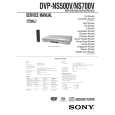
DVPNS500V SONY
Instrukcja Serwisowa

Kompletna instrukcja serwisowa w formie pliku PDF. Instrukcje serwisowe zazwyczaj zawierają schemat…
>
Parse Time: 0.622 - Number of Queries: 164 - Query Time: 0.217