LW68-7505BS Ilość: 1
$4.99
» Pokaż Szczegóły
SYDNEY FLAT Ilość: 1
$4.99
» Pokaż Szczegóły
ET9AHTXMT00 Ilość: 1
$4.99
» Pokaż Szczegóły
CA257N Ilość: 1
$4.99
» Pokaż Szczegóły
RPEL30RPP Ilość: 1
$4.99
» Pokaż Szczegóły
SXF100 Ilość: 1
$4.99
» Pokaż Szczegóły
TXDS595 Ilość: 1
$4.99
» Pokaż Szczegóły
KR-V106E Ilość: 1
$4.99
» Pokaż Szczegóły
AZ1302/00 Ilość: 1
$4.99
» Pokaż Szczegóły
GU2300XTLQ1 Ilość: 1
$4.99
» Pokaż Szczegóły
NSXS202EZKV Ilość: 1
$4.99
» Pokaż Szczegóły
BS631/2W Ilość: 1
$4.99
» Pokaż Szczegóły
DJM-3000/WYXCN Ilość: 1
$4.99
» Pokaż Szczegóły
ZCE620X Ilość: 1
$4.99
» Pokaż Szczegóły
EW501F Ilość: 1
$4.99
» Pokaż Szczegóły
1550L Ilość: 1
$4.99
» Pokaż Szczegóły
DV-233/RLXJ/NC Ilość: 1
$4.99
» Pokaż Szczegóły
GC3PHEXNB02 Ilość: 1
$4.99
» Pokaż Szczegóły
XL-HP737H Ilość: 1
$4.99
» Pokaż Szczegóły
ER8MHKXRS01 Ilość: 1
$4.99
» Pokaż Szczegóły
ACE124XP0 Ilość: 1
$4.99
» Pokaż Szczegóły
GRAX970U Ilość: 1
$4.99
» Pokaż Szczegóły
TA-E731X Ilość: 1
$4.99
» Pokaż Szczegóły
MODEL100+ Ilość: 1
$4.99
» Pokaż Szczegóły
KXTS85GW Ilość: 1
$4.99
» Pokaż Szczegóły
W sumie: $124.75
 
English Polski Spanish 
Szukaj instrukcji do
 

(e.g. AA-V20EG JVC, ZX-7 Sony )
PayPal 1000+ rating Secure, Encrypted Checkout.
 
Kategorie
Informacje
Polecamy
Strona główna >> PIONEER >> DVR-650H-S/TDRXV Instrukcja Obsługi
 
 25 szt. w koszyku 

PIONEER DVR-650H-S/TDRXV
Instrukcja Obsługi


Tweetnij o tym produkcie a dostaniesz $1.00 rabatu!
  • Plik do pobrania
  • Format PDF
  • Kompletna instrukcja
  • Język: English, Spanish, Portuguese
Cena: $4.99

Opis PIONEER DVR-650H-S/TDRXV Instrukcja Obsługi

Kompletna instrukcja obsługi w formie pliku PDF. Plik PDF zostanie dostarczony na Twój adres email po jego zakupieniu.

Instrukcje obsługi (czasami nazywane także podręcznikiem użytkownika) opisuja funkcje i sposób działania danego produktu.

Instrukcja jest dostępna w następujących językach: English, Spanish, Portuguese

Plik nie jest jeszcze gotowy
Musisz najpierw dokonać zakupu.

Recenzje produktu
Dla tego produktu nie napisano jeszcze recenzji!
Recenzje innych produktów
 CLD3760K PIONEER Instrukcja Obsługi by Sebastian Twardowski;
Dobrej jakości skan - wkońcu mogłem poznać wszystkie funkcje tego odtwarzacza - polecam .
 CDV475 PHILIPS Instrukcja Obsługi by Sebastian Twardowski;
Gruba instrukcja - poprostu wszystko co potrzreba - polecam .

Tekstowy podgląd strony 104 (kliknij aby zobaczyć)
13

The Video Adjust menu
Creating your own set
There are three user presets in which you can save your own set of picture quality settings for disc playback. 1 Follow Choosing a preset above and select one of the user presets (Memory 1, 2 or 3). 2 Move the cursor down and select �Detailed Settings�. � MNR � Adjusts the amount of noise reduction (NR) applied to the mosquito noise (artefacts visible around the edges of an image, caused by MPEG compression). � Sharpness � Adjusts the sharpness of the high-frequency (detailed) elements in the picture. Sharpness is ineffective for HDMI output. � Detail � Adjusts how sharp edges appear. � White Level � Adjusts the intensity of white. White Level is ineffective for HDMI output. � Black Level � Adjusts the intensity of black. Black Level is ineffective for HDMI output. � Black Setup � Corrects the standard reference black level. Black Setup is ineffective for HDMI output. � Gamma Correction � Adjusts the brightness of darker images. Gamma Correction is ineffective for HDMI output. � Hue � Adjusts overall balance between red and green. Hue is ineffective for HDMI output. � Chroma Level � Adjusts how rich the colours appear. Chroma Level is ineffective for HDMI output. 4 Use the / buttons to adjust the currently selected picture quality setting. 5 When you have all the settings as you want them, press HOME MENU to exit. Tip � To see more of the picture as you adjust different settings, press ENTER after selecting the setting you want to adjust.

Memory1 Detailed Settings

3 Select the picture quality setting you want to adjust.
Memory1 Prog. Motion PureCinma YNR BNR MNR Sharpness Detail Off Off Off Soft Soft Motion Auto1 Max Max Max Fine Fine Still

You can adjust the following settings: � Prog. Motion � Adjusts the motion and still picture quality when video output is set to progressive. (Prog. Motion is ineffective when PureCinema is On.) � PureCinema � This setting optimizes the picture for film material when the video output is set to progressive. Usually set to Auto 1 but try switching to Auto 2, On or Off if the picture appears unnatural. � YNR � Adjusts the amount of noise reduction (NR) applied to the Y (brightness) component. � BNR � Adjusts the amount of noise reduction (NR) applied to the block noise (artefacts visible in areas of flat colour, caused by MPEG compression).

104
En

Klienci kupując ten produkt kupili także

$4.99

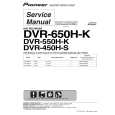
DVR-650H-S/TDRXV PIONEER
Instrukcja Serwisowa

Kompletna instrukcja serwisowa w formie pliku PDF. Instrukcje serwisowe zazwyczaj zawierają schemat…
>
Parse Time: 0.945 - Number of Queries: 199 - Query Time: 0.488