|
|
|
Kategorie
|
|
Informacje
|
|
Polecamy
|
|
|
 |
|
|
Dla tego produktu nie napisano jeszcze recenzji!
 ;
Dokładna dokumentacja, pomogła w szybkiej naprawie telewizora. Dziękuję!
 ;
jedyne do czego mogę mieć zastrzeżenie to jakość zdjęć zawartych w przesłanej instrukcji serwisowej ponieważ są fatalnej jakości, praktycznie nieczytelne. tak poza tym jestem zadowolony to jest to czego szukałem.
;
Wszystko w porządku.
Instrukcja czytelna i kompletna.
Dziękuję.
all right!
thank you.
;
Bardzo dobra instrukcja. Zawiera wszystko co potrzeba, polecam!
;
Instrukcja jest OK. Schematy czytelne, opisane niektóre procedury.
PARTS LIST
NO. 1 2 3 PARTS CODE 0MYM6910680100 0MYM6910680200 0MYM6910268A00 0MYMSCRWF21300 PRICE RANK AE AE AF AD NEW MARK N N N PART RANK D D D D Operation manual (English) Operation manual (Spanish) Battery holder cover Screw (for Battery holder cover) Note) Packing form Model CR2032 Quantity 1 Form Blister SPEC U1U SEC Country DESCRIPTION
Battery Replacement
Battery used Type Lithium battery
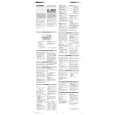
� Be sure to write down any important information stored in the memory before replacing the battery. � Make sure the power is turned off before replacing the battery. � Do not press [ON] until the battery replacement procedure is completed. 1. Precautions Since improper use of the battery may cause leakage or explosion, strictly observe the following instructions. � Insert the battery with the positive side (+) correctly facing up. � Never throw the battery into a fire because it might explode. � Keep the battery out of the reach of children. Because the battery in the Organizer was installed at the factory, it may become depleted before the specified expiration time is reached. 2. Battery replacement If the display becomes dim and difficult to read, immediately replace the battery with a new one. Continued use of the Organizer with an exhausted battery can alter or clear the memory contents. 1. Press [OFF] to turn the power off. 2. Loosen the screw and remove the battery holder cover on the back of the unit.(Slide the cover off.) 3. Install a new battery with the positive side (+) facing up into the upper or lower empty holder. (Fig. 1) 4. Remove the exhausted battery by prying it out with a ballpoint pen. (Fig. 2) 5. Replace the holder cover and secure it with the screw. 6. Press [ON] to turn the power on. � If nothing appears on the display, press the RESET switch and press [C.CE]. � Do not press [SHIFT] [ENTER]. Pressing [SHIFT] [ENTER] clears all the memory contents. 7. Set the clock.
CAUTION FOR BATTERY REPLACEMENT
(Danish) ADVARSEL ! Lithiumbatteri-Eksplosionsfare ved fejlagtig håndtering. Udskiftning må kun ske med batteri af samme fabrikat og type. Levér det brugte batteri tilbage til leverandoren. (English) Caution ! Danger of explosion if battery is incorrectly replaced. Replace only with the same or equivalent type recommended by the equipment manufacturer. "BATTERY DISPOSAL" CONTAINS MANGANESE DIOXIDE LITHIUM BATTERY. MUST BE DISPOSED OF PROPERLY. REMOVE THE BATTERY FROM THE PRODUCT AND CONTACT FEDERAL OR STATE ENVIRONMENTAL AGENCIES FOR INFORMATIN ON RECYCLING AND DISPOSAL OPTIONS. (Finnish) VAROITUS Paristo voi räjähtää, jos se on virheellisesti asennettu. Vaihda paristo ainoastaan laitevalmistajan suosittelemaan tyyppiin. Hävitä käytetty paristo valmistajan ohjeiden mukaisesti. (French) ATTENTION Il y a danger d'explosion s' il y a remplacement incorrect de la batterie. Remplacer uniquement avec une batterie du même type ou d'un type recommandé par le constructeur. Mettre au rébut les batteries usagées conformément aux instructions du fabricant. (Swedish) VARNING Explosionsfare vid felaktigt batteribyte. Använd samma batterityp eller en ekvivalent typ som rekommenderas av apparattillverkaren. Kassera använt batteri enligt fabrikantens instruktion.
COPYRIGHT © 2002 BY SHARP CORPORATION
All rights reserved. Printed in Japan. No part of this publication may be reproduced, stored in a retrieval system, or transmitted. In any form or by any means, electronic, mechanical, photocopying, recording, or otherwise, without prior written permission of the publisher.
Fig. 1
Fig. 2
SHARP CORPORATION Communication Systems Group Quality & Reliability Control Center
2002 April Printed in Japan t
|
|
|
> |
|