VSX-D811S/KUXJI Ilość: 1
$4.99
» Pokaż Szczegóły
ED2NHGXRL00 Ilość: 1
$4.99
» Pokaż Szczegóły
053.458 6 Ilość: 1
$4.99
» Pokaż Szczegóły
FGP210VW0 Ilość: 1
$4.99
» Pokaż Szczegóły
TX28LD2E SUPPLEM Ilość: 1
$4.99
» Pokaż Szczegóły
DT66 Ilość: 1
$4.99
» Pokaż Szczegóły
SG460H Ilość: 1
$4.99
» Pokaż Szczegóły
AKM609AV Ilość: 1
$4.99
» Pokaż Szczegóły
XR-C2200 Ilość: 1
$4.99
» Pokaż Szczegóły
CTV2096R Ilość: 1
$4.99
» Pokaż Szczegóły
CF28C28T Ilość: 1
$4.99
» Pokaż Szczegóły
AKR 617 AL Ilość: 1
$4.99
» Pokaż Szczegóły
PVD29D Ilość: 1
$4.99
» Pokaż Szczegóły
KEBI100VBL3 Ilość: 1
$4.99
» Pokaż Szczegóły
SCR100 Ilość: 1
$4.99
» Pokaż Szczegóły
DVR-720H-S/RF Ilość: 1
$4.99
» Pokaż Szczegóły
KV3400DV2 Ilość: 1
$4.99
» Pokaż Szczegóły
TP50H60 Ilość: 1
$4.99
» Pokaż Szczegóły
KGI 3102/A Ilość: 1
$4.99
» Pokaż Szczegóły
7ED25PQXDW01 Ilość: 1
$4.99
» Pokaż Szczegóły
RH1500REW02 Ilość: 1
$4.99
» Pokaż Szczegóły
ZHM868 Ilość: 1
$4.99
» Pokaż Szczegóły
ARC 1788/1/IX Ilość: 1
$4.99
» Pokaż Szczegóły
102.793-7 Ilość: 1
$4.99
» Pokaż Szczegóły
BR-8600U Ilość: 1
$4.99
» Pokaż Szczegóły
2072 Ilość: 1
$4.99
» Pokaż Szczegóły
GRDVL510A Ilość: 1
$4.99
» Pokaż Szczegóły
KERS507YAL3 Ilość: 1
$4.99
» Pokaż Szczegóły
A-X30 Ilość: 1
$4.99
» Pokaż Szczegóły
AGS750L Ilość: 1
$4.99
» Pokaż Szczegóły
SDP5065Q Ilość: 1
$4.99
» Pokaż Szczegóły
RS660SNF Ilość: 1
$4.99
» Pokaż Szczegóły
28PT2665/21 Ilość: 1
$4.99
» Pokaż Szczegóły
KHM9PBU3 Ilość: 1
$4.99
» Pokaż Szczegóły
LC3631/17B Ilość: 1
$4.99
» Pokaż Szczegóły
RS-125 Ilość: 1
$4.99
» Pokaż Szczegóły
7DU920PWKB0 Ilość: 1
$4.99
» Pokaż Szczegóły
SONO C.160 Ilość: 1
$4.99
» Pokaż Szczegóły
ZKH7413S Ilość: 1
$4.99
» Pokaż Szczegóły
PZ-50HV2 Ilość: 1
$4.99
» Pokaż Szczegóły
LCD 9767 Ilość: 1
$4.99
» Pokaż Szczegóły
AS-H126WL1 Ilość: 1
$4.99
» Pokaż Szczegóły
42PF9831D/37 Ilość: 1
$4.99
» Pokaż Szczegóły
2200BEOCENTRE Ilość: 1
$4.99
» Pokaż Szczegóły
FWM799/22 Ilość: 1
$4.99
» Pokaż Szczegóły
KGA 325 PURE OPTIMA IO Ilość: 1
$4.99
» Pokaż Szczegóły
XLMP40H Ilość: 1
$4.99
» Pokaż Szczegóły
R-2285 Ilość: 1
$4.99
» Pokaż Szczegóły
ZOP34W Ilość: 1
$4.99
» Pokaż Szczegóły
DTR-5.9 Ilość: 1
$4.99
» Pokaż Szczegóły
CT9608/00WWASIA Ilość: 1
$4.99
» Pokaż Szczegóły
RAX4232PQ1 Ilość: 1
$4.99
» Pokaż Szczegóły
ET1FTKXKQ03 Ilość: 1
$4.99
» Pokaż Szczegóły
GSSD25BW Ilość: 1
$4.99
» Pokaż Szczegóły
ADP 7610 WH Ilość: 1
$4.99
» Pokaż Szczegóły
RC22MPS Ilość: 1
$4.99
» Pokaż Szczegóły
KSRS22DWAL02 Ilość: 1
$4.99
» Pokaż Szczegóły
X-STATION Ilość: 1
$4.99
» Pokaż Szczegóły
CDVC5002 E Ilość: 1
$4.99
» Pokaż Szczegóły
922S Ilość: 1
$4.99
» Pokaż Szczegóły
GM-X942/XR/UC Ilość: 1
$4.99
» Pokaż Szczegóły
MO940CXE Ilość: 1
$4.99
» Pokaż Szczegóły
BHAC1230XS0 Ilość: 1
$4.99
» Pokaż Szczegóły
ET20DMXAW00 Ilość: 1
$4.99
» Pokaż Szczegóły
ZEUC2120 Ilość: 1
$4.99
» Pokaż Szczegóły
W sumie: $324.35
 
English Polski Spanish 
Szukaj instrukcji do
 

(e.g. AA-V20EG JVC, ZX-7 Sony )
PayPal 1000+ rating Secure, Encrypted Checkout.
 
Kategorie
Informacje
Polecamy
Strona główna >> SONY >> HCDS880 Instrukcja Serwisowa
 
 65 szt. w koszyku 

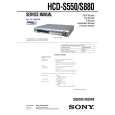
SONY HCDS880
Instrukcja Serwisowa


Tweetnij o tym produkcie a dostaniesz $1.00 rabatu!
  • Zawiera schematy
  • Plik do pobrania
  • Format PDF
  • Kompletna instrukcja
  • Język: English
Cena: $4.99

Opis SONY HCDS880 Instrukcja Serwisowa

Kompletna instrukcja serwisowa w formie pliku PDF. Instrukcje serwisowe zazwyczaj zawierają schematy, diagramy drukowanych obwodów (PCB), schematy połączeń, schematy blokowe oraz katalog części. Instrukcje serwisowe są wykorzystywane glównie przez osoby naprawiające uszkodzony sprzęt.

Jeśli chcesz się dowiedzieć jak się obsługuje Twój telewizor, magnetowid, odtwarzacz mp3 itp. powinieneś raczej szukać instrukcji obsługi

Instrukcja jest dostępna w następujących językach: English

Plik nie jest jeszcze gotowy
Musisz najpierw dokonać zakupu.

Recenzje produktu
Dla tego produktu nie napisano jeszcze recenzji!
Recenzje innych produktów
 RCM70L/LB JVC Instrukcja Serwisowa by Damian Mazek;
jedyne do czego mogę mieć zastrzeżenie to jakość zdjęć zawartych w przesłanej instrukcji serwisowej ponieważ są fatalnej jakości, praktycznie nieczytelne. tak poza tym jestem zadowolony to jest to czego szukałem.
 SA-A30E AIWA Instrukcja Serwisowa by Adam Grążka;
Wszystko w porządku. Instrukcja czytelna i kompletna. Dziękuję. all right! thank you.
 KX990SR KENWOOD Instrukcja Serwisowa by Viktor Kapeć;
Bardzo dobra instrukcja. Zawiera wszystko co potrzeba, polecam!
 TA2760 ONKYO Instrukcja Serwisowa by Viktor Kapeć;
Instrukcja jest OK. Schematy czytelne, opisane niektóre procedury.
 26PF3302/10 PHILIPS Instrukcja Serwisowa by Ryszard Burzak;
Instrukcja bardzo czytelna. zawiera co potrzeba. Polecam

Tekstowy podgląd strony 21 (kliknij aby zobaczyć)
HCD-S550/S880

0-2-3. ROM Check Sum The revision number of ROM (IC204) that the program for the DVD system processor (IC206) is stored. 0-2-4. Model Type Model name is displayed. (DAV-S550 or DAV-S880) 0-2-5. Region Model destination code is displayed. (2 digits number) 0-3. EEPROM Check 0-3-1. Sampling Check EEPROM check at every 64 words. It compares read data with write data of each address. When there are discrepancies between two data, it displays error. 0-3-2. Detail Check EEPROM check at every 1 word. It compares read data with write data of each address. When there are discrepancies between two data, it displays error. 0-4. GP I/O Check Pull up/down setting check of the DVD system processor (IC206) pin 150, 151 and 154 (for clock setting port). 0-5. SD Bus Check SD bus data check between DVD decoder (IC701) and D-RAM (IC706). 0-6. Video Check Output the color bars for video level adjustment. 0-7. Audio Check Output the test signal (1kHz sine wave) for 5.1 CH test.

by pressing the [RETURN] button on the remote commander.
Note: During adjustment of each disc, the measurement for disc type judgment is made. As automatic adjustment does not judge the disc type unlike conventional models, take care not to insert wrong type discs. Also, do not give a shock during adjustment.

1-1. DVD-SL (single layer) Press the [1] key on the remote commander and insert a DVD single layer disc following the message. Then the adjustment will be made through the steps below, then adjusted values will be written to the EEPROM. DVD Single Layer Disc Adjustment Steps: 1. Sled tilt reset 2. Disc check memory SL 3. Wait 300 msec 4. Set disc type SL 5. LD on 6. Spindle start 7. Wait 1 sec 8. Focus servo on 0 9. Auto track offset adjust 10. CLVA on 11. Wait 500 msec 12. Tracking on 13. Wait 1 sec 14. Sled on 15. Check CLV on 16. Auto LFO adjust 17. Auto focus offset adjust 18. Auto tilt position adjust 19. Auto focus gain adjust 20. Auto focus offset adjust 21. EQ boost adjust 22. Auto loop filter offset adjust 23. Auto track gain adjust Search Check 24. 32 track jump forward 25. 32 track jump reverse 26. 500 track jump forward 27. 500 track jump reverse 28. All servo stop 29. EEP copy loop filter offset 1-2. CD [2] key on the remote commander and insert a CD disc Press the following the message. Then the adjustment will be made through the steps below, then adjusted values will be written to the EEPROM. CD Adjustment Steps 1. Sled tilt rest 2. Disc check memory CD 3. Wait 500 msec 4. Set disc type CD 5. LD on 6. Spindle start 7. Wait 500 msec 8. Focus servo on 0 9. Auto track offset adjust 10. CLVA on 11. Wait 500 msec 12. Tracking on 13. (TC display start) 14. Wait 1 sec 15. Jitter display start 16. Sled ON 17. Check CLV on

DRIVE AUTO ADJUSTMENT On the Test Mode Menu screen, press the [1] key on the remote
commander, and the Adjustment Menu will be displayed. ## Drive Auto Adjustment ## Adjustment Menu 0. 1. 2. 3. ALL DVD-SL CD DVD-DL

1.

Exit: RETURN

Normally, [10/0] is selected to adjust DVD (single layer), CD and DVD (dual layer) in this order. But, individual items can be adjusted for the case where adjustment is suspended due to an error. In this mode, the adjustment can be made easily through the operation following the message displayed on the screen. The disc used for adjustment must be the one specified for adjustment. 1-0. ALL Press the [10/0] key on the remote commander, and the servo set data in EEPROM will be initialized. Then, 1. DVD-SL disc, 2. CD disc and 3. DVD-DL disc are adjusted in this order. Each time one disc was adjusted, it is ejected. Replace it with the specified disc following the message. You can finish the adjustment

21

Klienci kupując ten produkt kupili także

$4.99

HCDS880 SONY
Instrukcja Obsługi

Kompletna instrukcja obsługi w formie pliku PDF. Plik PDF zostanie dostarczony na Twój adres email…
>
Parse Time: 0.363 - Number of Queries: 342 - Query Time: 0.148