KEBS107BWH0 Ilość: 1
$4.99
» Pokaż Szczegóły
PDP 1000 CE Ilość: 1
$4.99
» Pokaż Szczegóły
KSRS27QFWH00 Ilość: 1
$4.99
» Pokaż Szczegóły
MW 18/AW/2 Ilość: 1
$4.99
» Pokaż Szczegóły
STRATOS AS28 Ilość: 1
$4.99
» Pokaż Szczegóły
GS6SHAXLS01 Ilość: 1
$4.99
» Pokaż Szczegóły
32PW8206/12R Ilość: 1
$4.99
» Pokaż Szczegóły
DVD-120SZ/BXCN Ilość: 1
$4.99
» Pokaż Szczegóły
RS-TR313 Ilość: 1
$4.99
» Pokaż Szczegóły
TAWS800JQ0 Ilość: 1
$4.99
» Pokaż Szczegóły
EHL1N-2 Ilość: 1
$4.99
» Pokaż Szczegóły
KVE 1630/A Ilość: 1
$4.99
» Pokaż Szczegóły
HF2400 Ilość: 1
$4.99
» Pokaż Szczegóły
W sumie: $64.87
 
English Polski Spanish 
Szukaj instrukcji do
 

(e.g. AA-V20EG JVC, ZX-7 Sony )
PayPal 1000+ rating Secure, Encrypted Checkout.
 
Kategorie
Informacje
Polecamy
Strona główna >> SONY >> HKDV-505 Instrukcja Obsługi
 
 13 szt. w koszyku 

SONY HKDV-505
Instrukcja Obsługi


Tweetnij o tym produkcie a dostaniesz $1.00 rabatu!
  • Plik do pobrania
  • Format PDF
  • Kompletna instrukcja
  • Język: English
Cena: $4.99

Opis SONY HKDV-505 Instrukcja Obsługi

Kompletna instrukcja obsługi w formie pliku PDF. Plik PDF zostanie dostarczony na Twój adres email po jego zakupieniu.

Instrukcje obsługi (czasami nazywane także podręcznikiem użytkownika) opisuja funkcje i sposób działania danego produktu.

Instrukcja jest dostępna w następujących językach: English

Plik nie jest jeszcze gotowy
Musisz najpierw dokonać zakupu.

Recenzje produktu
Dla tego produktu nie napisano jeszcze recenzji!

Tekstowy podgląd strony 147 (kliknij aby zobaczyć)
Clearing warning messages

1 2 3

Press the ALT/[F8] (CANCEL EDIT) button. Select the message to be cleared using the G and g buttons. Press the [F2] (MARK) button. An asterisk �*� will appear in front of the message. The message will not be displayed or saved.

Cancelling removal To cancel the removal of a warning message, press the [F2] (MARK) button.

Adjusting the clock
Press the ALT/[F9] (REAL TIME) button in the error log menu and use the setting below. Get current time codes Hold down the SFT button and press the [F5] (GET TC) button. Setting the data and time Hold down the SFT button and press the [F6] (SET) button. Use the f and F buttons to move the bar to the location to be adjusted. Use the numeric keys to change the value. Adjusting minutes and second to zero Hold down the SFT button and press [F8] (ZERO) button. Selecting daylight saving time and normal time Hold down the SFT button and press [F9] (SEASON) button. STANDARD: normal time SUMMER: daylight saving time (one hour ahead of normal time)
Note
Appendix

Changing between normal and daylight saving times changes the current time by one hour. Even if the change crosses midnight, the current date is not changed.
Appendix

A-11

Klienci kupując ten produkt kupili także

$4.99

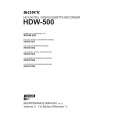
HKDV-505 SONY
Instrukcja Serwisowa

Kompletna instrukcja serwisowa w formie pliku PDF. Instrukcje serwisowe zazwyczaj zawierają schemat…
>
Parse Time: 0.841 - Number of Queries: 150 - Query Time: 0.399