TGZ 3405 SW Ilość: 1
$4.99
» Pokaż Szczegóły
TURNAMAT2000WNSF Ilość: 1
$4.99
» Pokaż Szczegóły
TD202 Ilość: 1
$4.99
» Pokaż Szczegóły
WAI2542/2-GB Ilość: 1
$4.99
» Pokaż Szczegóły
200WS8FB/93 Ilość: 1
$4.99
» Pokaż Szczegóły
32PD5000 Ilość: 1
$4.99
» Pokaż Szczegóły
TCS6550E Ilość: 1
$4.99
» Pokaż Szczegóły
F-X55ZL Ilość: 1
$4.99
» Pokaż Szczegóły
AEW3530DDW Ilość: 1
$4.99
» Pokaż Szczegóły
CVB4584 Ilość: 1
$4.99
» Pokaż Szczegóły
ADG 630 AV Ilość: 1
$4.99
» Pokaż Szczegóły
PET830/00 Ilość: 1
$4.99
» Pokaż Szczegóły
KSSS36FMX03 Ilość: 1
$4.99
» Pokaż Szczegóły
ZC500GWM Ilość: 1
$4.99
» Pokaż Szczegóły
EOB966W Ilość: 1
$4.99
» Pokaż Szczegóły
LE3000XSW0 Ilość: 1
$4.99
» Pokaż Szczegóły
DUL300XTKB0 Ilość: 1
$4.99
» Pokaż Szczegóły
LBT-D107R Ilość: 1
$4.99
» Pokaż Szczegóły
512.904 4/10852 Ilość: 1
$4.99
» Pokaż Szczegóły
ERO2920 Ilość: 1
$4.99
» Pokaż Szczegóły
GR-D360EZ Ilość: 1
$4.99
» Pokaż Szczegóły
MHC-RV800D Ilość: 1
$4.99
» Pokaż Szczegóły
HSTX394YZ Ilość: 1
$4.99
» Pokaż Szczegóły
XR-VS66/DTXJN Ilość: 1
$4.99
» Pokaż Szczegóły
LT-40S70SU Ilość: 1
$4.99
» Pokaż Szczegóły
AKM 373 Ilość: 1
$4.99
» Pokaż Szczegóły
QS110 Ilość: 1
$4.99
» Pokaż Szczegóły
ZDT6253 Ilość: 1
$4.99
» Pokaż Szczegóły
5541HEB4 Ilość: 1
$4.99
» Pokaż Szczegóły
VPS411RF Ilość: 1
$4.99
» Pokaż Szczegóły
Z5921SEP Ilość: 1
$4.99
» Pokaż Szczegóły
RF375PXXW0 Ilość: 1
$4.99
» Pokaż Szczegóły
ZD31/14L6 Ilość: 1
$4.99
» Pokaż Szczegóły
GSF 4851 TW-BR Ilość: 1
$4.99
» Pokaż Szczegóły
FVHP1200 Ilość: 1
$4.99
» Pokaż Szczegóły
102.506 3/1192 Ilość: 1
$4.99
» Pokaż Szczegóły
44G9UXH Ilość: 1
$4.99
» Pokaż Szczegóły
EV040FXAW0 Ilość: 1
$4.99
» Pokaż Szczegóły
XDA8 Ilość: 1
$4.99
» Pokaż Szczegóły
S3770KA8 Ilość: 1
$4.99
» Pokaż Szczegóły
NB500MG9 Ilość: 1
$4.99
» Pokaż Szczegóły
SL1210M5G Ilość: 1
$4.99
» Pokaż Szczegóły
GSI 4941 R-BR Ilość: 1
$4.99
» Pokaż Szczegóły
GS6NBEXRT01 Ilość: 1
$4.99
» Pokaż Szczegóły
FEP330KW2 Ilość: 1
$4.99
» Pokaż Szczegóły
W sumie: $224.55
 
English Polski Spanish 
Szukaj instrukcji do
 

(e.g. AA-V20EG JVC, ZX-7 Sony )
PayPal 1000+ rating Secure, Encrypted Checkout.
 
Kategorie
Informacje
Polecamy
Strona główna >> JVC >> HR-S8500EH Instrukcja Obsługi
 
 45 szt. w koszyku 

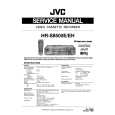
JVC HR-S8500EH
Instrukcja Obsługi


Tweetnij o tym produkcie a dostaniesz $1.00 rabatu!
  • Plik do pobrania
  • Format PDF
  • Kompletna instrukcja
  • Język: English
Cena: $4.99

Opis JVC HR-S8500EH Instrukcja Obsługi

Kompletna instrukcja obsługi w formie pliku PDF. Plik PDF zostanie dostarczony na Twój adres email po jego zakupieniu.

Instrukcje obsługi (czasami nazywane także podręcznikiem użytkownika) opisuja funkcje i sposób działania danego produktu.

Instrukcja jest dostępna w następujących językach: English

Plik nie jest jeszcze gotowy
Musisz najpierw dokonać zakupu.

Recenzje produktu
Dla tego produktu nie napisano jeszcze recenzji!

Tekstowy podgląd strony 25 (kliknij aby zobaczyć)
EN

25

Recording

Playback
The recorder assesses the quality of the tape once you initiate playback.

1

Press and hold RECORD and press PLAY on the remote, or press RECORD on the recorder. DURING B.E.S.T.

START RECORDING

START PLAYBACK

1

Press PLAY.

B.E.S.T. COMPLETE

� The recorder adjusts the playback picture quality based on the quality of the tape in use. � B.E.S.T. is active during Auto Tracking. �BEST� appears blinking on the recorder�s display panel.

NOTES:
� The recorder spends approximately 7 seconds assessing the condition of the tape, then begins recording. � When watching a tape recorded with �B.E.S.T.� set to �ON�, it is recommended that you leave B.E.S.T. on during playback as well. � When watching a rental tape or one recorded on another video recorder, or when using this recorder as the player for editing, set B.E.S.T. to your preference by performing steps 1 through 5 on page 24. � "BEST" only appears at the beginning of automatic tracking. Even though it doesn't appear after that, the B.E.S.T. function is operative.

NOTES:

� The B.E.S.T. system works for both SP and LP modes only after

a tape has been inserted and the Record mode is first initiated. It does not work during recording.
� The B.E.S.T. system does not work while Auto Satellite Prog recording is in progress ( pg. 32). � In the case of timer recording, the B.E.S.T. system works before recording is initiated. � Once the cassette is ejected, the B.E.S.T. data is cancelled. The next time the cassette is used for recording, B.E.S.T. is reperformed. � Pressing the recorder's RECORD button while "BEST" is displayed does not start Instant Timer Recording ( pg. 21).

ATTENTION
Since the B.E.S.T. system works before recording actually starts, there is a delay of approximately 7 seconds after RECORD and PLAY on the remote are pressed, or RECORD on the recorder is pressed. To make sure you record the desired scene or programme in its entirety, first perform the following steps: 1) Press and hold PAUSE and press RECORD to engage the RECORD PAUSE mode. � The recorder then automatically checks the condition of the tape and, after approximately 7 seconds, reenters RECORD PAUSE. 2) Press PLAY to start recording. � If you want to bypass the B.E.S.T. system and begin recording immediately, set �B.E.S.T.� to �OFF� in step 4 on page 24.

Klienci kupując ten produkt kupili także

$4.99

HR-S8500EH JVC
Instrukcja Serwisowa

Kompletna instrukcja serwisowa w formie pliku PDF. Instrukcje serwisowe zazwyczaj zawierają schemat…
>
Parse Time: 0.216 - Number of Queries: 270 - Query Time: 0.064