NSX-R70LH Ilość: 1
$4.99
» Pokaż Szczegóły
KDC7000 Ilość: 1
$4.99
» Pokaż Szczegóły
A-8 Ilość: 1
$4.99
» Pokaż Szczegóły
LTG6234AW3 Ilość: 1
$4.99
» Pokaż Szczegóły
CT3308/AWFSALG3 Ilość: 1
$4.99
» Pokaż Szczegóły
KV2024AEB Ilość: 1
$4.99
» Pokaż Szczegóły
MCD 4920 SW Ilość: 1
$4.99
» Pokaż Szczegóły
SDMS71R Ilość: 1
$4.99
» Pokaż Szczegóły
UT37V702 Ilość: 1
$4.99
» Pokaż Szczegóły
KXTCD707SLS Ilość: 1
$4.99
» Pokaż Szczegóły
CD1302S/06 Ilość: 1
$4.99
» Pokaż Szczegóły
LCXK277 Ilość: 1
$4.99
» Pokaż Szczegóły
CANOSCAN LIDE50 Ilość: 1
$4.99
» Pokaż Szczegóły
DR16 VERSION V2.0 Ilość: 1
$4.99
» Pokaż Szczegóły
HR4165 Ilość: 1
$4.99
» Pokaż Szczegóły
VR6467/02S Ilość: 1
$4.99
» Pokaż Szczegóły
RC977RD Ilość: 1
$4.99
» Pokaż Szczegóły
HI322 Ilość: 1
$4.99
» Pokaż Szczegóły
TH-M606C Ilość: 1
$4.99
» Pokaż Szczegóły
4581 Ilość: 1
$4.99
» Pokaż Szczegóły
KV21C5D Ilość: 1
$4.99
» Pokaż Szczegóły
W sumie: $104.79
 
English Polski Spanish 
Szukaj instrukcji do
 

(e.g. AA-V20EG JVC, ZX-7 Sony )
PayPal 1000+ rating Secure, Encrypted Checkout.
 
Kategorie
Informacje
Polecamy
Strona główna >> JVC >> HR-V500EZ Instrukcja Obsługi
 
 21 szt. w koszyku 

JVC HR-V500EZ
Instrukcja Obsługi


Tweetnij o tym produkcie a dostaniesz $1.00 rabatu!
  • Plik do pobrania
  • Format PDF
  • Kompletna instrukcja
  • Język: English
Cena: $4.99

Opis JVC HR-V500EZ Instrukcja Obsługi

Kompletna instrukcja obsługi w formie pliku PDF. Plik PDF zostanie dostarczony na Twój adres email po jego zakupieniu.

Instrukcje obsługi (czasami nazywane także podręcznikiem użytkownika) opisuja funkcje i sposób działania danego produktu.

Instrukcja jest dostępna w następujących językach: English

Plik nie jest jeszcze gotowy
Musisz najpierw dokonać zakupu.

Recenzje produktu
Dla tego produktu nie napisano jeszcze recenzji!

Tekstowy podgląd strony 38 (kliknij aby zobaczyć)
38

advanced features

Picture Quality
Manual Tracking
Your VCR is equipped with automatic tracking control. This will be adequate for most tapes and will automatically adjust the tracking to suit the particular tape in use but if you insert an old or worn tape, it may be necessary to manually adjust the tracking in order to get the best picture. If automatic tracking fails, you will notice noise bars appearing across the picture; you can correct this by manually overriding the tracking using the following steps.
adjust tracking manually During playback, use the PR + or � buttons to adjust the tracking manually.

NOTE: When a new tape is inserted, the VCR returns to automatic tracking.

Picture Control
This feature allows you to select the most appropriate picture quality according to the type of tape or use of this VCR. The default setting is OFF. EPC get to the main menu Press MENU. Select the icon EPC using the * and Tbuttons and press OK.
select picture control mode Select the desired mode using the ^ and & buttons and press * or T.

OFF:
SOFT: SHARP:

Picture quality is not adjusted. Reduces image coarseness when viewing overplayed tapes containing lots of noise. Clearer, sharper-edged picture when viewing images with lots of flat, same-coloured surfaces such as cartoons.

return to normal screen Press MENU.

NOTE: You can perform EPC setting only during playback.

OFF SOFT SHARP

Klienci kupując ten produkt kupili także

$4.99

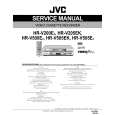
HRV500EZ JVC
Instrukcja Serwisowa

Kompletna instrukcja serwisowa w formie pliku PDF. Instrukcje serwisowe zazwyczaj zawierają schemat…
>
Parse Time: 0.625 - Number of Queries: 180 - Query Time: 0.275