KGCV465MSS01 Ilość: 1
$4.99
» Pokaż Szczegóły
705 BREITBANDOSZILLOGRAPH Ilość: 1
$4.99
» Pokaż Szczegóły
C50 BOLOGNA Ilość: 1
$4.99
» Pokaż Szczegóły
CRLA111 YZ L D Ilość: 1
$4.99
» Pokaż Szczegóły
MERH865RAB13 Ilość: 1
$4.99
» Pokaż Szczegóły
32PW6305/25 Ilość: 1
$4.99
» Pokaż Szczegóły
LLV6144BN0 Ilość: 1
$4.99
» Pokaż Szczegóły
SADK1 Ilość: 1
$4.99
» Pokaż Szczegóły
RF350BXBW1 Ilość: 1
$4.99
» Pokaż Szczegóły
HT-460 Ilość: 1
$4.99
» Pokaż Szczegóły
PCZ82M(HB) Ilość: 1
$4.99
» Pokaż Szczegóły
VR870L39 Ilość: 1
$4.99
» Pokaż Szczegóły
CT-FR718 Ilość: 1
$4.99
» Pokaż Szczegóły
X-HTD8/DDXJ/RA Ilość: 1
$4.99
» Pokaż Szczegóły
DRA585RD Ilość: 1
$4.99
» Pokaż Szczegóły
RSD-10 Ilość: 1
$4.99
» Pokaż Szczegóły
LC23K7 Ilość: 1
$4.99
» Pokaż Szczegóły
KBMC140HBT03 Ilość: 1
$4.99
» Pokaż Szczegóły
LT-32R70SU/B Ilość: 1
$4.99
» Pokaż Szczegóły
TARRAGONA MP Ilość: 1
$4.99
» Pokaż Szczegóły
YMED9600SQ0 Ilość: 1
$4.99
» Pokaż Szczegóły
RH2624XJQ0 Ilość: 1
$4.99
» Pokaż Szczegóły
XR-M200U Ilość: 1
$4.99
» Pokaż Szczegóły
LX-120 Ilość: 1
$4.99
» Pokaż Szczegóły
KXFP250 Ilość: 1
$4.99
» Pokaż Szczegóły
ART08JGS7A0 Ilość: 1
$4.99
» Pokaż Szczegóły
DEH-P5900MP/XS/EW5 Ilość: 1
$4.99
» Pokaż Szczegóły
SPPS9001 Ilość: 1
$4.99
» Pokaż Szczegóły
E8931-4-MNORDIC Ilość: 1
$4.99
» Pokaż Szczegóły
GC2025 Ilość: 1
$4.99
» Pokaż Szczegóły
CC280LLPEPSI Ilość: 1
$4.99
» Pokaż Szczegóły
42PF9946/93 Ilość: 1
$4.99
» Pokaż Szczegóły
SCHT930 Ilość: 1
$4.99
» Pokaż Szczegóły
CV2031S Ilość: 1
$4.99
» Pokaż Szczegóły
DP-49 Ilość: 1
$4.99
» Pokaż Szczegóły
AG87255I Ilość: 1
$4.99
» Pokaż Szczegóły
TC1485DR Ilość: 1
$4.99
» Pokaż Szczegóły
VR400 Ilość: 1
$4.99
» Pokaż Szczegóły
MX-PNX1A Ilość: 1
$4.99
» Pokaż Szczegóły
PRO119 Ilość: 1
$4.99
» Pokaż Szczegóły
LE4930XTN2 Ilość: 1
$4.99
» Pokaż Szczegóły
RECEIVER 2 Ilość: 1
$4.99
» Pokaż Szczegóły
KXTC167ALB Ilość: 1
$4.99
» Pokaż Szczegóły
NI761R Ilość: 1
$4.99
» Pokaż Szczegóły
GLB5410-HV Ilość: 1
$4.99
» Pokaż Szczegóły
KSRS25PNSS00 Ilość: 1
$4.99
» Pokaż Szczegóły
AV32X10EUS Ilość: 1
$4.99
» Pokaż Szczegóły
QL-Y5F Ilość: 1
$4.99
» Pokaż Szczegóły
LAT8426ABE Ilość: 1
$4.99
» Pokaż Szczegóły
X9112VUV Ilość: 1
$4.99
» Pokaż Szczegóły
VAA11202 Ilość: 1
$4.99
» Pokaż Szczegóły
Z5305 GB Ilość: 1
$4.99
» Pokaż Szczegóły
FO235 Ilość: 1
$4.99
» Pokaż Szczegóły
AVR-1420 Ilość: 1
$4.99
» Pokaż Szczegóły
KSRG22FTSS01 Ilość: 1
$4.99
» Pokaż Szczegóły
SMS304 Ilość: 1
$4.99
» Pokaż Szczegóły
A90GaTCGRL Ilość: 1
$4.99
» Pokaż Szczegóły
ED25RQXFW01 Ilość: 1
$4.99
» Pokaż Szczegóły
ICF-SW11 Ilość: 1
$4.99
» Pokaż Szczegóły
VR75007 Ilość: 1
$4.99
» Pokaż Szczegóły
MF 55-2503/8 PL/Top Ilość: 1
$4.99
» Pokaż Szczegóły
DVDR3452H/58 Ilość: 1
$4.99
» Pokaż Szczegóły
CFS-905L Ilość: 1
$4.99
» Pokaż Szczegóły
AWM 3238 Ilość: 1
$4.99
» Pokaż Szczegóły
BEZH 3000 WS Ilość: 1
$4.99
» Pokaż Szczegóły
DCH327X Ilość: 1
$4.99
» Pokaż Szczegóły
SX1050 Ilość: 1
$4.99
» Pokaż Szczegóły
BMW BUSINESS RDS CD43 Ilość: 1
$4.99
» Pokaż Szczegóły
KW-XC404UI Ilość: 1
$4.99
» Pokaż Szczegóły
CFVDD283 Ilość: 1
$4.99
» Pokaż Szczegóły
KXTCD755SPS Ilość: 1
$4.99
» Pokaż Szczegóły
NNV323 Ilość: 1
$4.99
» Pokaż Szczegóły
ET18HKXTG02 Ilość: 1
$4.99
» Pokaż Szczegóły
HK330B Ilość: 1
$4.99
» Pokaż Szczegóły
YE20JA2X Ilość: 1
$4.99
» Pokaż Szczegóły
UX-B70EN Ilość: 1
$4.99
» Pokaż Szczegóły
RU-C9BK Ilość: 1
$4.99
» Pokaż Szczegóły
LG6901XKW0 Ilość: 1
$4.99
» Pokaż Szczegóły
AKZM 659/IX Ilość: 1
$4.99
» Pokaż Szczegóły
HX2565/02 Ilość: 1
$4.99
» Pokaż Szczegóły
612.271 7/10843 Ilość: 1
$4.99
» Pokaż Szczegóły
1806E Ilość: 1
$4.99
» Pokaż Szczegóły
50XP26K Ilość: 1
$4.99
» Pokaż Szczegóły
AACHEN 1000 Ilość: 1
$4.99
» Pokaż Szczegóły
552625 Ilość: 1
$4.99
» Pokaż Szczegóły
21PT1321/60R Ilość: 1
$4.99
» Pokaż Szczegóły
GST9630PL1 Ilość: 1
$4.99
» Pokaż Szczegóły
KP2671XGN3 Ilość: 1
$4.99
» Pokaż Szczegóły
EL3548 Ilość: 1
$4.99
» Pokaż Szczegóły
EOG600BL Ilość: 1
$4.99
» Pokaż Szczegóły
VZ8M Ilość: 1
$4.99
» Pokaż Szczegóły
GC6102/03 Ilość: 1
$4.99
» Pokaż Szczegóły
VS29V10MC Ilość: 1
$4.99
» Pokaż Szczegóły
CMS15H Ilość: 1
$4.99
» Pokaż Szczegóły
CI-21Q20ET Ilość: 1
$4.99
» Pokaż Szczegóły
OBI 147 W Ilość: 1
$4.99
» Pokaż Szczegóły
NSX-AV90 Ilość: 1
$4.99
» Pokaż Szczegóły
CDPC871W Ilość: 1
$4.99
» Pokaż Szczegóły
566.273 9/10252 Ilość: 1
$4.99
» Pokaż Szczegóły
W sumie: $494.01
 
English Polski Spanish 
Szukaj instrukcji do
 

(e.g. AA-V20EG JVC, ZX-7 Sony )
PayPal 1000+ rating Secure, Encrypted Checkout.
 
Kategorie
Informacje
Polecamy
Strona główna >> SONY >> KP48V90 Instrukcja Obsługi
 
 99 szt. w koszyku 

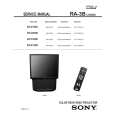
SONY KP48V90
Instrukcja Obsługi


Tweetnij o tym produkcie a dostaniesz $1.00 rabatu!
  • Plik do pobrania
  • Format PDF
  • Kompletna instrukcja
  • Język: English
Cena: $4.99

Opis SONY KP48V90 Instrukcja Obsługi

Kompletna instrukcja obsługi w formie pliku PDF. Plik PDF zostanie dostarczony na Twój adres email po jego zakupieniu.

Instrukcje obsługi (czasami nazywane także podręcznikiem użytkownika) opisuja funkcje i sposób działania danego produktu.

Instrukcja jest dostępna w następujących językach: English

Plik nie jest jeszcze gotowy
Musisz najpierw dokonać zakupu.

Recenzje produktu
Dla tego produktu nie napisano jeszcze recenzji!

Tekstowy podgląd strony 16 (kliknij aby zobaczyć)
KP- 53S76

2-6. 2-POLE MAGNET ADJUSTMENT (GREEN, RED)
1. Display a dot pattern (see the details of using the internal test patterns at the end of the previous section). 2. Enter the service mode. 3. Cover the red and blue CRT lenses with lens caps to allow only green to show (or use the method shown in the note below for turning off the CRTs individually without using lens caps). 4. Turn the green focus control on the focus block to the right and set it to overfocus to enlarge the spot (the dot). See �gure at the end of Section 2-3 for the location of the 2-pole magnet adjusting tabs. 5. Adjust the green CRT�s 2-pole magnet so that the small bright spot is in the center of the large defocused spot. 6. Adjust the green focus control on the focus block and set it for the best focus. 7. Repeat steps 1 through 6 for the red CRT, except now you will cover the green and blue CRT lenses with lens caps to allow only red to show (or use the method shown in the note below for turning off the CRTs individually without using lens caps) and you will adjust the red focus control on the focus block. Note: If lens caps are unavailable, you can cut off the unnecessary color beams in the service mode by individually changing the data from �1� to �0� in category VPNT, item 28 RON (red), item 29 GON (green), or item 30 BON (blue).
Use the center dot Large de-focused spot

8. Repeat steps 1 through 6 for the blue CRT, except now cover the green and red CRT lenses with lens caps to allow only blue to show. Adjust the blue focus control on the focus block (or use the method shown in the note below for turning off the CRTs individually without using lens caps). However, for the blue CRT do not make the enlarged spot a perfect circle as indicated in step 5; instead, adjust the 4-pole magnet so that the height of the enlarged blue spot in the center of the screen is approx. 1.5 times the width of the spot. Note: If lens caps are unavailable, you can cut off the unnecessary color beams in the service mode by individually changing the data from �1� to �0� in category VPNT, item 28 RON (red), item 29 GON (green), or item 30 BON (blue).
Use the center dot
x y x : y = 1:1.5 (BIue) x : y = 1:1 (Green, Red)

.

2-8. DEFOCUS ADJUSTMENT (BLUE)
Note: Adjust the blue dot to be slightly larger than red and green dots. This adjustment provides a more pleasing picture to the customer. 1. Select the video menu and set the picture mode to �VIVID�. 2. Enter service mode. 3. Change TV mode to the video-1 input mode. 4. Select adjustment category �PJE�, and press 6 as many times as necessary to display the dot pattern on the screen. 5. Adjust the blue focus control on the focus block to adjust the diameter of the dots in the center of the screen as shown in the �gure below.
Small focused spot

FOCUS ADJUSTMENT POINT:

2-7. 4-POLE MAGNET ADJUSTMENT (GREEN, RED, BLUE)
1. Display a dot pattern (see the details of using the internal test patterns at the end of section 2-5, item 4). 2. Enter the service mode. 3. Cover the red and blue CRT lenses with lens caps to allow only green to show (or use the method shown in the note below for turning off the CRTs individually without using lens caps). 4. Turn the green focus control on the focus block to the left and set it to under-focus to enlarge the spot. 5. Adjust the 4-pole magnet so that the enlarged spot in the center of the screen becomes a perfect circle. 6. Adjust the green focus control on the focus block and set it for the best focus. 7. Repeat steps 1 through 6 for the red CRT, except now you will cover the green and blue CRT lenses with lens caps to allow only red to show (or use the method shown in the note below for turning off the CRTs individually without using lens caps) and you will adjust the red focus control on the focus block. Screen Size Diameter 53" 8mm Dmm Max

� 16 �

Klienci kupując ten produkt kupili także

$4.99

KP48V90 SONY
Instrukcja Serwisowa

Kompletna instrukcja serwisowa w formie pliku PDF. Instrukcje serwisowe zazwyczaj zawierają schemat…
>
Parse Time: 0.833 - Number of Queries: 444 - Query Time: 0.417