LSR4100HQ0 Ilość: 1
$4.99
» Pokaż Szczegóły
AX-7015R Ilość: 1
$4.99
» Pokaż Szczegóły
BVM-1311 Ilość: 1
$4.99
» Pokaż Szczegóły
TT18DKXBW00 Ilość: 1
$4.99
» Pokaż Szczegóły
KV-25C3D Ilość: 1
$4.99
» Pokaż Szczegóły
4085 Ilość: 1
$4.99
» Pokaż Szczegóły
ZD34/9LR1 Ilość: 1
$4.99
» Pokaż Szczegóły
KSRK22XLWH00 Ilość: 1
$4.99
» Pokaż Szczegóły
FAV50830M Ilość: 1
$4.99
» Pokaż Szczegóły
ED2HBEXTT01 Ilość: 1
$4.99
» Pokaż Szczegóły
KX-F1015PD Ilość: 1
$4.99
» Pokaż Szczegóły
GE403 HELKINA Ilość: 1
$4.99
» Pokaż Szczegóły
W sumie: $59.88
 
English Polski Spanish 
Szukaj instrukcji do
 

(e.g. AA-V20EG JVC, ZX-7 Sony )
PayPal 1000+ rating Secure, Encrypted Checkout.
 
Kategorie
Informacje
Polecamy
Strona główna >> KENWOOD >> KRF-X9995D Instrukcja Obsługi
 
 12 szt. w koszyku 

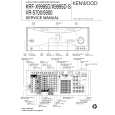
KENWOOD KRF-X9995D
Instrukcja Obsługi


Tweetnij o tym produkcie a dostaniesz $1.00 rabatu!
  • Plik do pobrania
  • Format PDF
  • Kompletna instrukcja
  • Język: English
Cena: $4.99

Opis KENWOOD KRF-X9995D Instrukcja Obsługi

Kompletna instrukcja obsługi w formie pliku PDF. Plik PDF zostanie dostarczony na Twój adres email po jego zakupieniu.

Instrukcje obsługi (czasami nazywane także podręcznikiem użytkownika) opisuja funkcje i sposób działania danego produktu.

Instrukcja jest dostępna w następujących językach: English

Plik nie jest jeszcze gotowy
Musisz najpierw dokonać zakupu.

Recenzje produktu
Dla tego produktu nie napisano jeszcze recenzji!

Tekstowy podgląd strony 40 (kliknij aby zobaczyć)
How Do I Adjust the Surround Modes?

4. (Optional) Touch level to your taste.

to adjust the wall type, room size, and effect

Using PowerTouch

� � �

Wall Type changes the quality of the simulated walls. Room Size switches the simulated room size. Effect Level adjusts the amount of DSP presence in the overall sound. Lower numbers decrease the amount of presence, higher numbers increase it.

5. Touch to return to the previous menu or touch one of the Quick Access menu buttons to proceed to the next operation. Operation on the receiver: � Press the LISTEN MODE button inside the door repeatedly until the listen mode to be set is displayed. The DSP can be set to ARENA, JAZZ CLUB, CATHEDRAL, CONCERT HALL, STADIUM 1, STADIUM 2, THEATER 1 or THEATER 2.

Fine adjusting the DSP effects on the receiver: 1. Press the SOUND button inside the door to select WALL type. 2. Press the MULTI CONTROL (�/%) button to select the desired type. 3. Select the types of Room size and Effect level in the same way as above. 4. Press the SOUND button repeatedly until �SOUND FIXED� is displayed.

32

Klienci kupując ten produkt kupili także

$4.99

KRFX9995D KENWOOD
Instrukcja Serwisowa

Kompletna instrukcja serwisowa w formie pliku PDF. Instrukcje serwisowe zazwyczaj zawierają schemat…
>
Parse Time: 0.297 - Number of Queries: 147 - Query Time: 0.081