|
|
|
Kategorie
|
|
Informacje
|
|
Polecamy
|
|
|
 |
|
|
Dla tego produktu nie napisano jeszcze recenzji!
 ;
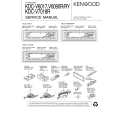
jedyne do czego mogę mieć zastrzeżenie to jakość zdjęć zawartych w przesłanej instrukcji serwisowej ponieważ są fatalnej jakości, praktycznie nieczytelne. tak poza tym jestem zadowolony to jest to czego szukałem.
 ;
Wszystko w porządku.
Instrukcja czytelna i kompletna.
Dziękuję.
all right!
thank you.
;
Bardzo dobra instrukcja. Zawiera wszystko co potrzeba, polecam!
;
Instrukcja jest OK. Schematy czytelne, opisane niektóre procedury.
;
Instrukcja bardzo czytelna. zawiera co potrzeba. Polecam
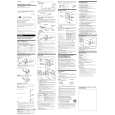
M-540V SECTION 1 GENERAL
Recording
Make sure that nothing is connected to MIC (M-640V only).
This section is extracted from instruction manual.
To monitor the sound Connect an earphone (not supplied) to EAR jack. The monitor volume cannot be adjusted by VOL. To prevent a cassette from being accidentally recorded over Break out and remove the cassette tabs. To reuse the cassette for recording, cover the tab hole with adhesive tape.
EAR Microphone MIC (PLUG IN POWER) VOR TAPE SPEED TAPE COUNTER REC > PAUSE z m CUE/ REVIEW M xZ BATT
Playing a Tape
EAR VOL
> PAUSE BATT xZ TAPE SPEED n m CUE/ REVIEW M xZ FAST PB
1 2 3
4
5
Press the reset button of the TAPE COUNTER (M-640V/ 540V only). Press xZ and insert a standard microcassette with the side to start recording facing the lid. Select the desired tape speed. 2.4 cm for optimum sound (recommended for normal use): A 30-minute recording can be made using both sides of the MC-30 microcassette. 1.2 cm for longer recording time: A 60-minute recording can be made using both sides of the MC-30 microcassette. Set VOR to H, L or OFF (M-640V/540V only). If you set VOR to H or L, the unit automatically starts recording the sound and pauses when there is no sound (you can save tapes and batteries). H : To record at meeting or in a quiet and/or spacious place. L : To record for dictation or in a noisy place. When the sound is not loud enough, set it to OFF, or the unit may not start recording. Press z. n is pressed simultaneously and recording starts. While the tape runs, the REC lamp or REC/BATT lamp lights and flashes depending on the strength of the sound (M-640V/ 540V only). Recording level is fixed.
1 2 3 4
To
Insert a cassette with the side to start playing facing the lid. Select the tape speed to the same speed as that used for recording. Press n. Adjust the volume.
Press or slide xZ Slide >PAUSE in the direction of the arrow. The REC/BATT (M-540V) or BATT (M430) lamp, or BATT lamps (M-640V) go off. Slide mCUE/MREVIEW toward mCUE during stop. Slide mCUE/MREVIEW toward MREVIEW during stop. Keep mCUE/MREVIEW pushed down during playback and release it at the point you want. Keep mCUE/MREVIEW pushed up during playback and release it at the point you want.
Stop playback/stop fast forward or rewind* Pause playback
Fast forward Rewind Search forward during playback (CUE) Search backward during playback (REVIEW)
To Stop recording Start recording during playback Review the portion just recorded Pause recording
Press or slide xZ z during playback (the unit becomes in the recording mode) Push up mCUE/MREVIEW toward MREVIEW during the recording. Release the button at the point to start playback. Slide >PAUSE in the direction of the arrow. The REC/BATT (M-540V), BATT (M-430) or REC (M-640V) lamp goes off. xZ
* If you leave the unit after the tape has been wound or rewound, the batteries will be consumed rapidly. Be sure to depress xZ.
Note
If the tape is completely wound or rewound while searching forward/ backward during playback (CUE/REVIEW), the mCUE/MREVIEW switch may not return to the center position when you release the switch. In this case, push back the switch to the center to start playback.
Take out a cassette
If you plug in headphones (not supplied) to the EAR jack, you will get monaural output from both left and right channels.
Note
Select the 2.4 cm tape speed for recording, if you play back the recorded tape with another unit. Otherwise, the sound quality may be changed.
Notes on VOR (Voice Operated Recording) (M-640V/540V only)
� The VOR system depends on the environmental conditions. If you cannot get the desired results, set VOR to OFF. � When you use the system in a noisy place, the unit will stay in the recording mode. If the sound is too soft, on the contrary, the unit will not start recording. Set VOR to H (high) or L (low) depending on the conditions.
To increase the playback speed (M-640V only) Slide the FAST PB switch in the direction of the arrow. The playback speed will be increased. To return to the original speed, slide the FAST PB switch to the original position. At the end of the tape In the recording or playback mode, the tape stops at the end of the tape and the locked buttons will be released automatically (Automatic shut-off mechanism). After fast forward or rewind, be sure to set mCUE/ MREVIEW back to the center.
3
|
|
|
> |
|