PARTY CENTER 2600 Ilość: 1
$4.99
» Pokaż Szczegóły
KXFPC95C Ilość: 1
$4.99
» Pokaż Szczegóły
DCR-TRV10 Ilość: 1
$4.99
» Pokaż Szczegóły
SLV-E600VP Ilość: 1
$4.99
» Pokaż Szczegóły
AVD75 Ilość: 1
$4.99
» Pokaż Szczegóły
KXTS3EXB Ilość: 1
$4.99
» Pokaż Szczegóły
RG857H/BK Ilość: 1
$4.99
» Pokaż Szczegóły
KXTVS204 Ilość: 1
$4.99
» Pokaż Szczegóły
KSRS25CKWH01 Ilość: 1
$4.99
» Pokaż Szczegóły
MULTISYNC793S Ilość: 1
$4.99
» Pokaż Szczegóły
KX-TGA212W Ilość: 1
$4.99
» Pokaż Szczegóły
HCDV8800 Ilość: 1
$4.99
» Pokaż Szczegóły
KX-TD282NE Ilość: 1
$4.99
» Pokaż Szczegóły
KSFX842R/EU Ilość: 1
$4.99
» Pokaż Szczegóły
74CD50 Ilość: 1
$4.99
» Pokaż Szczegóły
SV-233X Ilość: 1
$4.99
» Pokaż Szczegóły
WAK 8460 Ilość: 1
$4.99
» Pokaż Szczegóły
29PT4663/69R Ilość: 1
$4.99
» Pokaż Szczegóły
DV-370-S/WVXCN Ilość: 1
$4.99
» Pokaż Szczegóły
RQJ11 Ilość: 1
$4.99
» Pokaż Szczegóły
22RC688 Ilość: 1
$4.99
» Pokaż Szczegóły
4KUDP220T3 Ilość: 1
$4.99
» Pokaż Szczegóły
6LA6300XTN0 Ilość: 1
$4.99
» Pokaż Szczegóły
WARP7 Ilość: 1
$4.99
» Pokaż Szczegóły
EOB373 Ilość: 1
$4.99
» Pokaż Szczegóły
FAV6070IW Ilość: 1
$4.99
» Pokaż Szczegóły
KXTC1005ALW Ilość: 1
$4.99
» Pokaż Szczegóły
GSFH 1660 EX IN Ilość: 1
$4.99
» Pokaż Szczegóły
B3107 Ilość: 1
$4.99
» Pokaż Szczegóły
ST-65 Ilość: 1
$4.99
» Pokaż Szczegóły
4220 Ilość: 1
$4.99
» Pokaż Szczegóły
CL316-4 Ilość: 1
$4.99
» Pokaż Szczegóły
72DS60TX Ilość: 1
$4.99
» Pokaż Szczegóły
ESZ5461 BR Ilość: 1
$4.99
» Pokaż Szczegóły
TRK-8000BS Ilość: 1
$4.99
» Pokaż Szczegóły
CT96S710 Ilość: 1
$4.99
» Pokaż Szczegóły
RT-425 Ilość: 1
$4.99
» Pokaż Szczegóły
CT1912 Ilość: 1
$4.99
» Pokaż Szczegóły
60 MKII Ilość: 1
$4.99
» Pokaż Szczegóły
KA3750 Ilość: 1
$4.99
» Pokaż Szczegóły
W sumie: $199.60
 
English Polski Spanish 
Szukaj instrukcji do
 

(e.g. AA-V20EG JVC, ZX-7 Sony )
PayPal 1000+ rating Secure, Encrypted Checkout.
 
Kategorie
Informacje
Polecamy
Strona główna >> PANASONIC >> MC-V6603 01 Instrukcja Serwisowa
 
 40 szt. w koszyku 
Ostrzeżenie Ta instrukcja jest dostępna za darmo. Zostałeś przekierowany na stronę na której możesz ją pobrać.

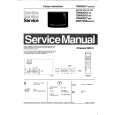
PANASONIC MC-V6603 01
Instrukcja Serwisowa


Tweetnij o tym produkcie a dostaniesz $1.00 rabatu!
  • Zawiera schematy
  • Plik do pobrania
  • Format PDF
  • Kompletna instrukcja
  • Język: English
Cena: $4.99

Opis PANASONIC MC-V6603 01 Instrukcja Serwisowa

Kompletna instrukcja serwisowa w formie pliku PDF. Instrukcje serwisowe zazwyczaj zawierają schematy, diagramy drukowanych obwodów (PCB), schematy połączeń, schematy blokowe oraz katalog części. Instrukcje serwisowe są wykorzystywane glównie przez osoby naprawiające uszkodzony sprzęt.

Jeśli chcesz się dowiedzieć jak się obsługuje Twój telewizor, magnetowid, odtwarzacz mp3 itp. powinieneś raczej szukać instrukcji obsługi

Instrukcja jest dostępna w następujących językach: English

Plik nie jest jeszcze gotowy
Musisz najpierw dokonać zakupu.

Recenzje produktu
Dla tego produktu nie napisano jeszcze recenzji!
Recenzje innych produktów
 RSB106 PANASONIC Instrukcja Serwisowa by Mieczyslaw Wojdyla;
Bardzo dobra jakość skanu, przystępna cena. Instrukcja serwisowa okazała się przydatna przy "reanimowaniu" dwudziestoparoletniego decka, który teraz pięknie gra :)
 ST-8077K TECHNICS Instrukcja Serwisowa by Adam Grążka;
...instruction is ok. ...instrukcja jest ok. Thanks/Dzięki
 T5 SANSUI Instrukcja Serwisowa by Adam Grążka;
Documentation made ​​available quickly and It is good quality. Thanks.

Tekstowy podgląd strony 5 (kliknij aby zobaczyć)
POWER CORD/ON-OFF SWITCH REPLACEMENT
DUST COMPARTMENT COMPONENT LOCATIONS

EXPLODED VIEW (NOZZLE HOUSING)�

A BLOCK

(Fig. 14)

Removal
1. Remove the dust cover and switch cover to expose the electrical connections of the power cord, ON/OFF switch, and wire cord. 2. Pull the power cord into the dust compartment in order to remove the strain relief (for power cord replacement) by prying or cutting, remove the wire connectors, and wire tie, if present. 3. Remove the ON/OFF switch (for ON/OFF switch replacement) by depressing the switch retaining tabs while pushing up out of the dust compartment at the same time. 4. Pull the power cord out of the dust compartment (for power cord replacement)

Installation
1. Insert the new power cord (power cord replacement only) into the dust compartment as far as necessary in order to place a new cord retainer in proper location on power cord. The proper location is approximately one and one eighth inches/thirty millimeters (1 1/8�/30 mm) of new power cord yellow outer jacket extending past the cord retainer. Attach wires with wire connectors according to the wiring diagram in the front of this manual. ONLY USE A NEW CORD RETAINER, DO NOT REUSE A CORD RETAINER. 2. For switch replacement only, insert the new ON/OFF switch with the numbers 1,2,3, facing toward you, into the dust compartment until secured by the retaining tabs. Use a wire tie with the part number listed in the C Block parts list and place it in the location shown in (Fig.14) taking care not to overtighten it. Tuck the wire connectors back into the dust compartment as shown in the close-up view in (Fig. 14). 3. Ensure that the Insulator Packing is installed correctly, (see Fig. 14). 4. Replace the switch cover, the two (2) switch cover screws, and the dust cover. Care should be taken not to pinch wires and make sure that the switch cover goes on easily and stays flat. If there is resistance to the switch cover lying flat and in place, stop, remove the cover and make sure that no wires are being pinched. DO NOT USE A POWER SCREWDRIVER TO SECURE THE COVER. NOTE: Any service involving the handle or switch cover area should be followed up with a dielectric or current leakage check of the unit. If you do not have the equipment or are not familiar with the test procedures, take the unit to an authorized servicer.

SUCTION INLET/HOSE REPLACEMENT
Removal
1. Remove the lower plate as instructed in the LOWER PLATE REMOVAL/INSTALLATION section. 2. Pull the hose up out of the nozzle housing. Push the hose out of the back of the nozzle housing. 3. Remove the hose from the suction inlet by pulling up on it.

Replacement
1. Replace the new hose by pushing it back into the suction inlet. 2. Insert the hose in through the back of the nozzle housing. Push the end of the hose down into the slot in the nozzle. 3. Replace the lower plate as described in the LOWER PLATE REMOVAL/INSTALLATION section. - 16 -5-

Klienci kupując ten produkt kupili także

$4.99

SX-K700 TECHNICS
Instrukcja Obsługi

Kompletna instrukcja obsługi w formie pliku PDF. Plik PDF zostanie dostarczony na Twój adres email…

$4.99

CJ-V51 PIONEER
Instrukcja Serwisowa

Kompletna instrukcja serwisowa w formie pliku PDF. Instrukcje serwisowe zazwyczaj zawierają schemat…

$4.99

GRAND PRIX ELECTRONIC 754 BECKER
Instrukcja Serwisowa

Kompletna instrukcja serwisowa w formie pliku PDF. Instrukcje serwisowe zazwyczaj zawierają schemat…

$4.99

SX-PR602 TECHNICS
Instrukcja Serwisowa

Kompletna instrukcja serwisowa w formie pliku PDF. Instrukcje serwisowe zazwyczaj zawierają schemat…

$4.99

EV-S1000E SONY
Instrukcja Obsługi

Kompletna instrukcja obsługi w formie pliku PDF. Plik PDF zostanie dostarczony na Twój adres email…

$4.99

GRAND PRIX ELECTRONIC 780 BECKER
Instrukcja Serwisowa

Kompletna instrukcja serwisowa w formie pliku PDF. Instrukcje serwisowe zazwyczaj zawierają schemat…

$4.99

AG7330 PANASONIC
Instrukcja Serwisowa

Kompletna instrukcja serwisowa w formie pliku PDF. Instrukcje serwisowe zazwyczaj zawierają schemat…

$4.99

MECABLITZ 60 CT4 METZ
Instrukcja Serwisowa

Kompletna instrukcja serwisowa w formie pliku PDF. Instrukcje serwisowe zazwyczaj zawierają schemat…
>
Parse Time: 0.309 - Number of Queries: 281 - Query Time: 0.111