|
|
|
Kategorie
|
|
Informacje
|
|
Polecamy
|
|
|
 |
|
|
Dla tego produktu nie napisano jeszcze recenzji!
 ;
jedyne do czego mogę mieć zastrzeżenie to jakość zdjęć zawartych w przesłanej instrukcji serwisowej ponieważ są fatalnej jakości, praktycznie nieczytelne. tak poza tym jestem zadowolony to jest to czego szukałem.
 ;
Wszystko w porządku.
Instrukcja czytelna i kompletna.
Dziękuję.
all right!
thank you.
;
Bardzo dobra instrukcja. Zawiera wszystko co potrzeba, polecam!
;
Instrukcja jest OK. Schematy czytelne, opisane niektóre procedury.
;
Instrukcja bardzo czytelna. zawiera co potrzeba. Polecam
MDR-NC11 SECTION 1 GENERAL
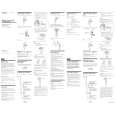
2 Installing a battery 1 Open the lid on the rear side of the battery box.
Wear the headphones marked R in your right ear and the one marked L in your left ear. Push the earbud into your ear carefully so that the earbud fits the hole of your ear snugly.
Note
Unless the headphones correctly fit your ears, noise canceling will not function. Adjust the earbuds position to sit on your ear comfortably, and push them into the inside of your ears so that they fit your ears snugly.
This section is extracted from instruction manual.
Using the clip
You can fasten the battery box by its clip on a shirt pocket.
Clip
R
L
When carrying the headphones
You can attach the headphones to the supplied holder to keep them together. The headphones and the battery box can also be separately stored in the partitioned carrying case (supplied).
2
Insert one R03 (size AAA) battery by matching the + and � on the battery to the + and � in the battery box.
3
Turn on the power of the headphones. The power indicator lights in red. The power switch is located on the battery box. When power is turned on, ambient noise is reduced, and you can listen to music more clearly at a lower volume.
POWER OFF ON
Holder
Insert the # end first.
While using the headphones, you can attach the holder to the headphone cord.
3
Close the lid.
4 5
Turn on the power of the AV equipment. Adjust the volume. Turn the VOL control. (If you turn down the volume, the sound does not mute completely.)
Holder
VOL
Battery life
Battery Approx. hours
VOL
Precautions
� Clean the headphones with a soft dry cloth. � Do not leave the jackplug dirty otherwise the sound may be distorted. � Be sure to bring the headphones to the Sony dealer when requiring a change of earbuds or repair work. � The CE mark on the unit is valid only for products marketed in the European Union. � Do not leave the headphones in a location subject to direct sunlight, heat or moisture. � Do not subject the headphones to excessive shock. � Handle the driver units carefully. � To clean the earbuds, first remove them from the headphones, and then clean them with water and mild detergent. After cleaning, dry each earbud carefully before use. � The earbuds will need to be replaced from time to time. If they are worn out by daily use or longtime storage, replace them with new ones. � If you fell drowsy or sick while using these headphones, stop use immediately.
Sony alkaline battery LR03/AM- 40 hours 4 (N) Sony battery R03/UM-4 (NU) 20 hours
* WALKMAN is a registered trademark of Sony Corporation.
When to replace the battery
Replace the battery with a new one when the POWER indicator dims. � The supplied plug adaptor can be connected to dual and stereo mini jacks.
Notes on using on the airplane
Selecting the earbuds
The M size earbuds are attached to the headphones before shipment. If you feel the M size earbuds do not suit your ears, replace them with the supplied S or L size earbuds.
dual jacks
stereo mini jacks
� Do not use the headphones when use of electronic equipment is prohibited or when use of personal headphones for inflight music services is prohibited. If you have any questions or problems concerning the system that are not covered in this manual, please consult the nearest Sony dealer.
Notes on headphones Preventing hearing damage
Avoid using headphones at high volume. Hearing experts advise against continuous, loud and extended play. If you experience a ringing in your ears, reduce the volume or discontinue use.
After listening to music
Turn off the power of the headphones.
Listening to music 1 Connect the headphones to the AV equipment.
Notes � The noise canceling function is only effective for noise in the
low frequency band. Although noise is reduced, it is not canceled completely. � Do not cover the microphone of the headphones with your hands. The noise canceling function may not work properly.
As headphones reduce outside sounds, they may cause a traffic accident. Also, avoid listening with your headphones in situations where hearing must not be impaired, for example, a railroad crossing, a construction site, etc.
Do not use headphones while driving and cycling, etc.
Microphone
L
When connecting to dual or stereo mini jacks of in-flight musicservices.
Plug adaptor (supplied)
Features
� Noise canceling headphones reduce ambient noise, and provide a quieter environment to enhance audio entertainment. Ambient sound is synthesized with an anti-sound signal produced by the noise canceling circuit, and reduced. � Ultra compact earphones with 9mm driver unit fits comfortably in the ear and closed type earphone structure delivers deep bass sound. � Soft silicon rubber earbuds are used for stable and comfortable fit in the ears. � Volume control function for easy connecting to your portable audio player. � New earphone holder minimizes cord tangles during strage. � Operates as passive headphones when noise canceling circuit is not activated. � Plug adaptor is supplied to connect directly to stereo or dual jack of inflight music services.
To headphone jack on airplane seats
� The noise canceling function may not work properly unless � You can use the headphones even without turning on the � After you turn on the power of the headphones, you may hear
function, not a malfunction. power. In this case, the noise canceling function is not active, and the headphones operate as passive headphones. a slight hiss. This is the operating sound of the noise canceling the headphones are put on firmly.
When connecting to the headphone jack (stereo mini jack) of a WALKMAN*, etc.
� In a quiet place, or depending on certain noises, you may feel
that the noise canceling function is not effective, or that noise is accentuated. In this case, turn off the power of the headphone. � Interference noise can occur from nearby cellular phones. Should this occur, locate the headphones further away from the cellular phone(s).
When connecting to the remote control of a WALKMAN*, etc.
PC-MP1HG (not supplied)
2
|
|
|
> |
|