DASL55 Ilość: 1
$4.99
» Pokaż Szczegóły
F531C Ilość: 1
$4.99
» Pokaż Szczegóły
CRX160E Ilość: 1
$4.99
» Pokaż Szczegóły
VTCF4617 Ilość: 1
$4.99
» Pokaż Szczegóły
UMS2 Ilość: 1
$4.99
» Pokaż Szczegóły
BDC90ABRNA Ilość: 1
$4.99
» Pokaż Szczegóły
MX-2700G Ilość: 1
$4.99
» Pokaż Szczegóły
IC13884 Ilość: 1
$4.99
» Pokaż Szczegóły
11MB33 Ilość: 1
$4.99
» Pokaż Szczegóły
KSA102A/B/C/E/G/J/ Ilość: 1
$4.99
» Pokaż Szczegóły
PN9728F Ilość: 1
$4.99
» Pokaż Szczegóły
CCF33B Ilość: 1
$4.99
» Pokaż Szczegóły
TN-C920 Ilość: 1
$4.99
» Pokaż Szczegóły
GSXK 7583 Ilość: 1
$4.99
» Pokaż Szczegóły
WAT STUTTGART/1 Ilość: 1
$4.99
» Pokaż Szczegóły
CFSFM7 Ilość: 1
$4.99
» Pokaż Szczegóły
KDG400 Ilość: 1
$4.99
» Pokaż Szczegóły
4ZG1 VOS1 RDSHM J Ilość: 1
$4.99
» Pokaż Szczegóły
3028SVGA Ilość: 1
$4.99
» Pokaż Szczegóły
VSS344001T Ilość: 1
$4.99
» Pokaż Szczegóły
SDM-HS74P Ilość: 1
$4.99
» Pokaż Szczegóły
HS-LX200M2 Ilość: 1
$4.99
» Pokaż Szczegóły
GSF STUTTGART PRESTIGE WS Ilość: 1
$4.99
» Pokaż Szczegóły
RADIO/BC/TEL/UHR Ilość: 1
$4.99
» Pokaż Szczegóły
RC951GD Ilość: 1
$4.99
» Pokaż Szczegóły
AG 2056 SC10 Ilość: 1
$4.99
» Pokaż Szczegóły
SANSIBAR IP32 COLOR Ilość: 1
$4.99
» Pokaż Szczegóły
PRA06 Ilość: 1
$4.99
» Pokaż Szczegóły
63DX95 Ilość: 1
$4.99
» Pokaż Szczegóły
GSC701 CHASSIS Ilość: 1
$4.99
» Pokaż Szczegóły
VR61702 Ilość: 1
$4.99
» Pokaż Szczegóły
TRKP SYMPHONY Ilość: 1
$4.99
» Pokaż Szczegóły
LO 50 STEUERGERAT Ilość: 1
$4.99
» Pokaż Szczegóły
AV-21T16/L Ilość: 1
$4.99
» Pokaż Szczegóły
XR-DPH2100K Ilość: 1
$4.99
» Pokaż Szczegóły
ADG 673 FD Ilość: 1
$4.99
» Pokaż Szczegóły
GR-D370AS Ilość: 1
$4.99
» Pokaż Szczegóły
PCVC690K99 Ilość: 1
$4.99
» Pokaż Szczegóły
DMC-FZ30EG VOLUME 1 Ilość: 1
$4.99
» Pokaż Szczegóły
PA 23 S Ilość: 1
$4.99
» Pokaż Szczegóły
PCVC740K Ilość: 1
$4.99
» Pokaż Szczegóły
BASSKING 128 Ilość: 1
$4.99
» Pokaż Szczegóły
28185 AC702 Ilość: 1
$4.99
» Pokaż Szczegóły
SL-1210MK3D Ilość: 1
$4.99
» Pokaż Szczegóły
KD-DV5201EU Ilość: 1
$4.99
» Pokaż Szczegóły
AV21D13/PH Ilość: 1
$4.99
» Pokaż Szczegóły
XR-M20 Ilość: 1
$4.99
» Pokaż Szczegóły
GR-D650AS Ilość: 1
$4.99
» Pokaż Szczegóły
PD-42WV74SA Ilość: 1
$4.99
» Pokaż Szczegóły
ELA E1012/A/B Ilość: 1
$4.99
» Pokaż Szczegóły
HP54603B Ilość: 1
$4.99
» Pokaż Szczegóły
AXA442BK Ilość: 1
$4.99
» Pokaż Szczegóły
BASSKING 100 Ilość: 1
$4.99
» Pokaż Szczegóły
JS48CSDWDA Ilość: 1
$4.99
» Pokaż Szczegóły
AV-36DF74 Ilość: 1
$4.99
» Pokaż Szczegóły
GSFS 5512 WS Ilość: 1
$4.99
» Pokaż Szczegóły
CTV2K37TXT Ilość: 1
$4.99
» Pokaż Szczegóły
50MF231D/37B Ilość: 1
$4.99
» Pokaż Szczegóły
HS-PXM2000YH Ilość: 1
$4.99
» Pokaż Szczegóły
DMC-FZ30EB VOLUME 1 Ilość: 1
$4.99
» Pokaż Szczegóły
AV-32WF36/Z Ilość: 1
$4.99
» Pokaż Szczegóły
ICC17 CHASSIS Ilość: 1
$4.99
» Pokaż Szczegóły
AV-28H50SU/Q Ilość: 1
$4.99
» Pokaż Szczegóły
CSD-TD61EZS Ilość: 1
$4.99
» Pokaż Szczegóły
STU802 Ilość: 1
$4.99
» Pokaż Szczegóły
VR62007 Ilość: 1
$4.99
» Pokaż Szczegóły
EXCELLENCE KVA OPT Ilość: 1
$4.99
» Pokaż Szczegóły
SD-170EKE Ilość: 1
$4.99
» Pokaż Szczegóły
PCD710 Ilość: 1
$4.99
» Pokaż Szczegóły
SG-1030L Ilość: 1
$4.99
» Pokaż Szczegóły
KV32FS13 Ilość: 1
$4.99
» Pokaż Szczegóły
DVR-310-S/RDXU/RD Ilość: 1
$4.99
» Pokaż Szczegóły
WGD5800SW0 Ilość: 1
$4.99
» Pokaż Szczegóły
ED25DSXDN01 Ilość: 1
$4.99
» Pokaż Szczegóły
VAMPYRCE220.5 Ilość: 1
$4.99
» Pokaż Szczegóły
W sumie: $374.25
 
English Polski Spanish 
Szukaj instrukcji do
 

(e.g. AA-V20EG JVC, ZX-7 Sony )
PayPal 1000+ rating Secure, Encrypted Checkout.
 
Kategorie
Informacje
Polecamy
Strona główna >> JVC >> MXJ680V Instrukcja Obsługi
 
 75 szt. w koszyku 

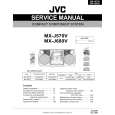
JVC MXJ680V
Instrukcja Obsługi


Tweetnij o tym produkcie a dostaniesz $1.00 rabatu!
  • Plik do pobrania
  • Format PDF
  • Kompletna instrukcja
  • Język: English
Cena: $4.99

Opis JVC MXJ680V Instrukcja Obsługi

Kompletna instrukcja obsługi w formie pliku PDF. Plik PDF zostanie dostarczony na Twój adres email po jego zakupieniu.

Instrukcje obsługi (czasami nazywane także podręcznikiem użytkownika) opisuja funkcje i sposób działania danego produktu.

Instrukcja jest dostępna w następujących językach: English

Plik nie jest jeszcze gotowy
Musisz najpierw dokonać zakupu.

Recenzje produktu
Dla tego produktu nie napisano jeszcze recenzji!

Tekstowy podgląd strony 17 (kliknij aby zobaczyć)
Listening to FM and AM Broadcasts
Tuning in a Station
On the unit ONLY:

1 Press FM/AM.
The unit automatically turns on and tunes in the previously tuned station (either FM or AM). The Powered Rolling Panel automatically opens. � Each time you press the button, the band alternates between FM and AM.

1 Tune in the station you want to preset.
� See �Tuning in a Station.�
MHz

2 Press SET.

2 Start searching for stations.
On the unit: Press and hold TUNING � / + for more than 1 second. On the remote control: Press and hold 1 / 4 or ¢ / ¡ for more than 1 second.

3 Press PRESET � / + to select a
preset number.
PREV NEXT

The unit starts searching for stations and stops when a station of sufficient signal strength is tuned in. If a program is broadcast in stereo, the STEREO indicator lights up. To stop during searching, press TUNING � / + (or 1 / 4, ¢ / ¡).

4 Press SET again.

The tuned station in step 1 is stored in the preset number selected in step 3. � Storing a new station on a used number erases the previously stored one.
When you unplug the AC power cord or if a power failure occurs The preset stations will be erased in a few days. If this happens, preset the stations again.

When you press TUNING � / + (or 1 / 4, ¢ / ¡) briefly and repeatedly The frequency changes step by step.

To change the FM reception mode

FM MODE STILL

When an FM stereo broadcast is hard to receive or noisy, press FM MODE (STILL) on the remote control so that the MONO indicator lights up on the display. Reception improves. To restore the stereo effect, press FM MODE (STILL) again so that the MONO indicator goes off. In this stereo mode, you can hear stereo sounds when a program is broadcast in stereo.

Tuning in a Preset Station

1 Press FM/AM.

The unit automatically turns on and tunes in the previously tuned station (either FM or AM). The Powered Rolling Panel automatically opens. � Each time you press the button, the band alternates between FM and AM.

Presetting Stations
You can preset 30 FM and 15 AM stations. In some cases, test frequencies have been already memorized for the tuner since the factory examined the tuner preset function before shipment. This is not a malfunction. You can preset the stations you want into memory by following the presetting method. � There is a time limit for performing the following steps. If the setting is canceled before you finish, start from step 1 again.

2 Select a preset number.
On the unit: Press PRESET � / +. On the remote control: Press the number buttons.
For preset number 5, press 5. For preset number 15, press +10 then 5. For preset number 20, press +10, then 10. For preset number 25, press +10, +10, then 5. For preset number 30, press +10, +10, then 10.

� 12 �

English

Klienci kupując ten produkt kupili także

$4.99

MXJ680V JVC
Instrukcja Serwisowa

Kompletna instrukcja serwisowa w formie pliku PDF. Instrukcje serwisowe zazwyczaj zawierają schemat…
>
Parse Time: 0.506 - Number of Queries: 381 - Query Time: 0.216