KV1441WR Ilość: 1
$4.99
» Pokaż Szczegóły
DU900PWKB0 Ilość: 1
$4.99
» Pokaż Szczegóły
MAX 169 Ilość: 1
$4.99
» Pokaż Szczegóły
PRO86600IM,10662 Ilość: 1
$4.99
» Pokaż Szczegóły
MW738LO Ilość: 1
$4.99
» Pokaż Szczegóły
CT3558/000APMEA Ilość: 1
$4.99
» Pokaż Szczegóły
KXTC1200SAB Ilość: 1
$4.99
» Pokaż Szczegóły
RE960PXVW4 Ilość: 1
$4.99
» Pokaż Szczegóły
R-610A(W) Ilość: 1
$4.99
» Pokaż Szczegóły
P7302 SLV Ilość: 1
$4.99
» Pokaż Szczegóły
645 383 10 Ilość: 1
$4.99
» Pokaż Szczegóły
20070F-WS Ilość: 1
$4.99
» Pokaż Szczegóły
XP-SP910AUB Ilość: 1
$4.99
» Pokaż Szczegóły
SV-3900 Ilość: 1
$4.99
» Pokaż Szczegóły
LA5430XPW5 Ilość: 1
$4.99
» Pokaż Szczegóły
LV117 Ilość: 1
$4.99
» Pokaż Szczegóły
CGX310VW0 Ilość: 1
$4.99
» Pokaż Szczegóły
ARL 100-K/G/01 GB Ilość: 1
$4.99
» Pokaż Szczegóły
RT18DKXKQ01 Ilość: 1
$4.99
» Pokaż Szczegóły
EMCHS 7244 IN Ilość: 1
$4.99
» Pokaż Szczegóły
MT1151SGQ0 Ilość: 1
$4.99
» Pokaż Szczegóły
32JF-74E Ilość: 1
$4.99
» Pokaż Szczegóły
EXP510 Ilość: 1
$4.99
» Pokaż Szczegóły
PXC 310 BT Ilość: 1
$4.99
» Pokaż Szczegóły
WS73909 Ilość: 1
$4.99
» Pokaż Szczegóły
XRH100 Ilość: 1
$4.99
» Pokaż Szczegóły
KGEA 3500/1 Ilość: 1
$4.99
» Pokaż Szczegóły
KVB2911K Ilość: 1
$4.99
» Pokaż Szczegóły
GSI 4876 CTW-WS Ilość: 1
$4.99
» Pokaż Szczegóły
CA-UXM33 Ilość: 1
$4.99
» Pokaż Szczegóły
TX21F1T Ilość: 1
$4.99
» Pokaż Szczegóły
7CM3209 Ilość: 1
$4.99
» Pokaż Szczegóły
XRC6100 Ilość: 1
$4.99
» Pokaż Szczegóły
854626801720 Ilość: 1
$4.99
» Pokaż Szczegóły
HR2898/00 Ilość: 1
$4.99
» Pokaż Szczegóły
CCD-F365PAK Ilość: 1
$4.99
» Pokaż Szczegóły
IH4302SS0 Ilość: 1
$4.99
» Pokaż Szczegóły
E1000-3-D Ilość: 1
$4.99
» Pokaż Szczegóły
SRFSX906 Ilość: 1
$4.99
» Pokaż Szczegóły
NV-HD640AM Ilość: 1
$4.99
» Pokaż Szczegóły
CT6508/ABISA0IT Ilość: 1
$4.99
» Pokaż Szczegóły
CDX-FM677/XN/UC Ilość: 1
$4.99
» Pokaż Szczegóły
WTW5590SQ0 Ilość: 1
$4.99
» Pokaż Szczegóły
LSW9700PQ0 Ilość: 1
$4.99
» Pokaż Szczegóły
KP-53S17 Ilość: 1
$4.99
» Pokaż Szczegóły
KAC1021 Ilość: 1
$4.99
» Pokaż Szczegóły
KSRC25FVMS00 Ilość: 1
$4.99
» Pokaż Szczegóły
INCLINATA 900 IX Ilość: 1
$4.99
» Pokaż Szczegóły
SATELLITE Ilość: 1
$4.99
» Pokaż Szczegóły
KBCA06XPBS00 Ilość: 1
$4.99
» Pokaż Szczegóły
KSEA400A/B/C/E/G/J Ilość: 1
$4.99
» Pokaż Szczegóły
DNV 5360 SG Ilość: 1
$4.99
» Pokaż Szczegóły
MX5700D25S Ilość: 1
$4.99
» Pokaż Szczegóły
ARC 4208 IX Ilość: 1
$4.99
» Pokaż Szczegóły
TC 2250/WH Ilość: 1
$4.99
» Pokaż Szczegóły
NSXS509K Ilość: 1
$4.99
» Pokaż Szczegóły
G2P 61F/01 SS Ilość: 1
$4.99
» Pokaż Szczegóły
DV-3701-G/RAXCN Ilość: 1
$4.99
» Pokaż Szczegóły
GV220VPT/PDC Ilość: 1
$4.99
» Pokaż Szczegóły
AKG 957/AV Ilość: 1
$4.99
» Pokaż Szczegóły
KXTA308NZ Ilość: 1
$4.99
» Pokaż Szczegóły
GR-D70AC Ilość: 1
$4.99
» Pokaż Szczegóły
21PT4475/05 Ilość: 1
$4.99
» Pokaż Szczegóły
LPR 602 Ilość: 1
$4.99
» Pokaż Szczegóły
TRI22S4L Ilość: 1
$4.99
» Pokaż Szczegóły
AFC0701AW Ilość: 1
$4.99
» Pokaż Szczegóły
MH2155XPB1 Ilość: 1
$4.99
» Pokaż Szczegóły
229810 Ilość: 1
$4.99
» Pokaż Szczegóły
HIT600N Ilość: 1
$4.99
» Pokaż Szczegóły
CREDO 7670ZPW Ilość: 1
$4.99
» Pokaż Szczegóły
008.731.2 Ilość: 1
$4.99
» Pokaż Szczegóły
AN17K CHASSIS Ilość: 1
$4.99
» Pokaż Szczegóły
8ET21DKXDG04 Ilość: 1
$4.99
» Pokaż Szczegóły
ZCC6637X Ilość: 1
$4.99
» Pokaż Szczegóły
TT18AKXBW00 Ilość: 1
$4.99
» Pokaż Szczegóły
W sumie: $374.25
 
English Polski Spanish 
Szukaj instrukcji do
 

(e.g. AA-V20EG JVC, ZX-7 Sony )
PayPal 1000+ rating Secure, Encrypted Checkout.
 
Kategorie
Informacje
Polecamy
Strona główna >> JVC >> MX-K10R Instrukcja Obsługi
 
 75 szt. w koszyku 

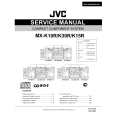
JVC MX-K10R
Instrukcja Obsługi


Tweetnij o tym produkcie a dostaniesz $1.00 rabatu!
  • Plik do pobrania
  • Format PDF
  • Kompletna instrukcja
  • Język: English, Russian, Czech, Polish, Hungarian
Cena: $4.99

Opis JVC MX-K10R Instrukcja Obsługi

Kompletna instrukcja obsługi w formie pliku PDF. Plik PDF zostanie dostarczony na Twój adres email po jego zakupieniu.

Instrukcje obsługi (czasami nazywane także podręcznikiem użytkownika) opisuja funkcje i sposób działania danego produktu.

Instrukcja jest dostępna w następujących językach: English, Russian, Czech, Polish, Hungarian

Plik nie jest jeszcze gotowy
Musisz najpierw dokonać zakupu.

Recenzje produktu
Dla tego produktu nie napisano jeszcze recenzji!

Tekstowy podgląd strony 13 (kliknij aby zobaczyć)
Using the Tuner

CAUTION:
� In AM (MW/LW) broadcast, reception sensitivity will be changed by turning the AM (MW/LW) loop antenna. Turn the AM (MW/LW) loop antenna for best reception.

� Even if the System is unplugged or if the power failure occurs, the preset stations will be stored for a few days. However, in case the preset stations are erased, you will need to preset the stations again.

Presetting Stations
You can preset up to 30 FM stations and up to 15 AM (MW/LW) stations.

To Change the FM Reception Mode
When you are tuned in to an FM stereo broadcast, the �ST (Stereo)� indicator lights up and you can hear stereo effects. If an FM stereo broadcast is hard to receive or noisy, you can select Monaural mode. Reception improves, but you lose stereo effect. Press the FM MODE button on the Remote Control so that the �MONO� indicator lights up on the display.
FM MODE

� Preset numbers may have been set to factory test frequencies prior to shipment. This is not a malfunction. You can preset the stations you want into memory by following one of the presetting methods below. � During presetting stations, if no button operation is made for 5 seconds, the display returns to the band/frequency display. In this case, repeat steps from the beginning.

ST
FM / AM
TUNING
SET

MONO

or

SET

To restore the stereo effect, press the FM MODE button on the Remote Control so that the �MONO� indicator goes off.

FM=30, AM=15

When changing the Band

Using the Unit

1 2 3 4

Select a band by pressing the FM/AM button. Press the station.

22

or

¡

button to tune in a

Press the SET button.
�SET� will blink for 5 seconds.

Press the 4 or preset number.
¢: 4:

¢ button

to select the

Increases the preset number by 1. Decreases the preset number by 1.

5 6

Press the SET button.
�STORED� appears and, after 2 seconds, the display returns to the band/frequency display.

Repeat above steps 1 to 5 for each station you want to store in memory with a preset number.

To change the preset stations, repeat the same steps as above.

� In step 4, you can select the preset number using the numeric keys on the Remote Control. See �Entering the Number with the Remote Control� on page 8.

10

Klienci kupując ten produkt kupili także

$4.99

MXK10R/ JVC
Instrukcja Serwisowa

Kompletna instrukcja serwisowa w formie pliku PDF. Instrukcje serwisowe zazwyczaj zawierają schemat…
>
Parse Time: 1.125 - Number of Queries: 365 - Query Time: 0.636