AD25TH0 Ilość: 1
$4.99
» Pokaż Szczegóły
RH4936XWS1 Ilość: 1
$4.99
» Pokaż Szczegóły
KSRK22ILWH02 Ilość: 1
$4.99
» Pokaż Szczegóły
301 237 40 Ilość: 1
$4.99
» Pokaż Szczegóły
WERE3100PQ1 Ilość: 1
$4.99
» Pokaż Szczegóły
RF330PXYW1 Ilość: 1
$4.99
» Pokaż Szczegóły
20RU-D1 600 Ilość: 1
$4.99
» Pokaż Szczegóły
VRC602MG99 Ilość: 1
$4.99
» Pokaż Szczegóły
YKERC507DQ2 Ilość: 1
$4.99
» Pokaż Szczegóły
AWZ 3427 WP Ilość: 1
$4.99
» Pokaż Szczegóły
W sumie: $49.90
 
English Polski Spanish 
Szukaj instrukcji do
 

(e.g. AA-V20EG JVC, ZX-7 Sony )
PayPal 1000+ rating Secure, Encrypted Checkout.
 
Kategorie
Informacje
Polecamy
Strona główna >> SONY >> PCGR505EL Instrukcja Obsługi
 
 10 szt. w koszyku 

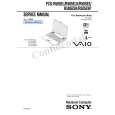
SONY PCGR505EL
Instrukcja Obsługi


Tweetnij o tym produkcie a dostaniesz $1.00 rabatu!
  • Plik do pobrania
  • Format PDF
  • Kompletna instrukcja
  • Język: English
Cena: $4.99

Opis SONY PCGR505EL Instrukcja Obsługi

Kompletna instrukcja obsługi w formie pliku PDF. Plik PDF zostanie dostarczony na Twój adres email po jego zakupieniu.

Instrukcje obsługi (czasami nazywane także podręcznikiem użytkownika) opisuja funkcje i sposób działania danego produktu.

Instrukcja jest dostępna w następujących językach: English

Plik nie jest jeszcze gotowy
Musisz najpierw dokonać zakupu.

Recenzje produktu
Dla tego produktu nie napisano jeszcze recenzji!

Tekstowy podgląd strony 133 (kliknij aby zobaczyć)
MovieShaker Software

Shake tray

Shake tab

Shake pattern tray

Shake! button Playback buttons

3 4 5

Click the Shake! button. A 30-second movie is automatically generated. Optional: Add text to your new movie by clicking on the Input button. To preview, rewind, or fast forward your movie, use the Playback buttons.

� Scenes created with the Shake feature begin with a black screen in the Shake tray
window. Your scenes appear during movie playback. You can improve the image quality produced by the Shake feature (at the cost of longer Shake times) by turning off the �Shorten the Shake time� feature in the General panel of the Setting dialog box. See the Menu reference section of the online Help file for details.

Adding effects to a scene or a clip 1 2 Double-click or drag the desired clip or scene to move it to the Story Board tray. Click the Effect button on the Effect tray.

41

Klienci kupując ten produkt kupili także

$4.99

PCGR505EL SONY
Instrukcja Serwisowa

Kompletna instrukcja serwisowa w formie pliku PDF. Instrukcje serwisowe zazwyczaj zawierają schemat…
>
Parse Time: 0.234 - Number of Queries: 126 - Query Time: 0.057