BGX170-1 Ilość: 1
$4.99
» Pokaż Szczegóły
TPVS610 YBYUBBYLB/ Ilość: 1
$4.99
» Pokaż Szczegóły
RF368LXKT1 Ilość: 1
$4.99
» Pokaż Szczegóły
STRDE545 Ilość: 1
$4.99
» Pokaż Szczegóły
C28WK1N Ilość: 1
$4.99
» Pokaż Szczegóły
EV150FXXN00 Ilość: 1
$4.99
» Pokaż Szczegóły
ARN2930 Ilość: 1
$4.99
» Pokaż Szczegóły
AX2003/01 Ilość: 1
$4.99
» Pokaż Szczegóły
PVGS31 Ilość: 1
$4.99
» Pokaż Szczegóły
7056L Ilość: 1
$4.99
» Pokaż Szczegóły
GSI 4895 TW IN Ilość: 1
$4.99
» Pokaż Szczegóły
CT3508/AKTSA0TR Ilość: 1
$4.99
» Pokaż Szczegóły
AKL 829 IX Ilość: 1
$4.99
» Pokaż Szczegóły
6GD25DCXHW05 Ilość: 1
$4.99
» Pokaż Szczegóły
BX500 Ilość: 1
$4.99
» Pokaż Szczegóły
CITATION24 Ilość: 1
$4.99
» Pokaż Szczegóły
TC 2220 / White Ilość: 1
$4.99
» Pokaż Szczegóły
RSAZ7 SUPPLEMENT Ilość: 1
$4.99
» Pokaż Szczegóły
KBRP36FKS02 Ilość: 1
$4.99
» Pokaż Szczegóły
ZFD50R Ilość: 1
$4.99
» Pokaż Szczegóły
14GR1227/42B Ilość: 1
$4.99
» Pokaż Szczegóły
GR-DVM55EG(S) Ilość: 1
$4.99
» Pokaż Szczegóły
ED20TQXFT02 Ilość: 1
$4.99
» Pokaż Szczegóły
GH6178XPQ0 Ilość: 1
$4.99
» Pokaż Szczegóły
AKT 352/IX Ilość: 1
$4.99
» Pokaż Szczegóły
PVM14N5MDE Ilość: 1
$4.99
» Pokaż Szczegóły
CFS-914 Ilość: 1
$4.99
» Pokaż Szczegóły
DZMV730E Ilość: 1
$4.99
» Pokaż Szczegóły
3CSP2760BN0 Ilość: 1
$4.99
» Pokaż Szczegóły
EMZA 4462 IN Ilość: 1
$4.99
» Pokaż Szczegóły
LSC9245BQ1 Ilość: 1
$4.99
» Pokaż Szczegóły
LC15A2E Ilość: 1
$4.99
» Pokaż Szczegóły
SAHT15 Ilość: 1
$4.99
» Pokaż Szczegóły
AV-25V311/V Ilość: 1
$4.99
» Pokaż Szczegóły
CD5301S/73 Ilość: 1
$4.99
» Pokaż Szczegóły
AKP 765/01 IX Ilość: 1
$4.99
» Pokaż Szczegóły
HOO 440 S Ilość: 1
$4.99
» Pokaż Szczegóły
2WRT14JKS8B0 Ilość: 1
$4.99
» Pokaż Szczegóły
038.244.0 Ilość: 1
$4.99
» Pokaż Szczegóły
14PV354/07 Ilość: 1
$4.99
» Pokaż Szczegóły
CDJ-100S/NKXJ Ilość: 1
$4.99
» Pokaż Szczegóły
7MLGQ8857JT4 Ilość: 1
$4.99
» Pokaż Szczegóły
MTB1452VRW00 Ilość: 1
$4.99
» Pokaż Szczegóły
EGF957X1 Ilość: 1
$4.99
» Pokaż Szczegóły
MRU3300/17 Ilość: 1
$4.99
» Pokaż Szczegóły
DU1101XTPB7 Ilość: 1
$4.99
» Pokaż Szczegóły
VR57039 Ilość: 1
$4.99
» Pokaż Szczegóły
TAWS700BN0 Ilość: 1
$4.99
» Pokaż Szczegóły
25HT5403/21R Ilość: 1
$4.99
» Pokaż Szczegóły
X-A380/DBDXJ/AR Ilość: 1
$4.99
» Pokaż Szczegóły
GD27DQXFW02 Ilość: 1
$4.99
» Pokaż Szczegóły
606.446 Ilość: 1
$4.99
» Pokaż Szczegóły
OEKO LAVAMAT 74730 UPDATE Ilość: 1
$4.99
» Pokaż Szczegóły
S1850-4KS Ilość: 1
$4.99
» Pokaż Szczegóły
MCD-CM550 Ilość: 1
$4.99
» Pokaż Szczegóły
AX501217 Ilość: 1
$4.99
» Pokaż Szczegóły
KEBI240SBL0 Ilość: 1
$4.99
» Pokaż Szczegóły
5FG CHASSIS Ilość: 1
$4.99
» Pokaż Szczegóły
PRO 80510I D10120 Ilość: 1
$4.99
» Pokaż Szczegóły
GT4175SPB1 Ilość: 1
$4.99
» Pokaż Szczegóły
PDSTDRW02 Ilość: 1
$4.99
» Pokaż Szczegóły
ARZ 560/H/SILVER Ilość: 1
$4.99
» Pokaż Szczegóły
RF368LXMS0 Ilość: 1
$4.99
» Pokaż Szczegóły
PC-1271M Ilość: 1
$4.99
» Pokaż Szczegóły
AKR 3701/IX Ilość: 1
$4.99
» Pokaż Szczegóły
22RN712/15 Ilość: 1
$4.99
» Pokaż Szczegóły
KSRG22FKWH03 Ilość: 1
$4.99
» Pokaż Szczegóły
KSRL25IMSS00 Ilość: 1
$4.99
» Pokaż Szczegóły
WAK/D 8729 Ilość: 1
$4.99
» Pokaż Szczegóły
CM8833 MK II Ilość: 1
$4.99
» Pokaż Szczegóły
FGP337GQ0 Ilość: 1
$4.99
» Pokaż Szczegóły
VGNT17C Ilość: 1
$4.99
» Pokaż Szczegóły
ZOB690SN Ilość: 1
$4.99
» Pokaż Szczegóły
KDDT207BWH5 Ilość: 1
$4.99
» Pokaż Szczegóły
TX25MD2C SUPPLEM Ilość: 1
$4.99
» Pokaż Szczegóły
RT18BKXDN01 Ilość: 1
$4.99
» Pokaż Szczegóły
KSRS27QAWH11 Ilość: 1
$4.99
» Pokaż Szczegóły
W sumie: $384.23
 
English Polski Spanish 
Szukaj instrukcji do
 

(e.g. AA-V20EG JVC, ZX-7 Sony )
PayPal 1000+ rating Secure, Encrypted Checkout.
 
Kategorie
Informacje
Polecamy
Strona główna >> TOSHIBA >> RD-XS24SB Instrukcja Obsługi
 
 77 szt. w koszyku 

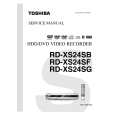
TOSHIBA RD-XS24SB
Instrukcja Obsługi


Tweetnij o tym produkcie a dostaniesz $1.00 rabatu!
  • Plik do pobrania
  • Format PDF
  • Kompletna instrukcja
  • Język: English
Cena: $4.99

Opis TOSHIBA RD-XS24SB Instrukcja Obsługi

Kompletna instrukcja obsługi w formie pliku PDF. Plik PDF zostanie dostarczony na Twój adres email po jego zakupieniu.

Instrukcje obsługi (czasami nazywane także podręcznikiem użytkownika) opisuja funkcje i sposób działania danego produktu.

Instrukcja jest dostępna w następujących językach: English

Plik nie jest jeszcze gotowy
Musisz najpierw dokonać zakupu.

Recenzje produktu
Dla tego produktu nie napisano jeszcze recenzji!

Tekstowy podgląd strony 38 (kliknij aby zobaczyć)
Recording Recording a TV programme (Continued)

Notes � The number of titles cannot exceed 99 for a DVD-RAM/RW/R disc or 396 for the HDD. � One continuous recording cannot exceed in any case 8 hours. Recording automatically stops at 8 hours. � You cannot start recording immediately before a programmed recording starts. � During monaural sound recording, the same sound is recorded on both the left and right channels. � When �Audio� is set to �L-PCM�, multi-channel sound is recorded as stereo sound. When playing this recorded sound, you will hear NICAM Mode I and NICAM Mode II sounds simultaneously. Press the AUDIO button to select a desired sound. � When �DVD compatible mode� is set to �On (Mode I)� or �On (Mode II)�, the unit records the same sounds on both the left and right channels when receiving monaural sound. When receiving the NICAM Mode I/Mode II sound, the selected sound, Mode I or Mode II, is recorded on both the left and right channels. � Depending on the disc condition, pressing the REC button may take a longer time to start recording. � When a starting time of a programmed recording comes, a recording in execution is stopped and the programmed recording starts. If you do not want to stop the recording, cancel the timer program before it starts. � Even if you set �Aspect ratio(video mode)� ( page 28) to �16:9�, images are recorded in 4:3 aspect ratio when using a DVD-R or DVD-RW disc with �Pict.� set to �1.0� (Mbps) or �1.4� (Mbps).

To stop recording
Press STOP.

To set an end time of a recording which is in progress
1) During recording, press QUICK MENU. The Quick Menu appears. 2) Press / ENTER . to select �End time� then press

To pause recording (to omit an unnecessary portion)
During recording, press PAUSE. To resume recording, press it again.
Note � While recording onto a DVD disc, pressing PAUSE on the recorder automatically creates a new chapter division at that point.

3) Press / to select the recording end time and power condition after the recording finishes. ( / to shift the cursor.) End time: Set the hour and minute. Pwr Off: On: Power will be on also after the recording. Off: Power will turn off after the recording. 4) Press ENTER.
Notes � By setting an end time, it is memorized as a programmed one, and the indicator in the front panel display illuminates to indicate that the recorder holds a timer program of recording. � The programmed end time must be set for 5 minutes later than the current time.

To change a TV channel to be recorded
1) During recording, press PAUSE. Recording pauses. 2) Press CHANNEL to change the channel. 3) Press PAUSE to resume recording.

To view a TV programme while recording another
1) Start recording on this recorder. 2) Press TV/DVR. 3) Using the channel selector of the TV, select a desired channel on the TV. If you press the TV/DVR button again, you will go back to the display that you are recording.
Note � This function is available only when the TV is connected to the AV1 (TV) socket.

38
RD-XS24SB_Ope_E_p037-041 38 11/29/05, 12:22 PM

Klienci kupując ten produkt kupili także

$4.99

RD-XS24SB TOSHIBA
Schematy

Zestaw schematów dla tego urządzenia. Plik PDF zawierający schematy bę™dzie dostarczony na Twó…

$4.99

RD-XS24SB TOSHIBA
Instrukcja Serwisowa

Kompletna instrukcja serwisowa w formie pliku PDF. Instrukcje serwisowe zazwyczaj zawierają schemat…
>
Parse Time: 1.746 - Number of Queries: 374 - Query Time: 1.151