ICFC600L Ilość: 1
$4.99
» Pokaż Szczegóły
HR1340/20 Ilość: 1
$4.99
» Pokaż Szczegóły
S2530-2KA Ilość: 1
$4.99
» Pokaż Szczegóły
XS-MP62 Ilość: 1
$4.99
» Pokaż Szczegóły
KS821 Ilość: 1
$4.99
» Pokaż Szczegóły
HS-80 Ilość: 1
$4.99
» Pokaż Szczegóły
L 526 Ilość: 1
$4.99
» Pokaż Szczegóły
S-VW02/DDFXJI Ilość: 1
$4.99
» Pokaż Szczegóły
Arizona DJ70 Ilość: 1
$4.99
» Pokaż Szczegóły
E31412-2-M Ilość: 1
$4.99
» Pokaż Szczegóły
AKZ 445 IX Ilość: 1
$4.99
» Pokaż Szczegóły
OBI 108 S Ilość: 1
$4.99
» Pokaż Szczegóły
KD28DX50U Ilość: 1
$4.99
» Pokaż Szczegóły
STU801 Ilość: 1
$4.99
» Pokaż Szczegóły
14PV111/01/07/58 Ilość: 1
$4.99
» Pokaż Szczegóły
AX3 Ilość: 1
$4.99
» Pokaż Szczegóły
ADG 6554/1NBM Ilość: 1
$4.99
» Pokaż Szczegóły
CB21F32ZSXXEC Ilość: 1
$4.99
» Pokaż Szczegóły
BG163A-2B Ilość: 1
$4.99
» Pokaż Szczegóły
T51S43TC Ilość: 1
$4.99
» Pokaż Szczegóły
HM404 Ilość: 1
$4.99
» Pokaż Szczegóły
LDR3822DQ3 Ilość: 1
$4.99
» Pokaż Szczegóły
VH3060 Ilość: 1
$4.99
» Pokaż Szczegóły
HS-JX3000D Ilość: 1
$4.99
» Pokaż Szczegóły
OVERTURE3 Ilość: 1
$4.99
» Pokaż Szczegóły
ADL 941/1 WH Ilość: 1
$4.99
» Pokaż Szczegóły
AV21LMT3/C Ilość: 1
$4.99
» Pokaż Szczegóły
GC3020/02 Ilość: 1
$4.99
» Pokaż Szczegóły
LCX107 EZ LH HAT H Ilość: 1
$4.99
» Pokaż Szczegóły
TR ETN1221V SCA Ilość: 1
$4.99
» Pokaż Szczegóły
DKE 3390 SW Ilość: 1
$4.99
» Pokaż Szczegóły
KEYSTATION61 Ilość: 1
$4.99
» Pokaż Szczegóły
RR100 Ilość: 1
$4.99
» Pokaż Szczegóły
KP26M1XSV5 Ilość: 1
$4.99
» Pokaż Szczegóły
DFV43BE Ilość: 1
$4.99
» Pokaż Szczegóły
XV-M556TNUX Ilość: 1
$4.99
» Pokaż Szczegóły
W sumie: $179.64
 
English Polski Spanish 
Szukaj instrukcji do
 

(e.g. AA-V20EG JVC, ZX-7 Sony )
PayPal 1000+ rating Secure, Encrypted Checkout.
 
Kategorie
Informacje
Polecamy
Strona główna >> JVC >> RX-D212BC Instrukcja Obsługi
 
 36 szt. w koszyku 

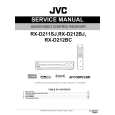
JVC RX-D212BC
Instrukcja Obsługi


Tweetnij o tym produkcie a dostaniesz $1.00 rabatu!
  • Plik do pobrania
  • Format PDF
  • Kompletna instrukcja
  • Język: English
Cena: $4.99

Opis JVC RX-D212BC Instrukcja Obsługi

Kompletna instrukcja obsługi w formie pliku PDF. Plik PDF zostanie dostarczony na Twój adres email po jego zakupieniu.

Instrukcje obsługi (czasami nazywane także podręcznikiem użytkownika) opisuja funkcje i sposób działania danego produktu.

Instrukcja jest dostępna w następujących językach: English

Plik nie jest jeszcze gotowy
Musisz najpierw dokonać zakupu.

Recenzje produktu
Dla tego produktu nie napisano jeszcze recenzji!
Recenzje innych produktów
 CLD3760K PIONEER Instrukcja Obsługi by Sebastian Twardowski;
Dobrej jakości skan - wkońcu mogłem poznać wszystkie funkcje tego odtwarzacza - polecam .
 CDV475 PHILIPS Instrukcja Obsługi by Sebastian Twardowski;
Gruba instrukcja - poprostu wszystko co potrzreba - polecam .

Tekstowy podgląd strony 14 (kliknij aby zobaczyć)
Basic operations

2 Select the source to play
On the front panel: Turn SOURCE SELECTOR until the source name you want appears on the display.
The source lamp corresponding to the selected source lights in red. � As you turn SOURCE SELECTOR, the source changes as follows:
ANALOG L S.WFR R AUTO SURR TUNED STEREO AUTO MUTING

1

22

3
DVR/DVD VCR DBS TV (SIRIUS*1) USB XM FM AM
(Back to the beginning)

MHz

Source lamps
DVR/DVD*2: Select this for the DVD recorder or DVD player. Select this for the VCR. Select this for the DBS tuner. Select this for the TV. Select this for the SIRIUS Satellite Radio. Select this for the PC component. Select this for the XM Satellite Radio. Select this for an FM broadcast. Select this for an AM broadcast. VCR* : DBS*2: TV*1,2: SIRIUS*1: USB: XM: FM: AM:
2

1 2

3

1 4 7 10

2 5 8 0

3 6 9 10

From the remote control: Press one of the source selecting buttons.
� For �FM� and �AM,� press FM/AM. Each time you press FM/AM, the mode alternates between �FM� and �AM.�

*1 Changing the source name of TV/SIRIUS input
On the front panel only: Press SET when �TV� is selected as the source.
� �ASSIGN SIRIUS� appears on the display for a while.
ANALOG L S.WFR R AUTO SURR

1 Turn on the power
Press STANDBY/ON (or AUDIO on the remote control).
The standby lamp goes off and the source lamp of the current source lights in red.

� When you change the source name to �TV,� press SET when �SIRIUS� is selected as the source. �ASSIGN TV� appears on the display for a while. NOTE When you change the source name to �SIRIUS,� you cannot select �TV� as the source.

Current source name appears.
ANALOG L S.WFR MHz R AUTO SURR TUNED STEREO AUTO MUTING

*2 Selecting the analog or digital input mode
You need to select the proper input mode according to the connection method (analog or digital) on pages 7 to 10. � In case of digital connection, you also need to select the correct digital input terminal. (See �Setting the digital input (DIGITAL IN) terminals�DIGITAL IN 1/2/3� on page 25.) � �DIGITAL AUTO� and �ANALOG� setting are memorized for each source.

To turn off the power (into standby)
Press STANDBY/ON (or AUDIO on the remote control) again. The standby lamp lights in red. NOTE A small amount of power is consumed in standby mode. To turn the power off completely, unplug the AC power cord.

12

Klienci kupując ten produkt kupili także

$4.99

RX-D212BC JVC
Instrukcja Serwisowa

Kompletna instrukcja serwisowa w formie pliku PDF. Instrukcje serwisowe zazwyczaj zawierają schemat…
>
Parse Time: 0.581 - Number of Queries: 242 - Query Time: 0.242