CV710 Ilość: 1
$4.99
» Pokaż Szczegóły
FW-R88/22 Ilość: 1
$4.99
» Pokaż Szczegóły
ACM102XH0 Ilość: 1
$4.99
» Pokaż Szczegóły
ZDF100 Ilość: 1
$4.99
» Pokaż Szczegóły
DIGIVISION5581 Ilość: 1
$4.99
» Pokaż Szczegóły
AXC15 Ilość: 1
$4.99
» Pokaż Szczegóły
CD-A30 Ilość: 1
$4.99
» Pokaż Szczegóły
PROFL3572 Ilość: 1
$4.99
» Pokaż Szczegóły
AWV 708/2 Ilość: 1
$4.99
» Pokaż Szczegóły
WVF15 Ilość: 1
$4.99
» Pokaż Szczegóły
FGP215VW6 Ilość: 1
$4.99
» Pokaż Szczegóły
TT95E Ilość: 1
$4.99
» Pokaż Szczegóły
CD-67MKIISE Ilość: 1
$4.99
» Pokaż Szczegóły
LYRIC 50GR Ilość: 1
$4.99
» Pokaż Szczegóły
MXP17F Ilość: 1
$4.99
» Pokaż Szczegóły
DU850SWLB0 Ilość: 1
$4.99
» Pokaż Szczegóły
OBI B31 W Ilość: 1
$4.99
» Pokaż Szczegóły
KN15E1XSB0 Ilość: 1
$4.99
» Pokaż Szczegóły
SA20 Ilość: 1
$4.99
» Pokaż Szczegóły
VR237 Ilość: 1
$4.99
» Pokaż Szczegóły
BZG2 Ilość: 1
$4.99
» Pokaż Szczegóły
KXTCM418AL Ilość: 1
$4.99
» Pokaż Szczegóły
ED25CQXFB04 Ilość: 1
$4.99
» Pokaż Szczegóły
CS505-1 Ilość: 1
$4.99
» Pokaż Szczegóły
LE5760XSW1 Ilość: 1
$4.99
» Pokaż Szczegóły
SF250 Ilość: 1
$4.99
» Pokaż Szczegóły
M63281/8IDTV/LO Ilość: 1
$4.99
» Pokaż Szczegóły
DB338R/RB Ilość: 1
$4.99
» Pokaż Szczegóły
KEH-P4750/XIN/ES Ilość: 1
$4.99
» Pokaż Szczegóły
7592/2 Ilość: 1
$4.99
» Pokaż Szczegóły
AWM 5062/2 Ilość: 1
$4.99
» Pokaż Szczegóły
ART 993/H Ilość: 1
$4.99
» Pokaż Szczegóły
ICF25 Ilość: 1
$4.99
» Pokaż Szczegóły
FE257T Ilość: 1
$4.99
» Pokaż Szczegóły
004699 Ilość: 1
$4.99
» Pokaż Szczegóły
HV32D25EUW/A Ilość: 1
$4.99
» Pokaż Szczegóły
KG25H0XBK4 Ilość: 1
$4.99
» Pokaż Szczegóły
MTF2193ARW Ilość: 1
$4.99
» Pokaż Szczegóły
RM988PXSW0 Ilość: 1
$4.99
» Pokaż Szczegóły
X-HTD88/DDXJ1/RA Ilość: 1
$4.99
» Pokaż Szczegóły
7MWGD8500SR0 Ilość: 1
$4.99
» Pokaż Szczegóły
KV27XSTA Ilość: 1
$4.99
» Pokaż Szczegóły
TC790 Ilość: 1
$4.99
» Pokaż Szczegóły
W sumie: $214.57
 
English Polski Spanish 
Szukaj instrukcji do
 

(e.g. AA-V20EG JVC, ZX-7 Sony )
PayPal 1000+ rating Secure, Encrypted Checkout.
 
Kategorie
Informacje
Polecamy
Strona główna >> SONY >> STR-DA5000ES Instrukcja Serwisowa
 
 43 szt. w koszyku 

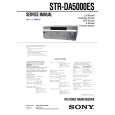
SONY STR-DA5000ES
Instrukcja Serwisowa


Tweetnij o tym produkcie a dostaniesz $1.00 rabatu!
  • Zawiera schematy
  • Plik do pobrania
  • Format PDF
  • Kompletna instrukcja
  • Język: English
Cena: $4.99

Opis SONY STR-DA5000ES Instrukcja Serwisowa

Kompletna instrukcja serwisowa w formie pliku PDF. Instrukcje serwisowe zazwyczaj zawierają schematy, diagramy drukowanych obwodów (PCB), schematy połączeń, schematy blokowe oraz katalog części. Instrukcje serwisowe są wykorzystywane glównie przez osoby naprawiające uszkodzony sprzęt.

Jeśli chcesz się dowiedzieć jak się obsługuje Twój telewizor, magnetowid, odtwarzacz mp3 itp. powinieneś raczej szukać instrukcji obsługi

Instrukcja jest dostępna w następujących językach: English

Plik nie jest jeszcze gotowy
Musisz najpierw dokonać zakupu.

Recenzje produktu
Dla tego produktu nie napisano jeszcze recenzji!
Recenzje innych produktów
 TX7520 ONKYO Instrukcja Serwisowa by Robert Teodorski;
Schematy są ale można wysilić się i zrobić kolorowy skan i o większej rozdzielczości. Wtedy schematy płytek będą czytelniejsze. Całość super jako wartość merytoryczna. Wszystkie dane potrzebne do podłączenia różnego rodzajów urządzeń takich gramofon, CD itd.
 CTV323 CLATRONIC Instrukcja Serwisowa by Bogdan Padechowicz;
Szybko, sprawnie i tanio. Serwis godny polecenia. Będę polecał innym
 CC8065 DUAL Instrukcja Serwisowa by Zbigniew Szarycz;
Ogólnie jest OK, z wyjątkiem obrazu płyty głównej, który jest miejscami mało czytelny, ale można sobie poradzić.
 KPE61MN11 SONY Instrukcja Serwisowa by Grzegorz Zawadzki;
Dokładna dokumentacja, pomogła w szybkiej naprawie telewizora. Dziękuję!
 RCM70L/LB JVC Instrukcja Serwisowa by Damian Mazek;
jedyne do czego mogę mieć zastrzeżenie to jakość zdjęć zawartych w przesłanej instrukcji serwisowej ponieważ są fatalnej jakości, praktycznie nieczytelne. tak poza tym jestem zadowolony to jest to czego szukałem.

Tekstowy podgląd strony 22 (kliknij aby zobaczyć)
1.0 meter to 7.0 meters (3 to 23 feet) in 0.1 meter (1 foot) steps.
* For models of area code U, CA, �X feet� is displayed.
Tip

6: Adjusting the speaker levels and balance
� TEST TONE
Adjust the speaker levels and balance while listening the test tone from your listening position. Use the remote for the operation. For details on the remote operation, refer to the operating instructions supplied with the remote.
Tip

The receiver lets you to input the speaker position in terms of distance. However, it is not possible to set the center speaker further than the front speakers. Also, the center speaker cannot be set more that 1.5 meters (5 feet) closer than the front speakers. Likewise, the surround speakers can not be set farther away from the listening position than the front speakers. And they can be no more than 4.5 meters (15 feet) closer. This is because incorrect speaker placement is not conducive to the enjoyment of surround sound. Please note that, setting the speaker distance closer than the actual location of the speakers will cause a delay in the output of the sound from that speaker. In other words, the speaker will sound like it is farther away. For example, setting the center speaker distance 1�2 meters (3�6 feet) closer than the actual speaker position will create a fairly realistic sensation of being �inside� the screen. If you cannot obtain a satisfactory surround effect because the surround speakers are too close, setting the surround speaker distance closer (shorter) than the actual distance will create a larger sound stage. Adjusting these parameter while listening to the sound often results in much better surround sound. Give it a try!

The receiver employs a test tone with a frequency centered at 800 Hz.

1 2

Press ?/1 on the remote to turn on the receiver. RM-LJ312: Press < on the remote repeatedly until RECEIVER menu appears. Move the easy scroll key to select �TEST TONE�, then press the key to enter the selection. RM-LG112: Press TEST TONE on the remote.

�TEST TONE� in the LEVEL menu appears in the display and the test tone is output from each speaker in sequence.

3

For advanced speaker setups
Use the CUSTOMIZE menu and set �MENU EXPAND� to �ON�. This enables advanced setups including those of the heights of the surround speakers. For details on �MENU EXPAND�, see page 42. For details on how to set the items, see page 44.

Adjust the speaker level and balance using the LEVEL menu so that the level of the test tone sounds the same from each speaker.

For details on the LEVEL menu settings, see page 40.
Tips

� To adjust the level of all speakers at the same time, press MASTER VOL +/� on the remote or turn MASTER VOLUME on the receiver. � You can also use �/+ on the receiver for the adjustment.

4

RM-LJ312: After the adjustment, press < on the remote repeatedly again until RECEIVER menu appears. Move the easy scroll key to select �TEST TONE�, then press the key repeatedly to select �TEST TONE [OFF]�.

22GB

Klienci kupując ten produkt kupili także

$4.99

STRDA5000ES SONY
Instrukcja Obsługi

Kompletna instrukcja obsługi w formie pliku PDF. Plik PDF zostanie dostarczony na Twój adres email…
>
Parse Time: 0.419 - Number of Queries: 272 - Query Time: 0.155