ACQ068PS3 Ilość: 1
$4.99
» Pokaż Szczegóły
GM-X562 Ilość: 1
$4.99
» Pokaż Szczegóły
KGCS127GBL04 Ilość: 1
$4.99
» Pokaż Szczegóły
PDP-4280XA Ilość: 1
$4.99
» Pokaż Szczegóły
WHP54802 Ilość: 1
$4.99
» Pokaż Szczegóły
KGNA 3601 Ilość: 1
$4.99
» Pokaż Szczegóły
KAC646 Ilość: 1
$4.99
» Pokaż Szczegóły
KSBP25FKSS02 Ilość: 1
$4.99
» Pokaż Szczegóły
CT9313 Ilość: 1
$4.99
» Pokaż Szczegóły
KGRT600HBT5 Ilość: 1
$4.99
» Pokaż Szczegóły
B4101-4-WUK Ilość: 1
$4.99
» Pokaż Szczegóły
LTG5243DQ6 Ilość: 1
$4.99
» Pokaż Szczegóły
DECT5272B/02 Ilość: 1
$4.99
» Pokaż Szczegóły
PLA 5303 Ilość: 1
$4.99
» Pokaż Szczegóły
AZ6844/05 Ilość: 1
$4.99
» Pokaż Szczegóły
TM271E Ilość: 1
$4.99
» Pokaż Szczegóły
UX-N1SEN Ilość: 1
$4.99
» Pokaż Szczegóły
VC-S1000 SERIES Ilość: 1
$4.99
» Pokaż Szczegóły
PDP50MXE10 Ilość: 1
$4.99
» Pokaż Szczegóły
KUIS18PNJW8 Ilość: 1
$4.99
» Pokaż Szczegóły
DEH-P460MPXM Ilość: 1
$4.99
» Pokaż Szczegóły
TRKK 6850/6 Ilość: 1
$4.99
» Pokaż Szczegóły
GSI 4743/4 TW-IN Ilość: 1
$4.99
» Pokaż Szczegóły
LSP9245BW1 Ilość: 1
$4.99
» Pokaż Szczegóły
PALSECAM Ilość: 1
$4.99
» Pokaż Szczegóły
KGK 252 Ilość: 1
$4.99
» Pokaż Szczegóły
YMH1141XMQ2 Ilość: 1
$4.99
» Pokaż Szczegóły
GCB350HUN Ilość: 1
$4.99
» Pokaż Szczegóły
SC-50 Ilość: 1
$4.99
» Pokaż Szczegóły
RF396PXYB1 Ilość: 1
$4.99
» Pokaż Szczegóły
14PV385/07 Ilość: 1
$4.99
» Pokaż Szczegóły
OBU 247 S Ilość: 1
$4.99
» Pokaż Szczegóły
MWO 400/White Ilość: 1
$4.99
» Pokaż Szczegóły
Texas RCM 148 Ilość: 1
$4.99
» Pokaż Szczegóły
GX-F80 Ilość: 1
$4.99
» Pokaż Szczegóły
EC1619M Ilość: 1
$4.99
» Pokaż Szczegóły
J10HD-SA Ilość: 1
$4.99
» Pokaż Szczegóły
CT-2042SU Ilość: 1
$4.99
» Pokaż Szczegóły
TRK PRESTIGE 7 Ilość: 1
$4.99
» Pokaż Szczegóły
TU610 Ilość: 1
$4.99
» Pokaż Szczegóły
KV-29V55C Ilość: 1
$4.99
» Pokaż Szczegóły
HTI6C Ilość: 1
$4.99
» Pokaż Szczegóły
C 47 Ilość: 1
$4.99
» Pokaż Szczegóły
50PF9531/69 Ilość: 1
$4.99
» Pokaż Szczegóły
RF324PXEN0 Ilość: 1
$4.99
» Pokaż Szczegóły
HP5230 Ilość: 1
$4.99
» Pokaż Szczegóły
AKP 682 NA Ilość: 1
$4.99
» Pokaż Szczegóły
CPD100 4 Ilość: 1
$4.99
» Pokaż Szczegóły
ACE124XR0 Ilość: 1
$4.99
» Pokaż Szczegóły
KUCS03FTPA0 Ilość: 1
$4.99
» Pokaż Szczegóły
ART 418/G Ilość: 1
$4.99
» Pokaż Szczegóły
LAV7456 Ilość: 1
$4.99
» Pokaż Szczegóły
LAV9565 Ilość: 1
$4.99
» Pokaż Szczegóły
ET22DMXVG00 Ilość: 1
$4.99
» Pokaż Szczegóły
WV1843 X Ilość: 1
$4.99
» Pokaż Szczegóły
DL1400T Ilość: 1
$4.99
» Pokaż Szczegóły
HD 330 Ilość: 1
$4.99
» Pokaż Szczegóły
CUV12DKE Ilość: 1
$4.99
» Pokaż Szczegóły
SF389LEKB0 Ilość: 1
$4.99
» Pokaż Szczegóły
KEBS208DBL11 Ilość: 1
$4.99
» Pokaż Szczegóły
RF367LXSS0 Ilość: 1
$4.99
» Pokaż Szczegóły
TGO1 Ilość: 1
$4.99
» Pokaż Szczegóły
LS-C096ML1 Ilość: 1
$4.99
» Pokaż Szczegóły
WA 87661 Ilość: 1
$4.99
» Pokaż Szczegóły
RX7030VBK Ilość: 1
$4.99
» Pokaż Szczegóły
TYPE 6881 Ilość: 1
$4.99
» Pokaż Szczegóły
SB-F05 Ilość: 1
$4.99
» Pokaż Szczegóły
VGNFS610FP Ilość: 1
$4.99
» Pokaż Szczegóły
PDA-5003 Ilość: 1
$4.99
» Pokaż Szczegóły
AX2506/02 Ilość: 1
$4.99
» Pokaż Szczegóły
63TA4412/28 Ilość: 1
$4.99
» Pokaż Szczegóły
AV-21CX25/B Ilość: 1
$4.99
» Pokaż Szczegóły
ACM102XH1 Ilość: 1
$4.99
» Pokaż Szczegóły
XR-VS200/DLXJ/NC Ilość: 1
$4.99
» Pokaż Szczegóły
SAW541 Ilość: 1
$4.99
» Pokaż Szczegóły
AKS 370/NB Ilość: 1
$4.99
» Pokaż Szczegóły
LAVATHERM57710 Ilość: 1
$4.99
» Pokaż Szczegóły
E 838 Ilość: 1
$4.99
» Pokaż Szczegóły
CREA200ACW Ilość: 1
$4.99
» Pokaż Szczegóły
PCG-FX405 VAIO Ilość: 1
$4.99
» Pokaż Szczegóły
KECC507KWW1 Ilość: 1
$4.99
» Pokaż Szczegóły
NEW YORK RDM127 Ilość: 1
$4.99
» Pokaż Szczegóły
WAE 8589/1 Ilość: 1
$4.99
» Pokaż Szczegóły
ADP 6840 WHM Ilość: 1
$4.99
» Pokaż Szczegóły
UF490 Ilość: 1
$4.99
» Pokaż Szczegóły
AVS9000NFTIEL Ilość: 1
$4.99
» Pokaż Szczegóły
KVE 10S7000R A++WS Ilość: 1
$4.99
» Pokaż Szczegóły
NV-M40 Ilość: 1
$4.99
» Pokaż Szczegóły
42WP26H Ilość: 1
$4.99
» Pokaż Szczegóły
SIG557BKN Ilość: 1
$4.99
» Pokaż Szczegóły
ESC5061W Ilość: 1
$4.99
» Pokaż Szczegóły
W sumie: $454.09
 
English Polski Spanish 
Szukaj instrukcji do
 

(e.g. AA-V20EG JVC, ZX-7 Sony )
PayPal 1000+ rating Secure, Encrypted Checkout.
 
Kategorie
Informacje
Polecamy
Strona główna >> SONY >> STRDB930 Instrukcja Obsługi
 
 91 szt. w koszyku 

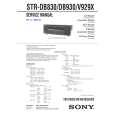
SONY STRDB930
Instrukcja Obsługi


Tweetnij o tym produkcie a dostaniesz $1.00 rabatu!
  • Plik do pobrania
  • Format PDF
  • Kompletna instrukcja
  • Język: English
Cena: $4.99

Opis SONY STRDB930 Instrukcja Obsługi

Kompletna instrukcja obsługi w formie pliku PDF. Plik PDF zostanie dostarczony na Twój adres email po jego zakupieniu.

Instrukcje obsługi (czasami nazywane także podręcznikiem użytkownika) opisuja funkcje i sposób działania danego produktu.

Instrukcja jest dostępna w następujących językach: English

Plik nie jest jeszcze gotowy
Musisz najpierw dokonać zakupu.

Recenzje produktu
Dla tego produktu nie napisano jeszcze recenzji!

Tekstowy podgląd strony 5 (kliknij aby zobaczyć)
SECTION 2 SERVICING NOTE
Rear Panel
1 2 3 4 5 6 7 8

1. When the front panel is removed, the VR board is removed at the same time. Consequently the LEDs cannot be turned on and the sound volume cannot be increased or decreased from the remote control.

2. When servicing the DIGITAL board, be sure to connect the earth land of the DIGITAL board with the chassis frame so that the earth potential of the DIGITAL board must not be floated from the chassis frame.

SECTION 3 TEST MODE
9

FLUORESCENT INDICATOR TUBE TEST MODE
* All fluorescent segments are tested. When this test is activated, all segments turn on at the same time, then each segment turns on one after another. * Procedure: While depressing the ENTER, the LEVEL and the EQ buttons simultaneously, press the power [1/u] button to turn on the main power. All segments turn on at the same time, then each segment turns on press the ENTER button.

AM CHANNEL STEP 9 kHz/10 kHz SELECTION MODE (US,Canadian Model)
* Either the 9 kHz step or 10 kHz step can be selected for the AM channel step. * Procedure: Set the FUNCTION to AM. Turn off the main power. While depressing the TUNING+ button or the PRESET TUNING + button, press the power [1/u] button to turn on the main power. Either the message AM 9kHz Step or AM 10kHz Step appears. Select the desired step.

@�

@¡ @º

!ª

!�

!¶ !§

!�

!¢

!£

!�

!¡

0

FACTORY SET MODE
1 2 3 4 5 6 7 8 9 !º !¡ ANTENNA SIGNAL GND DIGITAL 5-1 CH INPUT SPEAKERS (FRONT) SPEAKERS (REAR) SPEAKERS (CENTER) PREOUT IMPEDANCE SELECTOR AC OUTLET AC power cord !� !£ !¢ !� !§ !¶ !� !ª @º @¡ @� S-LINK 2ND AUDIO OUT VIDEO 1 VIDEO 2 DVD/LD TV/SAT TAPE MD/DAT CD PHONO MONITOR * All preset contents are reset to the default setting. * Procedure: While depressing the SET UP, the LEVEL and the ENTER buttons simultaneously, press the power [1/u] button to turn on the main power. The message Factry Set appears and the present contents are reset to the default values.

DSP TEST MODE
* It tests whether the DSP works correctly or not. When the DSP test is activated, the test data is output from the DSP (IC1401: CXD2712R) of the DIGITAL board and is written in the RAM (IC1402: IDT71V016S). When the test data is read from the RAM by the DSP, the data output must be equivalent to the original data. If they disagree, an error is triggered. Errors can be caused by the broken data line or defective soldering. * Procedure While pressing the SETUP, LEVEL and SUR buttons, press the POWER button to enter the DSP test mode. The message DSP TEST MODE appears. When an error occurs, the message DSP2 ERROR is displayed. When there is no error, the message DSP2 NO ERROR appears and the 1 kHz signal is output to all channels. Then, the mode can be switched the (SIGN WAVE) (THROUGH) and (INPULSE) mode.

ALL CLEAR MODE
* All preset contents are cleared when this mode is activated. Use this mode before returning the product to clients upon completion of repair. * Procedure: While depressing the SET UP button simultaneously, press the power [1/u] button to turn on the main power. The machine enters the DEMO mode.DEMO mode: Wait a while, then the demonstration starts. If the power [1/u] button is pressed often the demonstration has started, the power is turned off, and the demonstration resumes if the power [1/u] button is pressed again. ALL CLEAR mode; If the power [1/u] button is pressed often the machine enters the DEMO mode, but before the demonstration starts, the display is turned off. Press [1/u] again. No response is returned. The press [1/u] again. The preset data is cleared and the machine enters the normal power-on state.

AUTOBETICAL MODE (AEP Model only)
* This mode is installed in the Europe models only. When this mode is used, the receiver scans the broadcasts that can be received by tuner, and sets up the broadcasts. Be sure to start scanning after connecting the antenna. Procedure: Check that the antenna is connected. Press the POWER button while pressing the MEMORY button to turn on the power. The message �Autobetical select� appears and scanning starts by tuner.

SOUND FIELD CLEAR MODE
* The preset sound field is cleared when this mode is activated. Use this mode before returning the product to clients upon completion of repair. * Procedure: While depressing the SOUND FIELD MODE button, press the power [1/u] button to turn on the main power. The message S.F Initialize appears and initialization is performed.

VERSION MODE
* When this mode is used, the microprocessor version number is displayed. * Procedure: Press the POWER button while pressing the ENTER, LEVEL, and SUR buttons to turn on the power. The microprocessor version number appears as follows.

�5�

�6�
Klienci kupując ten produkt kupili także

$4.99

STR-DB930 SONY
Schematy

Zestaw schematów dla tego urządzenia. Plik PDF zawierający schematy bę™dzie dostarczony na Twó…

$4.99

STRDB930 SONY
Instrukcja Serwisowa

Kompletna instrukcja serwisowa w formie pliku PDF. Instrukcje serwisowe zazwyczaj zawierają schemat…
>
Parse Time: 0.663 - Number of Queries: 424 - Query Time: 0.313