ZGLR646M Ilość: 1
$4.99
» Pokaż Szczegóły
GAG3142 Ilość: 1
$4.99
» Pokaż Szczegóły
KVIF 3095/A++-LH Ilość: 1
$4.99
» Pokaż Szczegóły
RBD275PDQ9 Ilość: 1
$4.99
» Pokaż Szczegóły
AKZM 693/BZ/L Ilość: 1
$4.99
» Pokaż Szczegóły
ET8FTKXKQ04 Ilość: 1
$4.99
» Pokaż Szczegóły
LSQ8543JZ0 Ilość: 1
$4.99
» Pokaż Szczegóły
LAW9304AAE Ilość: 1
$4.99
» Pokaż Szczegóły
FC694.12 Ilość: 1
$4.99
» Pokaż Szczegóły
R4000 Ilość: 1
$4.99
» Pokaż Szczegóły
EK7174 Ilość: 1
$4.99
» Pokaż Szczegóły
FAV 5025-W Ilość: 1
$4.99
» Pokaż Szczegóły
EOD6330W(WHITE) Ilość: 1
$4.99
» Pokaż Szczegóły
VR6548 Ilość: 1
$4.99
» Pokaż Szczegóły
G350-2A Ilość: 1
$4.99
» Pokaż Szczegóły
RT14DKXFW02 Ilość: 1
$4.99
» Pokaż Szczegóły
KSSS36MHT00 Ilość: 1
$4.99
» Pokaż Szczegóły
A-202 Ilość: 1
$4.99
» Pokaż Szczegóły
EFC9740INOX Ilość: 1
$4.99
» Pokaż Szczegóły
KV28WS3E Ilość: 1
$4.99
» Pokaż Szczegóły
AKB 069 WH Ilość: 1
$4.99
» Pokaż Szczegóły
MF723101/8DOLBY Ilość: 1
$4.99
» Pokaż Szczegóły
MES5870AAW Ilość: 1
$4.99
» Pokaż Szczegóły
TRAK 6450/2 Ilość: 1
$4.99
» Pokaż Szczegóły
MCM240/37 Ilość: 1
$4.99
» Pokaż Szczegóły
TL906V Ilość: 1
$4.99
» Pokaż Szczegóły
HXM313W Ilość: 1
$4.99
» Pokaż Szczegóły
KSRS22QAAL00 Ilość: 1
$4.99
» Pokaż Szczegóły
7300E-M Ilość: 1
$4.99
» Pokaż Szczegóły
RD250 Ilość: 1
$4.99
» Pokaż Szczegóły
XR-D400SLE Ilość: 1
$4.99
» Pokaż Szczegóły
OEKOS1554-6IU Ilość: 1
$4.99
» Pokaż Szczegóły
ASD2522VRS00 Ilość: 1
$4.99
» Pokaż Szczegóły
2066 Ilość: 1
$4.99
» Pokaż Szczegóły
ARZ 999/H/DBLUE Ilość: 1
$4.99
» Pokaż Szczegóły
AJ-HDC27AP Ilość: 1
$4.99
» Pokaż Szczegóły
PCD4000JP Ilość: 1
$4.99
» Pokaż Szczegóły
KDCC719Y Ilość: 1
$4.99
» Pokaż Szczegóły
ADG 986 FD Ilość: 1
$4.99
» Pokaż Szczegóły
BDP-51FD/WSXJ52 Ilość: 1
$4.99
» Pokaż Szczegóły
GY396LXGT3 Ilość: 1
$4.99
» Pokaż Szczegóły
MRR3400L Ilość: 1
$4.99
» Pokaż Szczegóły
KGSP145E Ilość: 1
$4.99
» Pokaż Szczegóły
7060D-M Ilość: 1
$4.99
» Pokaż Szczegóły
ART 537/H Ilość: 1
$4.99
» Pokaż Szczegóły
TAWS800JQ0 Ilość: 1
$4.99
» Pokaż Szczegóły
VBS9900 Ilość: 1
$4.99
» Pokaż Szczegóły
GH228 Ilość: 1
$4.99
» Pokaż Szczegóły
8ET18TKXEN00 Ilość: 1
$4.99
» Pokaż Szczegóły
HD-61Z886 Ilość: 1
$4.99
» Pokaż Szczegóły
HRJ205EG Ilość: 1
$4.99
» Pokaż Szczegóły
NVVZ9B Ilość: 1
$4.99
» Pokaż Szczegóły
CZN 250 A Ilość: 1
$4.99
» Pokaż Szczegóły
AWM 3062 Ilość: 1
$4.99
» Pokaż Szczegóły
RMC275PDQ2 Ilość: 1
$4.99
» Pokaż Szczegóły
SX-315/KUCXCN Ilość: 1
$4.99
» Pokaż Szczegóły
VK231PS Ilość: 1
$4.99
» Pokaż Szczegóły
AX5303/P00 Ilość: 1
$4.99
» Pokaż Szczegóły
AJD220P Ilość: 1
$4.99
» Pokaż Szczegóły
HR2945 Ilość: 1
$4.99
» Pokaż Szczegóły
AWO/D 431350 Ilość: 1
$4.99
» Pokaż Szczegóły
BEM 510S Ilość: 1
$4.99
» Pokaż Szczegóły
EU7701C Ilość: 1
$4.99
» Pokaż Szczegóły
KDCC719MP Ilość: 1
$4.99
» Pokaż Szczegóły
W sumie: $319.36
 
English Polski Spanish 
Szukaj instrukcji do
 

(e.g. AA-V20EG JVC, ZX-7 Sony )
PayPal 1000+ rating Secure, Encrypted Checkout.
 
Kategorie
Informacje
Polecamy
Strona główna >> SONY >> STRGA7ES Instrukcja Obsługi
 
 64 szt. w koszyku 

SONY STRGA7ES
Instrukcja Obsługi


Tweetnij o tym produkcie a dostaniesz $1.00 rabatu!
  • Plik do pobrania
  • Format PDF
  • Kompletna instrukcja
  • Język: English, French
Cena: $4.99

Opis SONY STRGA7ES Instrukcja Obsługi

Kompletna instrukcja obsługi w formie pliku PDF. Plik PDF zostanie dostarczony na Twój adres email po jego zakupieniu.

Instrukcje obsługi (czasami nazywane także podręcznikiem użytkownika) opisuja funkcje i sposób działania danego produktu.

Instrukcja jest dostępna w następujących językach: English, French

Plik nie jest jeszcze gotowy
Musisz najpierw dokonać zakupu.

Recenzje produktu
Dla tego produktu nie napisano jeszcze recenzji!

Tekstowy podgląd strony 45 (kliknij aby zobaczyć)
Fonctionnement de l�ampli-tuner

3 4

Appuyez plusieurs fois sur DPC MODE jusqu�à ce que l�indicateur INDEX s�allume. Créez un index de station en utilisant les touches DIGITAL PROCESSING CONTROL comme suit: Tournez CHARACTER pour sélectionner un caractère. Tournez ensuite POSITION pour faire avancer le curseur à la position suivante.
Pour insérer un espace, tournez CHARACTER jusqu�à ce qu�un espace vierge apparaisse sur l�affichage. L�espace se trouve entre " et A.

Indexation de sources de programme
Cette fonction est pratique si vous avez par exemple plusieurs magnétoscopes: vous pouvez nommer l�un des magnétoscopes �VHS� et l�autre �8mm�. Ainsi, vous pouvez afficher les noms des sources sur l�amplituner pour savoir quel magnétoscope est utilisé. Cette fonction est également pratique si vous avez raccordé un appareil aux prises destinées à un autre appareil (par exemple, si vous avez raccordé un second lecteur CD aux prises DAT/MD ou un lecteur DVD aux prises LD).

L�index de stations est automatiquement mémorisé. En cas d�erreur
Tournez POSITION jusqu�à ce que le caractère que vous voulez changer clignote. Sélectionnez ensuite le bon caractère.

1 2 3

Sélectionnez la fonction à laquelle vous voulez attribuer un index. Appuyez plusieurs fois sur DPC MODE jusqu�à ce que l�indicateur INDEX s�allume. Créez un index de stations en utilisant les touches DIGITAL PROCESSING CONTROL et procédant comme suit: Tournez CHARACTER pour sélectionner un caractère. Tournez ensuite POSITION pour faire avancer le curseur à la position suivante.
Pour insérer un espace, tournez CHARACTER jusqu�à ce qu�un espace vierge apparaisse sur l�affichage. L�espace se trouve entre " et A.

5

Répétez les étapes 2 à 4 pour indexer d�autres stations.

Vous pouvez afficher l�index ou la fréquence
A chaque pression sur DISPLAY, l�affichage change entre la fréquence et l�index.

Balayage des stations indexées (accord de stations indexées)
Une fois que vous avez indexé des stations, vous pouvez balayer toutes les stations regroupées sous le même index.

L�index de stations est automatiquement mémorisé. En cas d�erreur

Tournez POSITION jusqu�à ce que le caractère que vous voulez changer clignote. Sélectionnez ensuite le bon caractère.

1 2

Sélectionnez TUNER. La dernière station reçue est accordée. Appuyez sur DISPLAY pour que l�index apparaisse sur l�affichage. L�index de la dernière station reçue apparaît sur l�affichage. Si �_ _ _ _ � apparaît
La station n�a pas été indexée.

Vous pouvez afficher l�index ou le nom de la fonction
A chaque pression sur DISPLAY, l�affichage indique le nom de la fonction ou l�index.

3 4

Appuyez sur INDEX + ou � pour sélectionner l�index des stations que vous voulez balayer. Appuyez sur PRESET + ou � pour sélectionner la station que vous voulez recevoir.

Pour sélectionner un autre index de stations
Appuyez sur INDEX + ou � pour sélectionner l�index souhaité, puis appuyez sur PRESET + ou � pour sélectionner une station.

14F

Klienci kupując ten produkt kupili także

$4.99

STR-GA7ES SONY
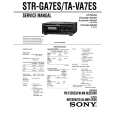
Instrukcja Serwisowa

Kompletna instrukcja serwisowa w formie pliku PDF. Instrukcje serwisowe zazwyczaj zawierają schemat…
>
Parse Time: 0.322 - Number of Queries: 323 - Query Time: 0.118