B3781-4-D Ilość: 1
$4.99
» Pokaż Szczegóły
XR-A200 Ilość: 1
$4.99
» Pokaż Szczegóły
KTRC19KMBT00 Ilość: 1
$4.99
» Pokaż Szczegóły
DEH-4700MP/X1P/EW Ilość: 1
$4.99
» Pokaż Szczegóły
ADG 8967 NBM Ilość: 1
$4.99
» Pokaż Szczegóły
KV27XSB Ilość: 1
$4.99
» Pokaż Szczegóły
HCDXB500 Ilość: 1
$4.99
» Pokaż Szczegóły
MMS2031799 Ilość: 1
$4.99
» Pokaż Szczegóły
RC920CD Ilość: 1
$4.99
» Pokaż Szczegóły
RM-657 Ilość: 1
$4.99
» Pokaż Szczegóły
DU7400XS6 Ilość: 1
$4.99
» Pokaż Szczegóły
SQR87 BERLIN Ilość: 1
$4.99
» Pokaż Szczegóły
NVVZ1PN Ilość: 1
$4.99
» Pokaż Szczegóły
VTFX6180M Ilość: 1
$4.99
» Pokaż Szczegóły
RF387PXWW0 Ilość: 1
$4.99
» Pokaż Szczegóły
VZ9 Ilość: 1
$4.99
» Pokaż Szczegóły
021.829 Ilość: 1
$4.99
» Pokaż Szczegóły
SF5100SRW5 Ilość: 1
$4.99
» Pokaż Szczegóły
VEM4990-AL Ilość: 1
$4.99
» Pokaż Szczegóły
M4205 Ilość: 1
$4.99
» Pokaż Szczegóły
OV C40 S Ilość: 1
$4.99
» Pokaż Szczegóły
EP 349 Ilość: 1
$4.99
» Pokaż Szczegóły
SET2001DK Ilość: 1
$4.99
» Pokaż Szczegóły
KVE2511A Ilość: 1
$4.99
» Pokaż Szczegóły
W sumie: $119.76
 
English Polski Spanish 
Szukaj instrukcji do
 

(e.g. AA-V20EG JVC, ZX-7 Sony )
PayPal 1000+ rating Secure, Encrypted Checkout.
 
Kategorie
Informacje
Polecamy
Strona główna >> SONY >> STRSE391 Instrukcja Serwisowa
 
 24 szt. w koszyku 

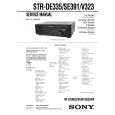
SONY STRSE391
Instrukcja Serwisowa


Tweetnij o tym produkcie a dostaniesz $1.00 rabatu!
  • Zawiera schematy
  • Plik do pobrania
  • Format PDF
  • Kompletna instrukcja
  • Język: English
Cena: $4.99

Opis SONY STRSE391 Instrukcja Serwisowa

Kompletna instrukcja serwisowa w formie pliku PDF. Instrukcje serwisowe zazwyczaj zawierają schematy, diagramy drukowanych obwodów (PCB), schematy połączeń, schematy blokowe oraz katalog części. Instrukcje serwisowe są wykorzystywane glównie przez osoby naprawiające uszkodzony sprzęt.

Jeśli chcesz się dowiedzieć jak się obsługuje Twój telewizor, magnetowid, odtwarzacz mp3 itp. powinieneś raczej szukać instrukcji obsługi

Instrukcja jest dostępna w następujących językach: English

Plik nie jest jeszcze gotowy
Musisz najpierw dokonać zakupu.

Recenzje produktu
Dla tego produktu nie napisano jeszcze recenzji!
Recenzje innych produktów
 RCM70L/LB JVC Instrukcja Serwisowa by Damian Mazek;
jedyne do czego mogę mieć zastrzeżenie to jakość zdjęć zawartych w przesłanej instrukcji serwisowej ponieważ są fatalnej jakości, praktycznie nieczytelne. tak poza tym jestem zadowolony to jest to czego szukałem.
 SA-A30E AIWA Instrukcja Serwisowa by Adam Grążka;
Wszystko w porządku. Instrukcja czytelna i kompletna. Dziękuję. all right! thank you.
 KX990SR KENWOOD Instrukcja Serwisowa by Viktor Kapeć;
Bardzo dobra instrukcja. Zawiera wszystko co potrzeba, polecam!
 TA2760 ONKYO Instrukcja Serwisowa by Viktor Kapeć;
Instrukcja jest OK. Schematy czytelne, opisane niektóre procedury.
 26PF3302/10 PHILIPS Instrukcja Serwisowa by Ryszard Burzak;
Instrukcja bardzo czytelna. zawiera co potrzeba. Polecam

Tekstowy podgląd strony 9 (kliknij aby zobaczyć)
SECTION 4 TEST MODE
Initialization Mode All preset contents are cleared when this mode is activated. When returning the unit to the customer after completing repairs, perform this operation to clear the unit. Procedure: 1. While pressing two buttons of [TUNER] and [MD/TAPE] simultaneously, press the 1/u button to turn the power ON. 2. The message �INITIAL� appears and initialization is performed. Fluorescent Indicator Tube Test Mode All fluorescent segments are tested. When this test is activated, all segments turn on at the same time, then each segment turns on one after another. Procedure: 1. While pressing two buttons of [TV/SAT] (US , Canadian and Australian models)* and [DIRECT] simultaneously, press the 1/u button to turn the power ON. 2. All segments turn on at the same time, then each segment and LED turns on one after another. 3. The message �FINISH� appears when this test is complete. *) Except US, Canadian and Australian models are [TV/LD] AUTO-BETICAL Check Mode (AEP model) To auto-scanning and memories of RDS station. Procedure: 1. While pressing the [MEMORY] button, press the 1/u button to turn the power ON. 2. The message �AUTO BET� appears and each function is selected one after another. AM Tuning Interval Selection Mode (US, Canadian and E models) Either 9 kHz step or 10 kHz step can be selected for the AM tuning interval. Procedure: 1. Set the FUNCTION to AM. 2. Press the 1/u button to turn the power OFF. 3. While pressing the [TUNING+] or [PRESET+]button, press the 1/u button to turn the power ON. 4. Either the message 10 k STEP� or �10k STEP� appears. 5. Select the desired step. Software Version Display Mode The software version is displayed. Procedure: 1. While pressing two the buttons of [MD/TAPE] and [DIRECT] simultaneously, press the 1/u button to turn the power ON. 2. The software version is displayed. SOUND FIELD Setting Clear Mode All SOUND FIELD setting are cleared. Procedure: 1. While pressing the [SOUND FIELD ON/OFF] button, press the 1/u button to turn the power ON. 2. The message �SURR CLR� appears and all SOUND FIELD setting are cleared.

�9�

Klienci kupując ten produkt kupili także

$4.99

STRSE391 SONY
Instrukcja Obsługi

Kompletna instrukcja obsługi w formie pliku PDF. Plik PDF zostanie dostarczony na Twój adres email…
>
Parse Time: 0.648 - Number of Queries: 201 - Query Time: 0.322