ZBN731X Ilość: 1
$4.99
» Pokaż Szczegóły
STUDER 40W Ilość: 1
$4.99
» Pokaż Szczegóły
GR-D273AG Ilość: 1
$4.99
» Pokaż Szczegóły
KRF-V8881D Ilość: 1
$4.99
» Pokaż Szczegóły
PD-7100-S Ilość: 1
$4.99
» Pokaż Szczegóły
DVDQ50/692 Ilość: 1
$4.99
» Pokaż Szczegóły
ARC3382-2GT Ilość: 1
$4.99
» Pokaż Szczegóły
PCGR505TSK Ilość: 1
$4.99
» Pokaż Szczegóły
WQCH900H Ilość: 1
$4.99
» Pokaż Szczegóły
LAV50400-W Ilość: 1
$4.99
» Pokaż Szczegóły
RBD306PDQ12 Ilość: 1
$4.99
» Pokaż Szczegóły
SAN1769-6I Ilość: 1
$4.99
» Pokaż Szczegóły
14PT1565/05 Ilość: 1
$4.99
» Pokaż Szczegóły
DMC-LZ1GK VOLUME 1 Ilość: 1
$4.99
» Pokaż Szczegóły
KHTU165RSS1 Ilość: 1
$4.99
» Pokaż Szczegóły
ZP3173 Ilość: 1
$4.99
» Pokaż Szczegóły
FVH-S30 MECHANISM Ilość: 1
$4.99
» Pokaż Szczegóły
LA5668XTF1 Ilość: 1
$4.99
» Pokaż Szczegóły
PT-LB60NTU Ilość: 1
$4.99
» Pokaż Szczegóły
ET9AHTXLT02 Ilość: 1
$4.99
» Pokaż Szczegóły
S301-6KG Ilość: 1
$4.99
» Pokaż Szczegóły
AZ2402/00 Ilość: 1
$4.99
» Pokaż Szczegóły
XG-V10WE Ilość: 1
$4.99
» Pokaż Szczegóły
NICE TOUCH4QD Ilość: 1
$4.99
» Pokaż Szczegóły
40036VI-WN Ilość: 1
$4.99
» Pokaż Szczegóły
KVFX2921A Ilość: 1
$4.99
» Pokaż Szczegóły
ICFS79 Ilość: 1
$4.99
» Pokaż Szczegóły
PER4310BCW Ilość: 1
$4.99
» Pokaż Szczegóły
MX-K5J Ilość: 1
$4.99
» Pokaż Szczegóły
VSX-1016V-S/SFXJ Ilość: 1
$4.99
» Pokaż Szczegóły
FAA24051 Ilość: 1
$4.99
» Pokaż Szczegóły
SCS3614GS2 Ilość: 1
$4.99
» Pokaż Szczegóły
VKR9550 Ilość: 1
$4.99
» Pokaż Szczegóły
GXV328 Ilość: 1
$4.99
» Pokaż Szczegóły
2200 Ilość: 1
$4.99
» Pokaż Szczegóły
DP 3230 Ilość: 1
$4.99
» Pokaż Szczegóły
3624226 Ilość: 1
$4.99
» Pokaż Szczegóły
627.220 7/40877 Ilość: 1
$4.99
» Pokaż Szczegóły
KS717 Ilość: 1
$4.99
» Pokaż Szczegóły
KT11500 Ilość: 1
$4.99
» Pokaż Szczegóły
TH-C9UT Ilość: 1
$4.99
» Pokaż Szczegóły
BEOSOUND OUVENTURE Ilość: 1
$4.99
» Pokaż Szczegóły
DVDS31AP Ilość: 1
$4.99
» Pokaż Szczegóły
EPM500 Ilość: 1
$4.99
» Pokaż Szczegóły
VTL1200E Ilość: 1
$4.99
» Pokaż Szczegóły
C-3 Ilość: 1
$4.99
» Pokaż Szczegóły
7627800/820/830 Ilość: 1
$4.99
» Pokaż Szczegóły
AWO/D 4708 Ilość: 1
$4.99
» Pokaż Szczegóły
EFT6530W Ilość: 1
$4.99
» Pokaż Szczegóły
EV 1166 Ilość: 1
$4.99
» Pokaż Szczegóły
HTW4300TQ0 Ilość: 1
$4.99
» Pokaż Szczegóły
DU4500XM0 Ilość: 1
$4.99
» Pokaż Szczegóły
ICFC215 Ilość: 1
$4.99
» Pokaż Szczegóły
AM 4260 Ilość: 1
$4.99
» Pokaż Szczegóły
DV-444-S/WYXQ/FRGR Ilość: 1
$4.99
» Pokaż Szczegóły
XRC6103SP Ilość: 1
$4.99
» Pokaż Szczegóły
CL2864TAN Ilość: 1
$4.99
» Pokaż Szczegóły
SF5140EYW5 Ilość: 1
$4.99
» Pokaż Szczegóły
QV-5000SX Ilość: 1
$4.99
» Pokaż Szczegóły
PDR-609/WYXJ Ilość: 1
$4.99
» Pokaż Szczegóły
CTV310I/B Ilość: 1
$4.99
» Pokaż Szczegóły
KEHC379JBL06 Ilość: 1
$4.99
» Pokaż Szczegóły
RS86E Ilość: 1
$4.99
» Pokaż Szczegóły
MM1708 Ilość: 1
$4.99
» Pokaż Szczegóły
DPPSV88 VOLUME 2 Ilość: 1
$4.99
» Pokaż Szczegóły
KGCV566MMT00 Ilość: 1
$4.99
» Pokaż Szczegóły
ESNT 3465 BR Ilość: 1
$4.99
» Pokaż Szczegóły
30520P(X), 30260 Ilość: 1
$4.99
» Pokaż Szczegóły
CA7000 Ilość: 1
$4.99
» Pokaż Szczegóły
121.955 Ilość: 1
$4.99
» Pokaż Szczegóły
TX-25XD1C Ilość: 1
$4.99
» Pokaż Szczegóły
ZR4SI Ilość: 1
$4.99
» Pokaż Szczegóły
ZAUBERSPIEGEL 459 Ilość: 1
$4.99
» Pokaż Szczegóły
HFC22/13 Ilość: 1
$4.99
» Pokaż Szczegóły
TRAK 6320 Ilość: 1
$4.99
» Pokaż Szczegóły
LE9800XMW2 Ilość: 1
$4.99
» Pokaż Szczegóły
EK2805REWE Ilość: 1
$4.99
» Pokaż Szczegóły
NV-GS500PL Ilość: 1
$4.99
» Pokaż Szczegóły
ST70364CTI/V Ilość: 1
$4.99
» Pokaż Szczegóły
HV-29WH11 Ilość: 1
$4.99
» Pokaż Szczegóły
28GR5770 Ilość: 1
$4.99
» Pokaż Szczegóły
KEH-M9641ZT-02 Ilość: 1
$4.99
» Pokaż Szczegóły
GSIE 6484 IN Ilość: 1
$4.99
» Pokaż Szczegóły
AWM 8909 Ilość: 1
$4.99
» Pokaż Szczegóły
W605 Ilość: 1
$4.99
» Pokaż Szczegóły
GRAX200EG Ilość: 1
$4.99
» Pokaż Szczegóły
DNI 2455 WS Ilość: 1
$4.99
» Pokaż Szczegóły
USC-60 Ilość: 1
$4.99
» Pokaż Szczegóły
DECT5112S/21 Ilość: 1
$4.99
» Pokaż Szczegóły
ADG 6960 NB Ilość: 1
$4.99
» Pokaż Szczegóły
RPC250 Ilość: 1
$4.99
» Pokaż Szczegóły
GI3445C Ilość: 1
$4.99
» Pokaż Szczegóły
V209B Ilość: 1
$4.99
» Pokaż Szczegóły
50P8341 Ilość: 1
$4.99
» Pokaż Szczegóły
TLP-1071XL Ilość: 1
$4.99
» Pokaż Szczegóły
EMZ 4466/01/SW Ilość: 1
$4.99
» Pokaż Szczegóły
WD52627 Ilość: 1
$4.99
» Pokaż Szczegóły
ZAN 14 Ilość: 1
$4.99
» Pokaż Szczegóły
250 Ilość: 1
$4.99
» Pokaż Szczegóły
KDA 3700 Ilość: 1
$4.99
» Pokaż Szczegóły
FG10B Ilość: 1
$4.99
» Pokaż Szczegóły
ED25PSQDW01 Ilość: 1
$4.99
» Pokaż Szczegóły
W sumie: $508.98
 
English Polski Spanish 
Szukaj instrukcji do
 

(e.g. AA-V20EG JVC, ZX-7 Sony )
PayPal 1000+ rating Secure, Encrypted Checkout.
 
Kategorie
Informacje
Polecamy
Strona główna >> PANASONIC >> TH42PX600U Instrukcja Obsługi
 
 102 szt. w koszyku 

PANASONIC TH42PX600U
Instrukcja Obsługi


Tweetnij o tym produkcie a dostaniesz $1.00 rabatu!
  • Plik do pobrania
  • Format PDF
  • Kompletna instrukcja
  • Język: English
Cena: $4.99

Opis PANASONIC TH42PX600U Instrukcja Obsługi

Kompletna instrukcja obsługi w formie pliku PDF. Plik PDF zostanie dostarczony na Twój adres email po jego zakupieniu.

Instrukcje obsługi (czasami nazywane także podręcznikiem użytkownika) opisuja funkcje i sposób działania danego produktu.

Instrukcja jest dostępna w następujących językach: English

Plik nie jest jeszcze gotowy
Musisz najpierw dokonać zakupu.

Recenzje produktu
Dla tego produktu nie napisano jeszcze recenzji!

Tekstowy podgląd strony 18 (kliknij aby zobaczyć)
Control with HDMI �HDAVI ControlTM�
* Simultaneously control all Panasonic �HDAVI Control� equipped components using one-button on one remote. Newer Panasonic audio-video products with HDMI output connections can be controlled using the TV�s remote. Limited features such as home theater system volume and automatic switching to the TV�s HDMI input are available.
This feature is limited to models incorporating Panasonic�s �Control with HDMI�. Refer to the individual instruction manuals for compatibility information.

Automatic input switching

At the start of DIGA, Player theater or RAM theater playback, the TV�s input automatically switches to the input corresponding to the playback equipment. For RAM theater, the speakers automatically switch to theater. If using DIGA operation, the TV�s input automatically switches to DIGA and the DIGA menu is displayed.

�

� � �

Non-HDMI-compliant cables cannot be utilized. It is recommended that you use Panasonic�s HDMI cable. Recommended part number: RP-CDHG15 (1.5 m), RP-CDHG30 (3.0 m), RP-CDHG50 (5.0 m)

You can control the theater speaker with TV�s remote control.

�Home theater� with speaker icon appears when a Panasonic �Control with HDMI� home theater system is connected via the HDMI input (1 or 2). Pressing OK toggles between TV and home theater volume control.

1

Display menu

� �

�Ctrl with HDMI� must be set to �On�. Limited to newer Panasonic Home Theater, RAM theater and DIGA/DVD models with �Control with HDMI�.

Display menu
Menu

with HDMI �HDAVI Control � Advanced

Select �Home theater� or �TV speakers�
Menu

Home theater Picture Audio Timer Lock TVG/Photo Setup

TV speakers

change

Picture Audio Timer Lock Memory card TVG/Photo Setup

2

Select �Setup�
Menu

Home theater

select next

Picture Audio Timer Lock TVG/Photo Memory card Setup

Theater speaker

Home theater: Adjustment for Panasonic Amplifier, Panasonic Player theater, Panasonic RAM theater Volume up / down TV speakers: The TV speakers are active. Mute
TM

-

3

Select �Other adjust�
Setup Other adjust About Reset

select

next

� � � �
Power on link Power off link One-touch theater playback

When selecting �Home theater�, the sound of TV speakers is muted. When �Home theater� is selected, the home theater volume control can be raised or lowered using the TV remote volume button. The TV will display �Home Theater + / -� on screen. If home theater/RAM theater/Player theater is currently off, selecting the �Home theater� option will automatically turn the equipment on. See �Power on link� below. If home theater/Player theater/RAM theater power is turned Off, speakers automatically switch to the TV.

4

Select �Ctrl with HDMI�
Other adjust Auto power on Side bar Prog-out stop Ctrl with HDMI Power off link Power on link Off Off Off On Set Set

select

When �Set� is selected, this allows for the TV to automatically turn on and switch to the appropriate HDMI input whenever a �Control with HDMI� compatible DVD player/recorder is initially turned on and Play mode is selected.

When �Set� is selected, this allows for the TV to turn off and also turn off the connected home theater/ RAM theater/player theater and/or DIGA-DVD player.
If the �ONE TOUCH PLAY� key is pressed on the AV amp or Player theater remote control, the following sequence of operations is performed automatically. Home theater/Player theater power switches On, and playback begins. TV power switches On, and the playback screen is displayed. Audio is muted on the TV and switches to theater.

Press to return to TV

5

Select �On�
change

Press to return to the previous screen

�

Default setting is �On�. If no HDMI equipment is connected or standard HDMI equipment (non- �Control with HDMI�) is used, set to �Off�.

34

� � �

The TV remains on even if the �Control with HDMI� compatible equipment is turned off. Before using HDMI control functions, the connected equipment (DIGA, RAM theater, Player theater, AV amp) must also be set. For details, see the operation manual for each piece of equipment.

Caution Note

For equipment connection details, see p. 36.

35

Klienci kupując ten produkt kupili także

$4.99

TH-42PX600U PANASONIC
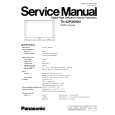
Instrukcja Serwisowa

Kompletna instrukcja serwisowa w formie pliku PDF. Instrukcje serwisowe zazwyczaj zawierają schemat…
>
Parse Time: 1.525 - Number of Queries: 468 - Query Time: 0.939