D36R/RCL Ilość: 1
$4.99
» Pokaż Szczegóły
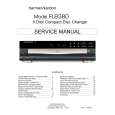
FL8380 Ilość: 1
$4.99
» Pokaż Szczegóły
AV-27F703/S Ilość: 1
$4.99
» Pokaż Szczegóły
MDRE818LP Ilość: 1
$4.99
» Pokaż Szczegóły
RCR127 VERONA Ilość: 1
$4.99
» Pokaż Szczegóły
GV7000SV/C Ilość: 1
$4.99
» Pokaż Szczegóły
VCR330 Ilość: 1
$4.99
» Pokaż Szczegóły
ES6000/90F LM/T INOX Ilość: 1
$4.99
» Pokaż Szczegóły
AQ6446/00K Ilość: 1
$4.99
» Pokaż Szczegóły
S2590DT6 Ilość: 1
$4.99
» Pokaż Szczegóły
DVDR3305/19 Ilość: 1
$4.99
» Pokaż Szczegóły
UXVl0N Ilość: 1
$4.99
» Pokaż Szczegóły
TRKK STUTTGART/2 Ilość: 1
$4.99
» Pokaż Szczegóły
28G2ST Ilość: 1
$4.99
» Pokaż Szczegóły
MDRG73SP Ilość: 1
$4.99
» Pokaż Szczegóły
MDR-E827 Ilość: 1
$4.99
» Pokaż Szczegóły
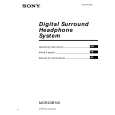
MDR-DS5100 Ilość: 1
$4.99
» Pokaż Szczegóły
MDRE828LP Ilość: 1
$4.99
» Pokaż Szczegóły
SF114PXSB0 Ilość: 1
$4.99
» Pokaż Szczegóły
MDRCD50 Ilość: 1
$4.99
» Pokaż Szczegóły
CQC700U Ilość: 1
$4.99
» Pokaż Szczegóły
MDREX51SP Ilość: 1
$4.99
» Pokaż Szczegóły
MKV 1116/DT-R Ilość: 1
$4.99
» Pokaż Szczegóły
VCDTS21359-1 Ilość: 1
$4.99
» Pokaż Szczegóły
32MF605W/17E Ilość: 1
$4.99
» Pokaż Szczegóły
ER-654MD Ilość: 1
$4.99
» Pokaż Szczegóły
SQM26 FREIBURG Ilość: 1
$4.99
» Pokaż Szczegóły
MDR-D11 Ilość: 1
$4.99
» Pokaż Szczegóły
W sumie: $139.72
 
English Polski Spanish 
Szukaj instrukcji do
 

(e.g. AA-V20EG JVC, ZX-7 Sony )
PayPal 1000+ rating Secure, Encrypted Checkout.
 
Kategorie
Informacje
Polecamy
Strona główna >> JVC >> TH-S11UJ Instrukcja Obsługi
 
 28 szt. w koszyku 

JVC TH-S11UJ
Instrukcja Obsługi


Tweetnij o tym produkcie a dostaniesz $1.00 rabatu!
  • Plik do pobrania
  • Format PDF
  • Kompletna instrukcja
  • Język: English
Cena: $4.99

Opis JVC TH-S11UJ Instrukcja Obsługi

Kompletna instrukcja obsługi w formie pliku PDF. Plik PDF zostanie dostarczony na Twój adres email po jego zakupieniu.

Instrukcje obsługi (czasami nazywane także podręcznikiem użytkownika) opisuja funkcje i sposób działania danego produktu.

Instrukcja jest dostępna w następujących językach: English

Plik nie jest jeszcze gotowy
Musisz najpierw dokonać zakupu.

Recenzje produktu
Dla tego produktu nie napisano jeszcze recenzji!

Tekstowy podgląd strony 17 (kliknij aby zobaczyć)
Basic operations

See page 13 for button locations.

Selecting the source to play
On the remote control:

Listening with headphones (not supplied)
CAUTION Be sure to turn down the volume;
� Before connecting or putting on headphones as high volume may damage both the headphones and your hearing. � Before disconnecting headphones as high volume may be suddenly output from the speakers.

Press one of the source selecting buttons (DVD/CD3, FM/AM or AUX).
DVD/CD3: To play back a disc (DVD VIDEO, VCD etc.). (See page 16.) FM/AM: To tune in an FM or AM station. (See page 34.) Each time you press the button, the band alternates between FM and AM. AUX: To select the external component connected to the center unit. (See page 11.) On the center unit:

While connecting a pair of headphones to the PHONES jack on the center unit, the system automatically cancels the surround mode (see page 20) currently selected, deactivates the speakers, and activates the headphone mode. �H.PHONE� appears on the display window. Headphone mode When using the headphones, the following signals are output regardless of your speaker setting; � For 2 channel sources, the front left and right channel signals are output from the headphones. � Multi-channel signals are down-mixed and output from the headphones.

Press SOURCE repeatedly until the source name you want appears on the display window.
NOTE
� When a source except DVD is selected, this system does not output video signals. � It may take time to change the source.

Adjusting the volume [VOLUME]
CAUTION
� Always set the volume to minimum level before starting any source. If the volume is set at its high level, the sudden blast of sound could permanently damage your hearing and/or blow out the speakers.

Turning off the sound temporarily [MUTING]
Press MUTING.
To restore the sound Perform one on the following: � Press MUTING again. � Press AUDIO VOL +/� (or turn VOLUME on the center unit).

On the remote control:

Press AUDIO VOL +/�.
On the center unit:

Adjusting the brightness of the indications [DIMMER]
Press DIMMER, with SHIFT pressed.
Each time you repeat the procedure, the brightness level changes.

Turn VOLUME.

14

Klienci kupując ten produkt kupili także

$4.99

SX-K700 TECHNICS
Instrukcja Obsługi

Kompletna instrukcja obsługi w formie pliku PDF. Plik PDF zostanie dostarczony na Twój adres email…

$4.99

CJ-V51 PIONEER
Instrukcja Serwisowa

Kompletna instrukcja serwisowa w formie pliku PDF. Instrukcje serwisowe zazwyczaj zawierają schemat…

$4.99

GRAND PRIX ELECTRONIC 754 BECKER
Instrukcja Serwisowa

Kompletna instrukcja serwisowa w formie pliku PDF. Instrukcje serwisowe zazwyczaj zawierają schemat…

$4.99

SX-PR602 TECHNICS
Instrukcja Serwisowa

Kompletna instrukcja serwisowa w formie pliku PDF. Instrukcje serwisowe zazwyczaj zawierają schemat…

$4.99

EV-S1000E SONY
Instrukcja Obsługi

Kompletna instrukcja obsługi w formie pliku PDF. Plik PDF zostanie dostarczony na Twój adres email…

$4.99

GRAND PRIX ELECTRONIC 780 BECKER
Instrukcja Serwisowa

Kompletna instrukcja serwisowa w formie pliku PDF. Instrukcje serwisowe zazwyczaj zawierają schemat…

$4.99

AG7330 PANASONIC
Instrukcja Serwisowa

Kompletna instrukcja serwisowa w formie pliku PDF. Instrukcje serwisowe zazwyczaj zawierają schemat…

$4.99

MECABLITZ 60 CT4 METZ
Instrukcja Serwisowa

Kompletna instrukcja serwisowa w formie pliku PDF. Instrukcje serwisowe zazwyczaj zawierają schemat…
>
Parse Time: 1.177 - Number of Queries: 229 - Query Time: 0.671