EFT740 Ilość: 1
$4.99
» Pokaż Szczegóły
CQ-C3304U Ilość: 1
$4.99
» Pokaż Szczegóły
DB4 Ilość: 1
$4.99
» Pokaż Szczegóły
ZV 230 MR Ilość: 1
$4.99
» Pokaż Szczegóły
TD-R441G Ilość: 1
$4.99
» Pokaż Szczegóły
SGH-E320 Ilość: 1
$4.99
» Pokaż Szczegóły
BLZH4009 SW Ilość: 1
$4.99
» Pokaż Szczegóły
HCD-SC8 Ilość: 1
$4.99
» Pokaż Szczegóły
ELITE 3925, new twist handle Ilość: 1
$4.99
» Pokaż Szczegóły
S2332-1I Ilość: 1
$4.99
» Pokaż Szczegóły
BE3302 Ilość: 1
$4.99
» Pokaż Szczegóły
RUD3000GQ1 Ilość: 1
$4.99
» Pokaż Szczegóły
XV-GX3/DDXJ/RD Ilość: 1
$4.99
» Pokaż Szczegóły
LA9580XWW0 Ilość: 1
$4.99
» Pokaż Szczegóły
ER7043C Ilość: 1
$4.99
» Pokaż Szczegóły
LJ COMPANION Ilość: 1
$4.99
» Pokaż Szczegóły
784.661 1/10259 Ilość: 1
$4.99
» Pokaż Szczegóły
CIWL3706 Ilość: 1
$4.99
» Pokaż Szczegóły
LA5578XTW0 Ilość: 1
$4.99
» Pokaż Szczegóły
CT8921 Ilość: 1
$4.99
» Pokaż Szczegóły
DL 3352 BR Ilość: 1
$4.99
» Pokaż Szczegóły
GEW9868KQ0 Ilość: 1
$4.99
» Pokaż Szczegóły
ET21UMXGN01 Ilość: 1
$4.99
» Pokaż Szczegóły
CDP7700 Ilość: 1
$4.99
» Pokaż Szczegóły
HT-SL5A Ilość: 1
$4.99
» Pokaż Szczegóły
MCD22CW Ilość: 1
$4.99
» Pokaż Szczegóły
CER3725AGW Ilość: 1
$4.99
» Pokaż Szczegóły
SF316PESW4 Ilość: 1
$4.99
» Pokaż Szczegóły
AV-28H50SU/B Ilość: 1
$4.99
» Pokaż Szczegóły
TC2683URD Ilość: 1
$4.99
» Pokaż Szczegóły
CTK200 Ilość: 1
$4.99
» Pokaż Szczegóły
CBN22SI Ilość: 1
$4.99
» Pokaż Szczegóły
KM700 Ilość: 1
$4.99
» Pokaż Szczegóły
21PT5505/OOS Ilość: 1
$4.99
» Pokaż Szczegóły
KGST307BBL0 Ilość: 1
$4.99
» Pokaż Szczegóły
SCC101 Ilość: 1
$4.99
» Pokaż Szczegóły
CL36WF830AN Ilość: 1
$4.99
» Pokaż Szczegóły
DSP Ilość: 1
$4.99
» Pokaż Szczegóły
WTF2260 Ilość: 1
$4.99
» Pokaż Szczegóły
ER9002B Ilość: 1
$4.99
» Pokaż Szczegóły
013.649 9/1032 Ilość: 1
$4.99
» Pokaż Szczegóły
854255001510 Ilość: 1
$4.99
» Pokaż Szczegóły
CBP2149-00 Ilość: 1
$4.99
» Pokaż Szczegóły
SF PIP 72 TD 86100 HT Ilość: 1
$4.99
» Pokaż Szczegóły
DP 142 Ilość: 1
$4.99
» Pokaż Szczegóły
GU3200XTPS0 Ilość: 1
$4.99
» Pokaż Szczegóły
ZGF787ICXC Ilość: 1
$4.99
» Pokaż Szczegóły
VR212 Ilość: 1
$4.99
» Pokaż Szczegóły
XV-N322SUM Ilość: 1
$4.99
» Pokaż Szczegóły
DN8954 Ilość: 1
$4.99
» Pokaż Szczegóły
TVR3710GB Ilość: 1
$4.99
» Pokaż Szczegóły
ET18CKXHB01 Ilość: 1
$4.99
» Pokaż Szczegóły
AD800 Ilość: 1
$4.99
» Pokaż Szczegóły
FT3050 Ilość: 1
$4.99
» Pokaż Szczegóły
PP-2515L-I Ilość: 1
$4.99
» Pokaż Szczegóły
CAMBRIDGE RCR45 Ilość: 1
$4.99
» Pokaż Szczegóły
ZH6022N Ilość: 1
$4.99
» Pokaż Szczegóły
GT2003 Ilość: 1
$4.99
» Pokaż Szczegóły
TT14EKRXW00 Ilość: 1
$4.99
» Pokaż Szczegóły
AWM 6111 Ilość: 1
$4.99
» Pokaż Szczegóły
B8920-1-A Ilość: 1
$4.99
» Pokaż Szczegóły
3870TX COLOR Ilość: 1
$4.99
» Pokaż Szczegóły
Santo 1504-4iu Ilość: 1
$4.99
» Pokaż Szczegóły
AWM 050/3 Ilość: 1
$4.99
» Pokaż Szczegóły
HB 610 S Ilość: 1
$4.99
» Pokaż Szczegóły
BKDF702P Ilość: 1
$4.99
» Pokaż Szczegóły
EK 6640 IN Ilość: 1
$4.99
» Pokaż Szczegóły
DS16TCR Ilość: 1
$4.99
» Pokaż Szczegóły
SCHD81 Ilość: 1
$4.99
» Pokaż Szczegóły
CG54010W Ilość: 1
$4.99
» Pokaż Szczegóły
LST6132AW0 Ilość: 1
$4.99
» Pokaż Szczegóły
3ED22DQXDN03 Ilość: 1
$4.99
» Pokaż Szczegóły
CTV7053 SP45 STEREO COLOR Ilość: 1
$4.99
» Pokaż Szczegóły
SB20 Ilość: 1
$4.99
» Pokaż Szczegóły
3000S SCORPIO Ilość: 1
$4.99
» Pokaż Szczegóły
70FA67000R Ilość: 1
$4.99
» Pokaż Szczegóły
QSG6112X 400V Ilość: 1
$4.99
» Pokaż Szczegóły
COOLPIX7900 Ilość: 1
$4.99
» Pokaż Szczegóły
TDW201 Ilość: 1
$4.99
» Pokaż Szczegóły
15L5082Q43C Ilość: 1
$4.99
» Pokaż Szczegóły
27CE7695 Ilość: 1
$4.99
» Pokaż Szczegóły
SUPERVISION 4M Ilość: 1
$4.99
» Pokaż Szczegóły
E220 Ilość: 1
$4.99
» Pokaż Szczegóły
GSI 6591 C-WS Ilość: 1
$4.99
» Pokaż Szczegóły
Turbolite 330 Ilość: 1
$4.99
» Pokaż Szczegóły
AFC9800W Ilość: 1
$4.99
» Pokaż Szczegóły
CALSR10U Ilość: 1
$4.99
» Pokaż Szczegóły
SLPH270P/PC Ilość: 1
$4.99
» Pokaż Szczegóły
PCG-GRT995MP VAIO Ilość: 1
$4.99
» Pokaż Szczegóły
CT-20G11CU Ilość: 1
$4.99
» Pokaż Szczegóły
KSRS22KGWH01 Ilość: 1
$4.99
» Pokaż Szczegóły
SA-NS55P Ilość: 1
$4.99
» Pokaż Szczegóły
RS600BXYH3 Ilość: 1
$4.99
» Pokaż Szczegóły
W704 Ilość: 1
$4.99
» Pokaż Szczegóły
HSJX800AH Ilość: 1
$4.99
» Pokaż Szczegóły
KV1432ME3 Ilość: 1
$4.99
» Pokaż Szczegóły
ZKB7328N Ilość: 1
$4.99
» Pokaż Szczegóły
CLEVLAND Ilość: 1
$4.99
» Pokaż Szczegóły
LA8100XWW1 Ilość: 1
$4.99
» Pokaż Szczegóły
MD 367/WH Ilość: 1
$4.99
» Pokaż Szczegóły
TU4700XXP0 Ilość: 1
$4.99
» Pokaż Szczegóły
4438A Ilość: 1
$4.99
» Pokaż Szczegóły
KXFP85NZ Ilość: 1
$4.99
» Pokaż Szczegóły
VWDTA30E Ilość: 1
$4.99
» Pokaż Szczegóły
NUVIS60 Ilość: 1
$4.99
» Pokaż Szczegóły
ERA36502X Ilość: 1
$4.99
» Pokaż Szczegóły
RTV665 Ilość: 1
$4.99
» Pokaż Szczegóły
WA PLUS 612 DI Ilość: 1
$4.99
» Pokaż Szczegóły
NVSD450EE/EU Ilość: 1
$4.99
» Pokaż Szczegóły
LA5600XTG0 Ilość: 1
$4.99
» Pokaż Szczegóły
CPC6128 Ilość: 1
$4.99
» Pokaż Szczegóły
KVM1431U Ilość: 1
$4.99
» Pokaż Szczegóły
ZWA380 Ilość: 1
$4.99
» Pokaż Szczegóły
GU3200XTSQ0 Ilość: 1
$4.99
» Pokaż Szczegóły
W sumie: $568.86
 
English Polski Spanish 
Szukaj instrukcji do
 

(e.g. AA-V20EG JVC, ZX-7 Sony )
PayPal 1000+ rating Secure, Encrypted Checkout.
 
Kategorie
Informacje
Polecamy
Strona główna >> PANASONIC >> TX-51PT10F Instrukcja Serwisowa
 
 114 szt. w koszyku 

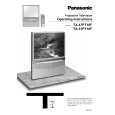
PANASONIC TX-51PT10F
Instrukcja Serwisowa


Tweetnij o tym produkcie a dostaniesz $1.00 rabatu!
  • Zawiera schematy
  • Plik do pobrania
  • Format PDF
  • Kompletna instrukcja
  • Język: German
Cena: $4.99

Opis PANASONIC TX-51PT10F Instrukcja Serwisowa

Kompletna instrukcja serwisowa w formie pliku PDF. Instrukcje serwisowe zazwyczaj zawierają schematy, diagramy drukowanych obwodów (PCB), schematy połączeń, schematy blokowe oraz katalog części. Instrukcje serwisowe są wykorzystywane glównie przez osoby naprawiające uszkodzony sprzęt.

Jeśli chcesz się dowiedzieć jak się obsługuje Twój telewizor, magnetowid, odtwarzacz mp3 itp. powinieneś raczej szukać instrukcji obsługi

Instrukcja jest dostępna w następujących językach: German

Plik nie jest jeszcze gotowy
Musisz najpierw dokonać zakupu.

Recenzje produktu
Dla tego produktu nie napisano jeszcze recenzji!
Recenzje innych produktów
 RSB106 PANASONIC Instrukcja Serwisowa by Mieczyslaw Wojdyla;
Bardzo dobra jakość skanu, przystępna cena. Instrukcja serwisowa okazała się przydatna przy "reanimowaniu" dwudziestoparoletniego decka, który teraz pięknie gra :)
 ST-8077K TECHNICS Instrukcja Serwisowa by Adam Grążka;
...instruction is ok. ...instrukcja jest ok. Thanks/Dzięki
 T5 SANSUI Instrukcja Serwisowa by Adam Grążka;
Documentation made ​​available quickly and It is good quality. Thanks.

Tekstowy podgląd strony 24 (kliknij aby zobaczyć)
Videotext-bedienung
Die Programmposition kann nicht geändert werden, wenn Sie sich im Betrieb für �Aktuelle Nachrichtenmeldung�, �Aktualisierung� oder �Codierter Zugriff auf Zusatzseiten� befinden.
STR

Beliebteste Seite (F.P .)
Speichert eine Lieblingsseite für sofortigen Zugriff. Dazu mu� sich das Fernsehgerät im LIST-Modus befinden und auf eine Programmposition zwischen 1 und 25 eingeschaltet sein. Die blaue Taste drücken, Seitennummer wählen und dann die STR-Taste drücken und gedrückt halten. Die Seitennummer ist damit gespeichert. Die F.P -Taste drücken, um diese Seite erneut .aufzurufen.

F.P .

Anzeige aktualisieren
Drücken Sie die SETUP- -Taste, um die Sonderfunktionen anzuzeigen, gefolgt von der gelben Taste, um während der Suche nach einer Videotextseite weiterhin das Fernsehprogramm anzusehen (dies ist im PAT- -Modus nicht nötig, da das Bild auf der linken Seite des Bildschirms angezeigt wird). Wenn die Seite gefunden wurde, erscheint die Seitennummer oben links auf dem Bildschirm. Gelbe Taste erneut drücken, um die Seite anzusehen. TV/TEXT-Taste erneut drücken, um zum normalen TV-Betrieb zurückzukehren. Aktuelle Nachrichtenmeldung Wenn eine Seite für aktuelle Nachrichtenmeldungen gewählt wurde, zunächst die SET UP Taste und danach die gelbe Taste drücken, um das normale Fernsehprogramm weiterhin zu sehen. Wenn eine aktuelle Meldung eingeht, wird die Seitennummer auf dem Bildschirm angezeigt. Gelbe Taste drücken, um die Nachrichtenmeldung anzuzeigen. TV/TEXT-Taste drücken, um zum normalen TV-Betrieb zurückzukehren. Aktualisierung Gleichzeitig SET UP und die gelbe Taste drücken, um Aktualisierungen von Informationen auf bestimmten Seiten zu sehen. Bei Empfang einer Aktualisierung wird die Seitennummer oben links auf dem Bildschirm angezeigt. Gelbe Taste drücken, um diese Seite anzuzeigen. TV/TEXT-Taste drücken, um zum normalen TV-Betrieb zurückzukehren.. -

SET UP

Zugriff auf zusätzliche Videotextseiten
Wenn die Videotextinformation über eine Seite hinausgeht, kann es unter Umständen etwas länger dauern, bis Sie mittels des automatischen Seitenwechsels die gewünschte Seite erreichen. Die Nummer jeder Seite, die gefunden wird, wird am oberen Rand der Seite eingeblendet, so dass Sie sie auswählen können; mit jeder weiteren Seite ändert sich die Anzeige am oberen Rand der Seite, so dass Ihnen immer die aktuellste Auswahl an Zusatzseiten dargeboten wird. Im Bild- - und Textmodus benutzen Sie die linke und rechte Cursortaste, um aus den am oberen Rand des Videotextfensters angezeigten Seiten die gewünschte Zusatzseite auszuwählen. Im Videotextbetrieb wenden sie das folgende Verfahren an, um Zugriff auf Zusatzseiten zu nehmen: Wenn die Zusatzseite, die Sie sehen möchten, noch nicht zur Verfügung steht, drücken Sie zuerst die Taste SETUP (zum Anzeigen von Sonderfunktionen) und dann die Gelbe Taste, um das Fernsehbild zu sehen, während Sie darauf warten, dass weitere Zusatzseiten gefunden werden. Die gefundenen Zusatzseiten werden am oberen Bildschirmrand angezeigt. Sobald die Zusatzseite, auf die Sie warten, zur Verfügung steht, drücken Sie die Gelbe Taste, um zu den Videotextseiten zurückzukehren, und suchen Sie dann die gewünschte Zusatzseite mit Hilfe der linken und rechten Cursortasten aus. Hinweise: D Wenn Sie nicht möchten, dass die vier farbigen Sonderfunktionstasten auf dem Fernsehbild eingeblendet werden, während Sie darauf warten, dass die Zusatzseite gefunden wird, drücken Sie entweder die BILD- -, TON- - oder SETUP- -Menütaste auf dem Bildschirm. Bei nochmaligem Drücken der SETUP- -Taste werden die Tasten wieder eingeblendet. D Wenn Sie die Sonderfunktionstasten vom Bildschirm ausgeblendet und anschlie�end bei laufendem Fernsehbild die linke und rechte Cursortaste zur Auswahl einer Zusatzseite benutzt haben, müssen Sie die SETUP- -Taste und dann die Gelbe Taste drücken, um die Videotextseite wieder zu sehen. D Wenn am oberen Rand der Seite angezeigt wird, dass Zusatzseiten übertragen werden, die angezeigte Seite sich jedoch nicht ändert, verweist die Zusatzseitennummer� darauf, dass der Seiteninhalt aktualisiert wurde und dass keine Zusatzseiten vorhanden sind. Drücken Sie TV/TEXT, um zum normalen Fernsehbetrieb zurückzukehren.
INDEX

SET UP

Index

Bei FLOF- -Betrieb INDEX drücken, um zur Hauptverzeichnisseite zurückzukehren. Je nachdem, wie die Informationen übertragen werden, mu� diese Taste möglicherweise mehrmals gedrückt werden, um zur Hauptverzeichnisseite zurückzukehren.

24

Klienci kupując ten produkt kupili także

$4.99

TX-51PT10F PANASONIC
Instrukcja Obsługi

Kompletna instrukcja obsługi w formie pliku PDF. Plik PDF zostanie dostarczony na Twój adres email…
>
Parse Time: 1.959 - Number of Queries: 531 - Query Time: 1.175